Boosting Your Reach with Twitter Ads
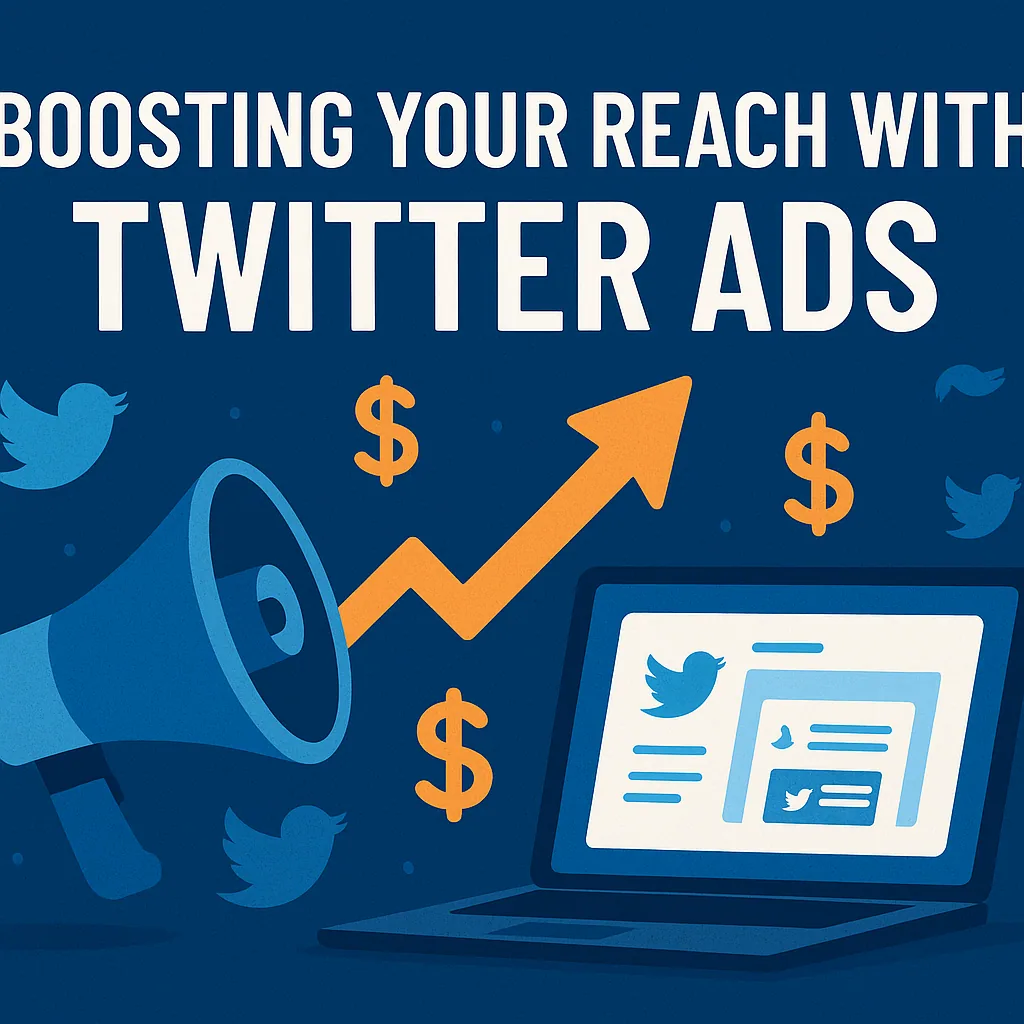
In this article, we explore how ecommerce brands can tap into Twitter Ads (now X Ads) to dramatically extend their reach, generate qualified leads, and scale conversions. We break down campaign objectives, targeting strategies, and how to craft high-converting creative assets. You’ll learn about ad formats like carousel ads, budget considerations like CPC and CPM, and how to track ad performance using Twitter's native tools. This guide also touches on advanced techniques including AI-powered targeting, retargeting, and A/B testing. For ecommerce founders looking for scalable, measurable impact—this one's for you.
The Hidden Power of X Ads for DTC Brands
Let’s be honest—Twitter (or X, if we’re playing along with the rebrand) often gets overlooked in favor of platforms like Meta or TikTok when it comes to ecommerce advertising. But if you’re building a direct-to-consumer brand, you might be missing out on a top-of-funnel marketing channel with serious reach potential.
With over 500 million tweets per day, X provides a dynamic opportunity to connect with your audience in real time, test offers quickly, and gather immediate feedback via engagement metrics like clicks, retweets, and mentions. If you're ready to diversify your content pipeline and unlock brand awareness at scale, now's the time to pay attention.
Why Twitter Ads Work for Ecommerce
Unlike platforms designed for passive scrolling, X encourages real-time conversation. For ecommerce brands, this means your ads can drive not only click-throughs but actual community building and feedback loops with potential customers.
Some of the benefits of incorporating X Ads into your marketing strategy include:
- Fast Impressions: Your promoted posts appear in feeds, trends, and timelines—pushing reach with minimal lag.
- Flexible Targeting: Use keyword targeting, audience segmentation, and behavioral targeting to refine your ideal buyer.
- Diverse Formats: From video ads to branded hashtags, X offers flexible creative options.
- Budget Control: You set your ad spend limits with options for manual bidding or automated campaign optimization.
- Detailed Metrics: The Twitter Ads Manager lets you track CPC, CPM, conversions, and more in one dashboard.
If you're not sure where to start, consider getting a free audit from our team to evaluate your current ad funnel and whether X Ads make sense for your niche.
Step 1: Define Your Campaign Objective
Before launching anything, it’s crucial to define the campaign objective. Twitter Ads offer several, but for ecommerce, you’ll most likely focus on:
- Website traffic – Directing users to a product page or landing page.
- Conversions – Optimizing for purchases or email sign-ups.
- Engagement – Building visibility for a new launch or offer.
- Video views – Boosting rich media content like explainer videos or influencer clips.
Tip: If you're running a product launch, use video hooks in short-form content under 15 seconds. Focus your messaging around value and urgency, and lead with motion to catch the eye.
Each objective influences how Twitter bills you—CPC for traffic, CPM for awareness, or CPE if you're optimizing for likes, shares, or comments.
Step 2: Build Out Your Audience Targeting
Effective audience targeting is what separates great campaigns from expensive noise. X Ads provide a suite of tools to help you reach the right people:
Audience Features to Explore:
- Keyword Targeting: Find users tweeting about your category or problem.
- Follower Lookalikes: Target users who follow similar brands.
- Demographic Filtering: Adjust for age, gender, location, and language.
- Behavioral Targeting: Reach people based on past actions.
- Retargeting: Bring back users who engaged with your store or content.
Advanced advertisers can also explore Twitter Pixel Tracking, enabling conversion funnel optimization across your site. Combined with sentiment analysis and social listening, you can tailor your messaging to different segments.
Need help setting up the infrastructure to retarget and measure? Our services team can help you configure Twitter’s Conversion API and optimize your funnel.
Step 3: Choose the Right Ad Format
Twitter offers more flexibility than most brands realize. Whether you're pushing a flagship product or teasing a collection drop, the format matters. Here's a breakdown:
Ad FormatBest Use CasePromoted PostsDrive traffic to product pagesVideo AdsShowcase product featuresCarousel AdsHighlight multiple SKUs or bundlesTimeline TakeoverDominate visibility during launchesTwitter AmplifyPair ads with premium video contentBranded HashtagsEncourage UGC and social proof
“Carousel ads are one of the most underutilized but high-performing ad formats for ecommerce,” says our founder. “They allow you to show product variety, create narrative flow, and drive multi-click interactions—all in one ad.”
For brand storytelling, dynamic product ads can automatically adjust based on user behavior, while pre-roll ads placed before trending videos boost visibility.
Step 4: Craft Creative Assets That Convert
The success of your ad often hinges on the creative assets—not just the offer. This is where many ecommerce brands miss out.
Here’s how to ensure your creative is optimized for X:
- Use bright, bold visuals that stand out in fast-moving feeds
- Incorporate consistent brand messaging (colors, tone, logo)
- Start videos with a strong hook in the first 3 seconds
- Add captions for sound-off viewing
- Test A/B variations of text, images, and CTAs
When in doubt, create three to five variations of each ad for split testing and performance comparison inside your Ads Manager dashboard.
Need help building high-converting ad creative that drives more than just clicks? We specialize in ecommerce-first content. Explore how we support brands like yours on our homepage.
Smart Budgeting and Bidding: Spend Less, Reach More
Let’s talk money.
Once your campaign objective, targeting, and creative are set, your next move is figuring out how to control ad spend without sacrificing ad performance.
How Twitter Ads Billing Works:
Twitter/X Ads operate on a second-price auction model. You only pay just above the next highest bidder—not your full max bid. That means manual bidding strategies can stretch your budget further than you'd expect.
You’ll typically choose between two bidding strategies:
- Automated Campaign Optimization: Twitter’s algorithm adjusts bids in real-time to hit your objective. Best for beginners or quick testing.
- Manual Bidding: You set max bids at the ad group level. Ideal for experienced advertisers who want more control.
Recommended Budgeting Practices for Ecommerce Brands:
- Start with a daily budget (rather than total campaign spend) to give the algorithm room to learn.
- Use CPA targets (Cost per Acquisition) if focusing on conversions.
- Set higher bids for reach campaigns to maximize unique impressions, especially during product drops or holiday promotions.
Pro Tip: Want help managing cross-channel spend? Use content scheduling tools to align Twitter promotions with launches on email, Instagram, or SMS.
It’s worth noting that Twitter supports insertion order billing for brands spending over $5,000/month, simplifying account management for scaling stores.
Measuring What Matters: Campaign Metrics That Count
If you're not measuring your ads correctly, you're not just flying blind—you’re burning budget.
Key Metrics to Track:
- Impressions – Total number of views your ad received.
- Reach – Unique users who saw your ad.
- Engagement Rate – Percentage of viewers who interacted.
- Click-Through Rate (CTR) – How many clicked compared to how many saw it.
- Cost per Click (CPC) – What you paid for each visit.
- Cost per Mille (CPM) – Cost per 1,000 impressions.
- Conversions – Sales, signups, or goal completions.
Inside the Twitter Ads Manager dashboard, these metrics are broken down by ad group, format, and creative asset. For deeper performance benchmarking, compare:
- Organic reach vs. paid reach
- Return on Ad Spend (ROAS) over time
- Performance across different ad formats
Don’t just look at results in isolation. A low CTR may not be a failure if retargeting from that audience converts down-funnel. Likewise, high engagement with low conversions could mean poor landing page optimization—not bad ads.
Retargeting and Conversion Funnel Optimization
One of the biggest missed opportunities in Twitter advertising is not leveraging retargeting.
Your top-of-funnel campaigns are valuable for building awareness—but unless you re-engage warm audiences, you're leaving money on the table.
Retargeting Tactics to Try:
- Show product ads to users who clicked your previous tweets.
- Offer a discount to those who added to cart but didn’t purchase.
- Use branded hashtags to identify and retarget UGC creators.
To enable this, install Twitter Pixel Tracking on your store. It allows you to follow users through the funnel and launch targeted ads at specific steps—such as cart abandonment or post-purchase upsells.
Pair it with Twitter’s Conversion API for advanced tracking without relying on cookies. It works great alongside Shopify, WooCommerce, and other ecommerce platforms.
Need a hand getting technical tracking sorted? Our expert ecommerce marketers are available to help. Reach out via our contact page for hands-on support.
Advanced Tactics for Growth-Stage Ecommerce Brands
Once you’ve nailed the basics, Twitter offers powerful tools that make it a serious contender for scaling your reach. Here are some of the more advanced plays:
1. AI-Powered Targeting with Grok
Twitter’s new Grok AI Assistant can help auto-generate ad copy, assist with targeting suggestions, and even predict high-performing formats. Use it to reduce the lift in testing multiple creative variations.
2. Time Zone Ad Optimization
Launch ads at peak times based on user geolocation to maximize impressions during high-engagement windows.
3. Lookalike Audiences
Model new audiences based on your best-performing segments—ideal for scaling proven creatives without starting from scratch.
4. Dark Posts (Unpublished Ads)
Run A/B tests with dark posts to test offers without cluttering your public profile. Combine this with A/B creative testing for optimal learning.
5. Cross-Platform Campaigns
Coordinate with email, Instagram, or Google campaigns to deliver multi-touch marketing—which boosts conversions by up to 40%.
"X Ads aren’t just for impressions—they’re a strategic lever in a full-funnel ecommerce campaign," says our lead strategist.
Using Twitter to Strengthen Organic Reach and Community
Not every interaction needs to be paid. In fact, blending paid reach with organic content is key to long-term performance. Here’s how:
- Post behind-the-scenes product photos to drive engagement.
- Start a poll or Q&A around product launches.
- Build trust by responding to customer feedback—this boosts customer interaction and social proof.
Use hashtag analytics to see what’s trending in your niche. Engage with those hashtags using both organic and promoted content to maximize brand visibility.
And don’t forget: a consistent brand voice across your organic and paid content improves recognition, trust, and click-through performance.
Real-World Use Cases: What Smart Brands Are Doing
To bring all of this strategy to life, let’s take a look at how ecommerce brands—especially DTC storefronts like yours—are using X Ads effectively.
Example 1: Product Drops + Timeline Takeover
A sustainable fashion brand used timeline takeover ads to dominate the conversation around their new seasonal collection. They synced the launch with branded hashtags and a custom video series. Within 72 hours, they saw:
- 1.9M impressions
- 19% lift in brand awareness
- 4.2X ROI based on post-launch revenue
Example 2: Dynamic Retargeting Campaign
A skincare brand leveraged dynamic product ads to retarget users who visited product pages but didn’t convert. They segmented by product interest and location and used geo-targeted ads to personalize the offer. Results included:
- 3.8% CTR (well above average)
- 28% conversion rate on retargeted traffic
- 37% lower CPC than their Meta ads
Example 3: Creator Collabs with Amplify
An accessories brand partnered with influencers via Twitter Amplify, running pre-roll ads before relevant videos in their niche. These campaigns used micro-influencer collaboration as the backbone of the content strategy, boosting trust and reach.
The takeaway? You don’t need a huge team to see results—just a smart stack of creative assets, audience targeting, and testing infrastructure.
If you’re ready to replicate campaigns like these, our team at Easy Ecommerce Marketing can guide you step by step.
Common Mistakes to Avoid (and How to Fix Them)
Even smart marketers make errors that tank their ad efficiency. Here are some of the most common we see—and what to do instead.
❌ Mistake 1: Targeting Too Broadly
You want reach, but casting too wide a net can lead to irrelevant clicks and wasted budget. Instead:
- Use audience segmentation based on purchase intent
- Layer in behavioral targeting with keyword filters
❌ Mistake 2: Relying on a Single Creative
One video or post won’t work for all users. Avoid “one-size-fits-all” by:
- Running A/B creative testing
- Testing ad variations by demographic filtering
❌ Mistake 3: Not Optimizing Post-Click Experience
If your site is slow or confusing, all the clicks in the world won’t save your campaign. Make sure your landing pages are:
- Mobile-first
- Matched to your ad’s message
- Optimized with conversion funnel best practices
❌ Mistake 4: No Performance Review Loop
Without data-driven analysis, your campaigns can plateau quickly. Create a cadence to:
- Check campaign metrics weekly
- Track changes using real-time engagement monitoring
- Iterate based on high- and low-performing content pipeline segments
And if you're not sure how to interpret your numbers, we offer a free audit to help you uncover where your campaigns are working—and where they need tweaking.
How to Scale: From $10/day to $10,000/month
Scaling with X Ads doesn’t mean just increasing your budget—it requires refining every layer of your funnel.
Here’s a sample growth roadmap for ecommerce scaling on Twitter/X:
📈 Phase 1: Foundation ($10–$50/day)
- Focus on reach and website traffic campaigns
- Test 2–3 ad formats
- Use manual bidding to keep spend under control
📊 Phase 2: Optimization ($100–$500/day)
- Add retargeting with dynamic ads
- Start testing audience lookalikes
- Use content scheduling tools to sync organic + paid efforts
🚀 Phase 3: Scale ($1,000+/day)
- Consolidate high-performing campaigns
- Increase spend gradually—20% every 3 days
- Launch cross-platform campaigns to unify brand experience
- Set up multi-user login for teams to manage workflow and creative updates
By the time you reach Phase 3, you should have a clear handle on your performance benchmarking, a robust set of creative assets, and repeatable conversion funnel optimization strategies.
Final Thoughts: Is Twitter the Right Channel for You?
Boosting your reach with Twitter Ads isn’t about shouting into the void. It’s about strategic placement, hyper-targeted messaging, and a commitment to testing and learning.
With the right setup, X Ads can:
- Expand your organic reach
- Attract high-quality leads through keyword targeting
- Lower your CPA via retargeting
- And ultimately, drive more revenue for your brand
But it does require upfront strategy, strong creative, and consistent refinement.
If you're ready to elevate your ecommerce growth with X Ads and want a team who understands the DTC ecommerce lifecycle, we’d love to help.
Explore our services → https://easyecommercemarketing.com/services
Or request a no-strings free audit to see how your Twitter ad strategy stacks up.
Frequently Asked Questions: Boosting Your Reach with Twitter Ads
1. Do Twitter Ads work for small ecommerce stores with limited budgets?
Yes, X Ads can work well even with a small daily budget (as little as $10/day). The key is choosing the right campaign objective (like website traffic or engagement), using narrow audience targeting, and focusing on high-converting creative. Start small, measure results, and scale what works.
2. How long should I run a Twitter ad campaign before seeing results?
Most campaigns need 3–7 days to “learn” and gather enough data to optimize performance. For conversion campaigns, give it at least 2–3 weeks to assess ROAS, especially if using automated campaign optimization or retargeting.
3. What is the difference between impressions and reach on Twitter Ads?
- Impressions = total times your ad was shown (including multiple views by the same person).
- Reach = unique number of users who saw your ad at least once.
High impressions but low reach may indicate repetitive exposure; high reach with low CTR may suggest creative misalignment.
4. What type of content performs best in Twitter ads?
Visual content outperforms plain text. Use short videos, carousel images, or bold graphics with a clear call to action (CTA). Ads with a strong video hook in the first 3 seconds and branded messaging often yield the best engagement rates.
5. How do I know if my Twitter ads are targeting the right audience?
Use Twitter Ads Manager to review audience metrics like demographics, device type, and location. If you're getting low engagement or conversions, try adjusting your keyword targeting, demographic filtering, or narrowing down your interests.
6. Is it better to use multiple small campaigns or one large campaign on Twitter?
It depends on your goal. Multiple small campaigns are great for split testing different creatives or audiences. However, consolidating campaigns can improve delivery and optimize ad auction performance if you already know what works.
7. How do I handle ad fatigue on Twitter?
Ad fatigue happens when users see your ad too often. To prevent this:
- Rotate creatives every 7–14 days
- Use frequency capping
- Test new formats like branded hashtags or pre-roll ads
- Segment your audience to keep content fresh for each group
8. Do I need to use hashtags in Twitter ads?
You don’t have to, but strategically placed hashtags can improve discoverability and align your ad with relevant trends or events. Don’t overdo it—1 to 2 branded or high-volume hashtags is usually enough for visibility without clutter.
9. Can I track conversions from Twitter Ads to my Shopify or WooCommerce store?
Yes. You’ll need to install the Twitter Pixel and optionally set up the Conversion API to track actions like purchases, sign-ups, and add-to-cart events. Many ecommerce platforms offer direct integrations or third-party tools to simplify setup.
10. What’s the best way to test new Twitter ads before scaling?
Create A/B tests using dark (unpublished) posts to avoid cluttering your public feed. Test different versions of:
- Headlines
- Images/videos
- CTA language
- Offers (free shipping vs. discount)
Then scale the top performers with increased ad spend and lookalike audiences.