
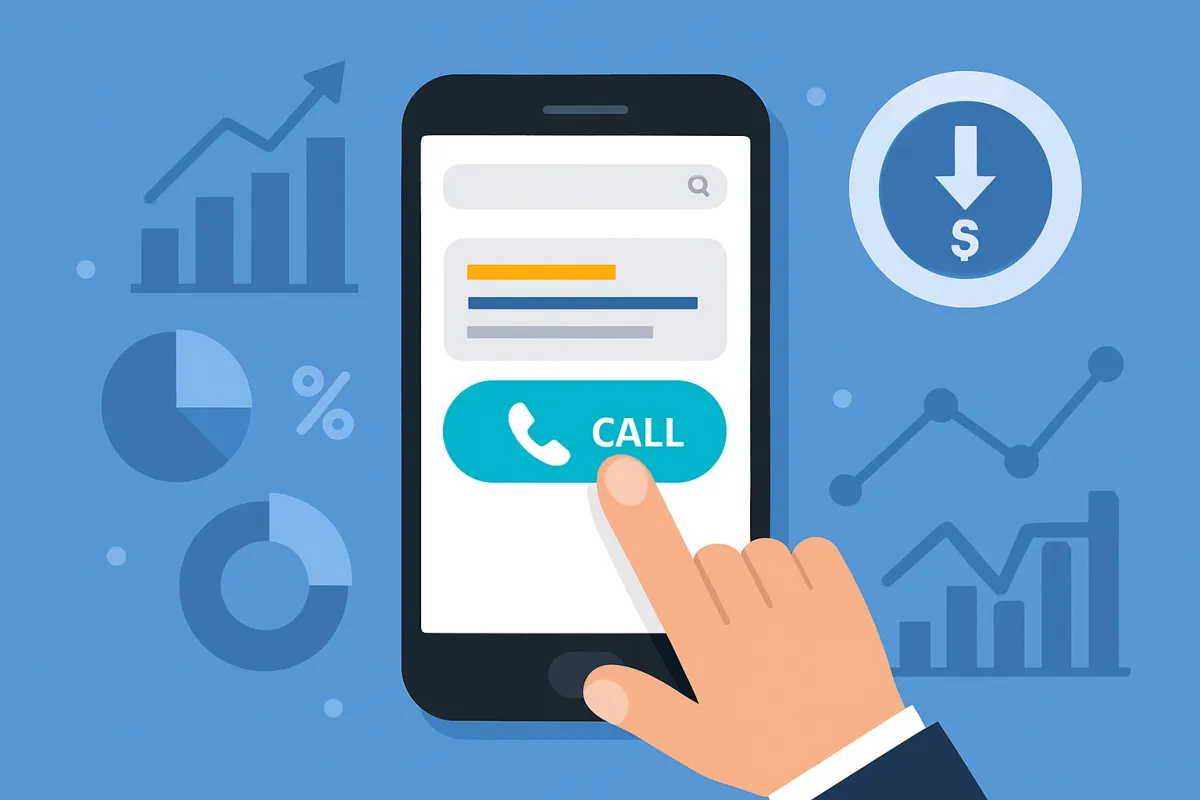
Drive Conversions with Call Extensions
In today's fast-scrolling, mobile-first world, your ads need to do more than just show up—they need to connect. Call extensions give your ads the power to speak directly to customers. This guide breaks down exactly how to increase your conversion rates by making the most of call-focused advertising strategies, especially with Google Ads. You’ll learn:
What call extensions really are (and how they differ from call-only campaigns)
How to set them up correctly within your ad hierarchy
Why conversion tracking and call reporting matter more than ever
What tools you need to identify high-intent callers
How to optimise for click-to-call engagement and improve ROI
And, real talk—why the quality of your calls matters just as much as quantity
Whether you're new to performance marketing or refining your existing ad strategy, this article will give you tactical, real-world insights to turn phone calls into bottom-line growth.
Why Phone Calls Still Matter in a Click-Obsessed World
It’s easy to assume that conversions only happen on landing pages, especially in ecommerce. But if you're not making it easy for potential customers to call you—you're leaving money on the table. Studies have shown that phone calls convert at 10x the rate of clicks. They're more personal, more immediate, and often lead to higher-value purchases.
In fact, click-to-call ads are a powerhouse for local businesses, service-based industries, and ecommerce stores offering support or high-touch sales. With tools like Google Ads call extensions, you can integrate clickable phone numbers directly into your search ads, making it seamless for people to contact you when their intent is at its peak.
What Are Call Extensions, Really?
Think of call extensions as a turbo-charger for your search ads. Instead of just showing a link, they display a clickable phone number—either next to your headline or below your ad on mobile and desktop.
This functionality isn’t just cosmetic. It triggers real engagement by making the decision to call frictionless. Better yet, calls from these extensions are trackable using Google Forwarding Numbers, giving you detailed insights like duration, area code, and whether or not the call was answered.
"Call extensions are more than just convenience—they’re a bridge between intent and action, and one of the fastest paths to higher CTRs."
At Easy Ecommerce Marketing, we’ve helped brands optimise their paid search campaigns by layering in conversion-focused elements like these with measurable results.
The Mechanics: Where and How to Add Call Extensions
You can add call extensions at the account, campaign, or ad group level—but be strategic.
Account-level: Broad coverage, great for brands with one consistent number.
Campaign-level: Ideal for targeting specific services or promotions.
Ad group-level: Best for laser-focused targeting, especially when different products or departments handle calls.
If you’re unsure where to start, get a quick free audit of your current ad structure to see where opportunities exist to integrate call extensions and drive more phone-based conversions.
Smart Bidding, Smarter Results
Here's where it gets interesting: Smart Bidding and bid adjustments can be set based on call conversion value, not just clicks or impressions. That means your ad spend dynamically optimises to what actually makes you money—calls that convert.
By combining responsive search ads with call extensions and machine learning, Google can better identify high-intent callers, showing your number to people who are more likely to reach out.
If you're running campaigns without leveraging AI-powered call analysis or conversation intelligence platforms, you're missing out on valuable first-party insights. And while tools like Invoca can get deep, even basic call reporting via Google Ads can shine a light on performance blind spots.
Timing Is Everything: Scheduling and Staffing
You wouldn’t set your store hours for 3 a.m., so don’t let your ads generate calls when no one’s around to answer them.
Here’s what you need to align:
Ad Scheduling: Set your call extensions to show only when your team is available.
Call Center Staffing: Review your peak call times and align your staff resources accordingly.
Call Length: Use call duration data to determine the average engagement. Long calls might indicate higher interest—but only if they’re handled well.
If you're unsure when your audience is most likely to convert by phone, look at patterns in your conversion tracking data or use tools that segment calls by time of day.
At Easy Ecommerce Marketing Services, we frequently help brands align their customer service capabilities with ad timing, resulting in a measurable boost in call quality and overall ROAS.
Write Ads That Get the Phone Ringing
Setting up call extensions is step one—but getting users to actually tap that number? That’s where great ad copywriting steps in.
Your ad text should:
Clearly state the value of calling (e.g., "Call Now for a Free Consultation")
Emphasise urgency or exclusivity (e.g., “Limited-Time Offer – Speak to a Specialist Today”)
Remove barriers (e.g., “Talk to a Real Expert – No Obligation”)
Use your Call-to-Action (CTA) in ads strategically. Instead of “Learn More,” try action-focused language like:
“Call Now for Fast Support”
“Speak to a Product Expert Today”
“Book Over the Phone in Minutes”
If your product or service has nuances best explained person-to-person, this type of messaging can outperform even the most polished landing page. The key? Focus on user intent. People who click-to-call are often closer to a buying decision than those browsing your site.
Call-Only Campaigns vs. Call Extensions: Know the Difference
While call extensions are an add-on to existing search ads, call-only campaigns are built from the ground up to drive phone interactions.
FeatureCall ExtensionsCall-Only CampaignsClickable phoneYes, shown alongside existing adsYes, phone call is the only optionWebsite linkYes, optionalNo, users cannot visit your siteDevice targetingAll devices (mobile/desktop)Mobile-only (devices that can place calls)Best forComplementing site visits with callsBusinesses wanting direct phone conversations
Call-only ads are especially powerful when you're targeting mobile-first audiences—people who are likely to take action immediately. They work exceptionally well for service-based offerings, bookings, quotes, and support-driven sales.
Still unsure which to use? You can test both ad types side-by-side and use conversion tracking to evaluate the results.
Optimise the Post-Click Experience: Landing Pages That Support Calls
Even when using call-focused ad formats, users may still land on your website. That’s where landing page optimisation plays a crucial role in keeping the momentum going.
To make your site call-friendly:
Place your phone number in the header with a click-to-call link
Use sticky phone icons on mobile views
Keep your message consistent with the ad—avoid creating cognitive dissonance
Add CTAs like “Prefer to talk? Call now.”
This is especially effective if you’re promoting services or high-ticket products where users might want to ask questions before committing. A seamless experience from search ad to phone call reduces friction and boosts conversions.
Check out how Easy Ecommerce Marketing aligns campaign strategy with CRO principles to support seamless user journeys.
Go Beyond the Call: Using Conversation Intelligence for Smarter Marketing
Once the call happens, the insights are just beginning.
Conversation intelligence uses AI-powered call analysis to understand what actually happens during phone calls—tracking topics, sentiment, conversions, objections, and more. This data can be invaluable for:
Discovering new high-performing keywords
Understanding why users call (or don't convert)
Refining ad messaging based on real conversations
Platforms like Invoca integrate directly with Google Ads to inform Smart Bidding, but even if you’re not ready for enterprise software, simply reviewing call transcripts or tags (like “sales call” vs. “support call”) can be game-changing.
Here’s the real value: You’re no longer optimising just for CTR or impressions—you’re optimising based on actual outcomes.
Mind the Details: Policies, Numbers & Disclaimers
Before you launch full steam ahead with call-based campaigns, be aware of some critical best practices:
Vanity numbers, premium numbers, and fax lines are not allowed for call extensions
Use Google Forwarding Numbers to access detailed call reporting (without showing your real number publicly)
If you use shared-cost numbers, Google may display disclaimers about additional charges
Make sure to verify your phone number within your Google Ads account to maintain eligibility
These small operational details can affect whether your call extensions even show—and impact your ability to track performance reliably.
Know When the Calls Are Coming
A call that goes unanswered is more than a missed opportunity—it’s wasted ad spend.
To maximise efficiency:
Use call reporting to review when most calls happen
Identify peak call times and adjust ad scheduling accordingly
Ensure your call center staffing or team availability matches demand
Calls are only valuable when they’re handled well. Your conversion rate depends just as much on the person answering as it does on the ad that drove the call.
Scale What Works: Call Ads That Grow With You
Once you've tested and fine-tuned your call extensions or call-only campaigns, the next step is scaling. The beauty of call-based conversions is that they scale differently than website traffic—they demand human attention, which makes operational planning crucial.
Here’s how to scale without sacrificing call quality or ROAS:
Review your call data regularly. Look at conversion rates, not just volume. Are calls resulting in sales, or are they mostly support-related?
Identify high-performing segments. Which campaigns, ad groups, or keywords bring in high-intent callers?
Duplicate success at scale. Create lookalike campaigns in new geos, tweak ad copy based on successful CTAs, or adjust bidding for similar audiences.
If you’re unsure where to begin scaling, you can start with a free audit to evaluate your current Google Ads strategy and how call performance plays into your overall conversion path.
Automation & Machine Learning: Your Secret Weapon
Manual optimisation gets you started. But automation is what makes call-based campaigns sustainable as your business grows.
Here’s where Google Smart Bidding shines. You can:
Optimise for call conversion value rather than just clicks
Use target CPA or ROAS bidding strategies tailored to calls
Automate bid adjustments based on location, device, time, and audience
What makes this smarter? It’s not just about more calls—it’s about the right calls. With machine learning analysing signals from every impression and interaction, your bids automatically favour users who are most likely to call and convert.
Plus, if you're using a call tracking platform, that first-party data can feed back into your Google Ads campaigns, refining bidding decisions even further.
Need help integrating that workflow into your current setup? Our team at Easy Ecommerce Marketing specialises in building automation that actually respects your ROI limits.
Segmenting Call Quality: Not All Conversions Are Equal
Not all phone calls are good phone calls.
Yes, you may be driving call volume—but if those calls aren’t converting, or they’re clogging up your lines with low-value queries, you need to get smarter.
Use these tactics to filter signal from noise:
Call Length: Short calls (<15 seconds) often indicate missed or accidental dials
Call Outcome Tagging: Use your CRM or call tracking software to flag sales vs. support vs. spam
Conversation Intelligence: Let AI tools uncover whether calls are qualified, objections raised, or price-sensitive
Keyword Attribution: Identify which queries lead to high-quality calls (then double down)
High-converting calls have a different DNA than tire-kicker traffic. Look for patterns—call timing, ad copy, device types—that correlate with meaningful conversions.
The Call Experience: The Human Touchpoint That Closes Sales
Your Google Ads might get the phone ringing—but it’s your call experience that closes the deal.
Here’s where many campaigns fall short. The person answering the call isn’t trained to convert. Or worse—they don’t even pick up.
To ensure you’re not burning your ad spend:
Train your phone staff with scripts tailored to call intent (support vs. sales)
Create a feedback loop between marketing and customer service
Track hold times, abandonment rates, and call outcomes
Use call center staffing models that adjust to ad schedules
When users want to talk, your team needs to be ready. This final step in the funnel is often the most overlooked—and the most critical.
Real-World Results: Why Call Extensions Work
Here’s the kind of lift you can expect from well-implemented call-focused campaigns:
Higher CTR: Adding a visible phone number often improves visibility and urgency.
Increased ROAS: Phone calls convert at significantly higher rates than site visits, especially for high-touch services.
Improved Lead Quality: You speak directly to decision-makers, not just passive browsers.
Actionable Insights: Every call gives you real-world language to improve messaging and targeting.
We’ve helped brands restructure their PPC to favour qualified phone calls, resulting in cost-per-acquisition drops of 30–70%, while increasing close rates significantly.
If you're ready to elevate your paid search game, explore how our services can give your team the tools, training, and campaign structure needed to turn search intent into real conversations—and real revenue.
Final Summary: Calls Convert—Are You Ready to Answer?
By now, you’ve seen that driving conversions with call extensions isn’t about adding a phone number and hoping for the best. It’s a deliberate, strategic shift in how you think about PPC performance.
Here’s a quick recap of how to win:
Use call extensions or call-only ads depending on your sales model
Optimise ad copy, scheduling, and CTA design for calls
Leverage conversion tracking and call reporting for real insights
Use Smart Bidding and automation to scale the right calls—not just more calls
Segment and analyse call quality to avoid wasted spend
Align your team and tech to create a better experience for every caller
Want to talk about how this applies to your brand? You don’t need to guess—we’ll show you what’s working, what’s not, and where you could be closing more sales over the phone.
Get your free audit now and start answering the calls that matter.
Frequently Asked Questions (FAQ)
About Driving Conversions with Call Extensions
1. Do call extensions work on all devices?
No, call extensions are most effective on mobile devices that can make phone calls. On desktop, a “Call” button may appear, but users need to use a phone to complete the call. Some formats also display a QR code to scan with a mobile device.
2. Will adding call extensions to my ads increase my cost-per-click (CPC)?
Not necessarily. Clicks on call extensions are charged at the same CPC rate as headline clicks in search ads. However, the higher intent and conversion potential of calls often improves your return on ad spend (ROAS), making it a cost-effective strategy.
3. Can I use multiple phone numbers in one campaign?
Yes. You can assign different phone numbers at the account, campaign, or ad group level. This allows you to route calls to different departments, locations, or teams depending on the ad’s targeting.
4. What kind of phone numbers are supported in call extensions?
Google supports standard phone numbers, including mobile and landlines. However, vanity numbers, premium-rate lines, fax numbers, and unverified numbers are not allowed. Be sure to comply with Google’s call extension policies.
5. Can I track the outcome of the calls I receive?
Yes. With call reporting enabled, you can view metrics such as call duration, start time, area code, and whether the call was connected. For deeper insights, you may want to integrate a third-party call tracking platform.
6. Do call extensions affect my ad rank?
Yes. Like other ad assets, call extensions can improve your ad quality score and ad rank by enhancing the relevance and expected CTR. However, they are not guaranteed to show unless Google deems them helpful in the auction.
7. Are there any limitations to call extensions in international markets?
Yes. Call extensions are supported in many countries, but Google Forwarding Numbers may not be available everywhere. In unsupported regions, you may have to use your direct business number without access to call reporting.
8. How do I know if someone called from the ad or found my number elsewhere?
When using Google Forwarding Numbers, you can track which calls came specifically from your ads. These unique numbers are dynamically generated and only appear in your ads, so attribution is accurate.
9. Can I use call extensions with Performance Max or Smart campaigns?
Call extensions can be used with Search, Smart, and Performance Max campaigns, but the behavior may vary. In Smart campaigns, Google may add call extensions automatically based on your business info.
10. What's the best way to A/B test call extensions?
To run a controlled test, create two ad groups or campaigns, one with call extensions and one without. Use Google Ads Experiments to track differences in CTR, call volume, conversion rate, and ROAS. Make sure call handling procedures are consistent to get reliable results.
