
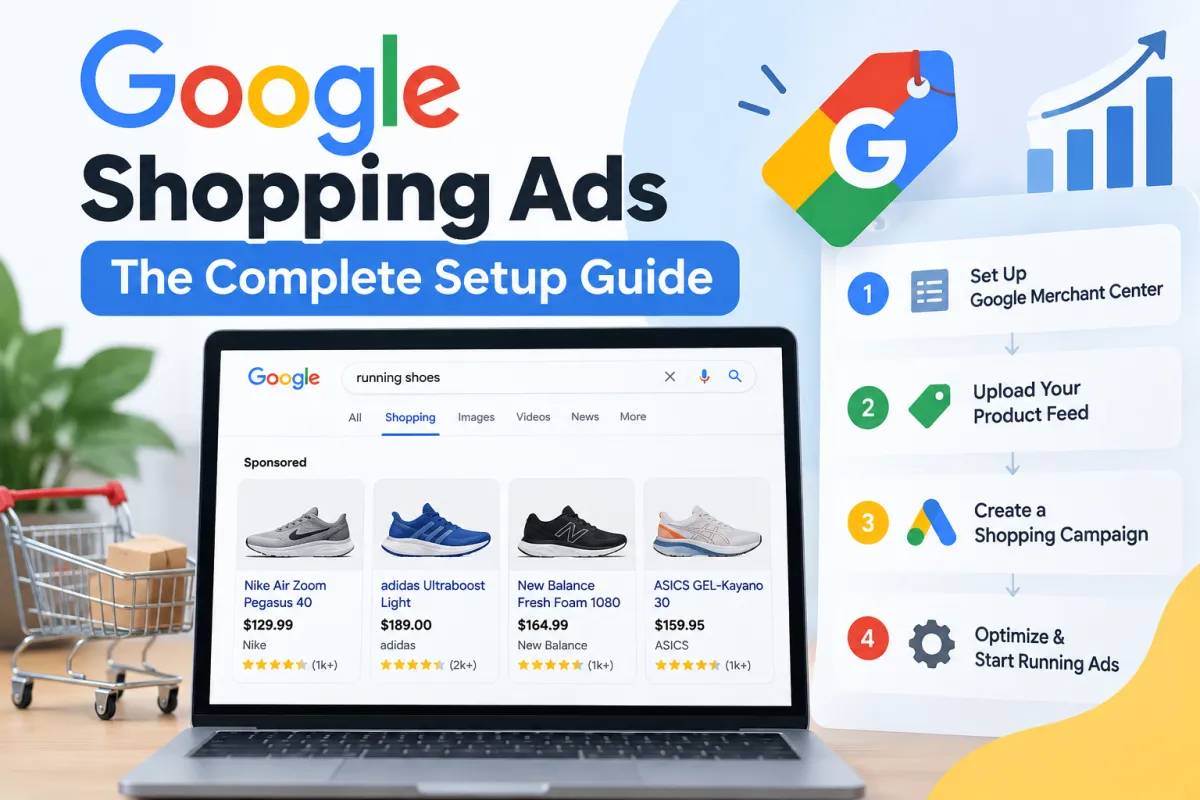
Google Shopping Ads: The Complete Setup Guide
Google Shopping Ads can put your products directly in front of people who are actively searching for something to buy, complete with an image, product title, price and store information. But a successful campaign starts long before you choose a daily budget and press publish.
The foundations are your Google Merchant Center account, product feed, conversion tracking and campaign structure. Get those right and Google has accurate product data to work with, you can measure which clicks actually produce revenue, and you can make sensible bidding decisions. Get them wrong and even an aggressive budget can struggle to compensate for disapproved products, weak product titles, inaccurate conversion values or poor feed quality.
The setup in brief:
Create and configure Google Merchant Center.
Verify and claim your ecommerce website.
Add accurate shipping, business and product information.
Build and optimise your product feed.
Resolve feed errors and disapproved products before advertising.
Connect Merchant Center with Google Ads.
Configure reliable purchase conversion tracking.
Decide between Standard Shopping and Performance Max.
Build a campaign structure that gives you useful control over products and budgets.
Select a bidding strategy based on the data you actually have—not the data you hope to have.
Monitor search queries, product performance, conversion rate, CPA and return on ad spend.
Continually improve the feed, bids, exclusions and campaign structure as performance data accumulates.
The important principle: Google Shopping performance isn't determined by one clever campaign setting. Your feed quality, pricing, conversion tracking, website, bidding and campaign structure all influence what happens after you launch.
This Google Shopping Ads: The Complete Setup Guide walks through that process from the beginning, including the less glamorous settings that can make the difference between a campaign that generates profitable sales and one that simply generates clicks.
What Are Google Shopping Ads?
Google Shopping Ads are product-focused advertisements that can show shoppers information such as your product image, title, price and store name before they visit your website.
That makes them fundamentally different from a traditional text search ad.
Someone searching for a product isn't only reading an advertising message. They can see the item itself and assess some of the most important buying information before clicking.
For an ecommerce store, that's powerful.
A shopper searching for something specific may already have considerable purchase intent. Showing the correct product, at the correct price, for the correct search query can therefore bring highly relevant visitors directly to a product landing page.
But there's another important difference.
Google Shopping doesn't work like conventional keyword advertising
With a traditional Search campaign, keywords play a central role in deciding when ads can appear.
Shopping campaigns work differently.
Google primarily uses the product data submitted through Google Merchant Center to understand what you're selling and determine when products may be relevant to a user's search.
That means your:
product titles;
product descriptions;
Google product category;
product type;
brand;
GTIN, EAN or UPC;
price;
availability;
condition;
colour and size;
product images; and
landing page data
aren't merely administrative details.
They're part of the information Google uses to understand your catalogue.
This is why product feed optimisation deserves as much attention as campaign optimisation.
You can spend hours adjusting bids inside Google Ads, but if Google is working from vague product titles, missing identifiers, poor images or inaccurate product attributes, you're starting with a handicap.
How Google Shopping Ads Actually Work
At a basic level, the process looks like this:
Your online store → product data → Google Merchant Center → Google Ads → relevant search → product click → landing page → purchase → conversion data
Each part feeds the next.
Your ecommerce platform—whether that's Shopify, WooCommerce, BigCommerce or another system—contains information about your product catalogue. That product data needs to reach Google Merchant Center, either through an integration, feed, API or another supported data source.
Merchant Center processes the information and checks whether products comply with Google's requirements.
Eligible products can then be used for destinations such as free listings and paid Shopping advertising.
Once Merchant Center is linked to Google Ads, you can create campaigns using that inventory.
The shopper searches.
Google evaluates relevant products.
An eligible Shopping ad may appear.
The shopper clicks it and reaches the corresponding landing page on your store.
If they buy, your Google Ads conversion tracking should record the purchase and its conversion value.
Simple on paper.
In reality, every arrow in that sequence presents an opportunity for something to go wrong.
A product might be rejected because the submitted price doesn't match the website. An important GTIN might be missing. Conversion tracking could count the wrong action. Your feed might describe the product poorly. Or the campaign could spend disproportionately on products that generate clicks but little revenue.
That's why the correct setup order matters.
Before You Create Your First Google Shopping Campaign
Opening Google Ads and immediately creating a campaign is tempting.
Resist it.
A Shopping campaign should sit on top of a properly configured ecommerce measurement and product-data system. If those foundations aren't ready, you're effectively asking Google Ads to optimise using incomplete information.
Before campaign creation, you ideally want four things in place:
A working ecommerce website that customers can purchase from.
A properly configured Google Merchant Center account.
Accurate and approved product data.
Reliable purchase conversion tracking and conversion values.
It is worth checking the economics as well.
Advertising isn't profitable merely because your reported ROAS looks impressive. Product margin, shipping costs, discounts, returns and other costs can dramatically change the return you actually keep.
If you're unsure what level of advertising return your margins require, an ecommerce ROI calculator can help establish the numbers before you begin scaling spend.
That gives you something much more useful than an arbitrary ROAS target: context.
Step 1: Set Up Google Merchant Center Correctly
Google Merchant Center—also called Merchant Centre by many UK advertisers—is the bridge between your product catalogue and Google's shopping ecosystem.
Think of Google Ads as the advertising engine and Merchant Center as the source of structured information about what you're selling.
Before creating the Shopping campaign itself, you need to make sure Merchant Center understands both your business and your products.
Verify and claim your website
One of the first tasks is connecting your store's domain with Merchant Center.
Website verification demonstrates that you have appropriate access to the website. Claiming or associating the domain then establishes its relationship with the Merchant Center account.
Don't treat domain verification as an incidental setup screen. The website submitted in your product data needs to correspond correctly with the store you're advertising.
Your product landing page URLs also need to work.
That sounds painfully obvious until you encounter a catalogue containing discontinued pages, redirects, broken variant URLs and products pointing at the wrong destination.
Before moving forward, check that:
HTTPS is working correctly;
product URLs resolve to live pages;
mobile visitors can use the pages properly;
prices displayed on landing pages match the submitted product data;
availability is accurate;
customers can complete checkout; and
important store and policy information is accessible.
Shopping Ads magnify what's already happening on your website. They don't repair a weak buying experience.
Configure your business, shipping and store information
Merchant Center needs accurate information about how your ecommerce business operates.
Pay particular attention to shipping settings.
The cost and speed a shopper sees should reflect what they can actually receive. If your Merchant Center data promises something substantially different from your website, you're creating both a customer problem and a product-data problem.
Depending on where and how you sell, you'll need to review settings relating to areas such as:
countries and markets;
shipping cost;
shipping speed;
returns;
currencies;
business information; and
applicable tax configuration.
For a single-brand store, consistency is particularly valuable. Your product feed, website, Merchant Center data and advertising should describe the same products in the same recognisable way.
Step 2: Build a Product Feed Google Can Understand
This is where Shopping advertising becomes very different from ordinary paid search.
Your product feed is structured information describing the products you want Google to understand.
Depending on your setup, the data may be synchronised automatically from your ecommerce platform rather than uploaded as an old-fashioned spreadsheet-style feed. Whatever method you use, the principle remains the same:
Better structured product data gives Google better information to work with.
A strong Merchant Center feed should accurately communicate what each product is, who made it, which variant is being sold, what it costs, whether it's available and where a shopper can buy it.
The product attributes that matter
Exact requirements depend on the product and market, but your product data may contain attributes such as:
Attribute | What it tells Google |
|---|---|
ID / Item ID | Your unique identifier for the product |
Title | What the product is |
Description | Detailed information about the item |
Link | The product's landing page URL |
Image link | The primary product image |
Price | The current product price |
Availability | Whether the item is in stock, out of stock or available under another supported status |
Brand | The product's brand |
GTIN | A recognised global product identifier where applicable |
MPN | Manufacturer part number where applicable |
Condition | Whether the product is new, used or another supported condition |
Google product category | Google's classification of the product |
Product type | Your own classification of the product |
Colour / Size | Variant information where relevant |
Other attributes can become important depending on what you sell, including gender, age group, material, pattern, sale price and sale price effective date.
Don't add attributes merely to fill fields.
Accuracy comes first.
Product Titles Deserve More Attention Than Most Stores Give Them
If you had time to improve only one part of a mediocre product feed, product titles would be a sensible place to start.
Compare these two fictional examples:
Weak title:
The Windsor
Descriptive title:
Windsor Men's Brown Leather Oxford Shoes
The first might make perfect sense internally. Perhaps everyone at the company knows exactly what "The Windsor" is.
Google and a first-time shopper don't have that context.
The second title immediately communicates useful product attributes: model, gender, colour, material and product type.
This doesn't mean cramming every imaginable phrase into your titles.
Product feed optimisation isn't keyword stuffing.
A title should accurately describe the product while putting genuinely useful information where both Google and shoppers can understand it.
Depending on the product, useful title elements can include:
Brand + product type + distinguishing feature + colour + size/variant
The ideal structure varies by category. A fashion product needs different information from an electronic component or piece of furniture.
Your product descriptions should then expand on the title naturally, accurately explaining important characteristics without becoming a dumping ground for search terms.
GTIN, EAN, UPC and Product Identifiers
Product identifiers help Google understand exactly what an item is.
A GTIN, or Global Trade Item Number, can take different formats. Depending on the market and product, you may encounter identifiers such as EAN, UPC or ISBN.
If an applicable product has a legitimate manufacturer-assigned identifier, submit the correct identifier.
Don't invent one.
For products that genuinely don't have a GTIN, other product attributes—such as brand and MPN where applicable—become important. The precise identifier requirements depend on the product, so your feed should reflect what the item actually has rather than trying to force every SKU into the same template.
For a business selling its own brand, this deserves particular attention because identifier availability can differ from a retailer reselling established third-party products.
Step 3: Improve Feed Quality Before Spending Money
A technically valid feed and a good feed aren't necessarily the same thing.
Your feed can be accepted while still giving Google relatively poor information.
That's why there are really two stages to product feed optimisation:
Eligibility: Give Google the information required to approve and serve the product.
Quality: Give Google sufficiently accurate, descriptive and useful data to understand the product well.
The second stage is where meaningful optimisation begins.
Review your catalogue for:
generic or incomplete product titles;
thin product descriptions;
incorrect product categories;
missing GTINs or other applicable identifiers;
weak product images;
incorrect prices;
outdated availability;
inconsistent brand attributes;
poor product type structures;
broken landing page URLs; and
variant information that doesn't match the actual product page.
A large catalogue makes these problems harder to spot manually. Segmenting feed diagnostics by issue and product can make the cleanup process considerably more manageable.
Fix Feed Errors and Disapproved Products
Before spending heavily on Shopping Ads, inspect your Merchant Center diagnostics.
A disapproved product can't simply be treated as an inconvenient notification.
It represents inventory that may not be eligible to advertise in the intended destination.
Warnings and errors can arise from issues such as missing product data, mismatched prices, unavailable landing pages, image problems, policy issues or identifiers.
Work methodically rather than randomly editing products.
A useful process is:
Identify the specific Merchant Center issue.
Determine whether it affects one SKU, a group of products or the entire catalogue.
Correct the underlying source data wherever possible.
Allow the updated product data to synchronise.
Recheck the product's approval status.
Investigate persistent errors rather than repeatedly resubmitting unchanged data.
Correcting the source is important.
If a bad product title originates in your ecommerce platform and you manually patch it somewhere downstream, the original problem may return the next time data synchronises.
Feed rule: Fix systematic problems systematically. If 300 products share the same error, don't create 300 manual fixes when one correction to the underlying data structure can solve it.
Step 4: Link Google Merchant Center to Google Ads
Once your Merchant Center account and product data are in good shape, the next stage is connecting the catalogue to your advertising account.
You need to link Merchant Center to Google Ads so that eligible product data can be used in Shopping campaigns.
Check that you're connecting the correct accounts, particularly if your business or agency has access to several Google Ads accounts.
Once linked, don't rush straight to campaign creation.
There's one more foundation that deserves attention first.
Measurement.
Because without accurate conversion tracking, metrics such as Target ROAS, conversion value and automated bidding can become misleading very quickly.
And that is where the campaign itself starts to become interesting.
Step 5: Set Up Conversion Tracking Before You Spend
A Google Shopping campaign without reliable conversion tracking is flying half-blind.
Clicks tell you somebody visited.
Conversions tell you somebody did something valuable.
For ecommerce, the most important conversion is normally the purchase, but recording the purchase alone isn't enough. You also want the correct conversion value passed back to Google Ads.
Consider two orders:
Customer A spends £25.
Customer B spends £250.
If your tracking records both simply as "1 conversion" with no meaningful purchase value, you're hiding a huge amount of information.
That matters even more when you eventually use an automated bidding strategy such as Target ROAS.
Google needs accurate signals if you're asking its systems to optimise towards revenue.
What should ecommerce conversion tracking measure?
At minimum, your primary purchase conversion should accurately capture:
completed purchases;
transaction value;
currency; and
unique transactions without accidental duplication.
Depending on your setup, measurement may involve the Google tag, Google Tag Manager, Google Ads conversion tracking, GA4 ecommerce tracking, or an ecommerce platform integration.
You may also use enhanced conversions to improve measurement where appropriate.
Whatever implementation you choose, test it.
Don't assume that seeing a "purchase" conversion action inside Google Ads means everything is working perfectly.
Ask more useful questions:
Does the conversion fire after an actual purchase?
Does it fire only once?
Does the reported purchase value match the transaction?
Is the currency correct?
Are purchases being treated as primary conversions for bidding where appropriate?
Are you accidentally optimising for softer actions instead of sales?
An add-to-cart or begin-checkout action can be useful for analysis, but it isn't equivalent to money entering the business.
A campaign can only optimise towards the information you give it. Bad conversion data doesn't become good data simply because an automated bidding system is using it.
Understand Conversion Value, Revenue and Profit
This distinction is easy to overlook.
Revenue isn't profit.
Imagine two products each generate £100 in revenue.
Product A leaves £60 after its direct product cost.
Product B leaves £20.
From a basic revenue-based Google Ads report, those transactions can appear equally valuable. From the perspective of the business, they're clearly not.
The gap becomes increasingly important as Shopping campaigns scale.
You should understand metrics such as:
Metric | What it tells you |
|---|---|
Clicks | How many visits your ads generated |
Conversions | How many tracked conversion actions occurred |
Conversion rate (CVR) | The proportion of interactions resulting in conversions |
Conversion value | The value attributed to tracked conversions |
CPA | Approximate advertising cost per acquisition/conversion |
ROAS | Conversion value/revenue relative to advertising spend |
Impression share | Your share of eligible impressions under Google's reporting methodology |
Profit margin | How much revenue remains after relevant costs |
Break-even ROAS | The approximate ROAS at which advertising stops losing money under your chosen cost assumptions |
Suppose you spend £1,000 and attribute £4,000 of revenue to the campaign.
Your reported ROAS is:
£4,000 ÷ £1,000 = 4.0, or 400%.
That sounds healthy.
But it doesn't tell you whether the campaign is profitable.
Product costs, fulfilment, payment fees, shipping subsidies, returns, discounts and other variable costs still exist.
This is why sophisticated Shopping campaign optimisation eventually needs to move beyond "Which campaign has the highest ROAS?" towards a more useful question:
Which products and campaigns are generating profitable incremental revenue?
Step 6: Choose Between Standard Shopping and Performance Max
Once your product data and measurement are ready, you'll reach one of the biggest strategic decisions in the setup process:
Standard Shopping or Performance Max?
Both can use Merchant Center product data, but they give advertisers different levels and types of control.
There isn't a universal answer that says every ecommerce business should always choose one.
Your decision should depend on what you're trying to accomplish, how much data you have and how much campaign-level control you need.
What is a Standard Shopping campaign?
Standard Shopping is the more traditional Shopping campaign type.
It gives advertisers useful control over areas such as product groups, bids and campaign structure, while making it relatively straightforward to analyse how different parts of the catalogue are performing.
For advertisers who want to understand Shopping mechanics, Standard Shopping can also make the relationship between products, bids and search demand easier to inspect.
Depending on your campaign and account configuration, you may work with settings and concepts such as:
product groups;
product group subdivisions;
Manual CPC;
automated bidding options;
campaign priority;
inventory filters;
negative keywords;
location targeting;
network settings; and
device performance.
That control is valuable when you want to make deliberate decisions about how different parts of your catalogue are handled.
What is Performance Max?
Performance Max, usually shortened to PMax, is an automated Google Ads campaign type designed to work across Google's available advertising inventory rather than being limited to the traditional Shopping placement alone.
For ecommerce advertisers with Merchant Center connected, Performance Max Shopping can use your product inventory while also incorporating other assets and signals.
Automation plays a much larger role.
Depending on the configuration, Google can use information including your:
Merchant Center product feed;
creative assets;
conversion goals;
audience signals;
budget;
bidding strategy; and
historical performance data
to make decisions about serving and bidding.
Performance Max can therefore be powerful, but automation does not remove the need for good inputs.
Quite the opposite.
If you give an automated system inaccurate conversion values, weak creative assets, poorly structured product data or the wrong conversion goal, greater automation can allow those mistakes to operate at greater scale.
Standard Shopping vs Performance Max
A simplified comparison looks like this:
Consideration | Standard Shopping | Performance Max |
|---|---|---|
Product feed | Yes | Yes |
Merchant Center integration | Yes | Yes |
Shopping inventory | Yes | Yes |
Product grouping | Strong catalogue-level controls | Product inventory can be organised through listing groups |
Manual CPC | Can be available | No traditional Manual CPC approach |
Automation | Varies by bidding strategy | Extensive |
Cross-channel reach | More limited | Designed for broader Google Ads inventory |
Creative assets | Shopping-feed focused | Can use a broader collection of assets |
Audience signals | Not central in the same way | Can be supplied as signals |
Negative keyword controls | Available within applicable Standard Shopping controls | Controls and availability differ |
Search-term visibility/control | Generally useful for Shopping analysis | Reporting/control differs from Standard Shopping |
Best use | Depends on campaign objectives and desired control | Depends on goals, data and automation strategy |
The question isn't simply:
"Which campaign type is better?"
A better question is:
"Which structure gives this particular ecommerce business the appropriate combination of reach, data, control and automation?"
Some advertisers value granular control. Others have enough conversion volume and clean data to lean more heavily into automated systems.
And some ecommerce accounts use multiple campaign types for different jobs.
Step 7: Create Your Google Shopping Campaign
With the foundations in place, it's finally time to move into Google Ads and begin the actual Shopping campaign setup.
Google's interface changes over time, so button names and the exact order of screens can evolve. The principles behind the configuration are more important than memorising every click.
Your Shopping campaign needs to answer several fundamental questions:
What is the campaign trying to achieve?
Which products should it advertise?
Where should those ads be eligible to appear?
How much can the campaign spend?
How should bids be determined?
How will success be measured?
Let's work through them.
Choose the Right Campaign Objective
During campaign creation, Google Ads may ask you to select a campaign objective.
For an ecommerce store selling products online, the Sales objective will often align naturally with the ultimate business goal.
But pay close attention to the conversion goals associated with the campaign.
If the objective is sales, your measurement should reflect sales.
You don't want the campaign aggressively optimising towards an easy micro-conversion while treating an actual purchase as secondary.
For example:
Primary business outcome: Purchase
Useful supporting behaviour: Add to basket
Interesting engagement: Product page view
Those three actions aren't equally valuable.
A campaign generating thousands of product page views but no purchases hasn't achieved the same thing as a campaign generating profitable orders.
Your Google Ads account should understand that distinction.
Select the Merchant Center Account and Product Data
Your linked Google Merchant Center account supplies the product data the Shopping campaign needs.
Check that you've selected the correct account and relevant feed label or product-data source where applicable.
This becomes particularly important for stores advertising across multiple countries, languages or product datasets.
You may also have an inventory filter available depending on the campaign configuration.
An inventory filter can help restrict a campaign to specific eligible products based on product attributes rather than automatically including everything available.
Don't filter for the sake of creating complexity.
But don't assume All products should automatically sit in one undifferentiated campaign either.
Step 8: Decide Which Products Belong in the Campaign
Not every SKU deserves the same advertising treatment.
This is one of the most important concepts in a sensible Shopping campaign structure.
Imagine an online store with 1,000 products.
Among those products:
100 are bestsellers;
200 have excellent margins;
150 regularly go out of stock;
50 are seasonal;
100 convert poorly;
20 generate a disproportionately large share of revenue;
and several hundred have very little historical sales data.
Putting every product into one giant bucket gives you simplicity.
It can also hide useful information.
Product segmentation gives you control
In Standard Shopping, product groups allow inventory to be subdivided using available attributes.
Depending on your product data and campaign structure, segmentation may involve attributes such as:
product category;
product type;
brand;
Item ID;
condition; and
custom labels.
For a single-brand store, dividing products by brand may obviously be less useful than it would be for a multi-brand retailer.
That's where product type, Item ID and custom labels can become particularly valuable.
You might use custom labels to identify commercially meaningful groups such as:
bestseller;
high margin;
low margin;
seasonal;
clearance; or
priority product.
These are examples, not mandatory labels.
The purpose is to make your advertising structure reflect information that's actually useful to your business.
Don't Overcomplicate Product Groups on Day One
Granularity is useful only when it enables a meaningful decision.
Creating hundreds of tiny product groups before you have enough clicks or conversions to evaluate them can leave you staring at a beautifully organised account with virtually no statistically useful data.
Start with a structure that answers genuine questions.
For example:
Which product categories consume the most spend?
Which products produce the strongest conversion value?
Which SKUs get clicks but rarely convert?
Which high-margin products deserve additional exposure?
Are low-margin products meeting their required ROAS?
Your product segmentation should help answer questions like these.
Not win an award for having the most complicated Google Ads account.
Step 9: Set Your Campaign Budget
Next comes your campaign budget.
Your daily budget tells Google roughly how much you're prepared to allocate to the campaign, subject to Google's applicable budgeting mechanics.
This isn't a number to choose by instinct.
A sensible starting budget needs to consider:
average product price;
typical cost per click;
expected conversion rate;
available advertising budget;
product margins;
acceptable CPA;
target ROAS;
number of products being advertised; and
how much data you need to gather.
A campaign with a tiny budget spread across thousands of SKUs may struggle to accumulate meaningful data at product level.
At the opposite extreme, throwing a large daily budget at an untested campaign doesn't force it to become profitable.
Budget controls how much you can spend. It doesn't create efficiency by itself.
If you're uncertain whether your current advertising structure, tracking and feed are ready for additional spend, an ecommerce marketing audit can help identify issues before more budget is committed.
Step 10: Choose a Bidding Strategy
Your bidding strategy determines how Google Ads approaches auctions and what it attempts to optimise.
This is an area where advertisers often become impatient.
They see sophisticated options such as Target ROAS and understandably want to use them immediately.
But the most sophisticated-sounding bidding strategy isn't automatically the right starting strategy.
Manual CPC
With Manual CPC, you have direct control over cost-per-click bids within the applicable campaign structure.
This can be useful when an advertiser wants close control over bids or is gathering initial performance data.
Suppose Product A can tolerate a substantially higher CPA than Product B because its margin is much stronger.
Granular bidding can let you account for those commercial differences.
The downside is obvious: you have to manage it.
As the catalogue and volume grow, manual bid optimisation becomes increasingly time-consuming.
Maximise Clicks
Maximise Clicks is an automated bidding strategy focused on generating clicks within the applicable budget and settings.
The attraction is simple: more traffic.
But traffic isn't the ultimate goal of most ecommerce businesses.
Sales are.
A cheap click that never converts can still be expensive when you buy enough of them.
Maximise Clicks can have use cases, particularly when gathering data, but don't confuse the bidding objective with the business objective.
More clicks ≠ more profit.
Target ROAS
Target ROAS (tROAS) tells Google to optimise bids around a target return on ad spend using conversion-value data.
If you set a 500% Target ROAS, you're effectively asking the system to pursue approximately £5 of conversion value for every £1 spent, averaged according to how the bidding strategy operates.
It sounds ideal for ecommerce.
There is, however, a catch:
Target ROAS needs reliable conversion-value data to make useful decisions.
If the account has very little conversion history, broken purchase tracking or inaccurate revenue values, you're asking an automated system to navigate with weak signals.
There is another commercial consideration.
The highest possible ROAS isn't always the goal.
A campaign spending £100 to make £1,000 has a 1,000% ROAS.
Another spending £10,000 to make £60,000 has a 600% ROAS.
The first has the higher percentage.
The second generates vastly more revenue.
Depending on margins and business objectives, either could be more commercially desirable.
That's why Target ROAS should be connected to profitability and growth goals, rather than chosen because a larger percentage looks impressive on a dashboard.
Step 11: Configure Location, Networks and Campaign Settings
Default campaign settings deserve scrutiny.
Never assume a default is right simply because Google preselected it.
Location targeting
Your location targeting should reflect where you can actually sell and fulfil orders.
If you only deliver within the UK, paying for irrelevant traffic from markets you don't serve would make little sense.
For international stores, the situation becomes more nuanced.
Different countries can have different:
shipping costs;
delivery times;
product prices;
currencies;
conversion rates;
margins;
product availability; and
competitive environments.
That may justify separate campaign structures or product-data configurations.
Network settings and search partners
Depending on the Shopping campaign type and available configuration, review your network settings rather than accepting every option automatically.
Shopping campaigns can have eligibility across Google properties and, depending on settings, search partners.
Whether additional reach is desirable should ultimately be judged by performance rather than assumption.
Look at what the additional traffic costs and what it produces.
Local products and local inventory ads
Businesses with physical locations or locally available inventory should also understand local products and local inventory ads.
Google has increasingly integrated local inventory considerations into Shopping campaign setup. If your Merchant Center account contains eligible local product data, review your campaign and inventory filter settings carefully so that online and local inventory are being handled the way you intend.
For an online-only ecommerce business, this may have little practical relevance.
For a retailer combining ecommerce with physical stores, it can be significant.
Step 12: Set Up Campaign Tracking Properly
Conversion tracking tells you what happens after the click.
Campaign tracking helps you understand where traffic came from in your wider analytics environment.
Depending on your analytics configuration, you may work with:
Google Ads auto-tagging;
a tracking template;
campaign URL options;
UTM parameters;
a final URL suffix; and
custom parameters.
Don't create a labyrinth of tracking parameters merely because the fields exist.
Your objective is clean, consistent attribution.
When Google Analytics and Google Ads are being used together, establish a naming and measurement approach that allows your team to understand performance without having to decipher mysterious parameter conventions six months later.
A clean tracking system should help answer:
Which campaign generated the visit, what did the shopper do, and how much commercial value resulted?
Once your campaign settings, products, tracking, bidding and budget are ready, you can publish.
But pressing Launch isn't the finish line.
It's the point where assumptions finally meet real customer behaviour.
And that brings us to the part of Google Shopping advertising that often determines whether a campaign becomes profitable or quietly burns through budget:
what you do after launch.
Step 13: Don't Judge Your Google Shopping Campaign Too Quickly
The first few days after launch can be uncomfortable.
Spend starts appearing.
Clicks accumulate.
Some products get attention immediately. Others barely receive an impression. You might get a sale within hours—or watch dozens of visitors arrive without buying anything.
This is where advertisers can make expensive decisions in both directions.
One extreme is constant intervention: changing bids, budgets, product groups and settings every day because yesterday's results weren't perfect.
The other is complete neglect: launching the campaign and assuming Google's automation will handle everything indefinitely.
Neither approach is particularly useful.
You need enough data to distinguish a pattern from random variation, while still catching obvious problems before they consume unnecessary budget.
Start by monitoring:
impressions;
clicks;
cost;
average CPC;
conversions;
conversion rate;
conversion value;
CPA;
ROAS;
impression share; and
individual product performance.
But don't read those metrics independently.
A product with a high CPC isn't automatically bad.
A product with a low CPC isn't automatically good.
A campaign with a high ROAS isn't necessarily maximising profitable growth.
Context matters.
Step 14: Use the Search Terms Report
One of the most useful habits in Standard Shopping campaign optimisation is reviewing the Search terms report.
Remember: you don't choose conventional positive keywords for Shopping Ads in the same way you build a traditional Search campaign.
Google uses your product data and other signals to determine relevance.
That means actual search queries provide a valuable window into how Google is interpreting your products—and what shoppers are looking for when your ads appear.
Suppose you sell premium solid-oak dining tables.
Your Search terms report might reveal queries around:
solid oak dining table;
oak table for six;
modern oak dining table;
cheap dining table;
free dining table;
second-hand oak table;
DIY dining table plans.
The first few could represent excellent purchase intent.
The final few may be much less commercially useful for a retailer selling new premium furniture.
This is where search intent becomes more important than raw search volume.
A query can be highly relevant linguistically but commercially useless.
Use Negative Keywords to Reduce Wasted Spend
Negative keywords help prevent ads from appearing for unwanted searches in campaign types and configurations where those controls are available.
If irrelevant searches repeatedly consume budget without producing sales, negative keywords can help tighten traffic.
Common examples might involve modifiers such as:
free;
jobs;
repair;
manual;
instructions;
second hand; or
DIY.
But don't blindly copy a giant generic negative-keyword list into every campaign.
Context matters.
A furniture store might want to exclude "DIY".
A retailer selling DIY kits obviously wouldn't.
Likewise, someone searching "cheap" isn't automatically a bad customer. If your product is competitively priced, that search could convert perfectly well.
Negative keyword decisions should be based on:
relevance + intent + performance data.
Not personal assumptions about how customers ought to search.
Search-term optimisation is partly about removing waste, but it's also market research. The language customers use can reveal how they understand your products, which attributes matter to them and where your product feed could be more descriptive.
That insight can feed directly back into your product titles and product descriptions.
Step 15: Optimise Individual Product Performance
Campaign-level averages are convenient.
They're also capable of hiding an enormous amount.
Imagine a campaign reporting a 500% ROAS.
At first glance, excellent.
But underneath that average you could have:
Product | Spend | Revenue | ROAS |
|---|---|---|---|
Product A | £500 | £4,000 | 800% |
Product B | £400 | £1,000 | 250% |
Product C | £100 | £0 | 0% |
Total | £1,000 | £5,000 | 500% |
The campaign-level figure looks healthy.
Product C has generated nothing.
Product B may or may not be commercially viable depending on its margin.
Product A is doing most of the heavy lifting.
That's why SKU performance matters.
Look beneath the campaign average
As meaningful data accumulates, examine product performance using dimensions such as:
Item ID;
product type;
product category;
custom labels;
margin;
price range;
seasonality;
conversion rate;
cost;
conversion value; and
ROAS.
You're looking for patterns.
Perhaps your expensive products convert less frequently but produce substantially greater conversion value.
Perhaps low-priced accessories generate excellent ROAS but don't create enough absolute profit to justify consuming most of the budget.
Maybe one product category gets plenty of impressions but very few clicks.
Or perhaps a bestseller gets strong traffic and conversions but regularly goes out of stock.
These patterns should inform your next decisions.
Step 16: Keep Optimising Your Product Feed
The product feed isn't a setup task you complete once and forget.
It should evolve.
Your advertising data can reveal weaknesses in the feed, while changes to your catalogue can introduce new problems over time.
Products go in and out of stock.
Prices change.
Sales start and finish.
New variants appear.
Landing page URLs change.
Images are replaced.
Google's product-data requirements can evolve.
Regular feed optimisation therefore belongs inside your ongoing campaign-management process.
Improve product titles with real search data
Earlier, we discussed making titles descriptive.
After launch, you have something even better than theory:
real customer searches.
Suppose your product title is:
Women's Running Shoes – Black
But relevant converting searches repeatedly contain a specific legitimate feature such as "waterproof".
If the shoes genuinely are waterproof and that important attribute is absent from your product data, you may have found an opportunity.
A more useful title might become:
Women's Waterproof Running Shoes – Black
That's not keyword stuffing.
It's adding an accurate product characteristic that matters to shoppers.
The distinction is important.
Never add attributes that aren't true merely because they have search volume.
Review Product Images
Shopping is visual.
Your product images can influence whether somebody chooses your listing when several comparable products appear together.
The main image should accurately and clearly represent the item.
Review poor click-through rates with this in mind.
If a product receives plenty of impressions but relatively few clicks, ask:
Is the title clear?
Is the image competitive?
Is the price competitive?
Does the product itself match the search intent?
Is the shopper seeing enough useful information before the click?
Don't assume every low CTR problem is a bidding problem.
Sometimes the advertisement is appearing; people simply prefer another offer.
Keep Prices and Availability Accurate
Your Merchant Center data and landing pages need to agree.
If a product is in stock, your data should reflect that.
If it's out of stock, that should be reflected appropriately too.
If the price changes, your submitted product price needs to remain accurate.
For promotional pricing, attributes such as sale price and, where appropriate, sale price effective date can help communicate temporary changes correctly.
Features such as automatic item updates may also help Google reconcile certain differences found on landing pages, but they shouldn't become an excuse for maintaining poor source data.
Your store should remain the reliable source of truth.
Step 17: Monitor Merchant Center Feed Diagnostics
Even a beautifully configured feed can develop problems.
Make feed diagnostics and product status checks part of your routine.
Pay particular attention to:
newly disapproved products;
sudden drops in eligible product numbers;
missing identifiers;
price mismatches;
availability mismatches;
image issues;
landing page problems;
policy notifications; and
products receiving little or no visibility.
A sudden fall in campaign performance isn't always caused by Google Ads itself.
If a large group of important products becomes disapproved in Merchant Center, campaign revenue can fall even though you haven't touched the campaign settings.
This is why Shopping campaign troubleshooting needs to extend beyond the Google Ads interface.
When performance changes, inspect the entire chain:
Website → product data → Merchant Center → campaign eligibility → traffic → conversion tracking → sales
Don't immediately blame the bidding strategy.
Step 18: Optimise Bids and Budgets Based on Evidence
As your campaign matures, you'll start accumulating enough information for more meaningful bid optimisation and budget optimisation.
The temptation is to look at yesterday's numbers and react.
Try to think in patterns instead.
Ask:
Which products consistently generate conversion value?
Which product groups consume budget without producing enough revenue?
Where is impression share constrained?
Which products are profitable enough to tolerate greater spend?
Are strong products being limited by the campaign budget?
Are poor performers absorbing budget that could be allocated elsewhere?
Has conversion rate changed?
Has CPC changed?
Are results being distorted by seasonality or a promotion?
Budget allocation should increasingly reflect commercial opportunity.
If a campaign is profitable and constrained by budget, additional spend might make sense.
If a campaign is already inefficient, increasing its budget simply gives it more room to be inefficient.
Don't Chase ROAS at the Expense of Growth
There's an interesting tension inside ecommerce advertising.
Advertisers understandably want a higher return on ad spend.
But pushing ROAS targets higher and higher can sometimes restrict volume.
Imagine two scenarios:
Scenario A
Ad spend: £2,000
Revenue: £14,000
ROAS: 700%
Scenario B
Ad spend: £10,000
Revenue: £50,000
ROAS: 500%
Scenario A has the higher ROAS.
Scenario B generates £36,000 more revenue.
Which is preferable?
You can't answer that from ROAS alone.
You need to know the profit margin, operational capacity, customer value, cash flow and growth objectives.
This is why your break-even ROAS is such an important commercial reference point.
If you don't know roughly where advertising stops being economically viable, setting a Target ROAS becomes partly guesswork.
Step 19: Understand Conversion Lag
Not everybody buys immediately.
A shopper might click a Shopping ad on Monday, compare alternatives, return later and purchase on Thursday.
That creates conversion lag.
The length of that delay varies enormously by product.
Someone buying an inexpensive consumable may decide within minutes.
Someone considering a £2,000 piece of furniture may take much longer.
This matters when analysing recent campaign performance.
If your typical customers take several days to purchase, yesterday's spend hasn't necessarily had enough time to produce all of the conversions that will eventually be attributed to it.
That doesn't mean you should ignore poor performance.
It means you should avoid treating incomplete data as final data.
Step 20: Test Before You Scale
Scaling is exciting.
Fixing an expensive campaign after scaling it prematurely isn't.
Before significantly increasing your daily budget, confirm that the underlying system is healthy.
Check:
Purchase conversion tracking is accurate.
Conversion values are correct.
Products are approved in Merchant Center.
Important feed errors have been resolved.
Product titles accurately describe the products.
Prices and availability match your website.
Search queries are reasonably relevant.
Poor-quality traffic is being addressed.
Strong and weak products can be identified.
Your ROAS or CPA expectations make commercial sense.
The campaign has enough data to justify the conclusions you're drawing.
Your website can convert the additional traffic.
Only then does scaling become a logical next step rather than an act of optimism.
Step 21: Scaling Google Shopping Ads
Scaling doesn't simply mean increasing the budget from £50 to £500 per day.
There are several ways an ecommerce advertiser can expand.
1. Increase budgets on proven campaigns
The most obvious approach is allocating more budget to campaigns that are performing within your acceptable commercial range.
Do this progressively and monitor what happens.
Performance at £100 per day isn't guaranteed to remain identical at £1,000 per day.
Greater spend can mean entering additional auctions and reaching less obvious opportunities.
2. Expand successful product groups
If particular product categories or product types perform consistently well, investigate whether they deserve greater exposure or a more dedicated structure.
This is where thoughtful product segmentation becomes useful.
A high-performing product line may warrant separate budget control rather than competing with hundreds of unrelated SKUs.
3. Improve weak products rather than immediately excluding them
A poorly performing SKU isn't always a bad product.
The problem could be:
a weak title;
an uncompetitive image;
incorrect product data;
irrelevant search queries;
a poor landing page;
an unattractive price;
low stock availability; or
insufficient data.
Diagnose before excluding.
If the underlying offer is weak, however, advertising optimisation has limits.
Google Ads can't manufacture product-market fit.
4. Expand into additional markets carefully
International expansion can create significant growth opportunities, but don't simply copy a domestic campaign and change the location.
Review:
currency;
language;
product availability;
shipping cost;
shipping speed;
returns;
tax implications;
local competition;
feed requirements;
pricing; and
conversion behaviour.
A campaign structure that works in one country isn't automatically optimal in another.
Step 22: Use Remarketing Without Losing Sight of Acquisition
Not everyone who visits your store will buy on the first session.
That makes remarketing valuable.
Depending on your Google Ads strategy and campaign types, previous site visitors can form part of your broader advertising approach. Dynamic remarketing can also use product information to reconnect shoppers with relevant items.
Performance Max may incorporate audience signals and broader automated audience discovery differently from a traditional remarketing setup.
But keep the commercial objective clear.
You don't only want to become excellent at advertising repeatedly to people who already know you.
A growing ecommerce business needs customer acquisition as well.
When evaluating campaign performance, understand how much value comes from attracting genuinely new customers versus converting existing demand.
Step 23: Troubleshoot a Google Shopping Campaign That Isn't Working
Suppose you've launched the campaign and performance is disappointing.
Where do you begin?
Don't randomly change five settings at once.
Troubleshoot systematically.
Problem: Products aren't getting impressions
Check:
product approval status;
Merchant Center diagnostics;
campaign eligibility;
product inclusion and exclusions;
inventory filters;
location targeting;
budget;
bidding;
feed labels; and
whether products are actually eligible for the intended destination.
If the product isn't eligible to serve, rewriting the landing page won't solve the immediate problem.
Problem: Lots of impressions, very few clicks
Investigate:
product titles;
product images;
pricing;
search relevance;
competitive positioning;
promotional information; and
whether the listing accurately matches purchase intent.
Your ad is being seen.
The problem may be that shoppers aren't choosing it.
Problem: Lots of clicks, no sales
This is where troubleshooting needs to move beyond Google Ads.
Review:
Search terms report;
product/search relevance;
landing page quality;
mobile usability;
product pricing;
shipping costs;
shipping speed;
checkout experience;
trust signals;
payment methods;
stock;
conversion tracking; and
the underlying offer.
A high click-through rate with a terrible conversion rate can be a warning sign that the promise made before the click isn't translating into a compelling buying experience afterwards.
Problem: Sales are coming in, but ROAS is too low
Now examine:
CPC;
conversion rate;
average order value;
product mix;
wasted search queries;
weak SKUs;
bidding strategy;
campaign budget;
product margins; and
Target ROAS settings where applicable.
There are two broad ways to improve ROAS:
Spend less to acquire the same revenue, or generate more revenue from the same spend.
In practice, improvements often come from several smaller changes rather than one dramatic switch.
Problem: Google Ads reports sales but the business isn't making enough money
This is not necessarily an advertising-platform problem.
It can be a unit-economics problem.
Revenue-based ROAS doesn't automatically account for:
cost of goods;
discounts;
returns;
fulfilment;
payment processing;
shipping subsidies; or
other variable costs.
A campaign can look impressive inside Google Ads and still disappoint at the bottom line.
This is why profitability should eventually become part of Shopping ads reporting, rather than relying on conversion value alone.
Step 24: Use Ad Preview and Diagnosis Where Appropriate
When checking ad visibility, avoid repeatedly searching Google and clicking around in an attempt to see your own ads.
Google provides tools such as Ad Preview and Diagnosis for investigating ad-serving behaviour in relevant campaign contexts without behaving like a normal searcher.
Remember that ad delivery isn't static.
What one person sees can depend on numerous contextual factors, and seeing—or not seeing—your own product at a particular moment doesn't provide a reliable assessment of overall campaign performance.
Use reporting data.
Not vanity searches.
A Practical Google Shopping Optimisation Routine
Shopping campaign management becomes easier when you turn it into a repeatable process.
The appropriate frequency depends on account size, advertising spend, sales volume and seasonality, but a practical routine might include the following.
Frequently
Monitor major changes in:
spend;
revenue;
conversions;
conversion value;
ROAS;
CPA;
tracking;
product approvals; and
stock availability.
You're primarily looking for anomalies.
A campaign that normally generates 20 sales per day suddenly reporting zero deserves investigation.
Regularly
Dig deeper into:
search terms;
negative keywords;
product performance;
product groups;
feed diagnostics;
CPC;
conversion rate;
budget utilisation;
impression share;
disapproved products; and
landing page performance.
This is where optimisation happens.
Periodically
Step away from individual clicks and evaluate the bigger picture:
campaign structure;
Standard Shopping vs Performance Max;
profitability;
Target ROAS;
customer acquisition;
product segmentation;
custom labels;
international expansion;
attribution;
seasonality; and
growth opportunities.
A campaign can become locally optimised but strategically outdated.
The structure that made sense when you sold 20 products may make very little sense when your catalogue reaches 2,000.
Common Google Shopping Ads Mistakes
After all of the settings and terminology, most avoidable problems come back to a surprisingly small number of mistakes.
Launching before fixing the feed
If important products are disapproved or your product data is poor, fix the foundation first.
Treating product titles like internal catalogue names
Customers and Google need descriptive information.
"The Chelsea" might be a great product name.
"The Chelsea Women's Black Leather Ankle Boots" tells everyone considerably more.
Using inaccurate conversion tracking
If purchase values are wrong, revenue-based bidding and reporting become unreliable.
Optimising for clicks instead of commercial outcomes
Clicks are a means to an end.
The objective is profitable customer activity.
Setting Target ROAS without understanding break-even ROAS
A target should be connected to business economics.
Otherwise, it's just a percentage typed into a box.
Ignoring search terms
Search queries can reveal irrelevant traffic, new customer language and weaknesses in your feed.
Use them.
Treating every SKU equally
Products have different prices, margins, conversion rates and demand.
Your campaign structure should eventually reflect commercially meaningful differences.
Making too many changes at once
If you change the feed, bidding strategy, budget and campaign structure simultaneously, working out what caused the subsequent performance change becomes difficult.
Scaling before proving the economics
More budget amplifies what already exists.
That's wonderful when the economics work.
It's painful when they don't.
Google Shopping Ads Setup Checklist
Before calling your campaign "finished", run through this checklist.
Merchant Center
Merchant Center account configured
Website verified and associated correctly
Business information accurate
Shipping settings correct
Relevant product data submitted
Product feed synchronising properly
Prices match landing pages
Product availability is accurate
GTIN, EAN, UPC, MPN or other applicable identifiers correctly supplied
Product images meet requirements
Important feed errors resolved
Disapproved products investigated
Eligible products checked
Measurement
Purchase conversion configured
Purchase conversions fire correctly
Transactions aren't accidentally duplicated
Conversion value is accurate
Currency is correct
Google tag / Google Tag Manager configuration tested where applicable
GA4 ecommerce tracking checked where used
Enhanced conversions considered where appropriate
Primary and secondary conversion goals make sense
Google Ads
Correct Merchant Center account linked
Correct campaign objective selected
Appropriate conversion goal selected
Standard Shopping or Performance Max chosen deliberately
Products included intentionally
Product groups/listing groups make sense
Daily budget is commercially reasonable
Bidding strategy matches available data
Location targeting reviewed
Network settings reviewed where applicable
Inventory filters checked where relevant
Local product settings reviewed where applicable
Campaign URL tracking checked
After Launch
Search terms reviewed where reporting is available
Negative keywords added where appropriate
Product-level performance monitored
Conversion rate monitored
CPA monitored
ROAS monitored
Profitability considered alongside ROAS
Feed diagnostics checked regularly
Product titles continually improved
Poor-performing SKUs investigated
Budgets adjusted using performance data
Conversion lag considered before making premature decisions
Campaign structure periodically reviewed
Frequently Asked Questions About Google Shopping Ads
Do Google Shopping Ads use keywords?
Shopping campaigns don't use positive keywords in exactly the same way as conventional Google Search campaigns. Google relies heavily on your Merchant Center product data and other signals to understand products and determine relevance.
This is why product titles, descriptions, categories and attributes matter so much.
In applicable campaign configurations, negative keywords can still be valuable for excluding unwanted search traffic.
Do I need Google Merchant Center to run Shopping Ads?
For product-based Shopping advertising, Merchant Center plays a central role because it provides Google with structured information about your inventory.
Your Merchant Center setup and feed quality should therefore be treated as part of advertising management—not as a separate technical chore that can be forgotten after launch.
Should I use Standard Shopping or Performance Max?
It depends on your objectives, data and desired level of control.
Standard Shopping can provide useful granular Shopping controls and visibility.
Performance Max uses significantly more automation and can operate across a broader range of Google advertising inventory.
The correct decision depends on the account rather than a universal rule.
How much should I spend on Google Shopping Ads?
There isn't one correct daily budget.
A useful budget depends on your:
product prices;
margins;
average CPC;
conversion rate;
catalogue size;
available cash;
target CPA;
break-even ROAS; and
growth objectives.
Start from your economics rather than choosing a number because another store spends it.
What is a good ROAS for Google Shopping Ads?
A "good" ROAS is one that works for your business economics and objectives.
A retailer with very high product margins may be profitable at a lower ROAS than a retailer operating on thin margins.
That's why break-even ROAS is more useful than chasing an arbitrary industry benchmark.
How long does Google Shopping take to work?
There isn't a universal timeframe.
Product approval, traffic volume, conversion frequency, budget, bidding strategy, price, competitiveness and conversion lag all affect how quickly useful performance data accumulates.
The more important question is whether you have enough relevant data to make a particular decision confidently.
Why are my Shopping Ads getting clicks but no sales?
Potential causes include irrelevant search queries, weak purchase intent, pricing, shipping costs, poor landing pages, checkout friction, unattractive product offers or broken conversion tracking.
Start with the Search terms report and product-level data, then follow the shopper's journey through the website.
Don't assume the problem exists exclusively inside Google Ads.
Can I run Shopping Ads with a small product catalogue?
Yes.
A small catalogue can actually make product-level analysis relatively straightforward.
Catalogue size matters less than having products people want, accurate Merchant Center data, sufficient advertising economics and a website capable of converting visitors.
Google Shopping Ads: The Complete Setup Guide — Final Thoughts
Successful Google Shopping advertising isn't built from one setting.
It's a system.
Your Google Merchant Center feed tells Google what you're selling.
Your product titles, descriptions, images, categories and attributes help communicate what those products are.
Your campaign structure determines how inventory is organised.
Your bidding strategy influences how you compete for traffic.
Your conversion tracking tells Google what happened after the click.
And your margins determine whether those conversions actually make commercial sense.
The full process can be reduced to a useful sequence:
Accurate product data → approved inventory → reliable tracking → deliberate campaign structure → relevant traffic → conversion data → optimisation → profitable scaling
Don't reverse that order.
Trying to scale before fixing conversion tracking creates uncertainty.
Automating bidding before providing reliable conversion data gives automation poor information.
Increasing budgets before understanding product profitability can magnify losses.
And constantly changing campaign settings before enough data exists makes meaningful analysis harder.
Instead, build the foundations properly.
Create a clean Merchant Center feed. Make your product titles and product attributes genuinely descriptive. Resolve disapproved products. Verify conversion values. Understand your break-even point. Choose Standard Shopping or Performance Max deliberately. Structure products according to meaningful commercial differences. Then use real search, conversion and SKU performance data to improve the campaign.
Google Shopping Ads become particularly interesting when you stop treating Google Ads, Merchant Center, your product catalogue and your website as separate things.
They're parts of the same ecommerce acquisition system.
A brilliant campaign can't indefinitely rescue an uncompetitive product.
A perfect product feed can't compensate for a checkout that customers don't trust.
A huge advertising budget can't turn inaccurate conversion tracking into reliable data.
And a 700% ROAS isn't necessarily impressive if the underlying margins mean the business still isn't making enough money.
The objective isn't simply to make Google Ads report attractive numbers.
It's to turn advertising spend into sustainable ecommerce growth.
If managing feeds, tracking, bidding, Performance Max, Standard Shopping and ongoing optimisation is becoming more involved than expected, professional ecommerce marketing services can also help connect the advertising activity to the wider commercial picture.
That is ultimately what Google Shopping Ads: The Complete Setup Guide comes down to:
Give Google accurate information. Measure what matters. Understand your economics. Let real customer behaviour guide your optimisation. And scale only when the numbers justify it.
