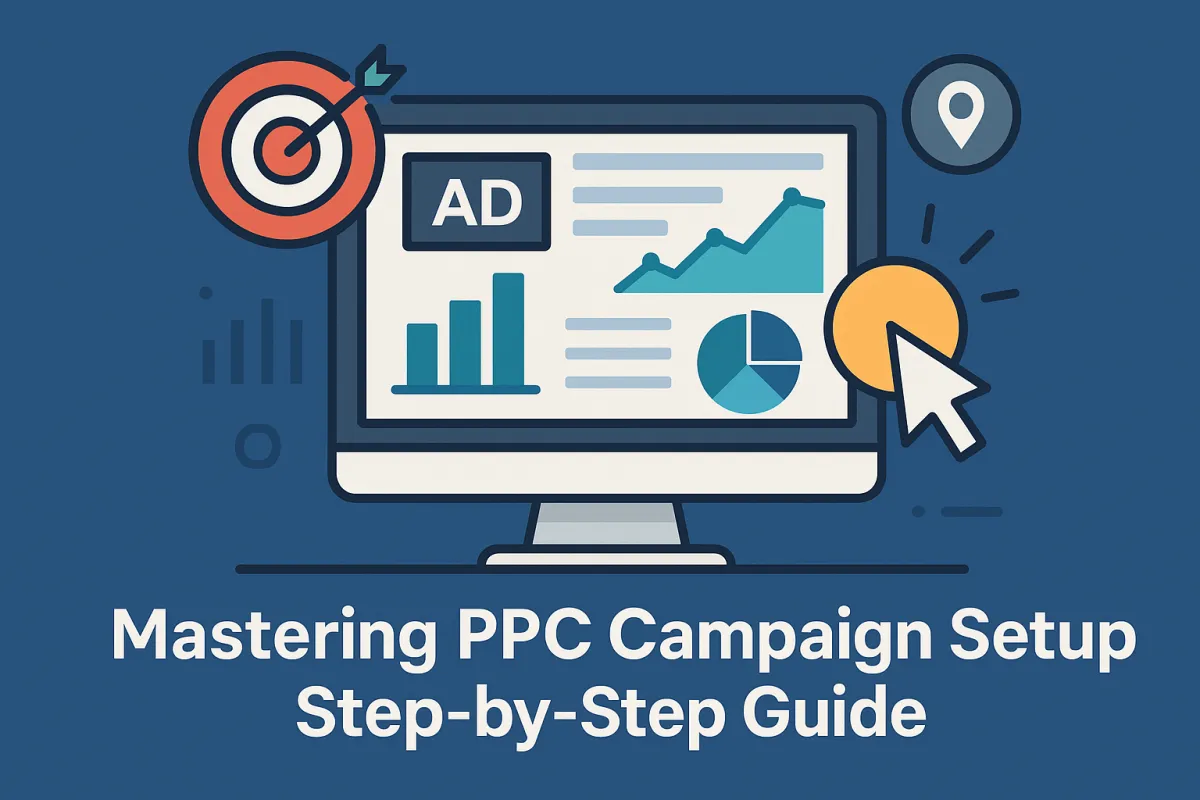
Mastering PPC Campaign Setup: Step-by-Step Guide
Want better ad results without wasting your budget on guesswork? This guide breaks down the exact steps to set up a high-performing PPC (Pay-Per-Click) campaign—from defining crystal-clear campaign goals, to crafting powerful ad copy, and monitoring real-time performance with precision.
Here’s what you’ll walk away with:
A clear strategy to build your first or next campaign on platforms like Google Ads and Amazon PPC
How to choose the right keywords and match types to attract your ideal audience
What bidding strategy and budget allocation actually works in 2025
Why your landing page experience and conversion tracking are make-or-break
A framework to optimize and scale with A/B testing, remarketing, and automation tools
This isn't theory. It's your blueprint. Whether you're a solo founder or managing a team, the goal is the same: launch smarter, convert faster, and scale profitably.
Introduction: The Paid Traffic Trap (and How to Avoid It)
Too many brands jump into PPC advertising expecting instant results, only to burn through budgets without understanding what works—and why. The reality is, every great campaign begins with great planning.
Before we dive into the step-by-step process, ask yourself:
"What exactly do I want my PPC campaign to achieve?"
If you don’t have a solid answer, you’re skipping the most crucial step: setting campaign objectives.
Whether it's generating leads, boosting product visibility, or driving direct sales, aligning your paid traffic efforts with business goals is the foundation of everything that follows.
Step 1: Define Clear Campaign Goals & KPIs
You can’t optimize what you don’t measure. That’s why every PPC campaign should begin by defining:
Primary goal (e.g. leads, sales, traffic, visibility)
Target conversion rate
Expected CPC (Cost Per Click)
Budget limits (daily/monthly)
ROI metrics like ROAS and ACoS
Consider using a Sales Funnel Mapping approach to clarify where your audience is in the buyer journey. Are they just discovering your brand? Or are they comparison-shopping and ready to convert?
For instance, our tailored services at Easy Ecommerce Marketing help brands align these objectives with their broader marketing strategy.
Step 2: Know Thy Audience
This is where the magic happens—or where campaigns fail.
Audience Segmentation and Buyer Intent Mapping are essential for building relevance. You’re not just targeting a keyword; you’re targeting a person with a problem.
To do this:
Define buyer personas (demographics, behaviors, pain points)
Identify intent: Are they looking to buy now, research, or compare options?
Choose platforms that align with your audience: Google Ads for broad search intent, Amazon PPC for in-market shoppers
Using tools like Google Ads' Geo Targeting and Device Targeting, you can drill down to target only high-value segments—saving money and increasing your Impression Share.
Step 3: Strategic Keyword Research (Not Just Volume Chasing)
Keyword Research is the bedrock of every successful PPC strategy. But in 2025, the game isn’t just about high-volume terms—it’s about intent alignment and match-type mastery.
Here’s how to do it right:
Start with seed keywords: Use the Google Keyword Planner to brainstorm initial terms
Expand into long-tail phrases: These often convert better and have lower CPC
Use Competitor Analysis Tools: See what keywords others are ranking for
Segment by match type: Use Broad, Phrase, and Exact for layered control
Add Negative Keywords: Filter out irrelevant traffic early
Pro tip: Use Amazon’s Search Term Report to uncover high-converting queries for your Sponsored Products campaigns.
Step 4: Structure Your Campaign Like a Pro
Now it’s time to bring structure to your keyword and ad strategy.
Ad Groups help you organize keywords by theme, product type, or funnel stage. This ensures your Ad Copy matches searcher intent and improves Ad Relevance, boosting your Quality Score in Google Ads.
A clean structure might look like this:
Campaign: “New Arrivals - Google Ads”
Ad Group 1: [Product A Keywords]
Ad Group 2: [Product B Keywords]
Each ad group gets tailored copy, Ad Extensions, and specific Landing Pages.
For brands with ecommerce products, this is especially important. Combine this structure with Product Listings Optimization to elevate both ad and on-page performance.
Need help building this structure for your store? Try our Free Audit and get a customized PPC action plan.
Step 5: Write Ad Copy That Converts (Without the Fluff)
If your ad doesn’t stand out, nothing else matters.
Great Ad Copy speaks to user intent, addresses pain points, and finishes with a compelling Call to Action. Keep it clear, emotional, and benefit-driven.
Here’s a quick checklist:
Include your main keyword in the headline
Use numbers or outcomes (e.g., “Save 30%” or “10,000+ happy customers”)
Match the copy to your landing page offer
Test different CTAs like:
“Get Started Today”
“Claim Your Free Trial”
“Shop the Collection Now”
For Amazon PPC, if you’re using Sponsored Brands, ensure your copy reflects your brand’s tone and highlights your USPs (Unique Selling Propositions).
Step 6: Choose the Right Bidding Strategy
Your Bidding Strategy determines how aggressively your ads compete in the auction.
The two major options are:
Manual CPC – You control every keyword bid. Great for precision.
Automated / Enhanced CPC – Google adjusts your bids to maximize conversions.
For beginners or small budgets, manual bidding gives more control. For scalable campaigns, consider testing Dynamic Bids (Up and Down) on Amazon or Enhanced CPC on Google.
Remember, Budget Allocation should reflect campaign priorities. Don’t spread too thin across platforms or product lines. Instead, test, then double down on what works.
Use your Campaign Manager Dashboard to monitor costs and make data-backed adjustments weekly.
Step 7: Build Landing Pages That Don’t Leak Conversions
Your ad copy gets the click.
But your landing page gets the sale.
That means your Quality Landing Page Experience is more than a design concern—it's an ROI driver. In fact, platforms like Google Ads factor this into your Quality Score, which affects Ad Rank, CPC, and visibility.
To build landing pages that convert:
Match the headline and message exactly to the ad
Keep forms simple (fewer fields = higher conversions)
Add trust elements: reviews, guarantees, badges
Use strong visuals and benefit-driven copy
Implement fast load times, especially on mobile
And don’t just build one—test multiple versions. This is where A/B testing comes into play.
Want to see how our ecommerce-focused team builds conversion-ready funnels? Explore what we offer at Easy Ecommerce Marketing Services.
Step 8: Conversion Tracking – Your PPC Feedback Loop
Without accurate data, every optimization is guesswork. Conversion Tracking gives you the insights to act with confidence.
Here’s what to set up:
Google Ads: Use Tag Manager or native event tracking
Amazon PPC: Use the Campaign Manager to monitor sales, CTR, and ACoS
Define your conversions: Add to Cart, Lead Form, Purchase
For multiple platforms, use multi-touch attribution tools
Look beyond the click. Consider metrics like:
CTR (Click-Through Rate): Is your ad compelling?
Conversion Rate: Is your page doing its job?
CPC: Are you paying too much for traffic?
ROAS (Return on Ad Spend): Is it sustainable?
With tracking in place, you can automate and scale smarter.
Step 9: Automate What You Can (But Stay in Control)
Once you’ve found what works, scaling PPC without chaos requires automation.
Here’s where PPC Automation Tools and Scripts can step in:
Use Google Ads Scripts for bid adjustments, pausing low-performing ads, or tracking budget anomalies
Automated rules can pause underperforming keywords
Leverage smart campaigns with caution—they’re fast but may reduce visibility into performance
Balance automation with human insight. Let the tools do the grunt work, but you stay the strategist.
Step 10: Scale with Remarketing, Lookalikes & Ad Scheduling
If cold traffic is step one, retargeting is your multiplier.
🔁 Remarketing / Retargeting
Target site visitors who didn’t convert
Run custom messaging: “Still thinking about it?”
Boost CTR by reminding users of abandoned carts or products viewed
👥 Lookalike Audiences (Meta & Google)
Use customer lists to find people similar to your buyers
Works great for mid-funnel awareness ads
🕐 Ad Scheduling
Show ads only when your audience is most active
Pause during low-performance hours to save ad spend
Use campaign-level settings in both Google and Amazon
All these strategies help maximize Ad Placements, control cost, and increase conversions—especially when layered together into a Multi-channel PPC Strategy.
Step 11: Performance Reporting That Drives Action
You can’t scale what you can’t read.
One of the most overlooked PPC elements is reporting that leads to insights, not just data.
Here’s what your monthly PPC report should always include:
MetricWhy It MattersCTR (Click-Through Rate)Tests the effectiveness of your ad copy & placementCPC (Cost Per Click)Helps manage your bidding strategyConversion RateMeasures landing page + offer performanceACoS / ROASDetermines profitabilityImpression ShareHelps benchmark against competitorsQuality Score (Google Ads)Affects Ad Rank & cost-efficiencyTop vs. Other Ad PlacementsTells you where your money is being spent—and if it's worth it
Your PPC dashboard should tell a story: what's working, what's wasting money, and what’s worth scaling.
For teams managing multiple campaigns across Google, Amazon, and Meta, consider using reporting tools like Supermetrics, Data Studio, or built-in Campaign Manager exports. This simplifies cross-platform analysis and lets you build dashboards around your KPIs.
Step 12: Evolve with Platform Changes (and Algorithm Shifts)
PPC in 2025 isn’t static. Algorithms evolve, and platforms change policy, ad formats, and even keyword relevance. What worked in Q1 may need a complete revamp by Q3.
Stay proactive:
Revisit your keyword strategy quarterly (watch for changes in match type performance)
Monitor Search Term Reports weekly to update negative keywords
Adapt to new features (e.g., Performance Max, Sponsored Display, or new targeting types)
Test new ad creatives, layouts, and formats each month
Keep pace with updates from both Google Ads and Amazon Seller Central
Step 13: Apply What Works to Other Channels
Once you’ve nailed your Google Ads or Amazon PPC campaigns, it's time to extend your strategy to other ad platforms with similar structure:
Meta Ads: Use your winning headlines, lookalike audiences, and CTAs in Facebook/Instagram campaigns
YouTube: Transform high-performing landing pages and products into video funnels
Pinterest: Great for visual product discovery if you’re selling DTC
TikTok: A/B test short-form creative formats based on your best Ad Copy / CTAs
This forms the basis of your multi-channel PPC strategy, which is essential for brand resilience and maximum ROAS.
Step 14: Predict the Future — Scale with Lifetime Value
The final level of paid traffic mastery isn’t just about CPA or CPC—it’s about CLTV (Customer Lifetime Value).
By understanding what your best customers buy, how often they return, and what triggers loyalty, you can:
Bid more confidently (higher CAC is okay when LTV justifies it)
Segment campaigns based on past buyer behavior
Develop retention sequences that reduce churn
Align ad messaging with long-term brand loyalty—not just one-time clicks
Segmentation by Buyer Intent and LTV Targeting is where brands go from running "ads" to building long-term revenue machines.
Final Recap: From Clicks to Customers at Scale
Let’s tie it all together. Here’s your high-level roadmap to PPC mastery:
🔧 Setup Phase:
Define campaign goals & KPIs
Segment your audience
Conduct deep keyword research
Write compelling ad copy
Build targeted landing pages
📊 Optimization Phase:
Track conversions & monitor CTR, CPC, ROAS
Use A/B testing, manual vs. automated bidding
Build smart ad groups and use negative keywords
Improve Quality Score and refine placements
🚀 Scaling Phase:
Implement remarketing and lookalikes
Use automation tools for bid & budget optimization
Expand across channels with unified brand messaging
Scale based on LTV—not just first purchase ROI
Ready to Master PPC Without Wasting a Dime?
If this guide felt like a lot—it’s because PPC can be complex, but it doesn’t have to be overwhelming. You don’t need to do everything at once. You just need to follow the system, stay consistent, and optimize based on data—not assumptions.
At Easy Ecommerce Marketing, we’ve helped dozens of brands just like yours turn inconsistent ads into predictable revenue channels. Whether you're setting up your first Google Ads campaign or trying to scale your Amazon PPC efforts, our team is ready to jump in.
👉 Book Your Free PPC Audit Now
We’ll break down what’s working, what’s holding you back, and exactly how to fix it.
No fluff. Just results.
Want More?
Explore our Services Page to see how we support growing ecommerce brands—from funnel design to full PPC management.
Or head back to our homepage to learn more about how we work, who we serve, and what results we’ve delivered.
Frequently Asked Questions (FAQ)
About Mastering PPC Campaign Setup in 2025
1. What’s the difference between a PPC campaign and an SEO strategy?
PPC (Pay-Per-Click) campaigns involve paid advertisements where you pay every time someone clicks your ad. Results are immediate but short-lived once you stop paying. SEO, on the other hand, is a long-term organic strategy to increase visibility on search engines through content, backlinks, and technical optimization. They serve different purposes but can complement each other.
2. How long does it take to see results from a new PPC campaign?
You can start seeing traffic within hours of launching a PPC campaign. However, seeing consistent ROI or conversion data can take 1–2 weeks depending on traffic volume and your daily budget. For accurate performance evaluation, let campaigns run for at least 7–14 days before making major adjustments.
3. Should I start with Google Ads or Facebook Ads for PPC?
It depends on your product and audience:
Use Google Ads if people are actively searching for your solution
Use Facebook (Meta) Ads for discovery-based selling or visual products
Combine both for a full-funnel approach, especially in ecommerce
4. How many keywords should I use in a PPC campaign?
A good starting point is 10–20 tightly themed keywords per ad group. Avoid bloated keyword lists—irrelevant terms reduce ad performance and increase wasted spend. Instead, focus on quality, intent-aligned keywords, and expand gradually through search term data.
5. Can I run a PPC campaign on a small budget?
Absolutely. You can start with as little as $5–$10/day, especially on platforms like Google Ads or Meta. The key is to:
Use precise targeting
Start with low-competition longtail keywords
Use manual bidding to control costs
Scale only once you validate ROI
6. What is a good conversion rate for PPC campaigns?
It depends on your industry, offer, and audience. However, here are some general benchmarks:
Ecommerce: 2%–4%
Lead generation: 5%–12%
High-intent search campaigns: Up to 15%
The focus should always be on improving the conversion rate over time through testing.
7. Do I need a landing page, or can I send traffic to my homepage?
Sending traffic directly to your homepage is a common mistake. For better conversion rate and Quality Score, always send traffic to a dedicated landing page that matches the ad’s promise. This improves user experience, relevance, and ROI.
8. What are keyword match types, and which should I use?
There are three primary match types in most PPC platforms:
Broad Match: Shows your ad for related searches (most reach, least control)
Phrase Match: Shows ads for phrases that include your keyword (balanced control)
Exact Match: Shows ads only for your specific keyword (most control, least reach)
Use a blend depending on your goals, and refine using performance data and negative keywords.
9. What are negative keywords and why are they important?
Negative keywords tell platforms which search terms not to trigger your ads for. They help reduce wasted spend on irrelevant clicks. For example, if you sell premium software, adding “free” as a negative keyword ensures your ad doesn’t show for bargain-hunters.
10. What’s the best way to test PPC ad performance?
Use A/B testing (split testing) to compare:
Different ad headlines and descriptions
Varying CTAs (calls-to-action)
Landing page versions
Audience targeting settings
Test one element at a time for accurate insights, and let each test run long enough to reach statistical significance.
