The 7 Email Flows Every Ecommerce Store Needs
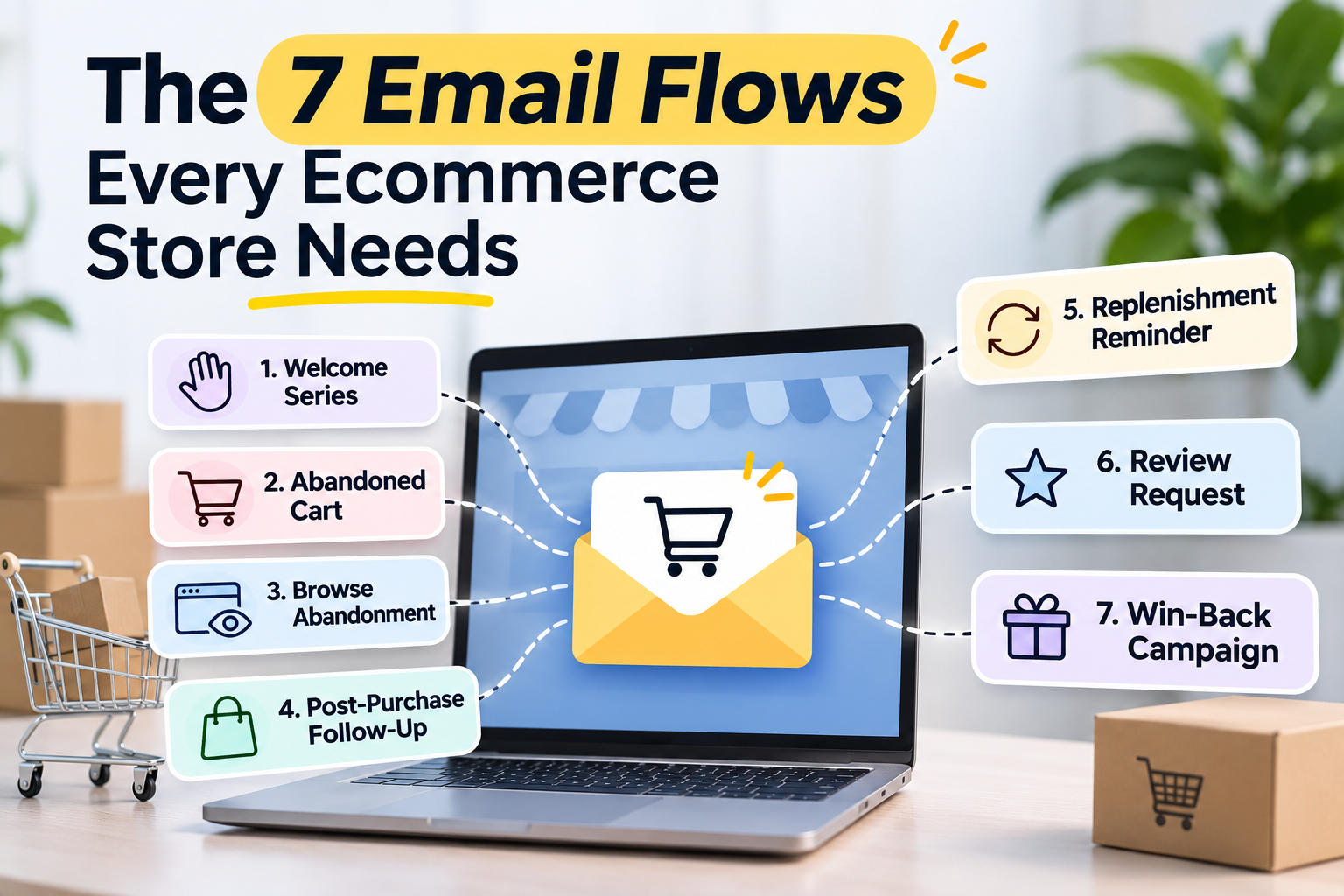
The 7 Email Flows Every Ecommerce Store Needs: The Quick Answer
Your ecommerce store doesn't need to send more emails. It needs to send the right emails, to the right people, at exactly the right moment.
That's where email marketing automation changes everything.
The 7 Email Flows Every Ecommerce Store Needs are:
-
Welcome Email Series: Turn curious new subscribers into confident first-time customers with a compelling brand introduction, valuable content and a timely first-purchase incentive.
-
Browse Abandonment Flow: Reconnect with shoppers who explored your products but left before adding anything to their basket.
-
Abandoned Cart Flow: Recover potential revenue by reminding shoppers about the products they added to their cart but didn't purchase.
-
Checkout Abandonment Flow: Bring high-intent customers back when they've started checkout but haven't completed payment.
-
Post-Purchase Flow: Build customer loyalty, encourage reviews, recommend complementary products and increase repeat purchases.
-
Customer Win-Back Flow: Re-engage inactive customers with personalised messages, relevant offers and reasons to return.
-
Sunset Flow: Protect email deliverability by identifying disengaged subscribers and giving them one final opportunity to reconnect.
The real opportunity? These seven automated email flows work together across the customer lifecycle, from the moment someone discovers your brand to their second, third and tenth purchase.
Unlike one-off promotional campaigns, automated ecommerce email sequences respond to actual customer behaviour. Once they're properly configured, they continue working while you're fulfilling orders, developing products or focusing on growing your business.
And while Klaviyo email flows and Shopify email automation make implementation easier, the technology alone won't generate results. Timing, segmentation, persuasive messaging and continuous optimisation are what turn basic automations into a profitable email marketing strategy.
Let's explore how to make that happen.
What Are Ecommerce Email Flows?
Imagine walking into a physical shop.
You browse a few products. A helpful assistant notices your interest, answers your questions and recommends something relevant. Perhaps you decide to think about it. A few days later, you receive a thoughtful reminder about the product you liked.
Now imagine that experience happening automatically, across hundreds or thousands of customers, without your team manually sending a single message.
That's essentially what ecommerce email flows do.
An ecommerce email flow is an automated sequence of messages triggered by a customer's actions, behaviour or position in their buying journey.
Instead of sending the same email to everyone on your subscriber list, email marketing automation delivers relevant messages based on what an individual customer has actually done.
For example:
-
Someone subscribes to your newsletter and receives a welcome email sequence.
-
A visitor views a product several times but leaves without purchasing, triggering a browse abandonment email.
-
A shopper adds products to their basket and disappears, activating an abandoned cart recovery sequence.
-
A customer completes their first order and receives post-purchase emails with useful advice and complementary product recommendations.
-
A previously loyal customer stops purchasing and eventually enters a customer win-back flow.
Each message has a specific purpose. Each automation responds to a meaningful event.
And every interaction creates another opportunity to strengthen your relationship with the customer.
How Do Automated Email Flows Work?
Most email automation for ecommerce follows a straightforward process:
-
A customer performs an action. They subscribe, view a product, add something to their cart, complete a purchase or become inactive.
-
An automation trigger activates. Your email marketing platform recognises the event and checks whether the customer qualifies for the flow.
-
Segmentation and filters determine eligibility. Purchase history, customer behaviour, subscription status and previous interactions help determine which messages should be sent.
-
A personalised email is delivered. The message may include relevant products, dynamic content, helpful recommendations or a carefully selected incentive.
-
The system checks for further activity. If the customer purchases, unsubscribes or meets another exit condition, the sequence can stop or change.
-
Performance data informs optimisation. Revenue attribution, conversion rates, clicks and repeat purchases reveal where improvements are needed.
The beauty of this approach is that automated email flows can be both scalable and personal.
A first-time visitor shouldn't receive the same message as someone who has purchased from you fifteen times. Equally, a customer who abandoned a £200 basket yesterday needs a different approach from someone who hasn't opened an email in six months.
Effective customer lifecycle emails recognise those differences.
Great email automation doesn't feel like automation. It feels like your brand remembered what the customer needed.
Email Flows vs Email Campaigns: What's the Difference?
Although both are essential parts of ecommerce email marketing, automated flows and promotional campaigns serve different purposes.
| Email Flows | Email Campaigns |
|---|---|
| Triggered by customer behaviour or predefined conditions | Usually sent at a scheduled time |
| Run automatically once configured | Planned and launched individually |
| Personalised to specific customer actions | Often sent to broader audience segments |
| Support ongoing lifecycle marketing | Promote launches, offers and announcements |
| Can generate revenue continuously | Generate results around specific sends |
For example, announcing your Black Friday sale to your subscriber list is an email campaign.
Sending a reminder to someone who abandoned their basket during that sale is an automated email flow.
The most effective ecommerce email marketing strategies use both. Campaigns create interest and demand, while automation helps convert that interest into purchases and lasting customer relationships.
Why Email Marketing Automation Matters for Ecommerce Growth
Running an ecommerce business means competing for attention every single day.
Advertising costs fluctuate. Customers compare prices across multiple stores. Social media algorithms change. And even when you've invested heavily in attracting website visitors, most won't purchase during their first session.
Without a structured email automation strategy, valuable opportunities can disappear almost as quickly as they arrive.
Someone who loved your product gets distracted.
Someone who was ready to buy hesitates at checkout.
Someone who purchased six months ago forgets your brand exists.
These aren't necessarily lost customers. They're often missed opportunities for timely, relevant communication.
1. Recover Revenue That Would Otherwise Be Lost
Not every abandoned shopping cart represents a lost sale.
Some shoppers are comparing options. Others are interrupted, need more information or simply aren't ready to purchase.
Abandoned cart emails, checkout recovery sequences and browse abandonment automation give your brand another chance to address those situations.
A well-timed reminder might be all that's needed. In other cases, customer reviews, delivery information or reassurance about returns can help remove hesitation.
The objective isn't to pressure customers into buying.
It's to make completing their purchase easier.
2. Increase Customer Lifetime Value
Winning a new customer is important.
Getting that customer to return can be even more valuable.
Customer lifetime value (CLV) measures the total value a customer generates over their relationship with your business.
Post-purchase emails, customer retention automation and win-back sequences help increase that value by encouraging meaningful engagement beyond the initial transaction.
Consider two customers who each make a £50 purchase.
The first never returns.
The second receives useful product guidance, discovers complementary products and makes three additional purchases over the following year.
The difference isn't necessarily the product itself.
Sometimes, it's what happens after the first sale.
3. Create a More Personal Shopping Experience
Personalisation goes far beyond inserting someone's first name into an email subject line.
Modern email marketing automation can use:
-
Browsing behaviour and recently viewed products.
-
Previous orders and purchase frequency.
-
Product categories and customer preferences.
-
Average order value and spending patterns.
-
Engagement history and lifecycle stage.
-
Predicted replenishment needs or likely next purchase dates.
This information helps you deliver more relevant customer communications.
For example, a customer who recently purchased a skincare product might appreciate practical usage advice before receiving a replenishment reminder.
Someone who bought a laptop accessory might benefit from recommendations for compatible products.
And a loyal customer could receive early access to a new collection instead of another generic welcome discount.
Relevance builds trust. Trust encourages conversions.
4. Improve Email Marketing ROI
Email marketing ROI measures the return generated relative to the cost of your email marketing activity.
A basic calculation looks like this:
Email Marketing ROI = ((Revenue Attributed to Email − Email Marketing Costs) ÷ Email Marketing Costs) × 100
However, measuring automation performance requires more than looking at headline revenue.
You should also monitor:
-
Flow conversion rate: The proportion of recipients who complete a desired action.
-
Revenue per recipient: How much attributed revenue each delivered email generates on average.
-
Click-through rate: Whether recipients are engaging with your messaging.
-
Repeat purchase rate: How successfully your flows encourage customers to return.
-
Unsubscribe and spam complaint rates: Whether your communication is welcome and relevant.
-
Customer lifetime value: Whether email automation contributes to stronger long-term customer relationships.
Remember that attributed revenue isn't necessarily incremental revenue. Some customers would have purchased without receiving an email.
For a clearer picture of your potential returns, use our ecommerce marketing ROI calculator to explore the relationship between marketing investment and revenue.
5. Save Time Without Sacrificing Customer Experience
One of the biggest advantages of automated email flows is consistency.
A manually managed email marketing programme depends on someone remembering to send every follow-up.
Automation removes much of that repetitive work.
Once you've established the triggers, conditions, messaging and timing, your flows can run continuously.
That doesn't mean you can set them up and forget about them forever.
Customer expectations change. Product ranges evolve. Offers expire. And even successful sequences benefit from A/B testing and regular performance reviews.
But with a strong foundation, your business can deliver timely, personalised messages at scale without manually managing every interaction.
1. Welcome Email Series: Turn New Subscribers Into First-Time Buyers
Your welcome email series is your brand's digital first impression.
And first impressions matter.
Someone has just shared their email address with you. Maybe they were intrigued by your products. Perhaps they signed up for a discount. Or they might simply want to learn more before committing to a purchase.
Whatever their motivation, they've given you permission to start a conversation.
Don't waste that opportunity with a generic "Thanks for subscribing" message.
A compelling welcome email flow introduces your brand, establishes credibility, communicates value and gently moves new subscribers towards their first purchase.
What Is a Welcome Email Flow?
A welcome email flow is an automated email sequence sent when someone joins your marketing list.
It forms the foundation of subscriber onboarding and new customer nurturing.
Rather than immediately pushing for a sale, a well-designed welcome sequence answers the questions new subscribers are likely to have:
-
Who are you, and what makes your brand different?
-
What problems do your products solve?
-
Why should customers trust your business?
-
What can subscribers expect from your emails?
-
Is there a compelling reason to make their first purchase now?
The strongest welcome email examples combine persuasive storytelling with practical information.
They make customers feel they've discovered something worthwhile, not simply joined another promotional mailing list.
How Many Emails Should Be in a Welcome Flow?
For many ecommerce stores, a sequence of three to five emails provides a useful starting point.
The ideal number depends on your product category, average order value, customer buying cycle and how subscribers respond.
Here's an example of a four-email welcome sequence:
| Suggested Timing | Primary Objective | |
|---|---|---|
| Email 1: The Warm Welcome | Immediately after subscribing | Introduce your brand and deliver any promised incentive |
| Email 2: Why We're Different | 1 day later | Explain your story, values and unique selling points |
| Email 3: Proof That Matters | 2–3 days later | Build confidence with reviews, testimonials and product benefits |
| Email 4: Your Next Step | 4–5 days later | Encourage a first purchase with a relevant recommendation or reminder |
These timings are starting points, not universal rules. Test them against your audience and stop purchase-focused messages when someone converts.
Email 1: Make Your Welcome Memorable
Your first email should arrive promptly after someone subscribes.
It's the moment when your brand is still fresh in their mind.
Keep the message welcoming, clear and focused.
A strong first welcome email might include:
-
A friendly introduction to your business.
-
A concise explanation of what makes your products special.
-
The discount code or incentive promised at signup, if applicable.
-
A clear call to action directing subscribers towards relevant products.
-
A brief indication of what they'll receive from future emails.
Example subject line: "You're In! Here's Something Special to Get You Started"
Example opening:
"Welcome aboard. We're glad you've found us. We started this brand because we believed shopping for great products should feel simpler, more personal and a lot more rewarding. Here's a little something to help you discover what we're all about."
Notice the tone.
It's conversational. Confident. Human.
Your welcome email shouldn't sound like it was written by a software platform.
It should sound like your brand.
Email 2: Tell the Story Behind Your Brand
Customers don't always choose products based on price alone.
They may also care about quality, convenience, craftsmanship, customer service, sustainability or the people behind the business.
Your second welcome email is an opportunity to communicate what makes your store distinctive.
Instead of listing every product feature, focus on the bigger picture.
Why did you create the brand?
What frustration were you trying to solve?
What do you believe customers deserve?
A genuine brand story gives subscribers a reason to remember you.
And when several businesses sell similar products, being memorable can make a meaningful difference.
Email 3: Replace Uncertainty With Confidence
By the third email, subscribers may understand your brand but still have questions about purchasing.
This is where social proof becomes valuable.
Customer testimonials, product reviews, real-world examples and helpful FAQs can reassure potential buyers.
You might highlight:
-
Your most popular products and why customers choose them.
-
Genuine customer feedback.
-
Clear delivery and returns information.
-
Product benefits demonstrated through real examples.
-
Answers to common pre-purchase questions.
Avoid making unsupported claims or inventing testimonials.
Authenticity is far more persuasive than exaggerated promises.
Email 4: Encourage the First Purchase
Your final welcome email should make the next step obvious.
That might mean recommending a bestseller, highlighting a product category or reminding subscribers about a genuine introductory offer.
If you've provided a welcome discount code, you can remind customers of its expiration date, provided the deadline is real.
But remember: discounting isn't always necessary.
Sometimes the right product recommendation, a useful buying guide or reassurance about delivery is enough to encourage first-time buyer conversion.
The goal is to reduce hesitation, not train customers to expect a discount every time they hear from you.
Welcome Flow Best Practices
Before activating your welcome email automation, check the following:
-
Trigger the sequence only for eligible new subscribers. Respect consent preferences and avoid restarting the same sequence unnecessarily.
-
Exclude existing customers from first-time buyer offers where appropriate. Returning customers may benefit from a different onboarding experience.
-
Personalise product recommendations. Use signup interests, browsing behaviour or other relevant information where available.
-
Keep each email focused. One clear objective is usually more effective than five competing calls to action.
-
Test subject lines and messaging. Experiment with tone, benefits, imagery and email timing.
-
Monitor the entire sequence. Measure conversions, revenue per recipient and unsubscribe rates rather than judging success by opens alone.
A strong welcome email series doesn't just generate initial sales.
It establishes the relationship that makes every future email flow more effective.
And that relationship becomes especially important when subscribers start browsing your products but aren't quite ready to buy.
2. Browse Abandonment Flow: Turn Casual Browsers Into Confident Buyers
Picture this.
A potential customer discovers your store through Google, clicks on a product and spends several minutes exploring its features.
They look at the photographs. Read the description. Perhaps check the reviews.
They're interested.
But then something happens.
Their phone rings. Another browser tab catches their attention. Or they decide to compare a few alternatives before making a decision.
And just like that, they're gone.
No purchase. No product added to their basket. No obvious indication of whether they'll ever return.
This is exactly where a browse abandonment email flow earns its place in your ecommerce email marketing strategy.
Instead of allowing that initial interest to disappear, browse abandonment automation helps reconnect with identifiable, eligible shoppers who have demonstrated interest in your products but haven't taken the next step.
What Is a Browse Abandonment Email?
A browse abandonment email is an automated message triggered when a recognised visitor views a product or product category but leaves without adding an item to their cart or completing a purchase.
Unlike abandoned cart emails, which target shoppers who have already demonstrated stronger purchasing intent, browse abandonment emails engage customers at an earlier stage of their buying journey.
The distinction matters.
Someone who has viewed a product isn't necessarily ready to buy. They might still be researching, comparing options or trying to understand whether the product meets their needs.
Your job isn't to rush them.
It's to make their decision easier.
A well-designed browse abandonment flow might remind shoppers about products they've viewed, explain their benefits, introduce relevant customer reviews or recommend alternatives.
The aim is to transform passing interest into meaningful engagement.
How Does Browse Abandonment Automation Work?
Browse abandonment emails typically rely on behavioural email triggers connected to your ecommerce platform.
For example, a visitor might:
-
Visit your ecommerce website.
-
View a particular product or collection.
-
Leave without adding anything to their basket.
-
Meet the identification, consent and eligibility requirements for email marketing.
-
Receive a personalised follow-up featuring the product they explored.
However, there's an important limitation.
Not every anonymous website visitor can receive a browse abandonment email.
Your email platform generally needs to recognise the visitor through an existing subscriber profile, a previous interaction or another permitted identification method.
Privacy settings, consent requirements and tracking restrictions also affect who can enter these flows.
For Shopify email automation and Klaviyo email flows, correct event tracking is particularly important. Your platform must reliably capture product-view activity and apply appropriate exclusions.
Otherwise, customers could receive irrelevant reminders, repeated messages or emails about products they've already purchased.
The Ideal Browse Abandonment Email Sequence
For many ecommerce stores, one or two carefully timed messages provide a sensible starting point.
Unlike a welcome email series, browse abandonment automation should generally be more restrained.
After all, viewing a product doesn't always mean someone wants to purchase it immediately.
| Suggested Timing | Purpose | |
|---|---|---|
| Email 1: A Helpful Reminder | 4–12 hours after browsing | Reintroduce the viewed product and highlight its main benefits |
| Email 2: Build Buying Confidence | 24–48 hours later | Address objections, share genuine social proof or recommend alternatives |
These timings should be tested against your customers' behaviour, product category and buying cycle.
A low-cost everyday product may justify a shorter delay than an expensive purchase requiring significant research.
Email 1: Remind Customers What Caught Their Attention
Your first browse abandonment email should feel helpful rather than intrusive.
Avoid language that suggests you're watching someone's every move.
Instead of saying, "We noticed you spent seven minutes looking at this product," try something more natural.
Example subject lines:
-
"Still Thinking It Over?"
-
"A Closer Look at Something You Might Love"
-
"Find Your Perfect Fit"
-
"Something Worth Another Look"
Example email copy:
"You know that feeling when something catches your eye, but you're not quite ready to make a decision?
We get it.
If you're still exploring your options, here's another look at a product you might enjoy, along with a few details to help you decide whether it's right for you."
Suggested CTA: "Explore the Product"
The message is simple.
No pressure. No unnecessary urgency. Just a useful invitation to continue shopping.
Email 2: Give Shoppers a Reason to Return
If the customer hasn't purchased after the first reminder, your second message should introduce something new.
Repeating the same product image and call to action rarely adds much value.
Instead, consider including:
-
Genuine customer reviews and testimonials.
-
A short product comparison.
-
Answers to common buying questions.
-
Delivery and returns information.
-
Product demonstrations or practical usage tips.
-
Recommendations for similar products.
This is where dynamic product recommendations can become particularly effective.
For example, if someone viewed a premium product but didn't purchase, you might introduce a more affordable alternative.
Alternatively, if they were exploring several similar items, a comparison guide could help them choose.
The objective is to remove uncertainty, not manufacture urgency.
Browse Abandonment vs Cart Abandonment: What's the Difference?
These two essential email flows are often confused, but they address different customer behaviours.
| Browse Abandonment | Cart Abandonment |
|---|---|
| Customer views a product | Customer adds a product to their cart |
| Earlier buying-stage intent | Stronger indication of purchase intent |
| Focuses on education and product discovery | Focuses on recovering an interrupted purchase |
| Usually uses softer messaging | Can use more direct purchase reminders |
| Often benefits from recommendations and reviews | Often benefits from cart details and checkout reassurance |
Understanding this distinction helps prevent overlapping email sequences.
If someone views a product, adds it to their basket and then leaves, they generally shouldn't continue receiving browse abandonment reminders while also entering an abandoned cart flow.
Instead, your automation should recognise the stronger buying signal and prioritise the more relevant sequence.
Browse Abandonment Best Practices
To improve browse recovery performance:
-
Set minimum engagement criteria. Consider whether a single brief product view is sufficient to trigger an email.
-
Use dynamic product content. Show the specific product viewed whenever reliable data is available.
-
Exclude recent purchasers. Avoid recommending products customers have already bought unless there's a clear reason.
-
Prevent flow overlap. Suppress browse emails when someone enters an abandoned cart or checkout recovery sequence.
-
Avoid unnecessary discounts. Product education and social proof may be more appropriate at this stage.
-
Respect email frequency limits. Don't overwhelm customers who browse multiple products during one session.
-
Measure meaningful outcomes. Track clicks, conversions, revenue per recipient and incremental performance where possible.
Browse abandonment emails are particularly useful for stores selling products that require consideration, comparison or education.
And when a shopper progresses from browsing to adding a product to their basket, the next essential automation takes over.
3. Abandoned Cart Flow: Recover Lost Sales Before They Disappear
Few things frustrate ecommerce store owners more than an abandoned shopping cart.
A customer discovers your products.
They browse your website, find something they like and add it to their basket.
Everything seems to be going perfectly.
Then they leave.
No order confirmation. No completed transaction.
Just another potential sale sitting unfinished.
But here's the important part.
An abandoned cart isn't always a rejection of your product.
Sometimes customers simply need a reminder, more information or a little reassurance before completing their purchase.
That's why abandoned cart emails are among the most important automated email flows in ecommerce.
What Is an Abandoned Cart Email Flow?
An abandoned cart flow is an automated email sequence designed to re-engage shoppers who add products to their basket but leave without completing a purchase.
Depending on the ecommerce platform and tracking configuration, the automation may be triggered by an add-to-cart event, a qualifying cart update or another shopping-cart activity.
The purpose is straightforward:
Recover potentially lost revenue by helping customers return to their unfinished purchase.
However, effective cart recovery is about more than repeatedly asking someone to buy.
It involves understanding why shoppers abandon their baskets in the first place.
Why Do Customers Abandon Their Shopping Carts?
Customers leave shopping carts for all kinds of reasons.
Some are unavoidable. Others reveal friction in the buying experience.
Common reasons include:
-
Unexpected delivery costs.
-
Concerns about delivery times.
-
Complicated checkout processes.
-
Uncertainty about returns or refunds.
-
A desire to compare prices.
-
Questions about product quality or suitability.
-
Technical problems or payment difficulties.
-
Simply getting distracted.
Not every abandoned basket can be recovered.
Someone using your cart as a temporary wishlist may have no intention of purchasing that day.
But many shoppers have genuine interest.
A well-planned cart recovery email sequence helps address the concerns preventing those customers from completing their orders.
How Many Emails Should Be in an Abandoned Cart Flow?
For many ecommerce brands, a three-email abandoned cart sequence is a useful starting point.
The key is to give each message a different purpose.
Don't send three identical reminders and expect customers to respond differently each time.
Instead, structure your abandoned cart recovery strategy around progressively addressing potential objections.
| Suggested Timing | Main Objective | |
|---|---|---|
| Email 1: The Gentle Reminder | 1–4 hours after abandonment | Remind shoppers about their basket and provide a clear route back |
| Email 2: Build Confidence | 20–24 hours later | Address concerns and reinforce product value |
| Email 3: A Final Helpful Nudge | 48–72 hours later | Encourage completion with a relevant final reminder or genuine incentive |
Timing should be adjusted based on your product category, purchase cycle and customer behaviour.
Importantly, stop the sequence when a customer completes the relevant purchase.
You should also prevent shoppers from receiving abandoned cart and abandoned checkout emails for the same buying session.
Email 1: The Gentle Cart Reminder
Your first abandoned cart email should be short, helpful and easy to act upon.
The customer has already demonstrated interest in your products.
You don't need to introduce your entire brand again.
Instead, remind them what they left behind and make it simple to return.
Example subject lines:
-
"Forgot Something? Your Basket Is Waiting"
-
"Your Favourites Are Still Here"
-
"Ready When You Are"
-
"A Little Reminder About Your Basket"
Example email copy:
"Looks like you found something you liked but didn't quite make it to checkout.
No worries. Life gets busy.
We've made it easy to pick up where you left off. Take another look at your basket whenever you're ready."
Suggested CTA: "Return to My Basket"
Where supported, include:
-
The product name.
-
A clear product image.
-
Selected size, colour or variant.
-
The current product price.
-
A direct link to the customer's saved basket.
The fewer unnecessary steps between the email and checkout, the better.
Email 2: Address the Questions Holding Customers Back
Your second email should focus on building confidence.
Perhaps the customer is uncertain about product quality.
Maybe they're worried about delivery times.
Or they simply need reassurance that your store is trustworthy.
This is an excellent opportunity to introduce helpful information rather than another generic reminder.
For example:
Subject line: "A Few Things You Might Want to Know"
Example email copy:
"Choosing the right product matters, and we want you to feel completely confident before placing an order.
If you're still deciding, we've put together a few helpful details about our products, delivery options and customer support.
Take your time. We're here if you need us."
Depending on your business, you could include:
-
Genuine product reviews.
-
Clear shipping information.
-
Returns and refund policies.
-
Product guarantees, where offered.
-
Answers to frequently asked questions.
-
Customer service contact information.
This approach helps customers overcome genuine objections without immediately reducing your prices.
Email 3: Give Customers One More Reason to Complete Their Purchase
By the third email, some shoppers may still be undecided.
Others may have forgotten about their basket entirely.
A final reminder gives them another opportunity to return.
Example subject line: "Still Interested? Here's One Last Reminder"
Example email copy:
"Just checking in one last time.
The products you selected could still be a great fit, and we'd love to help you make the right choice.
If you have any questions, we're happy to help. Otherwise, you can return to your basket and continue whenever you're ready."
Suggested CTA: "Complete My Order"
Should you include a discount?
Possibly.
But only when it makes commercial sense.
A first-time customer with a high-value basket might respond positively to a carefully controlled incentive.
However, offering discounts automatically to everyone who abandons a cart can create an expensive habit.
Customers may begin abandoning their baskets deliberately because they've learned that waiting results in a better price.
Before introducing discounts, consider testing other incentives such as complimentary delivery, additional product information or stronger customer reassurance.
How to Recover Abandoned Shopping Carts Without Constant Discounting
Discounts are easy.
Protecting your margins while recovering sales takes more thought.
Here are five alternatives worth testing.
1. Highlight the product's value
Explain the benefits that make your product worth purchasing.
Focus on what customers gain, not simply what the product costs.
2. Make delivery information clear
Unexpected shipping charges or uncertainty about delivery can discourage customers.
If your store offers free delivery above a particular threshold, communicate that clearly and accurately.
3. Reinforce trust
Genuine reviews, transparent returns policies and accessible customer support can help reduce hesitation.
4. Simplify the return journey
Whenever technically possible, link customers directly to their saved basket rather than your homepage.
5. Personalise the message
A customer abandoning a £15 accessory may require a different approach from someone considering a £500 purchase.
Use cart value, purchase history and customer behaviour to guide your messaging.
Abandoned Cart Email Best Practices
Successful cart recovery depends on more than persuasive copywriting.
Your automation also needs the right technical foundations.
-
Use accurate cart triggers. Confirm that your ecommerce platform reliably captures qualifying cart activity.
-
Apply purchase exclusions. Customers who complete their orders should exit the sequence.
-
Segment by customer value. Consider different messaging for first-time shoppers and loyal returning customers.
-
Avoid excessive reminders. More emails don't automatically mean more recovered revenue.
-
Test incentives carefully. Measure whether discounts increase incremental profit rather than merely attributed sales.
-
Keep product information accurate. Prices, variants and stock availability should reflect current conditions.
-
Optimise for mobile devices. Cart recovery emails should be easy to read and navigate on smaller screens.
For businesses wanting to improve the wider customer journey, our ecommerce marketing services can help connect email automation with a more comprehensive approach to customer acquisition, conversion and retention.
A properly configured abandoned cart flow can turn interrupted shopping sessions into completed orders.
But what happens when someone moves beyond the basket and actually starts checkout?
That's where the next automation becomes essential.
4. Checkout Abandonment Flow: Win Back Shoppers Who Were Almost Ready to Buy
There's a meaningful difference between adding something to a basket and beginning the checkout process.
Adding a product to a basket suggests interest.
Starting checkout often signals a stronger intention to purchase.
The customer may have reviewed their selections, checked their total and started entering delivery or payment information.
They're close.
Then, suddenly, the process stops.
Perhaps an unexpected shipping fee appears.
Maybe their preferred payment method isn't available.
Or perhaps they simply need another moment to think.
Whatever the reason, checkout abandonment represents an important opportunity for ecommerce email automation.
These shoppers have already taken meaningful steps towards buying. Your job is to help them finish.
What Is an Abandoned Checkout Email?
An abandoned checkout email is an automated message sent to an eligible shopper who starts the checkout process but doesn't complete their purchase.
This is different from general abandoned cart automation.
A cart abandonment flow may target customers who added products to their basket without reaching checkout.
A checkout abandonment flow specifically targets shoppers who began the checkout process.
Because these customers are further along in the buying journey, the messaging can be more direct and focused on removing final obstacles.
Abandoned Cart vs Abandoned Checkout: Why Separate the Two?
Although the terms are sometimes used interchangeably, distinguishing between them can improve your email automation strategy.
| Abandoned Cart Flow | Abandoned Checkout Flow |
|---|---|
| Triggered by qualifying cart activity | Triggered when checkout begins |
| Customer may still be comparing options | Customer has progressed further towards purchase |
| Emphasises product value and buying confidence | Emphasises completing the transaction |
| May require more product education | Often benefits from delivery, payment and checkout reassurance |
| Typically uses a saved cart link | Ideally uses a valid checkout recovery link |
Not every ecommerce platform distinguishes these events in exactly the same way.
Some systems use the term abandoned cart for automations triggered by checkout activity.
Others provide separate events for adding products to a basket and starting checkout.
Before building both sequences, check how your platform defines its triggers.
This is particularly important when configuring Klaviyo email flows or Shopify email automation.
Without careful trigger and exclusion logic, a single customer could qualify for both sequences.
That creates unnecessary email frequency, inconsistent messaging and a potentially frustrating customer experience.
The Ideal Checkout Abandonment Email Sequence
Because checkout abandonment often involves customers with stronger purchase intent, a concise sequence can be effective.
A practical starting point is two or three emails.
| Suggested Timing | Primary Objective | |
|---|---|---|
| Email 1: Complete Your Checkout | 1–2 hours after abandonment | Provide a direct reminder and recovery link |
| Email 2: Need a Hand? | 18–24 hours later | Address payment, delivery or checkout concerns |
| Email 3: Final Reminder | 48 hours later | Encourage completion without unnecessary pressure |
The timing and number of emails should reflect your business model, customer behaviour and the technical capabilities of your ecommerce platform.
Email 1: Make Completing the Order Effortless
The first checkout recovery email should remove as much friction as possible.
Avoid lengthy introductions.
The customer already knows your brand and has selected their products.
They need a convenient way to finish what they started.
Example subject lines:
-
"You're Almost There"
-
"Your Checkout Is Ready When You Are"
-
"One More Step to Complete Your Order"
-
"Need a Moment? Pick Up Where You Left Off"
Example email copy:
"You're just one step away from completing your order.
If something interrupted your checkout, we've made it easy to return and finish whenever you're ready.
And if you have any questions about delivery, payment or your order, we're happy to help."
Suggested CTA: "Complete My Checkout"
Where your platform supports it, use a secure, valid checkout recovery link.
Avoid forcing customers to rebuild their baskets or repeat unnecessary steps.
Email 2: Remove the Final Buying Objections
If the customer hasn't returned, the second email should address the concerns that commonly interrupt checkout.
These might include:
-
Delivery costs and estimated arrival dates.
-
Accepted payment methods.
-
Returns and refund information.
-
Product availability.
-
Checkout errors or technical difficulties.
-
Questions about order security.
Don't assume you know why a particular customer abandoned checkout unless you have reliable evidence.
Instead, provide concise answers to the questions most likely to matter.
Example subject line: "Questions Before You Order? We're Here to Help"
Example email copy:
"We know that the final details matter.
Whether you're checking delivery options, reviewing your order or looking for a little reassurance, we want your shopping experience to be as straightforward as possible.
If there's anything we can help with, just get in touch."
A friendly, supportive message can be more effective than immediately offering a discount.
Email 3: A Final Reminder That Respects the Customer
Your final checkout abandonment email should be concise.
The customer has already received reminders and practical information.
There's no need to repeat everything.
Example subject line: "One Last Reminder About Your Checkout"
Example email copy:
"Just a quick final reminder that you can return to your checkout if you're still interested.
If you've decided this isn't the right time, that's absolutely fine.
And if there's anything we can help you with, we're only a message away."
Suggested CTA: "Return to Checkout"
If you're considering adding an incentive, evaluate it against your profit margins, customer value and previous purchase behaviour.
Avoid artificial countdown timers, false stock warnings or misleading claims that products are being reserved.
Urgency should always reflect genuine circumstances.
How to Prevent Overlapping Klaviyo Flows
One of the most overlooked aspects of ecommerce email automation is managing how different flows interact.
Imagine a shopper who:
-
Views a product.
-
Adds it to their basket.
-
Begins checkout.
-
Leaves without purchasing.
Without appropriate safeguards, that person might qualify for three different automations:
-
Browse abandonment.
-
Abandoned cart.
-
Abandoned checkout.
That's three sequences competing for the same customer's attention.
Not exactly the personalised experience you're aiming for.
A better approach is to establish a clear priority system.
Checkout abandonment should generally take precedence over cart abandonment, which should take precedence over browse abandonment.
To implement this:
-
Use flow filters to exclude customers who have progressed to a later buying stage.
-
Stop lower-intent reminders when a higher-intent event occurs.
-
Exclude customers who complete a purchase.
-
Apply sensible email frequency limits.
-
Check whether a customer is already receiving another recovery sequence.
-
Test your automation logic using realistic customer journeys.
In Klaviyo, this may involve event-based triggers, flow filters, conditional splits and profile properties.
In other email marketing platforms, the terminology may differ, but the underlying principle remains the same.
One customer journey should feel like one coherent conversation, not several disconnected automations competing for attention.
Checkout Abandonment Best Practices
Before launching your checkout recovery sequence, make sure you:
-
Verify your checkout tracking. Confirm that checkout-started and purchase-completed events are recorded accurately.
-
Respect marketing permissions. Only send promotional recovery emails where you have an appropriate legal basis and comply with applicable email marketing requirements.
-
Use functional recovery links. Test that customers can return to the correct checkout.
-
Keep messaging concise. Focus on completing the purchase rather than overwhelming customers with unrelated offers.
-
Provide accessible customer support. Make it easy to ask questions about delivery, payment or products.
-
Avoid unnecessary discounts. Test whether reassurance and convenience can recover orders without reducing margins.
-
Monitor checkout recovery performance. Review conversion rates, revenue per recipient, recovered orders and incremental profitability.
-
Audit your flow interactions. Make sure checkout abandonment doesn't conflict with browse abandonment or abandoned cart sequences.
When implemented correctly, checkout abandonment automation can help recover high-intent shoppers while maintaining a helpful, professional customer experience.
But recovering the sale is only part of the story.
What happens after the customer finally clicks "Place Order" can be even more important for long-term ecommerce growth.
That's where post-purchase email automation takes centre stage.
5. Post-Purchase Email Flow: Turn First-Time Buyers Into Loyal Customers
Congratulations. You've made a sale.
The customer found your product, trusted your brand enough to purchase and successfully completed checkout.
Job done, right?
Not quite.
The moment someone becomes a customer is when one of your biggest ecommerce growth opportunities begins.
Too many online stores invest heavily in attracting new customers, only to go quiet once the transaction is complete.
A generic order confirmation. A shipping notification. Then silence.
Weeks later, those same businesses wonder why customers aren't returning.
The problem isn't always the product.
Sometimes, it's the absence of a meaningful post-purchase experience.
A well-designed post-purchase email flow helps bridge the gap between a customer's first order and their next one, turning a single transaction into the beginning of a lasting relationship.
What Is a Post-Purchase Email Flow?
A post-purchase email flow is an automated email sequence triggered after a customer completes an order.
Unlike abandoned cart emails or checkout recovery automation, which focus on converting potential buyers, post-purchase emails concentrate on customer satisfaction, retention and repeat purchases.
These customer lifecycle emails can serve several purposes:
-
Thank customers for choosing your brand.
-
Help them get the most from their purchase.
-
Provide product education and practical advice.
-
Encourage genuine customer reviews.
-
Recommend relevant complementary products.
-
Introduce loyalty or referral programmes.
-
Encourage a second purchase at an appropriate time.
The objective isn't simply to sell something else immediately.
It's to create an experience that makes customers genuinely want to return.
The first purchase proves someone was willing to try your brand. The experience that follows helps determine whether they'll choose you again.
Why Post-Purchase Emails Matter for Customer Retention
Think about the brands you repeatedly purchase from.
Chances are, they make the experience feel easy.
They communicate clearly. They provide helpful information. They make you feel confident about your decisions.
And when they recommend another product, it usually makes sense.
That's the experience post-purchase email automation should aim to create.
A thoughtful sequence can increase customer lifetime value, strengthen brand loyalty and support repeat purchase behaviour.
It can also reduce unnecessary customer service enquiries by answering common questions before customers need to ask them.
For example, a skincare brand might send application instructions and usage tips.
A homeware store could share styling ideas or product care guidance.
A fashion retailer might offer washing instructions, outfit inspiration and recommendations for complementary accessories.
Different products. Different messages.
The same underlying principle: help customers enjoy what they've already purchased before asking them to buy more.
The Ideal Post-Purchase Email Sequence
For many ecommerce businesses, a four-email post-purchase sequence provides a useful foundation.
However, the timing should reflect delivery dates, product usage and the typical repeat purchase cycle.
| Suggested Timing | Primary Objective | |
|---|---|---|
| Email 1: Thank You for Your Order | Immediately after purchase | Express appreciation and reinforce confidence |
| Email 2: Get the Most From Your Purchase | After delivery or expected arrival | Provide useful product education |
| Email 3: We'd Love Your Feedback | After sufficient product use | Encourage an honest review |
| Email 4: Something Else You Might Love | Based on the buying cycle | Introduce relevant complementary products |
Remember that transactional order confirmations and promotional post-purchase emails aren't necessarily governed by the same consent requirements.
Keep essential order information separate from optional marketing communications where appropriate.
Email 1: Make Customers Feel Good About Their Decision
Your first post-purchase message should reinforce the positive feeling of completing an order.
Customers want to know they've made a good choice.
A simple, genuine thank-you can help.
Example subject lines:
-
"Thank You for Choosing Us"
-
"We're So Glad You're Here"
-
"Your Order Means a Lot"
-
"Welcome to the Family"
Example email copy:
"Thank you for your order.
We know you've got plenty of choices when it comes to shopping online, so the fact that you chose us genuinely means a lot.
We're looking forward to getting your order to you, and we hope you'll love it as much as we do."
Suggested CTA: "Discover More About Our Brand"
Keep the focus on appreciation.
There's no need to immediately introduce another sales pitch.
Email 2: Help Customers Get the Most From Their Purchase
This is where post-purchase automation can become genuinely useful.
Rather than sending another promotional email, provide information that improves the customer's experience.
Depending on your product range, you could include:
-
Step-by-step product instructions.
-
Care and maintenance recommendations.
-
Frequently asked questions.
-
Troubleshooting advice.
-
Styling or usage inspiration.
-
Tips for achieving better results.
-
Information about available customer support.
Example subject line: "A Few Tips to Help You Get Started"
Example email copy:
"Your new purchase should be something you enjoy from the very beginning.
To help you get the most from it, we've put together a few practical tips, useful recommendations and answers to questions customers often ask.
And if you need a hand with anything, we're always happy to help."
Suggested CTA: "Explore Our Helpful Tips"
The timing matters.
If your customer hasn't received their order, sending detailed instructions about using it may feel premature.
Where possible, use delivery confirmation or a reliable fulfilment milestone to trigger the message.
Email 3: Encourage Genuine Customer Reviews
Customer reviews can help future shoppers make more confident purchasing decisions.
They can also provide valuable feedback about your products and customer experience.
But timing is everything.
Asking for a review before someone has had an opportunity to use their purchase can feel rushed.
Instead, allow enough time for the customer to form a meaningful opinion.
Example subject line: "How Did We Do?"
Example email copy:
"We hope you've had a chance to enjoy your recent purchase.
We'd love to hear what you think.
Your feedback helps us improve, and it also helps other customers make informed decisions.
Whether you've got something wonderful to share or an idea about what we could do better, we're listening."
Suggested CTA: "Share Your Feedback"
Keep the request honest and straightforward.
Don't pressure customers to leave positive reviews or imply that only favourable feedback is welcome.
Authentic reviews build more trust than manufactured praise.
Email 4: Introduce the Next Relevant Purchase
Once customers have received their products and had time to enjoy them, you can begin introducing relevant recommendations.
This is where cross-sell email automation and upsell email sequences become useful.
A cross-sell suggests a complementary product.
An upsell encourages a customer to consider a higher-value or upgraded option.
For example:
-
Someone who purchased a coffee machine might appreciate recommendations for compatible accessories.
-
A customer who bought running shoes could be interested in suitable socks or running equipment.
-
Someone who ordered skincare products might benefit from complementary items within the same routine.
The key word is relevance.
Don't recommend products simply because you want to increase average order value.
Recommend them because they make sense for the customer's needs.
How to Increase Repeat Purchases With Email
Increasing repeat purchase rates requires a combination of good timing, thoughtful segmentation and useful content.
Start by analysing your customers' buying patterns.
How long does it typically take someone to make a second purchase?
Which products are frequently purchased together?
Are some categories more likely to generate repeat orders?
Do customers who purchase certain products tend to return sooner?
Use those insights to create more personalised post-purchase email sequences.
For replenishable products, consider sending reminders before customers are likely to run out.
For durable products, focus on education, accessories and long-term product value.
For seasonal products, consider relevant occasions or buying periods.
The best post-purchase emails don't interrupt the customer journey. They improve it.
6. Customer Win-Back Flow: Reconnect With Customers Who Have Gone Quiet
Every ecommerce store has them.
Customers who once seemed genuinely interested in your brand.
They browsed. They purchased. Perhaps they even came back for a second order.
Then something changed.
Weeks passed.
Months passed.
And eventually, they stopped engaging altogether.
No new purchases. No meaningful interactions.
Just silence.
It's tempting to assume they've moved on permanently.
But that isn't always true.
Sometimes customers forget about a brand. Sometimes their needs change. Sometimes they simply haven't had a reason to return.
A customer win-back email flow gives you an opportunity to reconnect before that relationship disappears completely.
What Is a Customer Win-Back Email Flow?
A customer win-back flow is an automated email sequence designed to re-engage previous customers who haven't purchased within an expected period.
It's an important part of customer retention automation and lifecycle marketing.
Unlike a welcome flow, which targets new subscribers, a win-back sequence focuses on people who already have a purchase history with your business.
That previous relationship gives you useful context.
You may know:
-
What products they've purchased.
-
How frequently they used to order.
-
Their average order value.
-
Which categories interest them.
-
How long it's been since their last purchase.
-
Whether they've engaged with recent marketing emails.
This information can help you create a more relevant reactivation strategy.
When Should You Trigger a Win-Back Email?
There's no universal answer.
A customer who buys coffee every month may be considered inactive after several months without an order.
Someone who purchases furniture every few years shouldn't necessarily receive a win-back email after 60 days.
Your trigger should reflect the natural buying cycle.
For example:
| Ecommerce Business Type | Illustrative Win-Back Trigger |
|---|---|
| Consumable products | 30–60 days after an expected reorder |
| Beauty and skincare | 60–120 days after the last purchase |
| Fashion and accessories | 90–180 days after the last purchase |
| Homeware and durable goods | 180 days or longer, depending on the category |
| Subscription-based products | Based on renewal, cancellation or failed-payment events |
These are illustrative starting points, not fixed industry benchmarks.
The most effective approach is to analyse your own customer purchase intervals and identify when repeat buying behaviour begins to decline.
The Ideal Customer Win-Back Email Sequence
A three-email sequence can provide a practical foundation.
| Suggested Timing | Objective | |
|---|---|---|
| Email 1: We Miss You | When the customer meets your inactivity criteria | Reintroduce your brand and reconnect |
| Email 2: Here's What's New | 5–7 days later | Highlight relevant products or improvements |
| Email 3: A Reason to Return | Another 5–7 days later | Offer a final relevant invitation or incentive |
Stop the sequence if the customer purchases again.
You should also consider whether a customer who remains disengaged belongs in a separate re-engagement or sunset process.
Email 1: Reopen the Conversation
Your first win-back email shouldn't make customers feel guilty about not purchasing.
Instead, remind them why they liked your brand in the first place.
Example subject lines:
-
"It's Been a While"
-
"We've Missed You"
-
"Fancy Catching Up?"
-
"A Little Hello From Us"
Example email copy:
"Hello again.
It's been a little while since we last saw you, and we thought we'd check in.
We've been busy making things better, introducing new ideas and finding more ways to make your shopping experience worthwhile.
If you fancy having another look around, we'd love to welcome you back."
Suggested CTA: "See What's New"
Keep the tone friendly and natural.
You're reconnecting with someone who already knows your brand, not introducing yourself to a stranger.
Email 2: Give Customers Something New to Discover
If the first email doesn't encourage a return visit, your second message should provide a fresh reason to engage.
Perhaps you've launched new products.
Maybe you've improved your delivery options.
Or you've introduced something relevant to the customer's previous purchases.
Example subject line: "A Few Things Have Changed Since Your Last Visit"
Example email copy:
"A lot can happen in a few months.
Since your last visit, we've been working on a few things we think you might enjoy.
From fresh additions to customer favourites, there's plenty worth exploring."
Suggested CTA: "Explore What's New"
Where possible, personalise the recommendations using previous purchase history.
A customer who bought skincare products shouldn't automatically receive the same recommendations as someone who purchased home accessories.
Email 3: Make Returning Worthwhile
Your final win-back email can introduce an incentive if it's appropriate for your business.
This might include:
-
A personalised discount.
-
Complimentary delivery.
-
Early access to a new collection.
-
Loyalty rewards.
-
A relevant product recommendation.
-
An exclusive offer for returning customers.
But don't assume discounts are always necessary.
Some customers respond better to new products, improved convenience or genuinely useful information.
Example subject line: "Something Special, Just for You"
Example email copy:
"We'd love to see you again.
If you've been thinking about coming back, here's a little encouragement to rediscover what we're all about.
Whether you're searching for an old favourite or something completely new, we'd be delighted to help."
Suggested CTA: "Come Back and Explore"
Any incentive should be genuine, clearly explained and commercially sustainable.
Customer Win-Back Best Practices
To make customer reactivation emails more effective:
-
Segment customers by purchase history. Different buying patterns require different timing.
-
Personalise product recommendations. Use previous orders and interests where appropriate.
-
Avoid sending generic discounts to everyone. Protect profitability by testing incentives carefully.
-
Exclude customers who have already returned. Stop unnecessary messages after a qualifying purchase.
-
Monitor engagement and complaints. A win-back sequence shouldn't become an endless stream of unwanted emails.
-
Measure incremental performance. Compare results against a suitable control group where possible.
-
Recognise when to stop. Customers who remain disengaged may need to enter a sunset flow.
A successful customer win-back strategy isn't about chasing every inactive customer indefinitely.
It's about identifying relationships worth rebuilding and giving those customers a meaningful reason to return.
7. Sunset Email Flow: Protect Your List, Deliverability and Brand Reputation
Here's something ecommerce businesses don't always want to hear.
A bigger email list isn't automatically a better email list.
You could have 50,000 subscribers, but if most of them never engage with your emails, that number might be far less valuable than it appears.
Inactive subscribers can increase marketing costs, distort performance reporting and contribute to email deliverability problems.
And continuing to email people who show no interest can damage the customer experience.
That's where the sunset email flow comes in.
Unlike abandoned cart recovery or customer win-back automation, a sunset sequence isn't primarily about generating immediate revenue.
It's about maintaining a healthier, more engaged email audience.
What Is a Sunset Flow in Email Marketing?
A sunset flow is an automated process designed to identify persistently unengaged subscribers, offer a final opportunity to remain connected and suppress those who continue to show no meaningful interest.
Its primary purpose is email list hygiene.
A well-configured sunset automation helps you:
-
Identify subscribers who haven't engaged for an extended period.
-
Reduce unnecessary email sending.
-
Improve the quality of your active marketing audience.
-
Support stronger email deliverability practices.
-
Reduce the risk of spam complaints.
-
Keep email marketing costs under control.
Importantly, a sunset flow is not the same as a customer win-back flow.
A win-back sequence targets previous customers whose purchasing activity has declined.
A sunset sequence focuses on subscribers who are no longer meaningfully engaging with your email communications.
Someone might continue purchasing from your store while rarely opening marketing emails.
That person shouldn't automatically be treated as an inactive customer.
When Should You Trigger a Sunset Flow?
The right timing depends on your sending frequency, customer lifecycle and engagement patterns.
For example, a business sending several emails each week may identify disengagement sooner than a store sending one newsletter per month.
A useful starting point is to assess subscribers who haven't demonstrated meaningful engagement over a defined period, such as 90–180 days.
However, don't rely exclusively on email opens.
Privacy features and automated image loading can make open-rate data unreliable.
Consider additional signals such as:
-
Email clicks.
-
Recent purchases.
-
Website activity where appropriately tracked.
-
Customer account engagement.
-
Previous responses or stated preferences.
-
The number of emails delivered without meaningful interaction.
Your goal is to identify genuine disengagement, not simply subscribers whose email clients don't report opens accurately.
The Ideal Sunset Email Sequence
For many ecommerce businesses, one or two emails are sufficient.
| Suggested Timing | Purpose | |
|---|---|---|
| Email 1: Still Want to Hear From Us? | When disengagement criteria are met | Invite subscribers to confirm their interest |
| Email 2: A Final Check-In | 5–7 days later | Provide one final opportunity to stay subscribed |
After the sequence, subscribers who remain unengaged can be suppressed from promotional sending according to your established rules.
Email 1: Ask Whether They Still Want to Hear From You
Your first sunset email should be respectful, straightforward and easy to understand.
Example subject lines:
-
"Still Want to Hear From Us?"
-
"Should We Keep in Touch?"
-
"Let's Make Sure We're Sending You the Right Emails"
-
"A Quick Question Before We Go"
Example email copy:
"We've noticed it's been a while since you've interacted with our emails.
And that's absolutely fine.
We only want to send you messages you genuinely find useful.
If you'd still like to hear about new products, helpful advice and occasional offers, we'd love to keep you on the list.
Otherwise, we'll give your inbox a little more breathing room."
Suggested CTA: "Yes, Keep Me Updated"
Make it easy for subscribers to manage their preferences or unsubscribe.
Email 2: Give Subscribers One Final Choice
If there's no response to the first message, send one final check-in.
Keep it short.
Example subject line: "One Last Thing Before We Say Goodbye"
Example email copy:
"We don't want to fill your inbox with messages you're no longer interested in.
So this is our final check-in.
If you'd like to keep hearing from us, simply let us know.
If not, we'll stop sending you promotional emails.
Thanks for being part of our community."
Suggested CTA: "Keep Me Subscribed"
If the subscriber remains unengaged, apply the appropriate suppression rules.
Don't keep restarting the same sunset sequence indefinitely.
How to Improve Ecommerce Email Deliverability
A sunset flow is only one part of a broader deliverability strategy.
To support healthy email performance:
-
Use permission-based subscriber acquisition. Build your list through legitimate signup methods.
-
Authenticate your sending domain. Configure SPF, DKIM and DMARC appropriately.
-
Remove invalid email addresses. Maintain bounce handling and suppression processes.
-
Make unsubscribing straightforward. Honour requests promptly.
-
Avoid sudden, unexplained sending spikes. Maintain sensible sending patterns.
-
Segment by engagement. Don't treat highly active customers and long-term inactive subscribers identically.
-
Monitor spam complaints and bounces. Investigate concerning changes.
-
Use sunset automation thoughtfully. Suppress persistently disengaged subscribers rather than continuing to email them indefinitely.
A smaller, healthier subscriber list can be more commercially valuable than a larger list filled with disengaged contacts.
And when your audience is more engaged, every other email flow has a better foundation for success.
Other Ecommerce Email Flows Worth Considering
The seven essential email flows provide a strong foundation.
But they aren't the only automations capable of supporting ecommerce growth.
As your business develops, additional email sequences can help you create more personalised customer experiences.
The right choices depend on your product range, customer buying patterns and business model.
Back-in-Stock Email Flow
A back-in-stock email automatically notifies interested customers when an unavailable product becomes available again.
It's particularly useful for ecommerce stores with popular products, limited inventory or frequently replenished collections.
Instead of asking customers to keep checking your website, you can notify them when the item they wanted returns.
Example subject line: "Good News! It's Back in Stock"
These notifications can convert existing product interest into purchases without relying entirely on new customer acquisition.
Replenishment Reminder Flow
Replenishment email automation is especially valuable for products customers purchase repeatedly.
Think skincare, supplements, pet supplies, coffee or household essentials.
If a product typically lasts 30 days, a carefully timed reminder can encourage customers to reorder before they run out.
Use actual purchase behaviour and product usage patterns to guide timing rather than assuming every customer consumes products at the same rate.
VIP and Customer Loyalty Flows
Your most valuable customers deserve recognition.
VIP email flows can reward loyal shoppers through early product access, exclusive offers, milestone recognition or personalised recommendations.
Customer loyalty emails help strengthen relationships with people who already demonstrate a strong connection to your brand.
The goal is to make loyalty feel rewarding, not merely transactional.
Price-Drop Alert Emails
A price-drop email notifies eligible customers when a product they've shown interest in becomes cheaper.
These alerts can be particularly relevant for shoppers who have saved products to a wishlist or explicitly requested price notifications.
Use genuine price changes and avoid misleading discount claims.
Referral Email Flows
Happy customers can become powerful advocates.
A referral email flow encourages satisfied customers to recommend your business to friends or family.
You might offer referral rewards, loyalty points or other incentives where appropriate.
Make any referral terms clear, and ensure the programme complies with relevant marketing and privacy requirements.
Birthday and Anniversary Emails
Milestone emails can help make customer relationships feel more personal.
Birthday rewards, customer anniversaries and purchase milestones offer opportunities to reconnect in a thoughtful way.
However, these messages should only use personal information collected and processed appropriately.
Subscription Renewal and Failed-Payment Recovery
For subscription-based ecommerce businesses, renewal reminders and failed-payment recovery emails can be particularly important.
A failed-payment sequence, sometimes called a dunning flow, helps customers update their payment details and maintain their subscriptions.
These automations serve a different purpose from ordinary promotional campaigns, so they should be designed around clarity, accuracy and customer support.
How to Set Up Ecommerce Email Flows That Actually Work
Knowing which automations you need is one thing.
Making them work together is another.
A poorly configured email flow can send irrelevant messages, duplicate offers or contact customers at inappropriate times.
That's why a successful ecommerce email automation strategy needs a clear structure.
Step 1: Choose the Right Email Marketing Platform
Popular ecommerce email marketing platforms include Klaviyo, Shopify Email, Omnisend and Mailchimp.
The best choice depends on your store's technology, budget, data requirements and automation complexity.
When comparing platforms, look for:
-
Integration with your ecommerce store.
-
Reliable customer behaviour tracking.
-
Automated email flow triggers.
-
Customer segmentation capabilities.
-
Dynamic product recommendations.
-
Conditional logic and flow filters.
-
A/B testing functionality.
-
Reporting and revenue attribution.
-
Consent and suppression management.
For stores requiring advanced segmentation and behavioural automation, Klaviyo is one option worth evaluating.
However, even sophisticated software won't compensate for unclear messaging or poorly planned customer journeys.
Step 2: Map the Customer Lifecycle
Before building individual flows, understand the journey customers take through your store.
A simplified ecommerce customer lifecycle might look like this:
New Subscriber → Product Browser → Cart Creator → Checkout Starter → First-Time Customer → Repeat Customer → Loyal Customer
Customers can also become inactive or disengaged at different stages.
Each email flow should have a defined role in that journey.
For example:
-
Welcome emails support subscriber onboarding.
-
Browse abandonment emails encourage product consideration.
-
Cart and checkout recovery emails support purchase completion.
-
Post-purchase emails strengthen customer satisfaction.
-
Win-back emails encourage inactive customers to return.
-
Sunset emails manage long-term subscriber disengagement.
This lifecycle approach prevents your email marketing flows from operating as disconnected sequences.
Step 3: Define Triggers, Filters and Exit Conditions
Every automation needs three essential elements.
Trigger: What event starts the flow?
Eligibility filters: Which customers should receive it?
Exit conditions: When should the customer stop receiving messages?
For example, an abandoned cart flow might use:
-
Trigger: A qualifying add-to-cart event.
-
Filters: Eligible marketing contact who hasn't started checkout or purchased.
-
Exit condition: Customer completes a purchase or progresses into a higher-priority recovery flow.
Clear rules are particularly important when several automations could respond to the same customer journey.
Step 4: Prioritise Your Most Valuable Automations
If you're starting from scratch, don't feel pressured to launch every flow simultaneously.
A sensible implementation order is:
-
Welcome email series.
-
Abandoned checkout recovery.
-
Abandoned cart recovery, where distinct from checkout abandonment.
-
Post-purchase automation.
-
Browse abandonment.
-
Customer win-back.
-
Sunset automation.
This order isn't universal.
A store with high traffic but low purchase conversion may benefit from prioritising abandonment recovery.
A business with strong first-time sales but weak repeat purchasing may see greater value in post-purchase automation.
Use your store's performance data to decide.
Step 5: Personalise Without Overcomplicating
Effective personalisation doesn't require dozens of complicated customer segments.
Start with meaningful differences.
Separate new subscribers from existing customers.
Distinguish first-time purchasers from repeat buyers.
Use product interests and purchase history where reliable data exists.
Then introduce more advanced segmentation as your email programme develops.
A simple, relevant message often performs better than a technically impressive email filled with unnecessary personalisation.
Step 6: Test Every Customer Journey
Before activating your automated email sequences, test them thoroughly.
Check that:
-
The correct events trigger each flow.
-
Customers enter only when eligible.
-
Emails display properly on mobile devices.
-
Product recommendations are accurate.
-
Discount codes work as intended.
-
Cart and checkout recovery links function correctly.
-
Purchase events stop recovery sequences.
-
Unsubscribed contacts are excluded from marketing messages.
-
Different automations don't create excessive email frequency.
Testing isn't glamorous.
But it can prevent expensive mistakes and frustrating customer experiences.
Step 7: Optimise Continuously
Email automation isn't a one-time project.
Once your flows are live, review performance regularly.
Test one meaningful variable at a time, such as:
-
Subject line messaging.
-
Email timing.
-
Product recommendations.
-
Call-to-action wording.
-
Number of emails in a sequence.
-
Incentive strategy.
-
Customer segmentation.
Use the results to make informed improvements.
And remember that a higher open rate doesn't necessarily mean higher revenue or better customer retention.
Focus on the metrics that support your actual business goals.
How to Measure Email Flow Performance and ROI
You can't improve what you don't understand.
That's why measuring email flow performance is just as important as setting up the automations themselves.
But here's the catch.
Not every email marketing metric tells you whether your business is actually growing.
An email with a high open rate might generate very few purchases.
Another message might receive fewer clicks but produce significantly more profitable orders.
To understand what's working, you need to look beyond surface-level engagement.
Essential Ecommerce Email Marketing KPIs
| Metric | What It Measures | Why It Matters |
|---|---|---|
| Flow Conversion Rate | Percentage of recipients completing a desired action | Shows how effectively emails encourage results |
| Revenue Per Recipient | Attributed revenue divided by delivered recipients | Helps compare email flow efficiency |
| Click-Through Rate | Percentage of delivered emails generating clicks | Indicates engagement with content and offers |
| Average Order Value | Average revenue per completed order | Helps assess order value and upsell performance |
| Repeat Purchase Rate | Percentage of customers purchasing again | Measures customer retention |
| Customer Lifetime Value | Total customer value over the relationship | Supports long-term growth decisions |
| Unsubscribe Rate | Percentage of recipients unsubscribing | Helps identify messaging fatigue |
| Spam Complaint Rate | Percentage of recipients reporting emails as spam | Provides an important deliverability signal |
These metrics should be interpreted together.
For example, a flow generating strong revenue but unusually high unsubscribe rates may be too aggressive.
Similarly, a post-purchase education sequence might contribute to customer satisfaction without generating immediate attributed revenue.
Which Ecommerce Email Flows Generate the Most Revenue?
There's no single answer that applies to every ecommerce business.
Abandoned cart and checkout recovery flows often have strong commercial potential because they target customers who have already demonstrated purchase intent.
Welcome sequences can be valuable because they engage new subscribers when interest in the brand is relatively fresh.
Post-purchase and win-back flows may contribute significantly to repeat purchasing and customer lifetime value.
However, performance depends on factors such as:
-
Website traffic.
-
Subscriber acquisition.
-
Product pricing.
-
Customer purchase frequency.
-
Email timing.
-
Audience segmentation.
-
Offer quality.
-
Attribution settings.
-
Overall customer experience.
A flow that generates the most attributed revenue isn't necessarily the flow producing the greatest incremental profit.
For a more reliable assessment, consider testing against a control group where practical.
How to Calculate Email Automation ROI
The basic email marketing ROI formula is:
ROI (%) = ((Attributed Revenue − Email Marketing Costs) ÷ Email Marketing Costs) × 100
For example, imagine your automated email flows generate £8,000 in attributed revenue during a month.
Your associated email marketing costs total £1,000.
The calculation would be:
((£8,000 − £1,000) ÷ £1,000) × 100 = 700%
That's a 700% revenue-based return relative to the stated marketing costs.
However, this calculation doesn't account for product costs, fulfilment, discounts or sales that would have occurred without the emails.
For a more meaningful profitability assessment, evaluate incremental contribution profit after relevant costs.
Why Revenue Attribution Needs Context
Most email marketing platforms use attribution windows to associate purchases with email interactions.
For example, a customer might click an email and purchase several days later.
The platform may attribute that order to the email, depending on its settings.
But attribution doesn't prove that the email caused the purchase.
Some customers would have bought anyway.
Others may have interacted with several marketing channels before ordering.
That's why attribution reports are useful for monitoring performance, but shouldn't be treated as definitive evidence of incremental revenue.
When possible, use holdout groups, controlled tests and broader business performance data to understand the real contribution of email automation.
How Often Should You Review Your Email Flows?
A practical review schedule might include:
Weekly: Check technical errors, unusual changes in performance, deliverability concerns and broken links.
Monthly: Review conversion rates, revenue per recipient, unsubscribe rates and flow-level performance.
Quarterly: Reassess customer segments, automation timing, creative content and the overall lifecycle strategy.
After major store changes: Review flows whenever you update your product range, pricing, shipping policies or ecommerce platform.
If you're unsure whether your existing automations are performing as they should, an ecommerce marketing audit can provide a useful starting point for identifying gaps and improvement opportunities.
Frequently Asked Questions About Ecommerce Email Flows
What Are the 7 Essential Ecommerce Email Flows?
The seven essential ecommerce email flows are the welcome series, browse abandonment, abandoned cart, abandoned checkout, post-purchase, customer win-back and sunset flow.
Together, they support subscriber onboarding, conversion recovery, customer retention and email list hygiene.
Additional automations such as back-in-stock notifications, replenishment reminders and VIP loyalty emails may also be valuable depending on your business model.
How Many Email Flows Should an Ecommerce Store Have?
Seven core flows provide a useful starting framework, but there's no universal requirement.
Some smaller stores may initially need only three or four well-configured automations.
More established businesses may benefit from additional sequences targeting replenishment, customer loyalty, referrals and subscription management.
The right number depends on your customer journey, product range and operational needs.
What Is the Difference Between Email Flows and Campaigns?
Email flows are automated messages triggered by customer actions or predefined conditions.
Email campaigns are usually planned and sent at scheduled times to selected audiences.
For example, a welcome sequence is an email flow, while a seasonal sale announcement is typically an email campaign.
Both play important roles in ecommerce email marketing.
What Are the Best Email Flows for Shopify Stores?
Shopify stores can benefit from welcome, browse abandonment, cart recovery, checkout recovery, post-purchase, win-back and sunset automations.
The exact implementation depends on your email marketing platform and available tracking events.
Before creating separate cart and checkout sequences, verify that your setup can distinguish between those customer actions.
How Many Emails Should Be in a Welcome Flow?
Three to five emails can be a sensible starting point.
The sequence should introduce your brand, explain your value proposition, build customer confidence and encourage an appropriate next step.
Test the number of messages and their timing rather than assuming longer sequences always perform better.
When Should You Send an Abandoned Cart Email?
A first abandoned cart reminder is often tested within one to four hours of the qualifying abandonment event.
However, the ideal timing depends on your customers' buying behaviour, product category and consent requirements.
Avoid sending recovery emails after a purchase has been completed.
What Is the Difference Between Browse Abandonment and Cart Abandonment?
Browse abandonment occurs when an identifiable visitor views a product but doesn't add it to their basket.
Cart abandonment occurs when a shopper adds a product to their basket but doesn't complete a purchase.
Browse emails generally focus on product education and discovery, while cart recovery emails focus more directly on helping customers complete their orders.
How Can I Increase Repeat Purchases With Email?
Use post-purchase automation to provide helpful product information, relevant recommendations, replenishment reminders and customer loyalty benefits.
Segment customers according to their purchase history and buying patterns.
The most effective repeat purchase strategy makes returning feel useful and convenient rather than relying entirely on discounts.
What Is a Sunset Flow in Email Marketing?
A sunset flow identifies persistently disengaged email subscribers and gives them an opportunity to confirm whether they still want to receive marketing messages.
Subscribers who remain unengaged can then be suppressed from promotional sending.
This supports healthier email list management and helps reduce unnecessary sending.
How Do You Prevent Overlapping Klaviyo Flows?
Use appropriate event triggers, flow filters, conditional logic and exit conditions.
For example, a customer who begins checkout should generally stop receiving lower-intent browse or cart abandonment reminders for the same purchase journey.
Also apply purchase exclusions and sensible email frequency limits.
How Can I Personalise Automated Ecommerce Emails?
Personalise messages using relevant customer information such as previous purchases, browsing interests, product preferences and lifecycle stage.
Dynamic product recommendations, behavioural triggers and customer segmentation can help make emails more useful.
Avoid collecting unnecessary information or using personalisation in ways customers wouldn't reasonably expect.
How Do You Automate Back-in-Stock Notifications?
Use an ecommerce email platform or compatible application that can track inventory changes and customer requests for restock alerts.
When a product becomes available again, the system can notify eligible customers who requested an update.
Make sure notifications reflect actual stock availability and comply with applicable communication preferences.
How Do You Measure Email Automation ROI?
Compare the revenue or, preferably, incremental contribution profit generated by email automation against the associated costs.
Monitor conversion rates, revenue per recipient, repeat purchase rates and customer lifetime value alongside deliverability metrics.
Where practical, use controlled testing to distinguish genuinely incremental results from sales that would have happened anyway.
Final Thoughts: Build an Email Marketing System That Works Beyond the First Sale
Your ecommerce store works hard to attract visitors.
Every product page, advertisement, social media post and search result represents an opportunity to introduce someone to your brand.
But attracting attention is only the beginning.
What happens next determines whether that interest turns into a purchase, a repeat customer or a relationship that lasts for years.
The 7 Email Flows Every Ecommerce Store Needs aren't simply a collection of automated messages.
They're the foundation of a connected customer experience.
Your welcome series makes a strong first impression.
Browse abandonment emails help interested shoppers discover the right products.
Abandoned cart and checkout recovery flows make it easier to complete interrupted purchases.
Post-purchase automation turns transactions into relationships.
Customer win-back emails reconnect with people who have drifted away.
And sunset flows help maintain a healthier, more engaged subscriber list.
Each automation has a different purpose.
But together, they create something far more valuable: a consistent, personalised email marketing system that supports customers throughout their relationship with your brand.
You don't need to build everything overnight.
Start with the flows that address your biggest opportunities.
Get the triggers right. Make the messaging useful. Respect customer preferences. Test the timing. Measure the results.
Then keep improving.
Because successful ecommerce email marketing isn't about sending the most messages, offering the biggest discounts or chasing every possible conversion.
It's about understanding your customers well enough to deliver the right message when it genuinely matters.
Build that kind of experience, and email automation becomes more than a marketing tool. It becomes an important part of how your ecommerce business grows.