The 15 Shopify Apps Every New Store Actually Needs
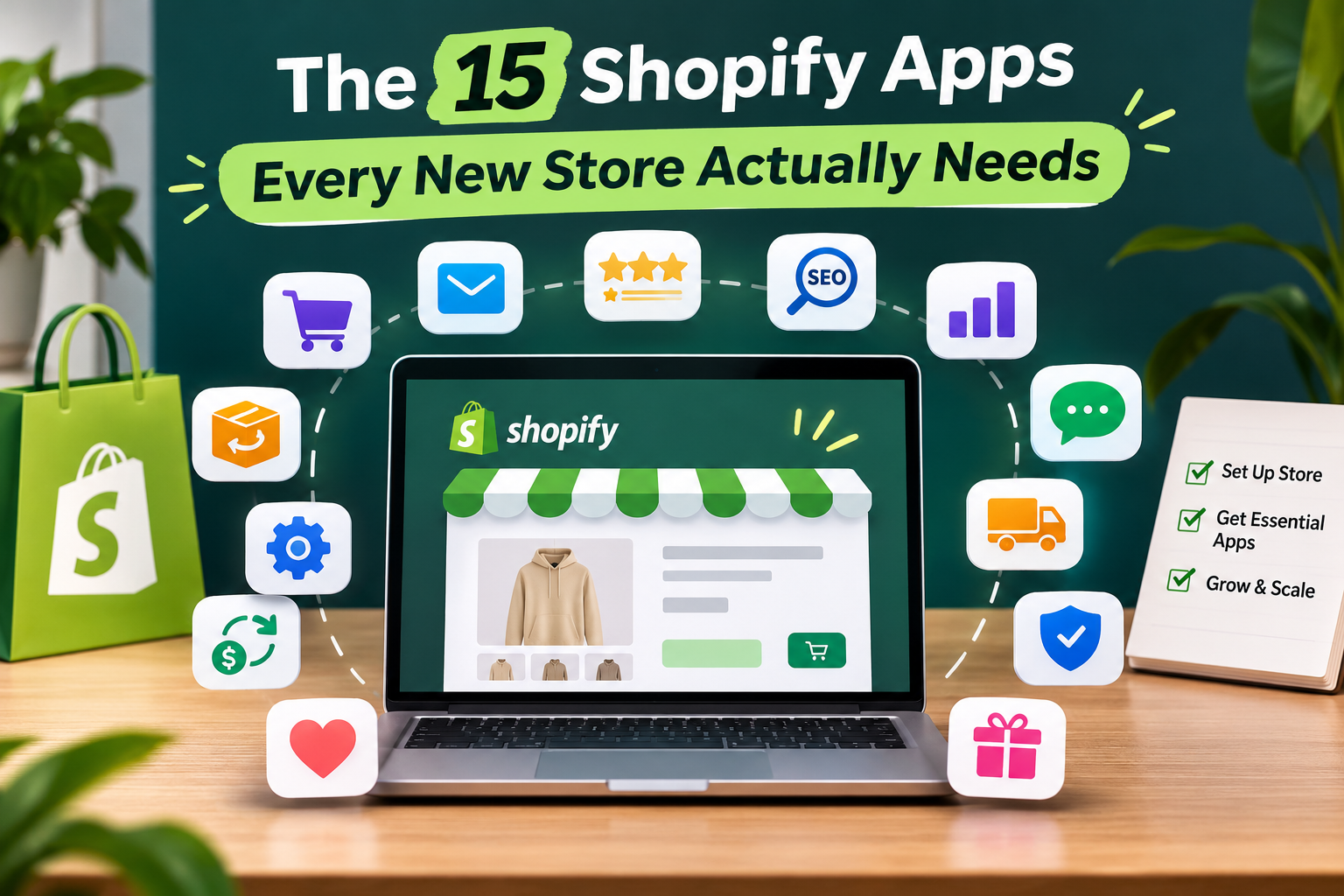
Starting a Shopify store is exciting. Choosing which apps to install? That's where things can get expensive, confusing, and surprisingly overwhelming.
The Shopify App Store offers thousands of tools promising more traffic, higher conversions, happier customers, and bigger profits. Some genuinely deliver. Others quietly drain your monthly budget while doing very little.
Here's the catch: the best Shopify apps for new stores aren't necessarily the most popular or expensive. They're the ones that solve problems your business actually has.
Whether you're preparing for your first sale or trying to turn occasional orders into consistent revenue, this guide to The 15 Shopify Apps Every New Store Actually Needs will help you build a smarter, leaner ecommerce business.
The Essentials: What You Need to Know Before Installing Anything
You don't need dozens of apps to build a successful Shopify store. You need a carefully chosen collection of tools that work together without slowing down your website or eating into your profits.
Here's what matters most:
-
Start with the basics. Email marketing, customer reviews, search engine optimisation, and customer support are valuable foundations for most new stores.
-
Prioritise revenue-generating tools. The right Shopify upsell apps, abandoned cart recovery tools, and product recommendations can help increase Shopify sales without requiring more visitors.
-
Use free apps strategically. Many essential Shopify apps offer free plans or built-in Shopify alternatives that are perfectly adequate when you're starting out.
-
Protect your store's performance. Installing too many overlapping apps can create unnecessary scripts, compatibility issues, and additional maintenance.
-
Think beyond the first purchase. Customer retention, email automation, and post-purchase communication help turn one-time shoppers into repeat customers.
-
Watch your monthly costs. A £10 subscription here and a £25 subscription there can quickly become a substantial recurring expense.
-
Install apps in stages. Your first five apps should solve immediate problems. More advanced tools can wait until your sales justify them.
The golden rule: Every app should earn its place in your store. If it doesn't save time, improve the customer experience, increase revenue, or solve a genuine operational problem, question whether you need it.
The goal isn't to create the most technologically sophisticated Shopify store on the internet.
It's to create one that sells.
Do You Really Need 15 Shopify Apps?
Short answer? No.
And that's precisely why this guide matters.
One of the biggest mistakes new Shopify merchants make is treating the Shopify App Store like a shopping list. They install an email marketing platform, three discount apps, two review tools, a countdown timer, a chatbot, and several conversion optimisation widgets before they've even made their first sale.
Then they wonder why their website feels sluggish and their monthly expenses keep climbing.
Sound familiar?
The truth is that Shopify apps for beginners should be selected according to business needs, not marketing promises.
A new store selling handmade jewellery has different requirements from a dropshipping business managing hundreds of products. A single-brand skincare store may need subscription functionality eventually, while a fashion retailer might benefit more from advanced product filtering and returns management.
There's no universal app stack that suits everyone.
The Three Stages of Building Your Shopify App Stack
Rather than installing everything immediately, divide your essential Shopify apps into three stages.
|
Stage |
Business priority |
Recommended app categories |
|---|---|---|
|
Stage 1: Launch |
Build trust, attract customers, and make initial sales |
Email marketing, product reviews, SEO, customer support |
|
Stage 2: Growth |
Increase conversions and average order value |
Upselling, landing pages, product discovery, analytics |
|
Stage 3: Scale |
Improve efficiency and encourage repeat purchases |
Automation, loyalty programmes, inventory management, subscriptions |
This approach keeps your Shopify app costs manageable while ensuring you're investing in functionality that supports your current goals.
It also makes measuring performance considerably easier.
If you install ten marketing apps simultaneously and your conversion rate improves, how do you know which app deserves the credit?
You don't.
Install strategically, monitor results, and expand when there's a clear business case.
Before You Install Another App, Check What Shopify Already Offers
Here's something app developers don't always emphasise: Shopify includes plenty of useful functionality straight out of the box.
Depending on your plan, market, and store configuration, you may already have access to features covering:
-
Discount codes and promotional offers
-
Basic analytics and sales reporting
-
Email marketing and customer communication
-
Abandoned checkout recovery
-
Product collections and filtering
-
Shipping settings and order management
-
Customer accounts and basic segmentation
-
Search engine optimisation settings
Shopify also offers native tools such as Shopify Inbox, Shopify Flow, and Shopify Search & Discovery.
Before purchasing a third-party solution, investigate whether Shopify's existing capabilities already meet your requirements.
Why pay monthly for something your ecommerce platform can already do?
Of course, native features won't cover every requirement. As your store grows, specialist Shopify integrations may offer more sophisticated automation, personalisation, and reporting.
But there's no prize for upgrading before you need to.
How to Choose Shopify Apps Without Wasting Money
Before installing any app, ask yourself five questions:
-
What specific problem does this solve? Avoid vague promises about increasing revenue. Identify a measurable outcome.
-
Can Shopify already do this? Check native features before paying for additional functionality.
-
Will it work with my existing theme and apps? Compatibility matters, particularly with checkout features, page builders, and marketing integrations.
-
What will it cost as my business grows? Some free Shopify apps become considerably more expensive when your contact list, order volume, or usage increases.
-
How will I measure success? Decide whether you'll monitor conversion rate, recovered revenue, time saved, customer satisfaction, or another meaningful metric.
And don't overlook website performance.
A feature-packed app that introduces unnecessary scripts or disrupts your mobile shopping experience could create more problems than it solves.
If you're unsure whether your existing Shopify setup is helping or hindering your growth, a free ecommerce marketing audit can provide a useful starting point for identifying opportunities.
The 15 Best Shopify Apps for Beginners: What Actually Deserves a Place in Your Store?
Now for the interesting part.
We've organised these must-have Shopify apps around the jobs they perform, rather than simply choosing whichever products have the flashiest marketing.
Each recommendation considers practical usefulness, beginner accessibility, and the potential to support long-term ecommerce growth.
Some apps are worth installing immediately.
Others should remain on your radar until your business is ready.
Let's start with five of the most valuable categories for new Shopify stores.
1. Klaviyo: Best Shopify App for Email Marketing and Customer Retention
Best for: Email marketing, abandoned cart recovery, customer segmentation, and automated customer journeys.
Pricing: Free plan available, with paid plans depending on contact volume and messaging requirements.
Installation priority: High for stores planning to build an email subscriber list.
Imagine someone visits your store, browses three products, adds one to their basket, and disappears.
Without a way to reconnect, that potential customer may never return.
That's where Klaviyo comes in.
Widely used among Shopify email marketing apps, Klaviyo helps ecommerce businesses turn visitor activity and customer data into targeted marketing campaigns.
Instead of sending identical promotional emails to everyone, you can communicate based on what people actually do.
Someone who abandons their checkout receives a reminder. A first-time customer receives a welcome sequence. A returning buyer might receive a personalised product recommendation.
It's a more intelligent way to build relationships.
What Makes Klaviyo Useful?
Klaviyo offers functionality such as:
-
Abandoned cart and checkout emails: Reconnect with shoppers who leave before completing their purchases.
-
Welcome email sequences: Introduce new subscribers to your brand, products, and offers.
-
Customer segmentation: Group subscribers according to purchase history, engagement, and other available customer data.
-
Post-purchase automation: Send follow-up messages, product recommendations, and repeat-purchase campaigns.
-
Shopify SMS marketing: Reach consenting customers through text messaging where supported.
-
Campaign reporting: Monitor email revenue, engagement, and customer behaviour.
These features can support both immediate sales and longer-term Shopify customer retention.
Why Email Marketing Matters for New Shopify Stores
When you're starting out, attracting visitors is often expensive.
Whether you're investing in social media advertising, organic search, or influencer collaborations, generating traffic takes time, money, or both.
Email marketing gives you another opportunity to engage people who've already expressed an interest in your products.
Consider a simple scenario.
Your store attracts 1,000 visitors in a month. Some make purchases, while others leave without buying.
If you can encourage a portion of those visitors to subscribe, you create opportunities to communicate with them again without paying for another advertising click every time.
That doesn't mean email marketing is free.
There are platform costs, content creation, list management, and compliance responsibilities.
But a well-managed subscriber list can become an important long-term marketing asset.
Essential Klaviyo Automations to Set Up First
Don't start by building fifteen complicated workflows.
Begin with three:
-
Welcome series: Introduce your brand and help new subscribers discover relevant products.
-
Abandoned checkout sequence: Remind eligible shoppers about products they left behind.
-
Post-purchase follow-up: Thank customers, provide useful information, and encourage future engagement.
Once these are running effectively, consider browse abandonment, replenishment reminders, customer win-back campaigns, and more sophisticated segmentation.
Beginner tip: Automation is only valuable when the messages are relevant. Three carefully written emails can be more effective than a complicated sequence that overwhelms your subscribers.
Is Klaviyo Worth Paying For?
For stores with an established subscriber list and consistent sales, Klaviyo's advanced features may justify the investment.
For a brand-new business with minimal traffic, however, its full functionality could be more than you currently need.
Shopify's own messaging tools and alternatives such as Omnisend are also worth comparing.
Start with the solution that matches your subscriber numbers, marketing ambitions, and available budget.
Our verdict: Klaviyo is a strong long-term choice for email marketing and customer retention, but beginners should avoid paying for advanced functionality before they have enough subscribers to benefit from it.
2. Judge.me: Best Shopify Product Review App for Building Customer Trust
Best for: Product reviews, customer testimonials, photo reviews, and social proof.
Pricing: Free plan available, with additional features offered through paid options.
Installation priority: High, particularly once you begin receiving orders.
Let's be realistic.
When someone discovers an unfamiliar online store, they don't automatically trust it.
They might love your product photography. Your prices might be competitive. Your website might look beautiful.
But there's still that nagging question:
Can I trust this business?
Customer reviews help answer it.
Judge.me is one of the most useful Shopify product review apps for merchants who want to collect, display, and manage genuine customer feedback.
And unlike elaborate marketing campaigns, reviews can continue providing value long after they're published.
What Can Judge.me Do?
Depending on your selected plan and configuration, Judge.me can help you:
-
Collect product ratings and written customer reviews
-
Display star ratings on product pages
-
Request feedback through automated emails
-
Showcase customer photos and videos
-
Present reviews in dedicated widgets
-
Moderate and respond to customer feedback
-
Support review-related search visibility through compatible structured data features
For a new store, these capabilities can make a meaningful difference to how credible your products appear.
Why Shopify Customer Reviews Matter
Think about the last time you purchased something from an unfamiliar website.
Did you immediately click Buy Now?
Or did you check the reviews first?
Most shoppers want reassurance before parting with their money, especially when they're unfamiliar with a brand.
Reviews provide information that product descriptions alone cannot always communicate.
A customer might explain that a jacket fits slightly smaller than expected, that a skincare product has a particular texture, or that a household accessory is easy to assemble.
Those details help future buyers make more informed decisions.
And better-informed customers may be less likely to experience disappointment after purchasing.
How to Get Your First Shopify Reviews
Here's where new merchants sometimes struggle.
You need reviews to build trust.
But you need customers before you can collect reviews.
It's the classic ecommerce chicken-and-egg problem.
The solution isn't to manufacture testimonials or purchase fake ratings.
Instead:
-
Deliver an excellent product and customer experience.
-
Send a polite review request after customers have had sufficient time to use their purchase.
-
Make submitting feedback straightforward.
-
Invite customers to include photos where appropriate.
-
Respond professionally to both positive and negative feedback.
You can also collect genuine feedback from eligible early customers or product testers, provided any incentives or material relationships are disclosed appropriately.
Never fabricate reviews. Misleading testimonials can damage trust and create legal or regulatory problems.
Product Reviews and Shopify SEO
Customer reviews can also contribute useful content to product pages.
They often include natural language that shoppers use when describing products, such as sizing, materials, features, and real-world applications.
This can enrich the information available on a product page.
However, installing a review app doesn't automatically guarantee better Google rankings or rich-result stars.
Search engines apply their own eligibility requirements, and structured data must accurately represent the content displayed.
Reviews should support a broader ecommerce SEO strategy rather than replace one.
For stores trying to attract more qualified organic traffic, combining customer feedback with well-optimised product pages and a considered Shopify SEO strategy can create a stronger foundation for visibility.
Judge.me vs Loox: Which Is Better?
Both are popular options, but they appeal to slightly different priorities.
|
Feature |
Judge.me |
Loox |
|---|---|---|
|
Product ratings |
Yes |
Yes |
|
Written reviews |
Yes |
Yes |
|
Photo reviews |
Yes |
Yes |
|
Automated review requests |
Yes |
Yes |
|
Visual-first presentation |
Available |
Particularly prominent |
|
Free plan |
Available |
Check current pricing |
|
Best suited to |
Budget-conscious stores seeking flexible review features |
Stores prioritising visually engaging review displays |
Exact features and pricing can change, so compare current plans before choosing.
Our verdict: Judge.me is an excellent starting point for new stores wanting to build credibility without immediately committing to an expensive review platform.
3. Essential Upsell: Best Shopify App for Upselling and Increasing Average Order Value
Best for: Product upselling, cross-selling, complementary product offers, and increasing average order value.
Pricing: Plan availability and limits vary; check the current Shopify App Store listing.
Installation priority: Medium to high once your store has a reliable purchasing journey.
Getting someone to visit your Shopify store is one challenge.
Getting them to buy is another.
But what if you could increase the value of an order without attracting a single additional visitor?
That's the appeal of Shopify upsell apps.
Tools such as Essential Upsell help merchants present relevant additional products or offers during the shopping journey.
Done well, upselling feels helpful rather than pushy.
A customer buying a camera might appreciate a compatible memory card. Someone purchasing a skincare cleanser could be interested in a matching moisturiser.
The key is relevance.
Upselling vs Cross-Selling: What's the Difference?
Although the terms are often used interchangeably, they describe different approaches.
Upselling encourages a customer to purchase a more expensive or upgraded version of something they're already considering.
For example:
A shopper selects a basic coffee machine. You recommend a premium model with additional features.
Cross-selling encourages the purchase of complementary products.
For example:
Someone buys a coffee machine. You recommend compatible filters or cleaning accessories.
Both techniques can improve Shopify average order value when implemented thoughtfully.
How Much Difference Can a Higher Average Order Value Make?
Consider a simple example.
Illustrative revenue impact
100
£40
15%
Current monthly revenue
£4,000
Revenue after AOV increase
£4,600
Illustrative additional monthly revenue
+£600
That's why Shopify conversion optimisation isn't always about increasing traffic.
Sometimes it's about making each existing customer relationship more valuable.
Of course, revenue isn't the same as profit.
Discounts, product costs, fulfilment expenses, and app subscriptions all affect the actual financial benefit.
For a more complete picture, use an ecommerce ROI calculator to evaluate how marketing investments and sales improvements relate to your business costs.
Features Worth Looking For in a Shopify Upsell App
When comparing Shopify upsell and cross-sell apps, prioritise functionality that helps customers discover genuinely relevant products.
Useful features include:
-
Frequently bought together recommendations
-
Complementary product suggestions
-
Product bundle offers
-
Cart-based upsell opportunities
-
Discounted multi-product purchases
-
Mobile-friendly offer displays
-
Reporting on offer performance
Avoid overwhelming customers with pop-ups at every stage of their shopping journey.
One well-placed recommendation can be more persuasive than five aggressive interruptions.
When Should You Install an Upsell App?
Not necessarily on day one.
If your store has very little traffic, no established sales history, and only a handful of products, you may have more important priorities.
First, make sure your product pages are clear, your checkout works properly, and customers can purchase without unnecessary friction.
Once orders begin coming in, test whether relevant upsell offers improve average order value without reducing your conversion rate.
Our verdict: Essential Upsell is worth considering when you have complementary products and want to increase revenue from existing traffic. Start with simple offers, then expand based on actual customer behaviour.
4. Smart SEO: Best Shopify SEO App for Improving Search Visibility
Best for: Managing SEO metadata, structured data, and selected technical optimisation tasks.
Pricing: Free and paid options may be available depending on the current plan structure.
Installation priority: High for stores investing in organic search, although an additional app isn't always necessary.
You can have the most beautiful Shopify store in your industry.
Outstanding products. Professional photography. Competitive pricing.
But if nobody discovers your website, those advantages won't translate into sales.
That's why search engine optimisation deserves attention from the beginning.
Smart SEO is one of the Shopify SEO apps designed to simplify technical and on-page optimisation tasks that merchants might otherwise need to handle manually.
It can be particularly useful for stores managing multiple products and collections.
What Does a Shopify SEO App Actually Do?
Depending on its features and your configuration, an SEO app may help with:
-
Creating or managing SEO titles and meta descriptions
-
Generating structured data
-
Identifying missing or inconsistent metadata
-
Managing selected image optimisation tasks
-
Supporting search engine crawling and indexing
-
Applying SEO templates across multiple pages
-
Reducing repetitive technical work
These features can save time, particularly as your product catalogue grows.
But there's an important distinction.
An SEO app helps implement optimisation. It doesn't replace an SEO strategy.
Installing one won't automatically make your store rank above established competitors.
You still need relevant content, well-structured product pages, useful collection descriptions, effective internal linking, and a strong customer experience.
The Shopify SEO Basics Every New Store Should Get Right
Before spending money on advanced optimisation tools, focus on the fundamentals.
1. Write unique product descriptions.
Avoid copying generic supplier descriptions or repeating identical content across multiple products.
Explain what makes each product useful, who it's designed for, and why someone should choose it.
2. Optimise your page titles.
Include relevant search terms naturally while making titles compelling enough for people to click.
3. Create useful collection pages.
Collections should help shoppers browse related products and understand the differences between them.
4. Improve image accessibility and performance.
Use descriptive alternative text where appropriate, properly sized images, and efficient formats.
5. Make mobile shopping straightforward.
Check navigation, page layout, product information, and checkout usability on smaller screens.
6. Build a sensible internal linking structure.
Help visitors and search engines move between relevant products, collections, and informational content.
These improvements create a stronger foundation for long-term organic growth.
Why Technical SEO Alone Isn't Enough
Suppose your Shopify store sells premium reusable water bottles.
An SEO app might help you create metadata and structured data for your product pages.
Useful? Absolutely.
But it won't automatically answer the questions potential customers are searching for.
People may want to know which materials retain temperature best, how to clean their bottles, or what capacity suits everyday commuting.
Creating genuinely helpful content around those questions can support product discovery and establish your brand as a useful source of information.
This is where technical SEO, content marketing, and ecommerce website structure work together.
Smart SEO vs Plug In SEO
Both tools are designed to help Shopify merchants manage optimisation tasks, but their capabilities and interfaces differ.
Smart SEO is worth considering if you want assistance with metadata automation and structured data.
Plug In SEO is another established option for merchants looking to identify and address common optimisation issues.
Before choosing, compare the specific features you need, check compatibility with your theme, and determine whether Shopify's native SEO settings already cover your requirements.
Our verdict: Smart SEO can help simplify repetitive optimisation tasks, but your first investment should be in strong product content, clear site architecture, and a technically sound store.
5. Shopify Inbox: Best Free Shopify Customer Support App for Beginners
Best for: Live chat, customer enquiries, and direct communication with shoppers.
Pricing: Free Shopify app, subject to Shopify's current availability and terms.
Installation priority: High for stores that can respond promptly to customer messages.
Picture this.
A potential customer finds your store, discovers a product they love, and is ready to purchase.
But they have one question.
Will this arrive before Friday?
They search your shipping information. They check your FAQs. They still aren't sure.
So they leave.
A simple unanswered question has just become a lost sales opportunity.
This is exactly the kind of situation where Shopify customer support apps can help.
Shopify Inbox allows merchants to communicate directly with shoppers through a chat interface connected to their store.
For beginners, it's an appealing option because it provides useful functionality without requiring an additional paid helpdesk subscription.
What Can Shopify Inbox Help You Do?
Its features can support:
-
Customer conversations through storefront chat
-
Responses to product and order-related questions
-
Frequently asked question shortcuts
-
Automated introductory or instant replies
-
Customer communication from supported devices
-
Access to relevant customer or shopping context where available
For a small store, this may be all the customer support functionality you need initially.
Why Live Chat Can Improve Shopify Conversions
Not every visitor who leaves your website is uninterested in buying.
Some simply need reassurance.
They might want to clarify product dimensions, understand delivery times, check compatibility, or ask about returns.
When customers can get answers without searching through multiple pages or waiting for an email response, the buying process becomes easier.
That doesn't mean adding live chat automatically increases conversion rates.
The quality and speed of your responses matter.
An unanswered chat message can be more frustrating than a clearly presented contact form.
If you can't monitor messages throughout the day, set realistic expectations about response times.
Shopify Inbox vs Tidio vs Gorgias
As your store grows, you may eventually need more sophisticated support tools.
|
App |
Main strength |
Best suited to |
|---|---|---|
|
Shopify Inbox |
Straightforward storefront messaging |
New and smaller Shopify stores |
|
Tidio |
Live chat and chatbot capabilities |
Stores seeking additional automated support |
|
Gorgias |
Ecommerce helpdesk workflows and integrations |
Growing stores managing higher support volumes |
For a new business receiving a manageable number of enquiries, Shopify Inbox is often a sensible place to start.
If your team later struggles to keep up with customer messages across email, chat, and social channels, upgrading to a dedicated helpdesk may become worthwhile.
Three Customer Support Improvements to Make Immediately
Even the best live chat app can't compensate for missing information elsewhere on your website.
Before relying on chat to answer everything, make sure you've addressed these essentials:
-
Create a clear shipping policy. Explain delivery options, expected timescales, and relevant charges.
-
Make returns information easy to find. Customers should understand the applicable return conditions before purchasing.
-
Answer common product questions. Include sizing, compatibility, materials, care instructions, and other details relevant to your products.
The aim is to reduce unnecessary customer uncertainty, not generate more support conversations.
Our verdict: Shopify Inbox is one of the most practical free Shopify apps for beginners. It provides a straightforward way to answer questions, build trust, and improve the shopping experience without adding another major monthly expense.
6. AfterShip: Best Shopify App for Shipping and Order Tracking
Best for: Shipment tracking, delivery notifications, branded tracking pages, and improving the post-purchase customer experience.
Pricing: Free and paid options may be available, depending on shipment volume and selected features.
Installation priority: Medium. Particularly valuable once you're processing regular orders.
You've made a sale.
Fantastic.
The customer has paid, received their confirmation email, and is eagerly awaiting their purchase.
But then something happens.
Two days pass. No parcel.
Three days. Still nothing.
And suddenly, your inbox fills with one of the most common questions in ecommerce:
Where is my order?
This is where AfterShip earns its place among the best Shopify apps for new stores.
Rather than leaving customers wondering what's happening with their deliveries, AfterShip helps merchants provide shipment visibility, tracking updates, and a more professional post-purchase experience.
Because here's something worth remembering:
The customer experience doesn't end when someone clicks the checkout button.
In many ways, that's when the relationship really begins.
What Does AfterShip Actually Do?
AfterShip connects shipment tracking information from supported carriers and makes it easier for merchants and customers to monitor deliveries.
Depending on your plan and configuration, its features can include:
-
Automated order tracking: Give customers access to shipment progress without requiring manual updates.
-
Branded tracking pages: Create a tracking experience that feels consistent with your store.
-
Delivery notifications: Keep customers informed about important shipment milestones.
-
Carrier integrations: Track parcels across supported shipping providers.
-
Delivery exception monitoring: Identify shipments experiencing delays or other problems.
-
Shipment analytics: Monitor delivery performance and identify recurring issues.
For growing Shopify stores, these features can reduce the time spent answering repetitive shipping enquiries.
They can also help customers feel more confident about purchasing from an unfamiliar brand.
Why Order Tracking Matters for Customer Retention
Imagine buying from two different online stores.
Store A sends a basic order confirmation. After that, silence.
Store B confirms your purchase, provides a tracking link, and keeps you informed as your parcel moves through the delivery network.
Which experience feels more reassuring?
For many customers, it's Store B.
Transparent delivery communication helps establish expectations and reduces uncertainty.
And when shoppers feel confident about the service they've received, they're more likely to consider buying from the same business again.
This makes Shopify order tracking more than an operational convenience.
It's part of your customer retention strategy.
AfterShip vs ShipStation: What's the Difference?
Although both are commonly discussed alongside Shopify shipping apps, they focus on different parts of the fulfilment process.
|
Feature |
AfterShip |
ShipStation |
|---|---|---|
|
Primary focus |
Shipment tracking and delivery experience |
Shipping operations and label management |
|
Branded tracking experiences |
A key capability |
Depends on available features |
|
Shipping label creation |
Not its primary tracking function |
Core functionality |
|
Carrier integrations |
Yes |
Yes |
|
Delivery notifications |
Yes |
Available through supported workflows |
|
Best suited to |
Stores wanting better shipment visibility |
Stores managing shipping and fulfilment operations |
The right choice depends on where your biggest problem lies.
If you're spending too much time creating shipping labels, a fulfilment-focused tool may be more useful.
If customers constantly ask about delivery progress, a dedicated tracking solution could provide greater value.
Do New Shopify Stores Really Need a Shipping App?
Not always.
Shopify already provides native order management, shipping settings, and fulfilment functionality.
If you're processing a small number of orders, those features may be perfectly adequate.
But as order volume increases, manually checking delivery statuses and responding to enquiries can become time-consuming.
That's when a specialist Shopify fulfilment or tracking app starts making more sense.
Beginner tip: Before installing a third-party shipping app, check whether your existing shipping provider already offers tracking notifications and a Shopify integration. Avoid paying twice for similar functionality.
Our verdict: AfterShip is a useful option for improving post-purchase communication, but new merchants should prioritise accurate shipping information and dependable fulfilment before investing in advanced tracking features.
7. PageFly: Best Shopify Landing Page Builder for High-Converting Store Pages
Best for: Creating custom landing pages, promotional campaigns, product pages, and conversion-focused layouts.
Pricing: Free and paid plans are available, with usage limits and features varying by plan.
Installation priority: Medium. Particularly useful for stores running targeted marketing campaigns.
Your Shopify theme looks good.
The homepage is clean. Your product photography is sharp. Navigation works beautifully.
So why would you need a landing page builder?
Because sometimes a standard product page isn't the best destination for a marketing campaign.
Imagine you're running paid advertisements promoting a new skincare collection.
Someone clicks an advert promising a complete evening skincare routine.
But instead of arriving on a dedicated page explaining the routine, they land on your generic homepage.
Now they have to search for the products themselves.
Some will.
Others won't bother.
A dedicated landing page can create a more direct journey from advertisement to purchase.
That's where PageFly comes in.
What Is PageFly?
PageFly is a Shopify page builder that allows merchants to create customised store pages using visual editing tools.
Instead of relying entirely on your theme's default layouts, you can build pages around specific products, promotions, and customer needs.
Depending on your plan, PageFly can help you create:
-
Custom product pages
-
Promotional landing pages
-
Campaign-specific sales pages
-
Collection layouts
-
Brand storytelling pages
-
Seasonal offer pages
-
Mobile-responsive content sections
This flexibility makes it particularly appealing to merchants who want greater control over how their products are presented.
Why Landing Pages Matter for Shopify Conversion Optimisation
A good landing page has one clear purpose.
It guides visitors towards a specific action.
That might mean purchasing a product, exploring a collection, or signing up for an email list.
Unlike a general homepage, a dedicated landing page can focus on a particular customer need.
For example, a store selling fitness accessories could create a page specifically for customers building a home workout setup.
Rather than displaying every product in the catalogue, the page might feature:
-
A compelling headline explaining the benefits of exercising at home.
-
A carefully selected collection of relevant products.
-
Customer reviews and genuine testimonials.
-
Product demonstrations or helpful images.
-
Answers to common purchasing questions.
-
A clear call to action.
Each section contributes to the same goal.
Helping the visitor make an informed purchasing decision.
The Anatomy of a High-Converting Shopify Landing Page
Not every attractive landing page converts well.
Some are visually impressive but confusing to navigate.
Others overwhelm shoppers with excessive animations, pop-ups, and competing offers.
A strong Shopify landing page generally includes the following elements.
A clear headline
Tell visitors what you're offering and why it matters.
Avoid vague statements such as "Experience Excellence."
Instead, explain the actual benefit of the product.
Relevant product imagery
Show the product clearly, ideally in situations that help customers understand its use.
Benefit-focused copy
Features tell customers what a product has.
Benefits explain why they should care.
Credible social proof
Authentic customer reviews, demonstrations, and testimonials can help address uncertainty.
An obvious call to action
Make the next step easy to understand.
Mobile-friendly design
Your page should remain readable, accessible, and straightforward to navigate on smaller screens.
Fast loading times
Large images, excessive scripts, and unnecessary animations can undermine the experience you're trying to create.
PageFly vs EComposer vs Zipify Pages
Several Shopify landing page builders offer similar functionality, but their approaches differ.
|
App |
Main focus |
Best suited to |
|---|---|---|
|
PageFly |
Flexible visual page creation |
Merchants wanting customised layouts |
|
EComposer |
Drag-and-drop page design and templates |
Stores seeking design flexibility |
|
Zipify Pages |
Sales-focused landing page creation |
Merchants building promotional funnels |
Before installing any of these tools, investigate whether your Shopify theme already supports the layouts you need.
Modern Shopify themes can provide considerable flexibility through sections and templates.
A separate page builder is most valuable when your requirements go beyond those capabilities.
When Should You Invest in Custom Landing Pages?
If you're launching your first store with a limited budget, start by improving your existing product pages.
Make sure they communicate clearly, load efficiently, and work well on mobile devices.
Once you're running targeted campaigns, dedicated landing pages may become more useful.
This is especially relevant when combining landing page optimisation with pay-per-click advertising, where the relationship between an advert and its destination can influence the visitor's experience.
For example, if your advertisement promotes a specific product bundle, sending visitors directly to a page featuring that bundle is usually more relevant than directing them to a general catalogue.
Our verdict: PageFly is a useful Shopify landing page builder for merchants who need custom campaign pages. However, a well-designed Shopify theme may be sufficient during the earliest stages of your business.
8. Shopify Search & Discovery: Best Free Shopify App for Product Search and Filtering
Best for: Product filtering, storefront search, product recommendations, and helping customers discover relevant products.
Pricing: Free Shopify app.
Installation priority: High for stores with multiple product categories or a growing catalogue.
Let's say a customer visits your online clothing store looking for a black jacket in a particular size.
You stock exactly what they want.
Unfortunately, your website makes it difficult to find.
They click through several collections, scroll past dozens of unrelated products, and eventually give up.
The product was available.
The customer was interested.
But the shopping experience got in the way.
This is why product discovery matters.
Shopify Search & Discovery is a native Shopify app designed to help merchants improve how shoppers find and explore products.
And because it's free, it's particularly attractive to new businesses watching their expenses.
What Does Shopify Search & Discovery Do?
The app provides tools for managing product discovery features on compatible Shopify storefronts.
Its capabilities include:
-
Collection and search filters: Help customers narrow product selections using relevant attributes.
-
Search customisation: Improve how certain search terms relate to products.
-
Product recommendations: Suggest complementary or related items.
-
Search synonyms: Help shoppers find relevant products using alternative terminology.
-
Product boosts: Influence how selected products appear in supported search experiences.
-
Product discovery insights: Access available information to help understand search behaviour.
Not every feature will be equally relevant to every store.
But for businesses with growing catalogues, these tools can make browsing considerably easier.
Why Product Filtering Matters
Imagine shopping for a pair of trainers.
You know your size, preferred colour, and budget.
Would you rather scroll through 300 products or immediately narrow the selection to the 12 that match your requirements?
Exactly.
Useful filters remove unnecessary effort from the shopping journey.
Depending on your products, relevant filters might include:
-
Size
-
Colour
-
Price
-
Material
-
Product type
-
Availability
-
Brand
-
Compatibility
-
Specific product features
The important word here is relevant.
A jewellery store might benefit from filters for material, gemstone, and style.
A home electronics retailer may need filters for compatibility, specifications, and connectivity.
Don't add filters simply because the app supports them.
Choose attributes that genuinely help customers make decisions.
Shopify Product Recommendations: More Than an Upselling Tool
Product recommendations aren't only about increasing average order value.
They can also help customers discover products that better match their needs.
For example, someone viewing a dining table might appreciate suggestions for matching chairs.
A customer browsing a particular skincare product might want to explore complementary items from the same range.
These recommendations can improve navigation while creating opportunities for cross-selling.
The key is to avoid displaying irrelevant products simply to fill space.
Good product recommendations should make shopping easier, not more distracting.
Does Every New Store Need Search & Discovery?
Not necessarily.
If you sell three products, advanced filtering probably won't provide much value.
But if your catalogue includes dozens of products with different sizes, colours, materials, or specifications, it becomes considerably more useful.
Before installing it, check that your Shopify theme supports the filtering and recommendation features you intend to use.
You should also make sure your product data is accurate.
Filters are only as useful as the information behind them.
Product Discovery and Shopify SEO
A logical product structure can benefit both shoppers and search engines.
Clear collections, descriptive product titles, consistent attributes, and useful internal links make your website easier to understand.
However, product filters don't automatically create an effective SEO strategy.
Depending on how filtering URLs are implemented, additional technical considerations may be necessary to avoid creating unnecessary crawlable URL variations.
For growing stores, product discovery should complement your broader website architecture rather than operate independently.
Our verdict: Shopify Search & Discovery is one of the best free Shopify apps for stores with expanding product catalogues. It's particularly valuable when customers need help narrowing down large selections.
9. Consentmo: Best Shopify Cookie Consent App for Privacy Compliance
Best for: Cookie consent management, privacy controls, and supporting compliance with applicable data protection requirements.
Pricing: Free and paid options may be available depending on store requirements and plan limits.
Installation priority: High where your store uses non-essential tracking technologies and applicable law requires consent.
Let's talk about something that isn't particularly glamorous.
Cookie consent.
It doesn't have the excitement of abandoned cart recovery.
It won't make your product pages look more beautiful.
And it probably isn't the reason you started an ecommerce business.
But if your Shopify store uses analytics, advertising pixels, and other tracking technologies, understanding your privacy obligations is important.
This is particularly relevant for merchants selling to customers in the UK and European markets.
A consent management app such as Consentmo can help store owners manage visitor choices and implement appropriate consent controls.
Why Does a Shopify Store Need Cookie Consent?
Many ecommerce websites use technologies that collect or store information on visitors' devices.
These may include:
-
Analytics cookies
-
Advertising and remarketing pixels
-
Personalisation technologies
-
Social media tracking tools
-
Functional cookies
-
Essential cookies required for website operation
Different technologies have different purposes, and not all require the same treatment.
For example, strictly necessary cookies may be exempt from certain consent requirements.
Non-essential analytics and advertising cookies, however, often require consent before being used in jurisdictions such as the UK.
The precise obligations depend on applicable law, the technology involved, and how your website processes personal information.
What Should a Shopify Cookie Consent App Do?
A suitable consent management solution should support more than simply displaying a banner.
Depending on your legal requirements, look for features such as:
-
Clear consent choices: Allow visitors to make meaningful decisions about non-essential cookies.
-
Consent preferences: Provide appropriate controls for different categories of tracking.
-
Consent records: Maintain relevant evidence of visitor choices where required.
-
Script management: Help prevent non-essential tracking technologies from operating before valid consent is obtained.
-
Preference changes: Allow visitors to revisit and update their choices.
-
Privacy policy integration: Support clear communication about how tracking technologies are used.
Some consent apps also offer regional settings, language options, and integrations with supported consent frameworks.
Does Installing a Cookie App Make Your Store GDPR Compliant?
No.
And this distinction matters.
A cookie consent app is a tool that can support compliance. It is not a guarantee of legal compliance.
Your responsibilities may also include providing accurate privacy information, identifying lawful grounds for processing personal data, managing customer rights, and ensuring your tracking technologies behave as described.
For UK merchants, relevant requirements can include the UK GDPR and the Privacy and Electronic Communications Regulations.
Stores serving customers elsewhere may need to consider additional legislation.
A banner that looks professional but doesn't correctly manage non-essential tracking is not enough.
Shopify's Native Privacy Features vs Third-Party Apps
Shopify provides customer privacy settings and related functionality that merchants should investigate before installing additional software.
Depending on your needs, Shopify's native capabilities may provide a suitable starting point.
A specialist app becomes more attractive when you require additional consent management features, regional controls, or integrations.
The right solution depends on your tracking setup and applicable legal obligations.
Important: Privacy requirements can change, and different jurisdictions apply different rules. Review your actual data practices and seek qualified advice where necessary rather than assuming an app automatically makes your store compliant.
Will Cookie Consent Affect Shopify Analytics?
Potentially, yes.
If visitors decline non-essential analytics or advertising cookies, certain tracking activities may be restricted.
This can affect the completeness of your marketing reports and attribution data.
However, collecting more data isn't a justification for ignoring consent requirements.
The objective is to create a lawful, transparent measurement setup that respects visitor choices.
Our verdict: Consentmo is worth evaluating for stores that need more advanced privacy and cookie management functionality. Check Shopify's native tools first, then select a solution appropriate to your markets and tracking technologies.
10. Shopify Flow: Best Shopify Automation App for Saving Time
Best for: Automating repetitive store management tasks, customer tagging, inventory workflows, and operational processes.
Pricing: Available as a free app on supported Shopify plans, although connected services or actions may introduce separate costs.
Installation priority: Medium initially, becoming increasingly valuable as your store grows.
Running an ecommerce business involves far more than uploading products and waiting for orders.
There are customers to manage.
Inventory levels to monitor.
Orders to process.
Marketing campaigns to organise.
And countless small administrative tasks that somehow consume entire afternoons.
Wouldn't it be useful if some of those tasks happened automatically?
That's the idea behind Shopify Flow.
Shopify Flow is a workflow automation tool that helps merchants automate supported processes using triggers, conditions, and actions.
In simple terms:
When something happens, Shopify can automatically perform a predefined task.
How Does Shopify Flow Work?
Most workflows follow a straightforward structure:
Trigger → Condition → Action
For example:
Trigger: Order created
A customer places an order in your Shopify store.
Condition: Order value exceeds £150
The workflow checks whether the order meets your chosen threshold.
Action: Add a customer tag
The customer receives a tag for future segmentation or review.
That might seem like a small improvement.
But when similar tasks occur hundreds of times, automation can save meaningful amounts of administrative work.
Five Useful Shopify Flow Automations for Beginners
You don't need complicated workflows to benefit from automation.
Start with simple tasks that solve genuine problems.
1. Tag high-value customers
Automatically identify customers whose orders meet selected criteria.
This can support customer segmentation and future marketing campaigns.
2. Flag potentially risky orders
Use supported order information and conditions to help identify purchases that require additional review.
Automated flags should support sensible fraud review procedures rather than replace them.
3. Monitor low-stock products
Create workflows that notify relevant team members when supported inventory conditions are met.
This can help reduce the risk of overlooking stock shortages.
4. Organise customers by purchasing behaviour
Apply tags based on relevant customer activity, making it easier to understand different customer groups.
5. Automate internal notifications
Send notifications or trigger supported actions when important events occur.
For example, you might notify a team member when an order meets particular fulfilment requirements.
These are practical examples of Shopify workflow automation that can become more valuable as order volume increases.
Shopify Flow vs Zapier: Which Is Better?
Both platforms support automation, but they're designed around different strengths.
|
Feature |
Shopify Flow |
Zapier |
|---|---|---|
|
Primary focus |
Shopify-centred workflows |
Automation between many different applications |
|
Shopify integration |
Native Shopify tool |
Shopify integration available |
|
Trigger-based workflows |
Yes |
Yes |
|
External app connections |
Supported integrations and connectors |
Extensive third-party app ecosystem |
|
Best suited to |
Automating Shopify store operations |
Connecting Shopify with wider business software |
|
Beginner accessibility |
Useful templates and workflow builder |
Visual automation setup |
For tasks that happen entirely within Shopify, Flow is often a logical starting point.
For workflows connecting Shopify to external tools such as spreadsheets, customer relationship management systems, or project management platforms, Zapier may offer additional flexibility.
A Practical Example: Automating Customer Segmentation
Imagine you sell premium home accessories.
You want to identify customers who make particularly large purchases so you can better understand your most valuable customer segments.
Without automation, you might manually review orders and update customer records.
With an appropriate Shopify Flow workflow, you can automatically apply tags when orders meet defined criteria.
Those tags can then support analysis or integrations with compatible marketing tools.
Of course, any subsequent marketing communications must still follow applicable consent and privacy requirements.
Automation should make your business more efficient, not create compliance problems.
When Does Shopify Automation Become Worthwhile?
Here's a useful question:
Am I repeatedly performing a task that follows the same predictable rules?
If the answer is yes, investigate whether it can be automated.
But don't automate a process you haven't properly understood.
A poorly designed workflow can create mistakes much faster than a person working manually.
Start with one low-risk automation.
Test it.
Check the results.
Then expand.
Automation Works Best When Your Store Is Properly Organised
Shopify Flow becomes more useful when your product information, customer records, and operational processes are consistent.
If product tags are chaotic, inventory data is unreliable, or order management procedures are unclear, automation can amplify those weaknesses.
That's why a strong ecommerce foundation matters.
Clear processes, reliable data, and a well-structured website make it easier to introduce new technology without unnecessary complications.
For businesses planning to improve their store's functionality and customer journey, reviewing the fundamentals of ecommerce web design can be just as important as selecting the right automation tools.
Our verdict: Shopify Flow is one of the most valuable Shopify automation apps for merchants who want to save time as their business grows. Start with simple workflows, monitor their performance, and introduce more advanced automation only when necessary.
Your Shopify App Stack So Far: Which of These Five Should You Install First?
We've now covered five additional Shopify app categories, but that doesn't mean you should immediately install all five.
Their value depends on your current business needs.
Here's how we'd prioritise them for a typical new store.
|
App |
Main purpose |
Suggested priority |
Best time to install |
|---|---|---|---|
|
AfterShip |
Shipping and order tracking |
Medium |
When shipment volume or tracking enquiries increase |
|
PageFly |
Landing page creation |
Medium |
When launching targeted campaigns |
|
Shopify Search & Discovery |
Product filtering and recommendations |
High for larger catalogues |
When product variety makes browsing difficult |
|
Consentmo |
Cookie consent management |
High where legally required |
Before activating tracking that requires consent |
|
Shopify Flow |
Store management automation |
Medium |
When repetitive operational tasks become time-consuming |
Notice something?
Only a couple of these tools may be immediate priorities for a newly launched business.
That's intentional.
The best Shopify app stack isn't the one with the most features. It's the one that supports your business without unnecessary complexity.
A store processing five orders a week probably doesn't need sophisticated fulfilment automation.
A business selling four products may not need advanced search filters.
And a merchant relying entirely on organic traffic might have little immediate use for a dedicated paid advertising landing page builder.
Your requirements will change as your store grows.
The important thing is recognising when a new app solves a real problem rather than creating another subscription.
11. Matrixify: Best Shopify App for Inventory Management and Bulk Product Updates
Best for: Bulk product management, inventory data updates, product imports and exports, and managing large amounts of Shopify store information.
Pricing: Free and paid plans are available, with limits depending on the plan.
Installation priority: Medium. Most valuable when your product catalogue or operational workload begins to grow.
Running a Shopify store with ten products is relatively straightforward.
You can update descriptions manually, adjust prices individually, and keep track of stock without too much difficulty.
But what happens when ten products become 100?
Or 1,000?
Suddenly, those simple administrative tasks become considerably more time-consuming.
Updating product information one item at a time isn't just tedious. It also increases the opportunity for mistakes.
That's where Matrixify can make a difference.
Matrixify is a Shopify data management app designed to help merchants import, export, and update store information in bulk.
Rather than spending hours manually editing individual records, you can manage supported data through structured files and bulk operations.
What Can Matrixify Help You Manage?
Depending on your plan and the data involved, Matrixify supports operations involving:
-
Product information and descriptions
-
Product variants and pricing
-
Inventory-related data
-
Customer records
-
Order information
-
Collections and product organisation
-
Metafields and other supported Shopify data
-
Store data exports and migrations
For merchants managing larger catalogues, these capabilities can significantly simplify repetitive administration.
Why Inventory Management Matters for New Shopify Stores
Imagine advertising a popular product only to discover that your inventory information is incorrect.
Customers place orders.
You receive payment.
Then you realise you don't have enough stock to fulfil those purchases.
Now you're dealing with disappointed customers, refunds, and unnecessary support enquiries.
Accurate inventory information helps prevent these situations.
However, there's an important distinction between inventory tracking and bulk inventory data management.
Shopify already includes native inventory tracking functionality. Matrixify is primarily useful when you need more sophisticated data import, export, and bulk editing capabilities.
It isn't automatically a replacement for a dedicated inventory planning system.
When Should You Consider a Shopify Inventory Management App?
Your requirements will depend on the complexity of your business.
|
Store situation |
Recommended approach |
|---|---|
|
Small catalogue with straightforward stock management |
Start with Shopify's native inventory tools |
|
Frequent bulk product updates |
Consider Matrixify |
|
Multiple suppliers and complex purchasing requirements |
Evaluate specialist inventory management software |
|
Large product catalogue with extensive data changes |
Consider bulk management tools |
|
Multiple warehouses or sales channels |
Investigate advanced inventory and fulfilment integrations |
The objective is to choose software that matches your operational requirements.
Three Inventory Management Mistakes to Avoid
1. Updating stock information inconsistently
If inventory changes aren't recorded accurately, customers may be able to order unavailable products.
2. Failing to monitor popular products
Stock shortages can result in missed sales and disappointed shoppers.
3. Making large data changes without checking the results
Bulk editing is powerful, but an incorrect spreadsheet or import configuration can affect hundreds of products.
Before performing significant changes, export the relevant data, test a small sample, and verify the results.
Beginner tip: Don't purchase advanced inventory software simply because you expect your business to grow. Start with Shopify's built-in tools and upgrade when you encounter a specific limitation.
Our verdict: Matrixify is a valuable Shopify app for merchants managing complex product data or frequent bulk updates. For very small stores, Shopify's native inventory features are usually the more practical starting point.
12. Smile.io: Best Shopify Loyalty App for Encouraging Repeat Purchases
Best for: Customer loyalty programmes, rewards, referrals, and encouraging repeat purchases.
Pricing: Free and paid options may be available, with features and limits varying by plan.
Installation priority: Medium. Most useful once your store has an established customer base.
Getting your first customer feels fantastic.
Getting that same customer to purchase again?
That's where ecommerce businesses can begin building more sustainable revenue.
New customer acquisition requires ongoing effort.
You might invest in advertising, search engine optimisation, social media marketing, or influencer partnerships to attract shoppers.
But once someone has purchased from your store, you already have an opportunity to build a longer-term relationship.
This is where Shopify customer loyalty apps become interesting.
Smile.io helps merchants create rewards programmes designed to encourage customers to return.
Instead of relying entirely on discounts and advertising campaigns, you can give existing customers additional reasons to engage with your brand.
How Does Smile.io Work?
Smile.io allows merchants to create loyalty programmes using features such as:
-
Points for eligible purchases
-
Customer rewards and redemption options
-
Referral incentives
-
VIP programmes on supported plans
-
Customisable loyalty experiences
-
Customer engagement and rewards reporting
For example, a customer might earn points when making a purchase and later redeem those points for a reward.
The exact structure depends on how you configure your programme.
Why Customer Retention Deserves Attention
Consider two hypothetical Shopify stores.
Both attract 100 new customers in a month.
Store A focuses almost entirely on finding more new shoppers.
Store B also invests in improving the experience for people who've already purchased.
Over time, Store B may generate additional revenue through repeat purchases, referrals, and stronger customer relationships.
Of course, this depends on product quality, purchase frequency, customer satisfaction, and the economics of the rewards offered.
A loyalty programme doesn't automatically create loyalty.
Customers return because they value your products and experience. Rewards should reinforce that relationship, not attempt to replace it.
Loyalty Points vs Discounts: Which Works Better?
Discounts can encourage purchases, but excessive discounting may reduce profit margins and train customers to wait for promotions.
A thoughtfully designed rewards programme offers an alternative.
For example:
|
Strategy |
Potential benefit |
Important consideration |
|---|---|---|
|
Percentage discounts |
Encourages immediate purchases |
Can reduce margins |
|
Loyalty points |
Encourages future engagement |
Rewards must feel achievable |
|
Referral rewards |
Encourages customer recommendations |
Incentives need appropriate controls |
|
VIP benefits |
Recognises valuable customers |
Benefits must justify their cost |
|
Exclusive product access |
Creates a sense of added value |
Requires genuinely desirable products |
The right approach depends on your products and customer behaviour.
When Is a Shopify Loyalty Programme Worth Installing?
If you've made five sales, you probably don't need an elaborate points-based rewards system.
Focus first on delivering excellent products, reliable shipping, and responsive customer support.
Once you have a meaningful customer base and understand how frequently people return, a loyalty programme may become more valuable.
This is especially relevant for businesses selling products customers naturally replenish or purchase repeatedly.
Examples include beauty products, pet supplies, coffee, and certain household essentials.
For products purchased infrequently, such as furniture or expensive electronics, a traditional points programme may be less compelling.
Our verdict: Smile.io is worth considering when repeat purchases are an important part of your business model. Build customer satisfaction first, then introduce rewards that support profitable long-term relationships.
13. AfterShip Returns: Best Shopify App for Returns Management
Best for: Streamlining return requests, managing return workflows, and improving the post-purchase customer experience.
Pricing: Plan availability and charges vary according to usage and selected functionality.
Installation priority: Medium. More important for stores processing regular returns.
Nobody launches an ecommerce store hoping to receive returns.
But they're an unavoidable part of online retail.
Customers order the wrong size.
Products arrive damaged.
Someone changes their mind.
Occasionally, an item simply doesn't meet expectations.
How your business handles these situations can influence whether a customer shops with you again.
A confusing returns process creates frustration.
A clear, straightforward process can help maintain confidence even when a purchase doesn't work out.
That's where AfterShip Returns comes in.
What Does a Shopify Returns Management App Do?
AfterShip Returns helps merchants organise return-related workflows.
Depending on your plan and configuration, functionality may include:
-
Customer return request portals
-
Return authorisation workflows
-
Return status updates
-
Return rules and eligibility settings
-
Exchange-related workflows
-
Return shipping integrations
-
Returns reporting and analysis
These features can reduce manual administration as your order volume increases.
Why Returns Management Matters
Imagine ordering a jacket online.
It arrives promptly, but the fit isn't right.
You visit the store's website to arrange a return.
Unfortunately, the returns information is difficult to find.
You send an email.
Two days later, there's no reply.
You send another message.
At this point, the problem isn't just the jacket.
It's the experience.
Now imagine the same situation with a straightforward return request process and clear instructions.
The outcome is considerably less frustrating.
That's why returns management should be considered part of your overall Shopify customer experience.
Returns, Exchanges, and Refunds: Know the Difference
These terms describe different outcomes.
Returns involve customers sending products back to the retailer.
Exchanges involve replacing an item with another product, size, or variation.
Refunds involve returning money to the customer, subject to the applicable circumstances and legal requirements.
A returns management app can help administer these processes, but it doesn't determine your legal obligations.
For UK businesses, consumer rights legislation and distance-selling rules may apply. Other jurisdictions have their own requirements.
Your returns policy must reflect applicable law, not simply whichever settings are most convenient in your chosen app.
How to Reduce Avoidable Shopify Returns
Returns software helps manage problems after they occur.
But reducing avoidable returns can be even more valuable.
Consider these improvements:
-
Write accurate product descriptions. Explain dimensions, materials, specifications, and limitations.
-
Use clear product photography. Show products from multiple angles and in realistic settings.
-
Provide useful sizing information. Particularly important for clothing and footwear.
-
Answer common questions before purchase. Address compatibility, care instructions, and other concerns.
-
Maintain quality control. Check products and packaging before dispatch.
-
Communicate delivery expectations clearly. Avoid making promises your fulfilment process cannot reliably meet.
These improvements can help customers make better purchasing decisions.
Does Every New Store Need a Dedicated Returns App?
No.
If you're processing a handful of orders each month, Shopify's existing order management tools and a clearly documented returns process may be sufficient.
A dedicated returns platform becomes more useful when manual requests start consuming significant time.
Our verdict: AfterShip Returns is worth considering as order and return volumes increase. For beginners, prioritise a clear, legally appropriate returns policy and responsive customer service before adding advanced automation.
14. Shopify Subscriptions: Best Shopify App for Recurring Revenue
Best for: Subscription products, recurring purchases, and predictable replenishment arrangements.
Pricing: Shopify Subscriptions is offered as a free Shopify app, subject to eligibility and supported functionality.
Installation priority: Low to medium. Highly dependent on your product category.
Wouldn't it be useful if some customers purchased from your store every month without needing to remember to reorder?
For certain products, that can be a realistic business model.
Coffee.
Skincare.
Pet food.
Vitamins.
Household consumables.
These are examples of products customers may need regularly.
Instead of asking them to place a new order every time, a subscription arrangement can provide convenience while helping merchants build recurring revenue.
Shopify Subscriptions is a native Shopify app designed to support subscription-based purchasing for eligible stores.
How Do Shopify Subscriptions Work?
A subscription allows customers to agree to recurring purchases under defined terms.
For example, a customer might choose to receive a particular product every four weeks.
Depending on the app and supported configuration, subscription functionality can include:
-
Recurring product purchases
-
Subscription purchase options
-
Customer subscription management
-
Scheduled billing
-
Subscription-related discounts
-
Supported cancellation and modification workflows
The precise capabilities depend on the platform, payment setup, and selected subscription solution.
Why Subscription Models Appeal to Ecommerce Businesses
Recurring purchases can provide several potential advantages.
More predictable revenue
Subscription arrangements may help merchants estimate future demand and revenue more effectively.
Greater customer convenience
Customers don't need to remember to reorder products they use regularly.
Improved retention opportunities
An ongoing relationship provides opportunities to deliver consistent value and customer service.
Better inventory planning
Recurring demand can provide useful information for purchasing and stock management.
However, subscription revenue isn't guaranteed.
Customers can cancel, payments can fail, and demand can change.
Successful subscription businesses still need to monitor retention, product margins, customer satisfaction, and fulfilment performance.
Shopify Subscriptions vs Recharge
For merchants considering more advanced subscription functionality, Recharge is another established option.
|
Feature |
Shopify Subscriptions |
Recharge |
|---|---|---|
|
Core subscription functionality |
Yes |
Yes |
|
Native Shopify solution |
Yes |
Third-party integration |
|
Recurring purchase options |
Yes |
Yes |
|
Advanced subscription workflows |
More limited |
Broader functionality may be available |
|
Best suited to |
Stores starting with straightforward subscriptions |
Businesses requiring more sophisticated subscription management |
For a new store testing a simple subscription offering, Shopify's native solution may be a sensible starting point.
More complex requirements may justify specialist software.
Should Your Shopify Store Offer Subscriptions?
Ask yourself whether customers genuinely benefit from receiving your products regularly.
If you sell consumable products, the answer may be yes.
If you sell occasional purchases such as furniture or decorative mirrors, a subscription model may be difficult to justify.
Don't introduce subscriptions simply because recurring revenue sounds attractive.
The offer must make sense for your customers.
Beginner tip: Test whether customers want recurring deliveries before investing heavily in subscription technology. A useful business model should come before the software that supports it.
Our verdict: Shopify Subscriptions is a practical option for merchants selling replenishable products. For stores without a natural repeat-purchase cycle, other customer retention strategies may be more appropriate.
15. Google & YouTube: Best Shopify App for Analytics and Marketing Insights
Best for: Connecting Shopify with supported Google services, managing product visibility across Google channels, and supporting ecommerce measurement.
Pricing: The app is free to install, although advertising spend and other associated services may incur costs.
Installation priority: High for merchants planning to use Google marketing channels.
We've reached the final recommendation.
And arguably, one of the most important principles in ecommerce:
You can't improve what you don't understand.
You might be generating traffic.
You might be making sales.
But do you know which marketing channels are attracting valuable customers?
Which products generate the most revenue?
Where shoppers abandon their purchasing journey?
And whether your advertising is actually profitable?
Without reliable information, it's difficult to make confident decisions.
The Google & YouTube Shopify app helps merchants connect their stores with supported Google services.
While it isn't a complete analytics platform on its own, it can form part of a broader measurement and marketing setup.
What Does the Google & YouTube Shopify App Do?
Depending on your store's eligibility, market, and configuration, the app can support:
-
Product syncing with Google Merchant Center
-
Google shopping-related product visibility
-
Connections with supported Google advertising services
-
Product feed management
-
Relevant conversion measurement integrations
-
Google marketing channel management
For merchants using Google Shopping or related advertising services, these integrations can reduce the complexity of managing product information across platforms.
What About Google Analytics 4?
Google Analytics 4, commonly called GA4, is a separate analytics platform.
It can help merchants understand website activity, acquisition channels, and ecommerce events when implemented correctly.
Together with Shopify's native analytics, it can provide a more complete picture of store performance.
Useful metrics to monitor include:
|
Metric |
What it tells you |
|---|---|
|
Conversion rate |
The proportion of visits that result in purchases |
|
Average order value |
Average revenue generated per order |
|
Total revenue |
Sales generated during a selected period |
|
Customer acquisition cost |
How much it costs to acquire a customer |
|
Returning customer rate |
How frequently customers return to purchase |
|
Cart abandonment |
How often shopping carts are left without a completed purchase |
|
Revenue by channel |
Which marketing sources contribute to sales |
|
Customer lifetime value |
The value associated with a customer relationship over time |
These metrics become more meaningful when you analyse them together.
For example, a marketing campaign might generate substantial revenue but still be unprofitable after advertising costs, product expenses, and fulfilment charges.
That's why focusing on revenue alone can be misleading.
A Simple Shopify Analytics Routine for Beginners
You don't need to spend hours analysing dashboards every day.
Start with a manageable routine.
Every week:
-
Review total sales and orders.
-
Check which products are selling.
-
Look for unusual changes in conversion rate.
-
Monitor customer enquiries and fulfilment problems.
Every month:
-
Compare marketing channel performance.
-
Review average order value.
-
Evaluate advertising costs.
-
Identify products with strong or weak performance.
-
Check customer retention trends.
As your business grows, you can introduce more sophisticated reporting and analysis.
Why Accurate Tracking Matters
Analytics tools aren't infallible.
Cookie consent choices, browser restrictions, attribution differences, and technical configuration can all affect reported data.
Shopify, Google Analytics, and advertising platforms may therefore report different figures.
Rather than assuming one dashboard contains the complete truth, understand what each platform measures and how the information is collected.
For a new store, consistent measurement and sensible interpretation matter more than building an unnecessarily complicated reporting system.
Our verdict: The Google & YouTube app is valuable for merchants using Google's ecommerce marketing channels. Combine it with Shopify's native reporting and a properly configured analytics setup to make better-informed business decisions.
Which Shopify Apps Should You Install First?
Now that we've covered all 15 recommendations, it's time to answer the question that matters most.
Which Shopify apps do you actually need when launching your store?
The answer depends on your business, but most beginners should start with a small selection of tools.
Here's our suggested installation roadmap.
Stage 1: Before Your First Sale
Focus on making your store trustworthy, functional, and easy to use.
|
Priority |
App |
Why install it? |
|---|---|---|
|
1 |
Shopify Inbox |
Answer customer questions |
|
2 |
Judge.me |
Prepare to collect genuine customer reviews |
|
3 |
Klaviyo or a suitable native alternative |
Begin building your email marketing system |
|
4 |
Smart SEO, if needed |
Support technical and on-page optimisation |
|
5 |
Consentmo or suitable native controls |
Manage applicable tracking consent requirements |
You may not need all five.
For example, Shopify's built-in SEO features may be sufficient, and its native privacy tools may meet your initial requirements.
The objective is to establish the essentials without creating unnecessary monthly expenses.
Stage 2: After Your First Consistent Sales
Once customers are purchasing regularly, focus on improving performance.
Consider:
-
Essential Upsell to test relevant product recommendations.
-
Shopify Search & Discovery if customers need better filtering.
-
PageFly if you're launching dedicated marketing campaigns.
-
AfterShip if shipment enquiries become time-consuming.
-
Google & YouTube if you're using supported Google marketing channels.
At this stage, decisions should increasingly be based on customer behaviour and actual business data.
Stage 3: When Your Store Starts Growing
As your operations become more complex, consider additional tools.
These might include:
-
Shopify Flow for repetitive operational tasks.
-
Matrixify for bulk product data management.
-
Smile.io for loyalty and rewards programmes.
-
AfterShip Returns for higher return volumes.
-
Shopify Subscriptions for products suited to recurring purchases.
Remember, growth doesn't automatically mean you need every app on this list.
A successful ecommerce business can operate with a relatively small app stack.
What matters is choosing tools that support your business model.
Free vs Paid Shopify Apps: What Will They Actually Cost?
Here's something new Shopify merchants frequently underestimate.
App subscriptions add up.
A £10 monthly subscription might seem insignificant.
So might another £15.
And another £25.
But before long, your store could be spending hundreds of pounds each month on software.
That's money that could otherwise support product development, advertising, inventory, or customer acquisition.
Example Shopify App Budget
Consider the following hypothetical monthly budget.
|
App category |
Illustrative monthly allowance |
|---|---|
|
Email marketing |
£25 |
|
Product reviews |
£0 |
|
Upselling |
£15 |
|
SEO tools |
£10 |
|
Customer support |
£0 |
|
Order tracking |
£20 |
|
Landing page builder |
£20 |
|
Product filtering |
£0 |
|
Cookie consent |
£10 |
|
Automation |
£0 |
|
Total |
£100 |
These figures are illustrative budgeting allowances, not verified current app prices or quotations.
Actual costs depend on the providers, plans, order volumes, usage limits, billing currencies, and any applicable taxes.
And remember: £100 per month is £1,200 per year.
For a new business, that's a meaningful expense.
How to Decide Whether a Paid Shopify App Is Worth It
Don't judge an app solely by its monthly subscription.
Consider the value it provides.
For example, an app costing £20 per month might be worthwhile if it generates sufficient additional profit or saves meaningful administrative time.
But an app costing £5 per month is still unnecessary if nobody uses its features.
A simple evaluation process can help.
-
Identify the problem you want to solve.
-
Establish your current performance.
-
Install or trial the app.
-
Measure relevant results.
-
Account for subscription fees and other costs.
-
Keep the app only if the benefits justify the expense.
For revenue-generating apps, focus on incremental profit rather than revenue alone.
For operational apps, consider time savings, error reduction, and customer experience improvements.
Don't Forget Usage-Based Pricing
Some Shopify apps charge according to factors such as:
-
Email subscriber numbers
-
Messages sent
-
Monthly orders
-
Shipments tracked
-
Product quantities
-
Automation usage
-
Additional premium features
A plan that costs very little at launch may become considerably more expensive as your business grows.
Always investigate how pricing changes with usage.
Shopify Apps You Don't Need Yet: Avoid These Common Mistakes
We've spent plenty of time discussing useful Shopify apps.
Now let's talk about the ones you probably don't need immediately.
Not because they're necessarily bad.
But because their value depends on your circumstances.
1. Multiple Apps Doing the Same Job
Installing three different pop-up apps rarely makes sense.
Neither does paying for overlapping email marketing platforms or several product review systems.
Duplicated functionality can increase costs and create compatibility problems.
Choose one suitable tool for each important task wherever possible.
2. Aggressive Countdown Timers
Urgency can influence purchasing decisions.
But misleading countdown timers and artificial scarcity can damage customer trust.
If you're running a genuine time-limited promotion, communicate it accurately.
Don't manufacture urgency simply to pressure visitors.
3. Advanced Loyalty Systems Before You Have Customers
A sophisticated rewards programme won't solve the problem of having no customers.
Focus first on attracting buyers and delivering an excellent experience.
Introduce loyalty functionality when you have enough purchasing activity to evaluate its usefulness.
4. Expensive Analytics Platforms
Detailed reporting can be valuable.
But beginners rarely need enterprise-level analytics software.
Start with Shopify's reporting tools and suitable free or affordable integrations.
Upgrade when your reporting requirements justify the additional cost.
5. Complex Automation You Don't Understand
Automation should simplify your business.
If a workflow takes longer to maintain than the task it replaces, reconsider whether it's necessary.
Start small.
Test carefully.
Expand gradually.
How to Check Whether Shopify Apps Are Slowing Down Your Store
Website performance deserves particular attention because apps can introduce additional code, scripts, and storefront elements.
However, not every app affects loading speed in the same way.
Some operate primarily in the background.
Others add visible widgets or scripts to customer-facing pages.
Signs an App May Be Affecting Performance
Watch for issues such as:
-
Slower page loading after installation
-
Delayed product page interactions
-
Layout elements shifting unexpectedly
-
Unresponsive mobile navigation
-
Conflicting pop-ups or widgets
-
Unnecessary scripts loading across multiple pages
If you notice a problem after installing an app, investigate before assuming the app is responsible.
Theme customisations, large images, third-party scripts, and other factors can also affect performance.
A Simple Shopify App Performance Checklist
App installation checklist
0 of 8 completed
ResetYou can also use performance testing tools such as Google PageSpeed Insights to investigate potential issues.
Remember that a single performance score doesn't tell the whole story.
Pay attention to real user experience, particularly on mobile devices.
Frequently Asked Questions About Shopify Apps
What are the best Shopify apps for beginners?
The best Shopify apps for beginners generally include tools for email marketing, product reviews, customer support, and essential store management.
Klaviyo, Judge.me, and Shopify Inbox are useful examples.
However, the ideal combination depends on your products, budget, and existing Shopify functionality.
Which Shopify apps are essential for a new store?
Most new stores benefit from reliable customer communication, appropriate review collection, basic SEO, and suitable privacy controls.
Some of these requirements can be handled through Shopify's native features without installing additional paid apps.
What free Shopify apps should I install first?
Shopify Inbox and Shopify Search & Discovery are useful free options for eligible stores.
Shopify Flow and Shopify Subscriptions may also be valuable depending on your business requirements.
Free plans from third-party providers can offer additional functionality, although limits and conditions vary.
How many apps does a Shopify store actually need?
There's no universal number.
A small store might operate effectively with only a few additional apps, while a larger business may require more specialised integrations.
Install tools according to genuine requirements rather than aiming for a particular number.
Do Shopify apps slow down your website?
Some apps can affect website performance, particularly when they add storefront scripts, widgets, or other resources.
The impact varies considerably.
Evaluate performance before and after installation, and avoid unnecessary overlapping functionality.
Are paid Shopify apps worth the money?
They can be.
A paid app may justify its cost by improving profitability, reducing administrative work, or enhancing the customer experience.
However, the benefits should be measured rather than assumed.
What is the best Shopify app for increasing sales?
There isn't one app that guarantees increased sales.
Email marketing tools, upsell apps, review platforms, and landing page builders can all support sales growth when used appropriately.
The best choice depends on what's currently limiting your store's performance.
Which Shopify apps help recover abandoned carts?
Klaviyo and Omnisend offer abandoned checkout and cart-related marketing functionality.
Shopify also provides native recovery features.
Compare available capabilities before paying for a third-party solution.
What are the best Shopify apps for dropshipping?
Dropshipping businesses may benefit from supplier integrations, inventory synchronisation, shipping tracking, customer support, and marketing tools.
The best apps depend on your suppliers, fulfilment arrangements, and target markets.
Can I run a Shopify store without paid apps?
Yes.
Many merchants can launch using Shopify's native functionality and selected free apps.
Paid tools become more useful when they address specific needs or provide measurable value.
How much do Shopify apps cost per month?
Costs vary widely.
Some apps are free, while others charge fixed subscriptions, usage-based fees, or a combination of both.
Review the full pricing structure and consider how charges may change as your store grows.
What should I look for before installing a Shopify app?
Consider the app's functionality, pricing, compatibility, permissions, support quality, recent reviews, and potential performance impact.
Most importantly, identify the problem it solves and how you'll measure its value.
Final Thoughts: Build a Smarter Shopify Store, Not a More Complicated One
Here's the biggest lesson from The 15 Shopify Apps Every New Store Actually Needs:
You don't actually need all 15 apps.
At least, not immediately.
You need the right tools at the right stage of your business.
A new Shopify store should focus on building trust, creating a smooth purchasing experience, and generating its first consistent sales.
As your business develops, you can introduce more sophisticated marketing, automation, and operational tools.
But every new app should have a purpose.
Every subscription should be justified.
And every integration should contribute to a better customer experience or a more efficient business.
The most successful Shopify stores aren't necessarily the ones with the largest app collections.
They're the ones that understand their customers, communicate clearly, and make purchasing straightforward.
Start with what matters. Measure what works. Remove what doesn't.
And remember, apps are only one part of a successful ecommerce business.
Your products, pricing, brand positioning, website design, marketing strategy, and customer service all contribute to your results.
If you're looking to bring those elements together, explore our ecommerce marketing services to discover how a more coordinated approach can support your store's growth.
Because ultimately, the goal isn't to install more Shopify apps.
It's to build an ecommerce business that customers genuinely want to buy from.