Boost Click-Through Rates with Sitelink Extensions
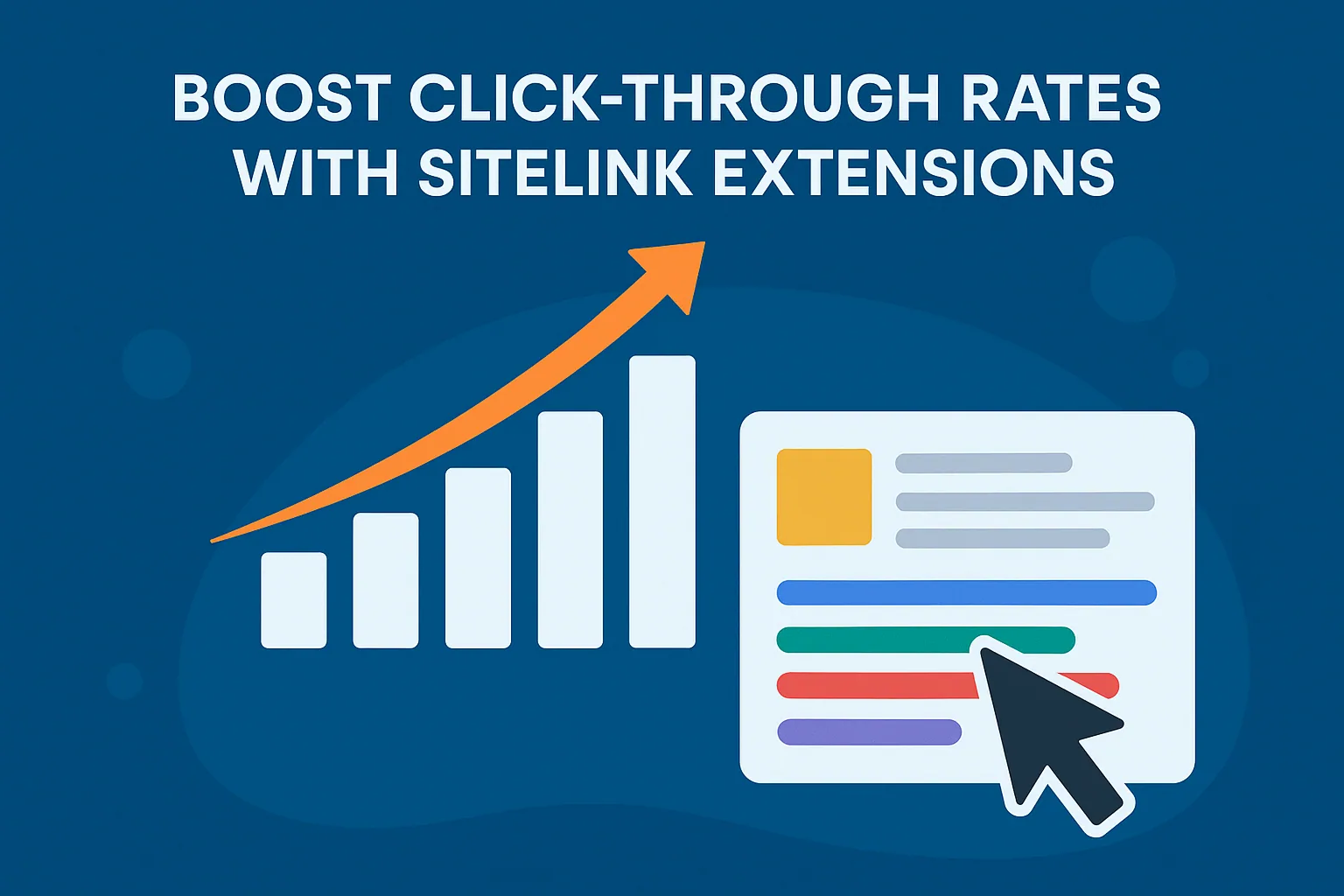
Learn how to strategically use Sitelink Extensions to enhance Click-Through Rate (CTR) in your Google Ads campaigns. This guide breaks down how sitelinks impact ad visibility, user engagement, and overall ad performance, with actionable tips for campaign optimization and behavioral targeting. We explore how sitelinks drive users to relevant landing pages, support micro conversions, and contribute to quality score improvements. Plus, we touch on deep linking, structured snippets, price extensions, and the technical and creative factors influencing success in the SERP. Whether you're running a small product campaign or scaling a full-funnel strategy, these techniques can help you create more search intent-aligned, conversion-friendly ads.
Why Click-Through Rate Still Rules the Game
There’s one truth about digital advertising that’s remained consistent through algorithm updates, platform shifts, and the rise of AI: Click-Through Rate (CTR) is king.
CTR is more than a metric—it’s a pulse check on how your ads resonate with real people. Whether you're looking to lower cost per click, raise conversions, or improve your ad quality score, CTR tells you if you're capturing attention or blending into the digital noise.
But in a cluttered Search Engine Results Page (SERP), how do you earn that critical click?
One of the most underused but highly effective tools? Sitelink Extensions.
What Are Sitelink Extensions?
Sitelink Extensions are additional hyperlinks that appear beneath your primary ad copy in Google Ads. They allow you to highlight multiple links/subpages of your site—like a product category, a seasonal offer, or even a guide you want people to read first.
Imagine a user searching for your brand. Instead of just showing your homepage, Google could also display direct links to:
- Your current services
- A free offer (like a lead magnet)
- A featured collection or best-sellers
- Customer testimonials or case studies
These aren’t just bells and whistles. They're deep links—high-intent touchpoints that can directly address a user’s search intent and move them further down the funnel.
The Psychology of the Click: Why Sitelinks Work
In an environment where attention spans are thin and competition is brutal, navigation improvement can be the difference between a scroll and a sale. Here’s why Sitelink Extensions help your CTR soar:
- Enhanced relevance: Offering more options means users are more likely to find what they’re looking for, fast.
- Improved visibility: Your ad literally takes up more space on the SERP, pushing competitors down and claiming more above-the-fold visibility.
- User engagement: By offering diverse choices, you increase the likelihood of an interaction—even if it’s a micro conversion like reading a blog post or checking pricing.
“Think of sitelinks as a concierge, not just a billboard. They direct people precisely where they want to go.”
Not Just Clicks—Quality Clicks
Sitelink Extensions aren’t just for surface-level traffic. They’re engineered for conversion rate enhancement. When users land on relevant landing pages, bounce rates drop and dwell time rises—two signals that boost your organic standing and improve your ad’s quality score.
For example, if someone is searching for eCommerce marketing help, directing them straight to your free audit page via a sitelink is not only convenient—it’s strategic. It aligns with behavioral targeting principles and meets the user where they are in their decision-making journey.
How Many Sitelinks Should You Use?
Google recommends at least four, but you can show up to eight on mobile and six on desktop. Think of sitelinks as mini CTAs—each one is an opportunity to highlight a service, offer, or unique value proposition.
Here’s a quick checklist for sitelink strategy:
- Include a mix of commercial and informational pages (products, blogs, how-to pages).
- Tailor sitelinks to match different user intents—purchase, learn, compare, or contact.
- Use concise, actionable link text—like “Get a Free Audit” or “Browse Services.”
- Avoid repetition—each sitelink should lead to a distinct, high-quality page.
Sitelinks vs. Other Ad Extensions
You might wonder: how do sitelinks stack up against other Ad Extensions?
Extension TypeBest ForSitelink ExtensionsNavigating to different site sectionsCall ExtensionsDriving phone calls directly from adsStructured SnippetsShowcasing specific features or categoriesPrice ExtensionsDisplaying product/service pricing upfrontPromotion ExtensionsHighlighting limited-time deals or discounts
Each serves a purpose. However, sitelinks are the most versatile—they combine deep linking with search intent alignment in a format that’s highly scannable and conversion-friendly.
The Technical Layer: Sitelinks and SEO
While Sitelink Extensions are a paid feature in Google Ads, they echo a broader SEO strategy involving internal linking, structured data, and even mobile-first indexing.
A well-structured site makes it easier for Google to understand your content hierarchy—something that can impact whether SEO sitelinks show up organically. Even though these organic sitelinks aren’t directly editable, you can influence them by improving:
- Navigation structure
- Page titles and descriptions
- Clear URL hierarchy
- Breadcrumbs and structured markup
When your paid and organic strategies work together, you create strong brand authority signals—and your impression share climbs.
A/B Testing Sitelinks: From Guesswork to Strategy
Even the most seasoned advertisers don’t always get sitelinks right on the first try. That’s where A/B testing sitelinks becomes your unfair advantage.
“If you’re not testing, you’re guessing.”
With the flexibility of Google Ads, you can rotate sitelinks to determine which combinations produce higher click-through rates (CTR) or conversion rates. Start by varying elements like:
- Link text: Try “Browse Services” vs. “Explore What We Do”
- Landing page selection: Send traffic to a product page vs. a blog post
- Value proposition: Highlight “Free Shipping” vs. “24/7 Support”
Here’s a simple framework to begin:
1. Identify your top-converting pages
2. Group sitelinks by user intent (e.g. Learn, Buy, Contact)
3. Launch two variations of sitelink sets
4. Measure performance metrics: CTR, conversions, dwell time
5. Double down on the winner
You can track results within Google Ads, but integrating tools like Google Search Console helps you measure organic lift too—especially if your internal linking strategy is aligned with paid sitelink targets.
Behavioral Targeting: Sitelinks for Every Stage of the Funnel
Too often, sitelinks are treated as “bonus” links. But with intentional design, they can support behavioral targeting across the funnel:
Top-of-Funnel (Awareness)
- Direct users to educational blog posts or guides
- Use sitelinks like “How It Works” or “eCommerce Resources”
Mid-Funnel (Consideration)
- Showcase trust-building content like testimonials or use cases
- Example sitelinks: “Why Choose Us”, “See Case Studies”
Bottom-of-Funnel (Conversion)
- Drive to high-converting pages like Free Audit or pricing
- Use compelling CTAs: “Get Started” or “Book a Strategy Call”
This level of personalization isn’t just good UX—it leads to enhanced relevance, one of the core drivers of Google Ads Quality Score.
Real-World Use Case: Sitelinks for Product Discovery
Let’s say you’re running ads for your collection of eCommerce growth services. A traditional ad might just drive to your homepage. But with sitelinks, you can create a campaign that gives users quick access to:
- Specific services like PPC Campaign Management
- A breakdown of strategy phases (e.g. Audit → Implementation → Optimization)
- Success stories or testimonials
- A free consult
By offering these direct routes via sitelinks, you reduce friction and boost ad performance. Better yet, you satisfy users with different search intent alignment in one clean, efficient format.
Mobile-First Indexing and the Sitelink Opportunity
In a mobile-first world, your ads need to shine where users spend most of their time: on their phones.
Sitelinks display up to 8 options on mobile, compared to 6 on desktop. That’s eight opportunities to drive micro conversions, funnel users into the right stage of your content journey, or simply dominate more space on the mobile SERP.
To take full advantage:
- Ensure sitelink pages are mobile-optimized
- Keep link text short and action-oriented (space is limited)
- Avoid sending mobile users to slow or cluttered landing pages
Remember, mobile-first indexing means Google is primarily judging your site’s experience based on its mobile version. Poor mobile UX on sitelink destinations? You’ll feel it in your CTR, your quality score, and eventually your impression share.
Structured Snippets vs. Sitelinks: What’s the Difference?
If you’re new to Ad Extensions, Structured Snippets might seem similar to sitelinks—but they serve different roles:
Feature Sitelink Extensions Structured Snippets
Clickable? Yes (navigates to another page) No (informational only)
Purpose Drive navigation Highlight product/service features
Best for Multi-path campaigns Product categories or benefits
Example “Get a Free Audit” → Free audit page“ Services: Email, PPC, SEO”
For an eCommerce brand like yours, Sitelinks drive direct traffic while Structured Snippets increase trust and contextual richness in the ad.
If you're already using one, test layering both in your next campaign.
How Dynamic Sitelinks Work (and When to Disable Them)
Dynamic sitelinks are automatically generated by Google when you don’t create manual ones. While convenient, they’re often based on Google’s best guess—not your strategy.
When to use dynamic sitelinks:
- If you have no manual sitelinks set up yet
- When launching fast campaigns without much configuration
When to disable them:
- If you’re actively using a tailored sitelink strategy
- If you want full control over deep linking and messaging
To take charge, create your own custom sitelinks—or better yet, use a trusted partner or tool to automate it intelligently. As a single-brand store like Easy eCommerce Marketing, you’ll benefit from keeping that control in-house.
The Sitelink Execution Checklist
You've now learned the strategy—but how do you implement sitelink extensions effectively without wasting time or misaligning with your campaign goals?
Here’s a sitelink content checklist to help you launch or refine your setup fast:
✅ Before Launch
- Define user intents for each campaign (e.g. Learn, Compare, Buy)
- Select relevant landing pages with fast load times
- Optimize landing pages for mobile-first indexing
- Write clear and concise link text (25 characters or fewer is ideal)
✅ During Setup
- Create at least 4 sitelinks per ad group (Google may show fewer, but can display more)
- Use unique URLs for each sitelink (avoid duplicates)
- Add descriptions to each sitelink if space allows (improves CTR on desktop)
- Structure sitelinks around product categories, services, or conversion paths
✅ Post-Launch Optimization
- Monitor sitelink performance in Google Ads and Google Search Console
- Run A/B tests every 2–4 weeks
- Rotate new sitelinks in based on user engagement and seasonality
- Sync paid sitelinks with organic SEO sitelink structure using an effective internal linking strategy
Performance Benchmarks to Watch
If you’re wondering whether your sitelinks are “working,” here are baseline CTR improvements you can expect when applied correctly:
Extension TypeAverage CTR UpliftSitelink Extensions+15%–30%Price Extensions+10%–25% (when used together with sitelinks)Call Extensions+8%–20%Structured Snippets+5%–12%
But beyond CTR, look for uplift in:
- Conversion rate (especially when sitelinks lead to BOFU pages)
- Impression share (due to enhanced ad real estate)
- Dwell time (indicates visitors are finding the content useful)
Pro Tip: Tools like Google Ads Experiments and custom dashboards in Looker Studio can help you visualize sitelink-driven metrics over time.
Sync Paid and Organic: The Unified CTR Strategy
Your sitelink strategy shouldn’t live in a silo. Paid and organic efforts can (and should) support each other.
For example:
- If your paid sitelinks are driving conversions, consider linking to those same pages more often from your homepage or top nav—this feeds into SEO sitelinks.
- Use high-performing sitelink destinations as internal links in blog content, such as case studies or tutorials.
- Ensure structured data (especially breadcrumbs and organization schema) is implemented across pages.
This synergy builds stronger brand authority signals, increasing the likelihood that Google rewards you in both paid and organic listings.
When to Reassess Your Sitelinks
Even strong campaigns lose steam. Revisit your sitelinks if you notice:
- A dip in CTR without a drop in impressions (could be message fatigue)
- Your sitelink pages are no longer converting or have outdated content
- Competitors are using newer formats (like price extensions) or occupying more SERP space
- You’ve launched a new product line or seasonal promo and haven’t reflected it in sitelinks
Sitelinks should evolve as your brand, content, and audience do. At Easy eCommerce Marketing, our most successful campaigns treat sitelinks like an agile component—not a set-it-and-forget-it element.
Final Takeaways: CTR Growth in Every Link
When used with precision, sitelink extensions are not just supplementary links—they’re mini conversion machines.
They help users:
- Find what they want faster
- Trust your ad more
- Take action without hesitation
And they help you:
- Improve CTR, conversion rates, and quality score
- Occupy more SERP space
- Provide better user experiences across devices
It’s not about “adding more links.” It’s about adding the right ones, at the right time, for the right intent.
Whether you’re running a lean eCommerce campaign or scaling a multi-channel funnel, sitelinks are one of the most cost-effective ways to lift performance—fast.
Ready to Get Started?
If you’re not already leveraging sitelinks or aren’t sure how to align them with your business goals, we’re here to help.
Start with a free audit to see where your current campaigns may be leaving money (and clicks) on the table.
Or explore our done-for-you services for smarter paid search strategies that include sitelink extension management, A/B testing, and full-funnel alignment.
Frequently Asked Questions (FAQ) — Boost Click-Through Rates with Sitelink Extensions
1. Can sitelink extensions be customized for different ad groups or campaigns?
Yes. You can create sitelinks at the account, campaign, or ad group level in Google Ads. For more precise targeting and search intent alignment, it's best to tailor sitelinks at the ad group level, ensuring they match the keywords and messaging in each group.
2. Do sitelinks appear on all devices?
Sitelinks appear on both desktop and mobile devices, but the number shown varies. Google can display up to 6 sitelinks on desktop and up to 8 on mobile. That said, actual visibility is determined by factors like ad rank and space availability.
3. Are sitelinks available for all ad types?
Sitelink extensions are supported on most search network text ads, but not all formats. For example, they do not appear in Display Network ads, nor in some dynamic ad formats. Always check compatibility when launching a new campaign.
4. How long should my sitelink text be?
The recommended sitelink text length is under 25 characters to ensure visibility on mobile and desktop. Short, action-oriented phrases like “Shop New Arrivals” or “Book a Free Audit” tend to perform best.
5. Can I track which sitelinks get the most clicks?
Yes. In Google Ads, you can view performance data for each sitelink at the ad group or campaign level. Metrics include clicks, CTR, conversions, and conversion rate—making it easy to identify top performers.
6. Do sitelinks impact my ad’s cost-per-click (CPC)?
Not directly. Google doesn’t charge extra for sitelinks, and clicks on them are priced the same as clicks on the main ad headline. However, ads with sitelinks often achieve higher CTRs, which can indirectly lead to lower CPCs due to improved quality scores.
7. Can sitelinks be scheduled to run at specific times?
Yes. You can schedule sitelinks to run on specific days or during certain hours. This is helpful for time-sensitive promotions, such as flash sales or weekend-only offers.
8. Are there character limits for sitelink descriptions?
Yes. Each sitelink can include two description lines, each with a 35-character limit. While optional, adding descriptions can enhance desktop visibility and improve user engagement by providing more context.
9. Can sitelinks lead to external websites or only to pages on my domain?
Sitelinks must lead to pages on the same domain as your ad’s display URL. Google will disapprove sitelinks that send users to unrelated domains, subdomains, or third-party platforms (like affiliate links or external landing pages).
10. How long does it take for sitelinks to start showing after setup?
Typically, sitelinks go live within a few hours of being approved by Google. However, whether they actually show on your ads depends on your ad rank, relevance, and competitive bidding environment. It's common for sitelinks to rotate or only appear on top-performing ads.