How to Optimise Category Pages for SEO
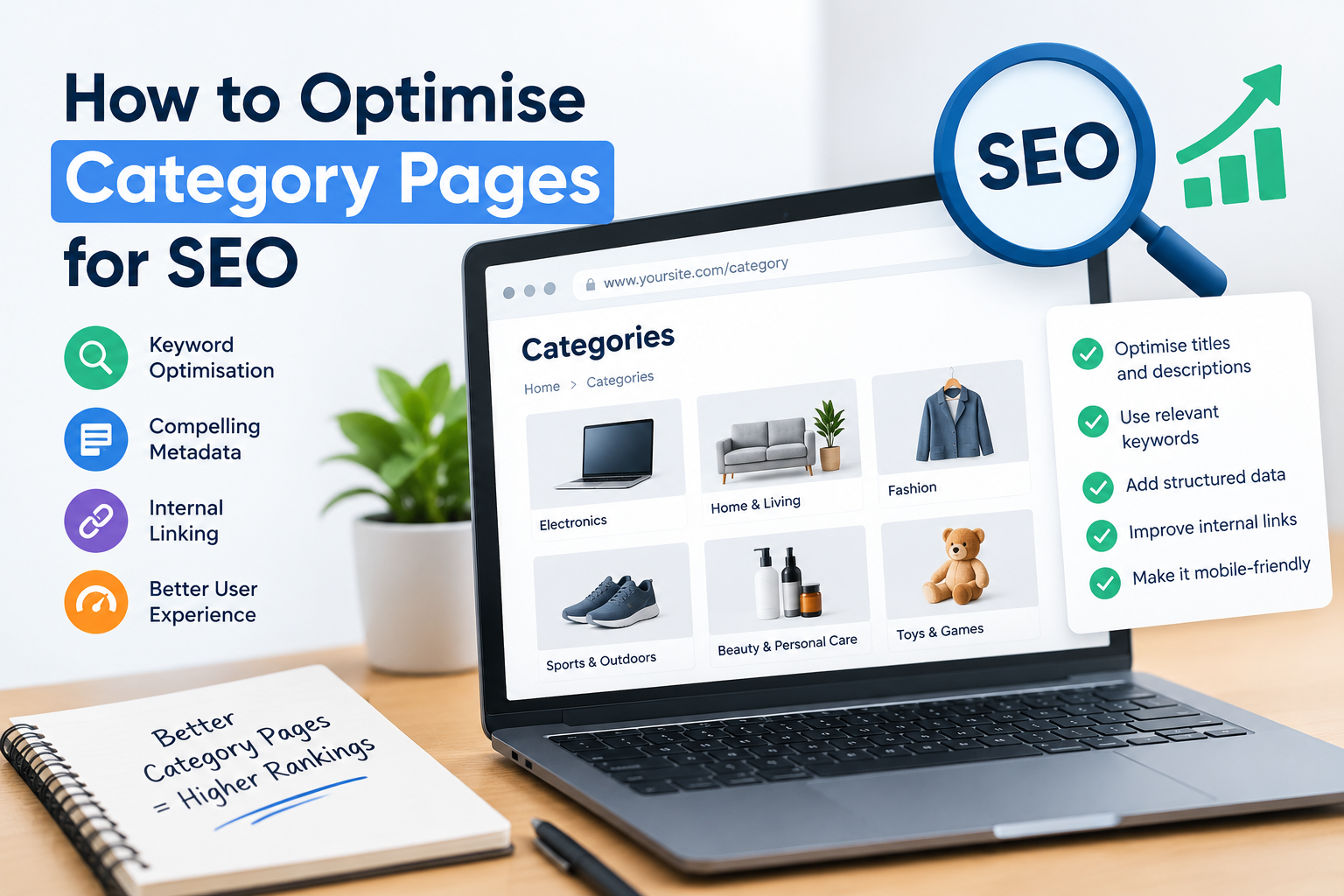
How to Optimise Category Pages for SEO
Your ecommerce category pages could be some of the most valuable pages on your website. They're where shoppers discover products, compare their options and move closer to making a purchase. Yet, surprisingly, they're also among the most overlooked opportunities in ecommerce SEO.
Many online retailers invest heavily in product descriptions, homepage design and blog content while leaving their category pages with generic headings, minimal descriptions and poorly targeted keywords.
That's a costly mistake.
Learning how to optimise category pages for SEO can help your online store attract more relevant organic traffic, improve search engine visibility and turn product browsers into paying customers.
And the best part? You don't necessarily need hundreds of new products or a complete website redesign to make meaningful improvements.
You need a smarter category page SEO strategy.
Category Page SEO: The Essential Takeaways
If you want to improve your ecommerce category page rankings, focus on these fundamentals:
-
Target the right keywords: Research commercial and transactional search terms that match what shoppers expect to find in each category.
-
Optimise titles and headings: Write compelling SEO title tags, meta descriptions and H1 headings that clearly communicate what each category offers.
-
Create genuinely useful content: Add unique category descriptions that help customers make purchasing decisions without overwhelming the product listings.
-
Build a logical website structure: Organise parent categories, subcategories and URLs so shoppers and search engines can navigate your store easily.
-
Strengthen internal linking: Connect relevant categories, subcategories and product pages using descriptive anchor text.
-
Manage technical SEO: Address duplicate content, canonical URLs, pagination and faceted navigation to improve crawlability and indexability.
-
Prioritise user experience: Make category pages fast, mobile-friendly and easy to browse, with useful product filters and sorting options.
-
Use appropriate structured data: Help search engines interpret category hierarchies and relevant product information.
-
Measure what matters: Track organic traffic, keyword rankings, click-through rates and conversions rather than relying on rankings alone.
The key principle: A successful category page should satisfy search intent, help customers find the right products and make it easy for search engines to understand the page.
Let's explore how to achieve that.
What Are Ecommerce Category Pages?
An ecommerce category page is a webpage that groups related products together under a shared theme, product type, purpose or characteristic.
Rather than presenting one individual item, category pages help shoppers browse a selection of relevant products.
For example, an online clothing retailer might organise its website like this:
-
Main category: Women's Clothing
-
Subcategory: Women's Dresses
-
More specific category: Summer Dresses
-
Individual product: Floral Cotton Summer Dress
Each level serves a different purpose.
The main category introduces a broad product range. Subcategories help customers narrow their options, while individual product pages provide the details needed to evaluate and purchase a specific item.
This structure is known as a category hierarchy, and it plays an important role in both website navigation and ecommerce SEO.
Category Pages vs Product Pages: What's the Difference for SEO?
Although category pages and product pages work together, they typically target different types of search queries.
| Feature | Category Pages | Product Pages |
|---|---|---|
| Primary purpose | Help shoppers browse related products | Present and sell a specific product |
| Typical keywords | Broad commercial keywords | Specific product and model keywords |
| Search intent | Browsing, comparison and purchasing | Product evaluation and purchasing |
| Content focus | Product range, selection guidance and navigation | Features, specifications, benefits and availability |
| Internal linking | Links to subcategories and products | Links to relevant categories and related products |
| Example keyword | "women's summer dresses" | "blue floral cotton midi dress" |
Consider someone searching Google for "women's summer dresses".
They're probably interested in exploring different styles, colours and prices rather than finding one specific dress.
A well-optimised category page is therefore likely to be a better match for that search intent than an individual product page.
Now imagine someone searching for a particular dress by its brand, style and product name.
A dedicated product page is generally more appropriate.
This distinction matters because matching the right page type to the right search intent is fundamental to effective category page optimisation.
SEO Tip: Don't automatically target the same primary keyword on your category page and an individual product page. Give each page a clear purpose to reduce unnecessary keyword cannibalisation and improve the relevance of your website's content.
Are Category Pages and Collection Pages the Same Thing?
In many ecommerce platforms, yes.
Different platforms use different terminology, but the underlying purpose is similar.
For example:
-
Shopify: Commonly refers to product groupings as collections.
-
WooCommerce: Uses product categories and subcategories.
-
Magento (Adobe Commerce): Organises products into category hierarchies.
-
Custom ecommerce websites: May use categories, collections or product listing pages.
From an SEO perspective, the same core principles generally apply.
Whether your platform calls them collections, categories or product listing pages, these pages need relevant keywords, useful content, logical navigation and a technically sound structure.
The exact implementation will depend on your ecommerce platform.
Why Are Category Pages Important for SEO?
Category pages sit at a particularly valuable point in the online shopping journey.
They're often the bridge between a customer's initial product search and their final purchasing decision.
A blog post might introduce someone to a problem or product idea. A category page allows them to explore potential solutions. A product page helps them evaluate a specific item before buying.
This makes category pages important for attracting visitors with commercial and transactional search intent.
1. They Target Valuable Commercial Keywords
Category pages can rank for broad product-related searches that individual product pages may struggle to satisfy.
Consider these example searches:
-
"men's waterproof jackets"
-
"organic skincare products"
-
"garden furniture sets"
-
"wireless gaming headphones"
-
"women's running shoes"
These queries suggest that someone is looking for a type of product, not necessarily a specific item.
An optimised category page can present multiple relevant choices, making it a natural destination for that visitor.
However, broad keywords aren't automatically the best keywords.
A highly competitive category term might generate considerable search demand, while a more specific long-tail keyword could attract visitors with clearer purchasing intentions.
Successful SEO for category pages involves balancing search demand, relevance, competition and the likelihood of conversion.
2. They Can Attract Organic Traffic Across Multiple Search Queries
A single well-structured category page can be relevant to several closely related searches.
For example, a category targeting "women's running shoes" might also be relevant to searches involving:
-
Lightweight women's running shoes
-
Running trainers for women
-
Women's road running shoes
-
Comfortable women's running footwear
That doesn't mean you should force every variation into your content.
Google's search systems can understand relationships between words and concepts, so natural language and comprehensive topic coverage are generally more useful than repeating keywords excessively.
The objective is to create a page that clearly represents its product range and satisfies the needs of people searching for it.
3. They Strengthen Your Website Architecture
Category pages provide structure to an ecommerce website.
They connect broad product collections with more specific subcategories and individual products.
When this structure is logical, customers can move through your website more easily, and search engine crawlers have clearer pathways for discovering important URLs.
For example:
Homepage → Clothing → Women's Clothing → Dresses → Summer Dresses
This hierarchy also creates opportunities for breadcrumb navigation, contextual internal links and descriptive anchor text.
A well-planned category structure helps distribute internal link equity across your store while communicating the relationships between different product groups.
4. They Can Improve Conversion Opportunities
Getting more visitors from Google is useful.
Getting more relevant visitors who can easily find what they want is considerably more valuable.
Imagine two online stores selling the same products.
The first presents visitors with a cluttered category page, confusing filters and little information about the available range.
The second offers clear product groupings, helpful descriptions, intuitive filters and straightforward navigation.
Even if both attract similar organic traffic, the second store may be better positioned to convert visitors into customers.
This is why effective ecommerce category page optimisation must consider both search engine visibility and conversion rate optimisation (CRO).
For retailers looking to understand the commercial impact of their marketing activity, an ecommerce ROI calculator can help put potential improvements into financial context.
Remember: Category page rankings are only one measure of success. Organic revenue, conversion rates and customer engagement provide a more complete picture of SEO performance.
Step 1: Conduct Keyword Research for Your Category Pages
Before rewriting category descriptions or changing your metadata, you need to understand what your potential customers are searching for.
This is where category page keyword research begins.
One of the biggest mistakes in ecommerce SEO is choosing category keywords based entirely on internal product terminology.
You might call a collection "Outdoor Performance Apparel", for example, while your customers are searching for "waterproof hiking jackets".
The wording that makes sense to your business isn't always the wording people use in Google.
Your goal is to identify the language of your customers and connect it to the most relevant category pages.
Understand Search Intent Before Selecting Keywords
Search intent describes what someone wants to achieve when entering a query into a search engine.
For ecommerce category page SEO, four broad types of intent are particularly useful to understand.
| Search Intent | Example Search | Likely Page Type |
|---|---|---|
| Informational | "how to choose running shoes" | Buying guide or blog article |
| Commercial | "best running shoes for beginners" | Comparison guide or suitable category page |
| Transactional | "buy women's running shoes" | Category or product page |
| Navigational | "Nike running shoes official store" | Relevant brand or store page |
These classifications aren't absolute.
For instance, Google might display a mixture of buying guides, product categories and individual products for a commercially focused search.
That's why examining the actual search results is so important.
If the leading results for a keyword are predominantly category pages, that provides useful evidence that a category page may satisfy the query.
If the results mainly feature tutorials or informational articles, a different content format may be more appropriate.
Find Primary, Secondary and Long-Tail Keywords
A practical category page SEO strategy typically involves three keyword groups.
Primary keywords
These represent the main topic of an individual category page.
Examples include:
-
Women's running shoes
-
Leather office chairs
-
Organic face moisturisers
Ideally, each important category should have one clearly defined primary keyword theme.
Secondary keywords
These are closely related phrases that reinforce the category's subject.
For a women's running shoes category, secondary terms might include "women's running trainers", "ladies' running footwear" and "running shoes for women".
They can appear naturally in category descriptions, supporting headings and relevant page content.
Long-tail keywords
These are more specific searches, often reflecting a particular requirement or buying preference.
For example:
-
Women's lightweight running shoes for road running
-
Waterproof trail running shoes for women
-
Cushioned running trainers for beginners
Long-tail keywords can be valuable because they often reveal more specific customer needs.
However, don't assume that every long-tail keyword requires its own category page.
Creating numerous nearly identical categories can introduce duplicate content, thin pages and unnecessary competition between your own URLs.
Instead, group keywords according to search intent and decide whether each group deserves a dedicated category, a useful filter or supporting content.
Use Keyword Research Tools to Validate Opportunities
Several tools can help identify and evaluate potential category keywords.
These include:
-
Google Search Console: Discover queries already generating impressions and clicks for existing category pages.
-
Google Keyword Planner: Explore keyword ideas and estimated search demand.
-
Ahrefs: Investigate related keywords, competing pages and ranking opportunities.
-
Semrush: Analyse keyword variations, search intent and competitor visibility.
-
Google Search: Examine autocomplete suggestions, related searches and the types of pages appearing in results.
Look beyond search volume.
A keyword with thousands of monthly searches isn't necessarily the most commercially valuable opportunity for your store.
Consider whether the keyword accurately describes your products, whether your category page satisfies the search intent and whether ranking for that term would attract customers likely to purchase.
For a single-brand ecommerce store, this is particularly important.
You want keywords that describe the products you actually sell, rather than broad marketplace terms that imply a selection of competing brands you don't offer.
Create a Category Page Keyword Map
Once you've identified relevant search terms, organise them into a keyword map.
This helps you decide which category should target which keyword theme.
Here's a simplified example for a fictional single-brand footwear store:
| Category Page | Primary Keyword | Secondary Keywords | Search Intent |
|---|---|---|---|
| Running Shoes | running shoes | running footwear, running trainers | Commercial |
| Women's Running Shoes | women's running shoes | ladies' running trainers, running shoes for women | Commercial |
| Trail Running Shoes | trail running shoes | off-road running shoes, trail running footwear | Commercial |
| Waterproof Running Shoes | waterproof running shoes | water-resistant running trainers | Commercial |
| Running Shoe Care Guide | how to clean running shoes | cleaning running trainers, shoe care tips | Informational |
Notice that the final example is better suited to an informational article than a product category.
This is intentional.
Keyword mapping isn't simply about assigning every search phrase to a category page. It's about choosing the most appropriate destination for each search.
Avoid Keyword Cannibalisation Between Categories
Keyword cannibalisation can occur when multiple pages on the same website target substantially overlapping search intents without a clear reason for their separation.
For example, imagine creating these three categories:
-
Women's Running Shoes
-
Running Shoes for Women
-
Ladies' Running Trainers
If they contain essentially the same products and serve the same search intent, maintaining three separate indexable pages may create unnecessary duplication.
A stronger approach could be to consolidate the products into one authoritative category and naturally incorporate relevant keyword variations.
That said, having multiple pages appear for related keywords isn't automatically harmful.
The real question is whether each page serves a distinct purpose and provides meaningful value.
Practical keyword mapping checklist:
- Identify one primary keyword theme for each important category.
- Group closely related secondary keywords.
- Check the search intent behind target queries.
- Review competing search results.
- Match keywords to your actual product range.
- Identify overlapping or redundant categories.
- Record existing rankings and organic traffic.
- Prioritise categories with meaningful commercial potential.
If you're unsure where your biggest opportunities lie, a free ecommerce marketing audit can provide a starting point for reviewing your current website performance and potential areas for improvement.
Step 2: Optimise Category Page Title Tags and Meta Descriptions
Once you've mapped the right keywords to the right categories, it's time to improve how those pages are presented in search results.
Your SEO title tag and meta description are important elements of on-page optimisation.
They help communicate what a page offers and can influence whether someone chooses your result over a competitor's.
Write Descriptive, Keyword-Focused SEO Title Tags
The title tag is an HTML element that specifies a webpage's title.
Search engines may use it when generating the clickable title displayed in search results.
A strong category page title should:
-
Include the primary keyword naturally.
-
Clearly describe the product category.
-
Distinguish the page from other categories.
-
Communicate a genuine benefit or relevant selling point.
-
Avoid repetitive keywords and unnecessary promotional language.
Consider this example.
Weak title tag:
Running Shoes | Products | Shop
It's vague, repetitive and gives shoppers little reason to click.
Improved title tag:
Women's Running Shoes | Lightweight & Cushioned Styles
This version identifies the product category and introduces useful product characteristics.
Of course, those characteristics should accurately reflect the products available.
For a single-brand store, highlighting genuine differentiators such as materials, craftsmanship, fit or intended use can be more effective than relying on generic claims.
There isn't a universal character limit that guarantees a title will display in full. Google may truncate or rewrite titles depending on the search query, device and available display space.
Aim for concise, descriptive titles rather than obsessing over an exact character count.
Create Meta Descriptions That Encourage Clicks
A meta description is a short HTML description of a webpage.
Although Google doesn't use the meta description tag as a direct ranking factor, a compelling description can help communicate the value of your page when it appears as the search snippet.
Compare these examples.
Weak meta description:
Shop our running shoes. We have lots of running shoes available. Find running shoes online.
Improved meta description:
Explore women's running shoes designed for comfort and performance. Discover lightweight styles, cushioned support and footwear for your next run.
The improved version is more descriptive, customer-focused and natural.
It tells shoppers what they can expect without repeating the primary keyword unnecessarily.
When writing meta descriptions, consider including:
-
The main product category.
-
One or two genuine product benefits.
-
Relevant characteristics or distinguishing features.
-
A natural invitation to explore the collection.
Avoid promises about discounts, delivery or product availability unless they're accurate.
Also remember that Google may generate its own snippet from the page content when that better matches a particular search query.
Use Unique Metadata Across Your Categories
Copying the same title and meta description across dozens of category pages is a missed opportunity.
Each important category should communicate its own purpose.
For example, a store selling skincare products might use:
| Category | Example SEO Title |
|---|---|
| Face Moisturisers | Face Moisturisers for Daily Hydration |
| Sensitive Skin Moisturisers | Gentle Moisturisers for Sensitive Skin |
| Night Creams | Nourishing Night Creams for Your Skincare Routine |
These examples describe different product needs without forcing the same phrase into every title.
Where you have a large number of categories, metadata templates can help maintain consistency.
However, templates should include meaningful category-specific information rather than producing near-identical titles across the entire website.
Align Your H1 Heading With the Page's Purpose
Your H1 is the main visible heading on the category page.
It should clearly tell customers what they're browsing.
For example:
SEO Title:
Women's Running Shoes | Lightweight & Cushioned Styles
H1 Heading:
Women's Running Shoes
Supporting Introduction:
Explore our collection of women's running shoes, designed to help you find the right balance of comfort, cushioning and performance.
The title tag and H1 don't need to be identical.
They should, however, describe the same category and reinforce the page's primary topic.
Supporting H2 headings can then organise useful additional information, such as product types, features, sizing guidance or frequently asked questions.
A clear heading hierarchy makes the page easier to navigate and helps communicate the structure of its content.
Step 3: Write Unique, SEO-Friendly Category Descriptions That Help Customers Buy
You've identified your target keywords, refined your metadata and established a clear heading structure.
Now comes one of the most important elements of category page SEO: the content itself.
A category page shouldn't simply be a grid of product images with a heading at the top. It should help customers understand what they're looking at, explore their options and make confident purchasing decisions.
But there's a balance to strike.
Too little information can leave visitors with unanswered questions. Too much content, particularly when positioned above the products, can make shopping unnecessarily frustrating.
The solution is to create helpful, relevant category descriptions that support both search intent and user experience.
Why Category Page Content Matters for SEO
Search engines use a variety of signals to understand the purpose and relevance of webpages.
Your category page content provides additional context about the products available, their characteristics and the needs they satisfy.
For example, imagine a category selling waterproof hiking jackets.
A page containing only the heading "Waterproof Jackets" and a selection of products offers relatively little written context.
Adding a useful introduction can clarify:
-
What types of waterproof jackets are available.
-
Which activities the products are designed for.
-
Important features such as breathability and weather protection.
-
Differences between lightweight and insulated options.
-
What customers should consider before purchasing.
This information helps shoppers while naturally introducing relevant semantic keywords.
Importantly, Google doesn't require a specific word count for category pages.
A category with a small, straightforward product range might need very little supporting copy. A technically complex category could benefit from more detailed explanations and buying advice.
The objective isn't to reach an arbitrary word count.
It's to provide enough useful information to satisfy the customer's needs.
How to Write an Effective Category Page Introduction
Your introductory content should immediately establish what the category offers.
Keep it clear, engaging and focused on the customer.
Consider these examples.
Poor category description:
Welcome to our waterproof jackets category. We sell waterproof jackets and outdoor jackets. Browse our waterproof jackets to find the best waterproof jackets for your needs.
This description repeats the same keyword without providing meaningful information.
Improved category description:
Stay comfortable when the weather changes with our collection of waterproof hiking jackets. Designed for outdoor adventures, our range includes lightweight layers for everyday walks and protective styles for challenging conditions. Explore practical features, comfortable fits and dependable weather protection to find the right jacket for your next adventure.
The improved version communicates the category's purpose, introduces relevant product characteristics and gives shoppers a reason to explore.
It also uses related terminology naturally.
That's the foundation of effective SEO copywriting.
Where Should Category Page Content Be Placed?
One of the most common questions about ecommerce category page optimisation is whether descriptions should appear above or below the products.
The answer depends on the category, the amount of content and the needs of your customers.
A practical approach is to divide the content into two sections.
Above the product listings
Include a short introduction that explains the category and helps visitors confirm they've arrived at the right place.
For example:
-
A clear H1 heading.
-
A concise introductory paragraph.
-
Relevant product benefits.
-
Useful subcategory navigation, where appropriate.
Below the product listings
Consider adding more detailed supporting information, such as:
-
Product selection advice.
-
Explanations of important features.
-
Material or specification guidance.
-
Sizing and compatibility information.
-
Answers to common purchasing questions.
This arrangement allows customers to browse products quickly while still providing access to useful information.
However, don't assume that placing a large block of text below the products automatically improves SEO.
Content should remain accessible, relevant and genuinely helpful.
On mobile devices, pay particular attention to how much scrolling visitors must do before reaching the products.
How to Include Semantic Keywords Naturally
Semantic search optimisation involves using language that accurately reflects the topic and the relationships between relevant concepts.
For a category selling office chairs, related terminology might include:
| Primary Topic | Relevant Semantic Terms |
|---|---|
| Ergonomic office chairs | lumbar support, adjustable seating, posture support |
| Chair comfort | seat cushioning, backrest adjustment, armrests |
| Office furniture | home office, desk setup, workspace |
| Product features | seat height, tilt mechanism, breathable materials |
| Customer needs | long working hours, everyday comfort, adjustable support |
You wouldn't necessarily use every phrase.
Instead, select the terms that genuinely describe the products and help customers evaluate their options.
For example:
"Explore ergonomic office chairs with adjustable seat heights, supportive backrests and comfortable cushioning for everyday working."
This sentence naturally introduces several related concepts without sounding forced.
Avoid outdated approaches such as repeating a target keyword a predetermined number of times.
Keyword density isn't a reliable optimisation target.
Prioritise clarity, accuracy and useful information.
Make Category Descriptions Unique
Copying the same description across multiple categories can weaken the usefulness and distinctiveness of your content.
For example, a store selling its own skincare brand might have separate categories for:
-
Daily face moisturisers.
-
Night creams.
-
Moisturisers for sensitive skin.
Although these products may share ingredients or benefits, each category should explain what makes its selection relevant to the customer's needs.
A daily moisturiser category might focus on lightweight hydration and everyday routines.
A night cream category could explain richer textures and overnight skincare.
A sensitive skin category might emphasise relevant formulation characteristics, provided those claims are supported by the products.
The key is to write about what makes each category different, rather than simply replacing the category name in an otherwise identical paragraph.
For single-brand stores, this is also an opportunity to communicate your brand's distinctive qualities.
You can highlight genuine information about product design, materials, manufacturing, intended use or expertise without relying on comparisons with competing brands.
Should You Include FAQs on Category Pages?
Frequently asked questions can be useful when customers regularly need clarification before purchasing.
For example, a running shoe category might answer:
-
How do I choose the right running shoe size?
-
What's the difference between road and trail running shoes?
-
Are these running shoes suitable for beginners?
-
How should I care for my running shoes?
These questions can help customers understand the product range and make more informed decisions.
They also create opportunities to address relevant long-tail keywords.
However, avoid adding identical FAQs to every category simply to increase the amount of text.
Each question should be relevant to the specific collection.
And remember that FAQ structured data doesn't guarantee enhanced search appearances. Google's FAQ rich results are generally restricted to well-known, authoritative government and health websites.
For most ecommerce stores, the primary value of category FAQs is improving the customer experience.
Category Description Optimisation Checklist
Before publishing your category content, check that it:
- Clearly explains what products the category contains.
- Includes the primary keyword naturally.
- Uses relevant secondary keywords and related terminology.
- Provides useful information rather than generic promotional copy.
- Accurately describes the products available.
- Helps customers understand important product differences.
- Avoids unnecessary repetition and keyword stuffing.
- Is sufficiently distinct from other category descriptions.
- Remains easy to read on mobile devices.
- Allows visitors to access products without unnecessary scrolling.
The takeaway: Your category description should help people shop. When it also provides clear, relevant information for search engines, you're achieving the right balance.
Step 4: Improve Category Page URLs and Website Architecture
Your category page content might be excellent, but if your website structure is confusing, customers and search engines can struggle to find it.
That's why site architecture is a fundamental part of product category page SEO.
A logical structure helps search engines discover important pages, understand how different product groups relate and navigate your website more efficiently.
It also makes the shopping experience considerably easier.
Create SEO-Friendly Category Page URLs
An SEO-friendly URL should be descriptive, readable and logically organised.
Consider these examples.
Poor URL:
https://www.example.com/category?id=8472&type=3
Improved URL:
https://www.example.com/womens-running-shoes/
The improved version clearly communicates the page's subject.
Customers can understand it at a glance, and search engines receive an additional contextual signal.
When creating category URLs, follow these principles:
-
Use descriptive words: Make the category's purpose obvious.
-
Keep URLs concise: Avoid unnecessary words and excessively long paths.
-
Separate words with hyphens: This improves readability.
-
Use consistent formatting: Maintain a predictable URL structure.
-
Avoid unnecessary parameters: Keep important category URLs straightforward where possible.
-
Choose stable URLs: Don't repeatedly change category addresses without a clear reason.
Including a relevant keyword in the URL can be helpful, but it isn't worth creating awkward or excessively long addresses.
For example:
/womens-running-shoes/
is preferable to:
/best-womens-running-shoes-running-trainers-footwear-online/
The second example looks unnatural and offers little additional value.
Should Category URLs Include Parent Categories?
There are two common approaches to ecommerce category URL structures.
Hierarchical URLs:
/clothing/womens/dresses/summer-dresses/
Short category URLs:
/summer-dresses/
Both approaches can work.
Hierarchical URLs visibly communicate the relationship between parent categories and subcategories.
Shorter URLs can be easier to maintain, especially when products or categories are reorganised.
The right choice depends on your platform, existing website structure and long-term plans.
For a growing ecommerce store, stability is particularly important.
If you frequently move categories between different parent collections, deeply nested URLs may create unnecessary redirect management.
Remember that Google doesn't need every category relationship encoded in the URL.
Clear navigation, internal links and breadcrumb structures can also communicate those relationships.
Build a Logical Category Hierarchy
A well-organised ecommerce website should guide visitors from broad product groups to increasingly specific collections.
For example:
Homepage
-
Women's Clothing
-
Dresses
-
Summer Dresses
-
Evening Dresses
-
-
Jackets
-
Waterproof Jackets
-
Lightweight Jackets
-
-
-
Men's Clothing
-
Shirts
-
Casual Shirts
-
Formal Shirts
-
-
Jackets
-
Winter Jackets
-
Lightweight Jackets
-
-
This hierarchy makes it easier for customers to understand the available product range.
It also creates natural internal linking relationships between parent categories, subcategories and products.
However, more categories aren't always better.
Creating a separate indexable category for every minor product characteristic can result in unnecessary pages with overlapping content.
Before creating a new category, ask:
-
Does this category serve a distinct customer need?
-
Is there meaningful search demand for the topic?
-
Does it contain a useful selection of relevant products?
-
Is it sufficiently different from existing categories?
-
Will customers benefit from navigating to it directly?
If the answer is no, a product filter may be more appropriate than a dedicated category page.
Avoid Unnecessary Category Depth
Imagine a shopper navigating through this structure:
Homepage → Clothing → Women → Outdoor → Jackets → Waterproof → Lightweight → Blue
That's a lot of steps to reach a relatively specific product selection.
While deeply nested structures aren't inherently an SEO problem, unnecessary complexity can make navigation frustrating.
A better approach might involve a clear waterproof jacket category with useful filters for weight, colour and size.
This reduces the number of pages customers must navigate while preserving the ability to refine their selection.
For single-brand ecommerce stores, a relatively focused product catalogue can be an advantage.
You can organise collections around genuine product differences and customer needs without building the extensive category structures often required by large marketplaces.
Use Breadcrumb Navigation
Breadcrumbs are navigational links that show where a page sits within the website's hierarchy.
For example:
Home > Women's Clothing > Dresses > Summer Dresses
They provide several benefits.
For customers:
Breadcrumbs make it easy to return to broader categories without repeatedly using the back button.
For search engines:
They provide contextual information about relationships between pages and create additional internal links.
For usability:
They help visitors understand where they are, particularly when arriving directly from Google.
Where appropriate, breadcrumb navigation can also be supported by BreadcrumbList structured data.
This helps search engines interpret the breadcrumb trail, although it doesn't guarantee a particular search result appearance.
Identify and Fix Orphan Category Pages
An orphan page is a webpage with no discoverable internal links pointing to it.
For ecommerce stores, this can happen when categories are removed from navigation menus, reorganised or created without being linked from relevant pages.
An orphan category might still exist in your XML sitemap or appear in search results, but users and crawlers may struggle to discover it through normal website navigation.
To identify potential orphan pages:
-
Crawl your website using an SEO auditing tool.
-
Compare discovered URLs with your XML sitemap.
-
Review important category URLs in Google Search Console.
-
Identify categories with few or no internal links.
-
Add relevant navigation or contextual links where appropriate.
Not every orphan URL needs to be indexed or linked.
The priority is ensuring that your important, indexable category pages are discoverable through a logical internal linking structure.
If your store's navigation is difficult to use, improving the underlying ecommerce website design may support both usability and SEO performance.
SEO Tip: Design your category hierarchy around how customers naturally search for and browse your products, rather than relying entirely on your internal inventory organisation.
Step 5: Strengthen Internal Linking Between Category and Product Pages
Internal linking is one of the most practical ways to improve ecommerce category page SEO.
An internal link connects one page on your website to another page on the same domain.
These links help customers navigate your store while allowing search engines to discover pages and understand relationships between different topics.
They also contribute to how link equity, sometimes discussed in relation to PageRank, flows through a website.
For ecommerce businesses, a thoughtful internal linking strategy can make important category pages easier to discover and navigate.
Why Internal Links Matter for Category Page Rankings
Imagine your homepage links to several broad categories.
Those categories link to more specific subcategories, which then link to individual products.
This creates a connected structure that helps users and search engine crawlers move through your website.
For example:
Homepage → Running Shoes → Trail Running Shoes → Individual Trail Running Shoe
The relationships between these pages provide context.
A broad running shoes category introduces the overall product range.
The trail running shoes subcategory focuses on a specific type of footwear.
The individual product page provides detailed information about a particular item.
When the links use descriptive anchor text, they can also help communicate the destination page's subject.
Use Descriptive Anchor Text
Anchor text is the clickable wording used in a hyperlink.
Consider these examples.
Weak anchor text:
"Click here to view more products."
Improved anchor text:
"Explore our trail running shoes."
The second example clearly describes the destination.
This is helpful for customers, accessibility and search engine understanding.
However, avoid forcing exact-match keywords into every internal link.
Your anchor text should read naturally within the surrounding sentence.
Useful variations might include:
-
Explore our waterproof jackets.
-
Browse lightweight running shoes.
-
Discover the full skincare collection.
-
Compare available office chair styles.
The aim is clarity, not keyword repetition.
Link Parent Categories to Relevant Subcategories
Parent category pages should make important subcategories easy to find.
For example, a main skincare category might link to:
-
Face cleansers.
-
Moisturisers.
-
Serums.
-
Night creams.
-
Skincare accessories.
These links can appear as navigation tiles, category cards or clearly labelled text links.
This approach helps shoppers quickly narrow their options.
It also makes the relationship between the broader category and its supporting collections more explicit.
Link Subcategories Back to Parent Categories
Internal linking shouldn't operate in only one direction.
Subcategories can also link back to their parent categories through breadcrumb navigation, menus or relevant contextual links.
For example, a visitor browsing night creams might want to return to the broader moisturiser collection.
Providing that route makes navigation more intuitive.
It also strengthens the connection between related pages.
Where appropriate, links between closely related sibling categories can be useful too.
A customer viewing lightweight jackets might also be interested in waterproof jackets or insulated jackets.
The important consideration is relevance.
Don't add links simply to increase the number of internal links on a page.
Use Blog Content to Support Commercial Category Pages
Informational articles can play a valuable role in ecommerce SEO.
They often target questions that customers ask before they're ready to purchase.
For example:
Blog article: How to Choose the Right Running Shoes
Relevant category: Running Shoes
Supporting subcategory: Trail Running Shoes
A helpful buying guide can explain different running shoe features and naturally direct readers towards the relevant product collections.
This creates a pathway from informational search intent to commercial browsing.
It also provides contextual internal links to important category pages.
For a single-brand store, this can be particularly effective.
Your educational content can explain how to choose products from your own range without needing to compare dozens of competing manufacturers.
The strongest links are those that genuinely help readers take the next logical step.
Link to Related Categories Without Overloading the Page
A category page might include links to:
-
Its parent category.
-
Relevant subcategories.
-
Closely related collections.
-
Individual products.
-
Helpful buying guides.
That doesn't mean every category page needs dozens of additional text links.
Too many competing links can make the page cluttered and distract customers from the products they're trying to browse.
Prioritise links that help shoppers refine their choices, compare relevant products or answer important questions.
Avoid Common Internal Linking Mistakes
Even well-established ecommerce websites can develop internal linking problems over time.
Watch out for the following issues.
Broken internal links
Links pointing to deleted or unavailable pages create frustrating experiences and can interfere with efficient crawling.
Unnecessary redirect chains
A link that passes through multiple redirects before reaching its destination introduces avoidable complexity.
Where possible, update internal links to point directly to the final URL.
Generic anchor text
Repeated phrases such as "click here" or "read more" provide less context than descriptive alternatives.
Important categories buried in navigation
If a commercially valuable category is difficult to reach from relevant areas of your website, review its placement within your navigation and linking structure.
Excessive sitewide links
Adding every category to every navigation menu can create an overwhelming experience, especially on mobile devices.
Focus on a logical structure rather than maximising link quantity.
Internal Linking Checklist for Ecommerce Category Pages
- Important categories are accessible through website navigation.
- Parent categories link to relevant subcategories.
- Subcategories provide clear routes to broader collections.
- Product pages link to appropriate categories where useful.
- Blog articles link naturally to relevant commercial pages.
- Anchor text clearly describes the destination.
- Breadcrumb navigation is consistent and functional.
- Broken internal links are identified and repaired.
- Redirect chains are minimised.
- Important category pages aren't unintentionally orphaned.
The takeaway: Internal linking should make your website easier to explore. When it also helps search engines discover and understand your category pages, you're creating a stronger foundation for organic visibility.
Step 6: Optimise Faceted Navigation, Product Filters and Pagination
Technical SEO becomes particularly important when category pages offer filtering, sorting and multiple pages of products.
These features can make shopping considerably easier.
But without careful implementation, they can also create large numbers of unnecessary URLs, duplicate content and crawling inefficiencies.
This is where faceted navigation SEO, canonical URL optimisation and pagination SEO become essential.
What Is Faceted Navigation in Ecommerce SEO?
Faceted navigation allows customers to refine a product selection using multiple attributes.
For example, someone browsing running shoes might filter by:
-
Size.
-
Colour.
-
Price.
-
Material.
-
Intended use.
-
Product features.
-
Availability.
These filters can create URL variations such as:
/running-shoes/?colour=black
/running-shoes/?size=8
/running-shoes/?colour=black&size=8
The filters themselves aren't a problem.
They can be extremely useful for customers.
The challenge arises when search engines discover large numbers of filtered URLs that contain substantially overlapping product selections.
For a large ecommerce website, combinations of filters can generate thousands or even millions of possible URLs.
This may lead to unnecessary crawling, duplicate or near-duplicate content and excessive numbers of low-value indexable pages.
Should Filtered Category Pages Be Indexed?
Not every filtered URL deserves a place in Google's index.
The decision should depend on whether the filtered page represents a useful, distinct search destination.
Consider these examples.
Potentially valuable filtered category:
/running-shoes/waterproof/
If waterproof running shoes represent a meaningful product group with relevant search demand, a dedicated indexable category may be appropriate.
Potentially unnecessary filtered URL:
/running-shoes/?size=8&sort=price-ascending
This URL may help customers refine their browsing experience, but it doesn't necessarily need to appear independently in search results.
A practical approach is to distinguish between:
-
Strategic category pages: Distinct product groups with clear search intent and useful content.
-
Utility filter URLs: Temporary combinations that help customers browse but provide limited independent search value.
The first group may deserve dedicated, indexable URLs.
The second often requires a more controlled crawling and indexing strategy.
Use Canonical Tags Correctly
A canonical tag helps indicate the preferred URL when multiple pages contain duplicate or substantially similar content.
For example:
<link rel="canonical" href="https://www.example.com/running-shoes/">This tells search engines that the specified URL is the preferred canonical version.
However, canonical tags are signals rather than absolute directives.
Google may select a different canonical URL if other signals suggest another page is more appropriate.
It's also important not to canonicalise every filtered page automatically.
If a filtered category has genuinely distinct content, meaningful search demand and a clear reason to exist independently, pointing its canonical tag to a broader category could undermine its ability to appear separately in search results.
The correct canonical strategy depends on the purpose and content of each URL.
Prevent Duplicate Content From Sorting Parameters
Many ecommerce stores allow customers to sort products by:
-
Price: low to high.
-
Price: high to low.
-
Popularity.
-
Newest arrivals.
-
Customer ratings.
Sorting generally changes the order of products rather than the fundamental purpose of the category.
For example:
/running-shoes/?sort=price-low
and:
/running-shoes/?sort=price-high
may display the same products in a different sequence.
These variations usually don't need to compete independently in search results.
A consistent URL and canonicalisation strategy can help search engines identify the preferred category page.
Where unnecessary parameter URLs create substantial crawling problems, additional controls may be appropriate.
Understand the Difference Between Canonical Tags, Noindex and Robots.txt
These technical controls are often confused, but they serve different purposes.
| SEO Control | Primary Purpose | Important Consideration |
|---|---|---|
| Canonical tag | Indicates a preferred URL among duplicate or similar pages | Google treats it as a signal |
noindex |
Instructs compliant search engines not to index a page | The crawler must access the page to see the instruction |
robots.txt |
Controls crawling access | Blocking crawling doesn't guarantee a URL won't appear in search results |
| XML sitemap | Helps search engines discover preferred URLs | Inclusion doesn't guarantee indexing |
These methods aren't interchangeable.
For example, blocking a URL in robots.txt prevents Googlebot from crawling it, meaning Google may not be able to read a noindex directive placed on that page.
Similarly, using noindex isn't the recommended method for choosing a canonical URL between duplicate pages.
For large stores with extensive faceted navigation, crawl controls should be planned carefully.
An incorrect configuration can accidentally prevent search engines from accessing valuable category pages.
Optimise Pagination for Product Listing Pages
Pagination divides a large category into multiple pages.
For example:
/running-shoes/?page=1
/running-shoes/?page=2
/running-shoes/?page=3
This can improve usability by preventing a category from loading an enormous number of products simultaneously.
However, paginated pages need to remain discoverable.
Google generally recommends that paginated URLs have their own distinct URLs and that each page can be accessed through crawlable links.
Don't automatically canonicalise every paginated page to page one if the pages contain different products.
Doing so can send misleading signals about the relationship between those URLs.
Instead, consider:
-
Giving paginated pages unique, stable URLs.
-
Using appropriate self-referencing canonical tags.
-
Providing crawlable links between pagination pages.
-
Keeping important products discoverable through internal links.
-
Avoiding unnecessary URL parameters.
-
Ensuring pagination works without requiring unsupported user interactions.
Also note that Google no longer uses rel="next" and rel="prev" as indexing signals for pagination.
What About Infinite Scroll and Load More Buttons?
Some ecommerce websites use infinite scrolling instead of traditional pagination.
This allows additional products to appear as customers scroll down the page.
Others use a "Load More" button.
Both approaches can provide a convenient browsing experience.
However, they need careful technical implementation.
If additional products are only accessible after JavaScript interactions that search engine crawlers don't perform, those products may be harder to discover.
A more reliable approach is to provide crawlable paginated URLs or links alongside the interactive browsing experience.
This allows customers to enjoy convenient navigation while preserving clear discovery paths for search engines.
Manage Crawl Budget and Index Bloat
Crawl budget refers to the amount of crawling Googlebot can and wants to perform on a website.
For most small ecommerce stores, crawl budget isn't the primary SEO concern.
However, it can become important for large websites with extensive inventories and substantial numbers of parameterised URLs.
Common sources of unnecessary crawling include:
-
Multiple sorting variations.
-
Large numbers of filter combinations.
-
Duplicate category URLs.
-
Session identifiers in URLs.
-
Broken internal links.
-
Unnecessary redirect chains.
-
Automatically generated low-value pages.
Index bloat is a related concern, describing situations where large numbers of low-value URLs become indexed.
The goal isn't simply to reduce the number of pages on your website.
It's to ensure that valuable, distinct pages remain discoverable while unnecessary URL variations are handled appropriately.
For businesses reviewing their broader ecommerce SEO strategy, technical category page issues should be evaluated alongside content quality, search intent and internal linking.
Technical Category Page SEO Checklist
Before moving on, review these essential technical considerations:
- Important category pages are crawlable and indexable.
- Filtered URLs have a deliberate crawling and indexing strategy.
- Canonical tags point to appropriate preferred URLs.
- Sorting parameters don't create unnecessary competing pages.
- Paginated product listings remain discoverable.
- JavaScript-dependent products have accessible discovery paths.
- XML sitemaps include the appropriate canonical category URLs.
robots.txtrules don't accidentally block valuable pages.- Empty or low-value categories are reviewed individually.
- Unnecessary redirects and duplicate URL variations are minimised.
Technical SEO Principle: Don't sacrifice a useful shopping experience just to simplify your website for search engines. Build filters, sorting and pagination that work for customers, then implement the appropriate technical controls to keep your important URLs discoverable.
Step 7: Improve Category Page Speed and Mobile Experience
A category page can have excellent keyword targeting, helpful descriptions and a perfectly organised URL structure.
But if it takes too long to load, shoppers may leave before they even see your products.
Page performance is an important part of how to optimise category pages for SEO, particularly because ecommerce category pages often contain dozens of product images, interactive filters and JavaScript-powered features.
These elements can create a rich shopping experience, but they can also make pages unnecessarily slow.
The goal is straightforward: make it easy for customers to discover, browse and interact with your products without unnecessary delays.
Why Page Speed Matters for Ecommerce Category Page SEO
Google uses Core Web Vitals as part of its ranking systems, although good performance scores don't guarantee higher rankings.
Page speed also affects the customer experience.
Imagine a shopper searching for a new pair of running shoes.
They click your category page, but the product images take several seconds to appear. The filter menu responds slowly, and the layout shifts as additional elements load.
Even if your products are exactly what they need, the experience creates unnecessary friction.
A faster, more stable category page can make browsing easier and support your conversion optimisation efforts.
Understand Google's Core Web Vitals
Core Web Vitals are metrics designed to evaluate important aspects of the user experience.
Three measurements are particularly relevant.
| Core Web Vital | What It Measures | Good Performance Threshold |
|---|---|---|
| Largest Contentful Paint (LCP) | How quickly the largest visible content element loads | 2.5 seconds or less |
| Interaction to Next Paint (INP) | How quickly the page responds to user interactions | 200 milliseconds or less |
| Cumulative Layout Shift (CLS) | How much visible content unexpectedly moves | 0.1 or less |
These thresholds are evaluated at the 75th percentile of page visits.
Largest Contentful Paint (LCP)
For category pages, the largest visible element might be a hero image, prominent banner or substantial content block.
Large, unoptimised images can delay loading.
Interaction to Next Paint (INP)
INP is especially relevant to ecommerce category pages because shoppers frequently interact with filters, sorting menus and product options.
If selecting a size or colour causes the interface to freeze, the browsing experience suffers.
Cumulative Layout Shift (CLS)
Layout shifts occur when visible elements unexpectedly move.
For example, product cards might jump down the page when an image loads without reserved space.
This can frustrate shoppers and lead to accidental clicks.
Optimise Category Page Images
Product imagery is essential for ecommerce.
Customers want to see what they're buying, compare available options and understand product details.
However, uploading unnecessarily large image files can significantly affect page performance.
To improve image optimisation:
-
Use appropriately sized images. Avoid serving enormous images when they're displayed as small product thumbnails.
-
Choose efficient formats. Modern formats such as WebP and AVIF can reduce file sizes while maintaining visual quality.
-
Compress images. Reduce unnecessary file weight without making products look blurry.
-
Implement responsive images. Serve suitable image sizes for different screen dimensions.
-
Use lazy loading selectively. Defer off-screen images rather than loading every product image immediately.
-
Reserve image dimensions. Prevent layout shifts by allocating space before images load.
Be careful with lazy loading above the fold.
Images that are immediately visible, particularly an image responsible for LCP, should generally be prioritised rather than unnecessarily delayed.
Write Descriptive Image Alt Text
Alternative text, commonly called alt text, describes an image for people using assistive technologies.
It also provides search engines with useful information about image content.
Consider these examples.
Poor alt text:
image123.jpg
Keyword-stuffed alt text:
best women's running shoes cheap running trainers women's shoes
Improved alt text:
Black women's trail running shoe with textured rubber sole
The improved version describes the actual image.
It is specific, readable and useful.
When writing alt text for category page product images, focus on the product's visible characteristics.
Avoid inserting keywords that don't accurately describe the image.
If an image is purely decorative, empty alt text may be appropriate.
Prioritise Mobile Category Page Optimisation
Google primarily uses the mobile version of a website's content for indexing.
That makes mobile usability particularly important.
Your mobile category pages should provide access to the same essential products, information and crawlable links as their desktop equivalents.
Review the following elements:
-
Product images are appropriately sized.
-
Text remains readable without zooming.
-
Navigation menus are easy to use.
-
Filters and sorting controls work reliably.
-
Buttons have adequate touch targets.
-
Product cards display important information clearly.
-
Category descriptions don't overwhelm the screen.
-
Important content isn't missing from the mobile version.
Pay particular attention to product filters.
A filtering system that works beautifully on desktop can become frustrating on a small screen if it requires excessive scrolling or repeated menu interactions.
How to Test Category Page Performance
Use tools such as Google PageSpeed Insights, Lighthouse and Google Search Console to investigate performance.
Start with your most commercially important categories.
Look for recurring issues such as oversized images, render-blocking resources, excessive JavaScript and layout instability.
Don't focus exclusively on achieving a perfect performance score.
Prioritise improvements that meaningfully affect the real shopping experience.
SEO Tip: Test your category pages on real mobile devices as well as desktop browsers. A technically acceptable performance report doesn't always reveal confusing filters, awkward navigation or difficult purchasing journeys.
Step 8: Implement Appropriate Structured Data on Category Pages
Structured data provides search engines with machine-readable information about webpage content.
It can help clarify the relationships between categories, products and other elements of your website.
For ecommerce category page SEO, structured data can be useful, but it's important to distinguish between markup that accurately describes a page and markup that makes it eligible for particular search features.
Adding schema markup doesn't automatically improve rankings or guarantee rich results.
Use BreadcrumbList Structured Data
Breadcrumb structured data describes a page's position within a website hierarchy.
For example:
Home > Clothing > Women's Clothing > Running Shoes
This can help Google interpret the navigational relationship between those pages.
A simplified JSON-LD example looks like this:
{
  "@context": "https://schema.org",
  "@type": "BreadcrumbList",
  "itemListElement": [
    {
      "@type": "ListItem",
      "position": 1,
      "name": "Home",
      "item": "https://www.example.com/"
    },
    {
      "@type": "ListItem",
      "position": 2,
      "name": "Women's Clothing",
      "item": "https://www.example.com/womens-clothing/"
    },
    {
      "@type": "ListItem",
      "position": 3,
      "name": "Running Shoes",
      "item": "https://www.example.com/womens-running-shoes/"
    }
  ]
}
This example is illustrative and should be adapted to match your actual website structure.
Breadcrumb markup should accurately reflect the navigation available to customers.
What About ItemList and Product Schema?
ItemList structured data can describe a list of items, while Product structured data describes specific products and their attributes.
However, their suitability depends on the page and the search feature you're targeting.
Google's product rich-result guidance primarily focuses on pages dedicated to individual products or appropriate product variants.
You shouldn't assume that adding Product markup to every item in a general category listing will make the entire category eligible for product rich results.
For category pages, prioritise accurate, relevant markup.
For individual product pages, consider appropriate Product and Offer properties where they accurately reflect the visible information.
Validate Your Structured Data
Before publishing schema changes:
-
Check that the markup describes actual page content.
-
Use Google's Rich Results Test for supported search features.
-
Use Schema.org validation where appropriate.
-
Resolve syntax errors and misleading properties.
-
Monitor relevant enhancements in Google Search Console.
Structured data should support your content, not attempt to compensate for weak category descriptions or poor navigation.
Step 9: Optimise Category Pages for Conversions, Not Just Rankings
Search engine visibility is only part of the equation.
A category page that attracts visitors but makes it difficult to find suitable products may struggle to generate meaningful revenue.
This is why category page SEO best practices should work alongside conversion rate optimisation.
Your objective is to create a seamless journey from search result to product discovery and, ultimately, purchase.
Make Product Listings Easy to Scan
Most customers don't carefully read every word on a category page.
They scan product images, names, prices and key characteristics.
Your product cards should make important information easy to identify.
Depending on your product range, this might include:
-
Clear product photography.
-
Descriptive product names.
-
Accurate pricing.
-
Available colours or sizes.
-
Relevant product characteristics.
-
Genuine customer ratings, where available.
-
Clear stock information.
-
An obvious route to the product page.
For a single-brand store, consistency can be particularly valuable.
Use a coherent visual style and product naming structure so shoppers can compare different items without unnecessary confusion.
Make Filters and Sorting Useful
Filters should reflect how customers actually evaluate your products.
For example, a clothing store might benefit from filters for size, colour, fit and material.
A skincare store might offer filters for skin type, product format or specific product characteristics.
An electronics store might prioritise compatibility, dimensions or technical specifications.
Avoid adding filters that provide little practical value.
If your store only sells one brand, a brand filter is unlikely to help customers.
Instead, concentrate on meaningful differences within your own product range.
Useful sorting options might include price, popularity or newest arrivals, provided they accurately reflect the products.
Use Trust Signals Without Creating Clutter
Customers need confidence before purchasing.
Relevant trust signals can help address uncertainty.
Examples include:
-
Authentic customer reviews.
-
Clear delivery information.
-
Transparent returns policies.
-
Accurate product availability.
-
Relevant guarantees or warranties.
-
Detailed product specifications.
-
Accessible customer support information.
Avoid exaggerated claims or fabricated urgency.
Statements such as "Only one left" should only appear when supported by accurate stock information.
Similarly, customer reviews should be genuine and presented transparently.
Improve Calls to Action
A call to action (CTA) encourages visitors to take the next step.
On category pages, the most important action is often opening an individual product page.
Use clear labels such as "View Product" or "View Details" where appropriate.
For products that can be purchased directly from the listing, an "Add to Basket" option may also be useful.
However, direct purchasing controls aren't suitable for every product.
If customers need to choose a size, colour or configuration, taking them to the product page may create a clearer experience.
Test Category Page Layouts
Category page A/B testing can help identify which layouts and features work best for your customers.
Potential tests include:
-
Shorter versus longer introductory descriptions.
-
Different product card layouts.
-
Alternative filter placements.
-
Different product sorting defaults.
-
More prominent product benefits.
-
Changes to mobile navigation.
-
Different calls to action.
Measure outcomes such as product clicks, add-to-basket rates, completed purchases and revenue per visitor.
Be cautious about interpreting small changes from limited data.
A test needs sufficient traffic, a reliable measurement setup and an appropriate evaluation period before you can draw meaningful conclusions.
For businesses combining organic visibility with paid acquisition, ecommerce PPC campaigns can also provide useful landing-page performance insights. However, paid and organic visitors may behave differently, so findings should be interpreted in context.
The goal isn't to make category pages more aggressive. It's to make purchasing easier.
Step 10: Avoid Common Category Page SEO Mistakes
Even well-designed ecommerce websites can develop SEO problems as product ranges expand and categories change.
The following mistakes are worth checking regularly.
1. Targeting the Same Keywords Across Multiple Categories
Creating several pages for essentially the same product selection can result in overlapping search intent.
Better approach: Use keyword mapping to give each important category a distinct purpose. Consolidate redundant pages where appropriate.
2. Publishing Thin or Generic Category Descriptions
A paragraph filled with broad claims and repeated keywords rarely helps customers make decisions.
Better approach: Explain the actual products, their differences and the questions customers commonly ask.
3. Hiding Products Beneath Excessive SEO Content
Long introductions can push the product grid too far down the page, especially on mobile devices.
Better approach: Keep the initial description concise and place genuinely useful supporting information where it doesn't obstruct shopping.
4. Allowing Uncontrolled Filter URLs
Filters and sorting parameters can generate numerous overlapping URLs.
Better approach: Establish a deliberate faceted navigation, canonicalisation and indexing strategy.
5. Neglecting Internal Links
Important categories may become difficult to discover if they aren't linked from relevant navigation and content.
Better approach: Maintain clear links between parent categories, subcategories, products and helpful articles.
6. Ignoring Empty and Out-of-Stock Categories
Product availability changes can create categories with few or no products.
Better approach: Review each situation individually.
A temporarily empty category may still be useful if stock is expected to return and customers can access relevant alternatives.
A permanently discontinued category with no suitable replacement may require a different approach, such as a relevant redirect or removal.
Avoid automatically redirecting every empty category to the homepage.
7. Changing URLs Without Redirect Planning
Reorganising categories can create broken links and disrupt existing search visibility.
Better approach: Preserve stable URLs where possible. When URLs genuinely need to change, implement appropriate permanent redirects and update internal links.
8. Assuming More Keywords Automatically Mean Better SEO
Keyword stuffing can make content repetitive and less useful.
Better approach: Focus on search intent, natural terminology and comprehensive coverage of relevant customer questions.
9. Ignoring Mobile Usability
A category page that looks excellent on desktop may have difficult filters, oversized banners or confusing navigation on mobile.
Better approach: Test important shopping journeys on mobile devices and resolve problems that prevent customers from browsing effectively.
10. Measuring Rankings Without Measuring Revenue
A category page can gain keyword rankings without generating additional sales.
Better approach: Evaluate organic traffic, engagement and conversions together.
Step 11: Measure Category Page SEO Performance
Once you've implemented your category page SEO strategy, you need to understand whether it's working.
SEO isn't a one-off exercise.
Search behaviour changes, product ranges evolve and competitors improve their websites.
Regular measurement helps identify which categories are performing well and where further optimisation may be needed.
Use Google Search Console to Monitor Search Visibility
Google Search Console provides information about how your website performs in Google Search.
For individual category pages, review:
| Metric | What It Tells You |
|---|---|
| Impressions | How often the page appears in search results |
| Clicks | How many visits originate from Google Search results |
| Click-through rate (CTR) | The proportion of impressions that generate clicks |
| Average position | The average ranking position across recorded impressions |
| Search queries | Which searches are generating visibility |
| Indexing status | Whether Google has indexed the page |
Look for patterns rather than isolated numbers.
For example, a category page receiving increasing impressions but relatively few clicks might benefit from reviewing its title, search intent and competitive search results.
A page losing visibility could require investigation into content relevance, technical issues or changes in the search landscape.
Use Google Analytics 4 to Evaluate Commercial Performance
Google Analytics 4 can help you understand how visitors interact with your category pages.
Useful measurements include:
-
Organic landing-page sessions.
-
Product list views.
-
Product clicks or selections.
-
Add-to-basket activity.
-
Purchases.
-
Revenue.
-
Engagement.
-
Conversion rates.
Not every ecommerce event is automatically configured.
Ensure your tracking implementation accurately captures the actions you want to measure.
Also remember that a category page may contribute to a sale without being the final page visited before purchase.
Consider the broader customer journey when evaluating performance.
Track Performance by Category
Instead of looking only at website-wide organic traffic, review important categories individually.
For example:
| Category | Organic Clicks | Conversion Rate | Organic Revenue |
|---|---|---|---|
| Running Shoes | 2,500 | 2.8% | £8,400 |
| Trail Running Shoes | 1,200 | 3.4% | £5,100 |
| Waterproof Running Shoes | 850 | 4.1% | £4,300 |
Illustrative figures only.
This type of reporting can reveal valuable opportunities.
A category with relatively modest traffic but strong conversions might justify additional content and internal linking investment.
Another category may attract substantial traffic but convert poorly, suggesting a need to investigate search intent, product selection or usability.
Prioritise SEO Improvements by Commercial Value
Not every category needs the same level of attention.
A useful prioritisation framework considers:
-
Search opportunity: Is there relevant demand for the category?
-
Current visibility: Does the page already receive impressions or rank for useful queries?
-
Commercial value: Does the category generate meaningful revenue or support important products?
-
Optimisation potential: Are there clear technical, content or usability issues?
-
Implementation effort: How much work is required to make improvements?
For example, a category ranking just outside the most visible search positions for a commercially relevant query may deserve attention.
But don't assume that moving up a few positions will automatically produce a specific revenue increase.
Search results, click-through rates, competition and conversion behaviour all vary.
Use realistic forecasts and actual performance data wherever possible.
How Long Does Category Page SEO Take to Work?
There isn't a universal timeframe.
Some changes, such as correcting an indexing issue, may become visible relatively quickly once Google recrawls and processes the page.
Other improvements, particularly those involving competitive keywords or broader website quality, may take considerably longer.
Results depend on factors including:
-
Existing website authority and visibility.
-
Keyword competition.
-
Technical accessibility.
-
Content relevance.
-
Internal linking.
-
Product availability.
-
Competitor activity.
-
Search engine crawling and indexing.
Monitor trends over a meaningful period rather than expecting immediate results from every change.
Step 12: Your Complete Category Page SEO Checklist
Now that we've covered the main elements of how to optimise ecommerce category pages, it's time to bring everything together.
Use this checklist when creating a new category or reviewing an existing one.
Keyword Research and Search Intent
- Identify the category's primary keyword theme.
- Research relevant secondary and long-tail keywords.
- Confirm that a category page matches the search intent.
- Review competing search results.
- Map keywords to appropriate category URLs.
- Identify unnecessary keyword overlap.
On-Page SEO and Content
- Write a unique, descriptive SEO title.
- Create a compelling meta description.
- Use a clear H1 heading.
- Organise supporting content with logical H2 headings.
- Write a useful, original category introduction.
- Include semantic keywords naturally.
- Add relevant buying guidance where helpful.
- Keep products easy to access.
Website Architecture and Internal Linking
- Use clear, stable category URLs.
- Maintain a logical category hierarchy.
- Provide useful breadcrumb navigation.
- Link parent categories to relevant subcategories.
- Use descriptive internal link anchor text.
- Connect helpful articles to relevant product collections.
- Identify and fix broken links.
- Ensure important categories aren't orphaned.
Technical SEO
- Confirm important categories are crawlable and indexable.
- Review canonical tags.
- Manage filtered and sorting URLs appropriately.
- Ensure pagination remains crawlable.
- Check JavaScript-dependent product discovery.
- Review XML sitemap inclusion.
- Avoid unnecessary duplicate URLs.
- Handle empty and discontinued categories appropriately.
- Validate relevant structured data.
Performance and User Experience
- Test Core Web Vitals.
- Compress and appropriately size product images.
- Use descriptive image alt text.
- Check mobile usability.
- Ensure filters and sorting work reliably.
- Make product information easy to compare.
- Display accurate pricing and availability.
- Provide clear product navigation.
- Include relevant trust signals.
Measurement and Improvement
- Monitor category performance in Google Search Console.
- Track relevant ecommerce events in GA4.
- Review organic traffic and search queries.
- Measure category conversion performance.
- Investigate declining visibility.
- Test meaningful usability improvements.
- Review category performance regularly.
Frequently Asked Questions About Category Page SEO
What Is Category Page SEO?
Category page SEO is the process of improving ecommerce category pages so they can be discovered, understood and appropriately ranked by search engines.
It includes keyword research, on-page optimisation, useful category content, internal linking, website architecture, technical SEO and user experience improvements.
The objective is to attract relevant organic traffic and help visitors find products that meet their needs.
How Do You Optimise Category Pages for SEO?
Start by identifying the search intent and primary keyword theme for each category.
Then optimise the page's title tag, meta description, H1 heading and supporting content.
Improve its URL structure, internal links, mobile usability and product navigation.
Finally, address technical issues such as duplicate URLs, pagination and indexing, and monitor performance using Google Search Console and Google Analytics 4.
How Much Content Should an Ecommerce Category Page Have?
There's no ideal word count that applies to every ecommerce category.
A simple collection might only require a short introduction, while a technically complex product range may benefit from detailed buying guidance.
Focus on providing useful information without making customers scroll through excessive text before reaching the products.
Should Category Descriptions Be Above or Below Products?
A short introduction above the products can help visitors understand the category immediately.
Longer buying guidance and supporting information can appear below the product listings or in clearly organised expandable sections.
The best arrangement depends on the customer journey, device experience and usefulness of the content.
Are Category Pages Better for SEO Than Product Pages?
Neither page type is universally better.
Category pages generally suit searches where customers want to browse or compare multiple products.
Product pages are usually more appropriate for searches involving specific items, models or product characteristics.
Both are important parts of a successful ecommerce SEO strategy.
Should Every Product Filter Have Its Own SEO Page?
No.
Creating indexable pages for every filter combination can generate large numbers of overlapping or low-value URLs.
Dedicated category pages are more appropriate when a filtered product group serves distinct search intent and offers a useful selection of products.
Other filter combinations can remain browsing tools without necessarily becoming independent search landing pages.
Do Category Pages Need Schema Markup?
Structured data can help search engines interpret certain elements of a category page.
BreadcrumbList markup is often relevant for communicating website hierarchy.
Other schema types should only be implemented when they accurately describe the content and suit the intended search feature.
Structured data doesn't guarantee better rankings or rich results.
How Can I Improve Category Page Rankings?
Begin by investigating why the page isn't performing as expected.
Check whether the page matches search intent, targets relevant keywords and provides useful content.
Then review internal linking, crawlability, indexing, metadata, page performance and competing search results.
Prioritise improvements based on evidence rather than making changes simply to increase keyword usage.
Can Category Page SEO Improve Ecommerce Sales?
Yes, category page SEO can contribute to increased sales by attracting relevant organic visitors and helping them discover suitable products.
However, additional traffic doesn't automatically translate into additional revenue.
Product relevance, pricing, usability, availability, trust and conversion performance also influence the outcome.
How Often Should I Update Category Pages for SEO?
Review important categories when product ranges change, search performance declines, customer needs evolve or technical problems appear.
High-value categories may benefit from more frequent monitoring.
Avoid rewriting content unnecessarily simply to make a page appear recently updated.
Meaningful improvements are more valuable than cosmetic changes.
Final Thoughts: How to Optimise Category Pages for SEO and Turn Traffic Into Sales
Category pages deserve more attention than they often receive.
They're not simply containers for product listings.
They're important commercial landing pages that connect customer searches with the products your business sells.
When properly optimised, they can help search engines understand your product range, improve the shopping experience and create more opportunities to generate organic revenue.
But effective category page SEO isn't about adding a few keywords and hoping for higher rankings.
It's about bringing several important elements together.
You need relevant keyword targeting, clear metadata, helpful content, logical navigation, strong internal linking and technically accessible product listings.
You also need to consider the people using your website.
Can they understand the category immediately? Can they compare products easily? Are the filters useful? Does the page load quickly? Can they find the information they need before purchasing?
These questions matter just as much as your keyword rankings.
For a single-brand ecommerce store, the opportunity is particularly interesting.
You have direct knowledge of your products, their distinguishing features and the customers they're designed to serve.
Use that expertise to create category pages that offer genuinely helpful information rather than generic, keyword-heavy descriptions.
Start with your most commercially important categories.
Research their search intent, review their current performance and identify the improvements most likely to benefit customers.
Then work systematically through your remaining collections.
If you'd like support identifying opportunities across your store, explore the ecommerce marketing services available from Easy Ecommerce Marketing.
Ultimately, learning how to optimise category pages for SEO means understanding one essential principle:
The best category pages don't just help search engines find your products. They help the right customers find, understand and confidently choose them.
Build your category pages around that principle, and you'll have a stronger foundation for sustainable ecommerce SEO growth.