Understanding the Basics of PPC
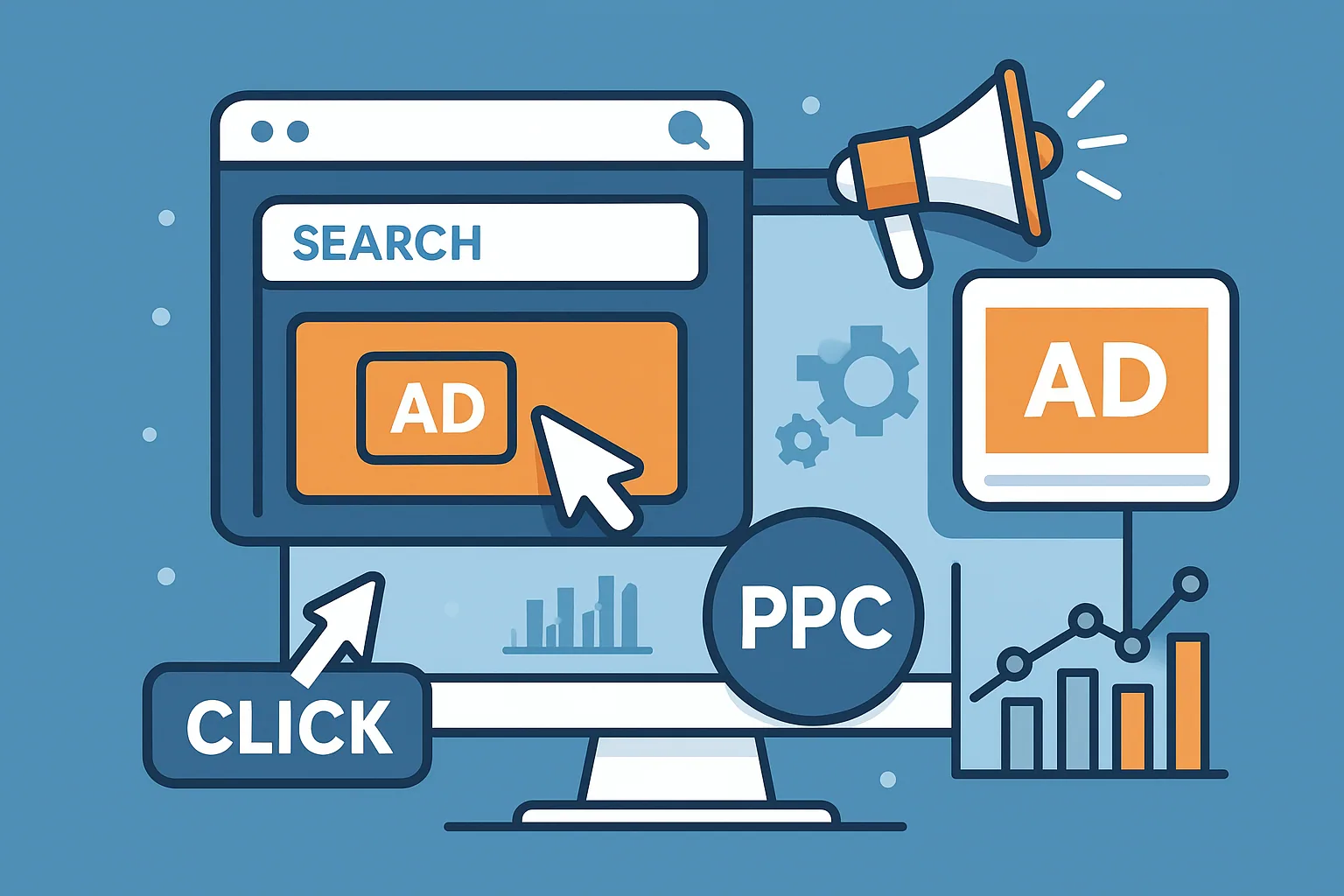
This guide is designed for entrepreneurs, marketers, and eCommerce brands who want to get started with paid advertising without burning through their budgets. You'll learn what PPC actually is, how SEM works, how platforms like Google Ads use Quality Score, Ad Rank, and keyword match types, and how to structure a campaign that targets the right users. Whether you're launching your first Responsive Search Ads or exploring how Conversion Tracking works, we’ll break it down with practical insights.
We’ll also dive into smart bidding strategies, CTR optimization, and how to avoid wasting money with negative keywords. Expect a jargon-free walkthrough with real strategies you can act on today, whether you're managing ads for your brand or working with an eCommerce marketing service.
Paid Clicks 101: What Is PPC and Why It Matters
PPC, or Pay-Per-Click, is a paid advertising model where businesses are charged each time someone clicks on one of their ads. The appeal? You only pay for actual engagement—no clicks, no cost.
But that doesn’t mean it’s risk-free.
"PPC isn’t just about throwing money at Google. It’s about showing up at the exact moment someone is searching for what you sell."
Whether you’re bidding on “men’s sneakers” or “best Shopify email tool,” your visibility depends on two things: how much you're willing to pay and how relevant your ad is to the searcher. This is where Search Engine Marketing (SEM) comes into play. While SEM includes PPC, it also incorporates broader strategies like SEO, remarketing, and audience targeting.
The Real Mechanics Behind a Click
Let’s break down what happens behind the scenes when someone sees—and clicks—your ad.
- User enters a search: e.g., “buy reusable water bottle”
- Google Ads auction begins: Advertisers who bid on that keyword enter the auction.
- Google evaluates Quality Score: Your Ad Rank is calculated using your bid amount, ad relevance, expected CTR, and landing page experience.
- Winner gets top placement: But even the highest bidder won’t win if their ad is low quality.
Think of it as a bid auction meets a popularity contest.
If your ad is compelling, relevant, and links to a smooth landing page, you can win better placements for lower bids. That’s where ROAS (Return on Ad Spend) improves, giving you more bang for every dollar.
How to Structure a PPC Campaign Without Losing Your Mind
Your campaign structure is everything. A messy account wastes money and confuses performance data. A clean one? That’s how you scale.
Here’s a simple structure to follow:
- Campaign: The top-level container, usually organized by goals or product categories.
- Ad Groups: Subsections within a campaign. Each contains related keywords and ads.
- Ads: The creative content that users see.
A campaign for “Eco-Friendly Kitchen Products” might look like:
Campaign: Eco Kitchen
- Ad Group 1: Reusable Towels
- Ad Group 2: Bamboo Utensils
- Ad Group 3: Silicone Food Wraps
Each ad group uses its own set of exact match or phrase match keywords and sends users to a highly relevant landing page designed to convert.
Targeting the Right Audience (and No One Else)
One of the most overlooked advantages of PPC is precision targeting. Instead of showing your ad to everyone, you can choose who sees it—and when.
Key PPC Targeting Options
- Geo-Targeting: Want to show ads only in New York City? Done.
- Device Targeting: Prioritize mobile if that’s where your buyers are.
- Ad Scheduling: Only show ads during business hours or peak sales windows.
- Affinity Audiences: Reach users based on lifestyle and long-term interests.
- In-Market Audiences: Target users actively researching or buying products like yours.
Let’s say you sell smart home tech. Instead of targeting broad keywords, you could focus on in-market users who’ve been browsing energy-efficient products and apply custom audiences to layer on interests like “tech-savvy homeowners.”
Writing Ad Copy That Doesn’t Get Ignored
Your ad copy is your first (and often only) shot at grabbing attention. It’s where the science of keywords meets the art of persuasion.
Here’s how to write better ad copy fast:
- Highlight Benefits: “Save 30% on Eco-Cleaning Kits”
- Use Numbers & Stats: “1,500+ 5-Star Reviews”
- Match Search Intent: Use the keyword in the headline.
- Create Urgency: “Limited Stock” or “Offer Ends Tonight”
- Include CTAs: “Shop Now” or “Get Yours Today”
If you’re using Responsive Search Ads (RSAs), Google will rotate your headlines and descriptions automatically to find the top-performing combinations. Still, the raw ingredients (your copy) matter.
Budgeting Smart, Not Big
Setting your daily budget isn’t just a math exercise—it’s a strategy decision.
- Start small: Test with $10–$25 per day if you’re new.
- Use manual CPC at first: Gives you control before switching to Smart Bidding.
- Monitor CPC and CTR: Adjust bids where you see traction.
- Use negative keywords: Prevent your ads from showing for irrelevant searches.
Example: If you're selling premium dog food, you might want to add “cheap,” “free,” or “homemade” as negative keywords to filter out bargain hunters.
Tracking What Matters: Conversions, Not Just Clicks
Clicks are nice. Conversions pay the bills.
Once someone clicks your ad, what happens next? Did they purchase? Fill out a form? Subscribe? That’s where conversion tracking becomes essential. Without it, you’re guessing.
Set Up Conversion Tracking (the Right Way)
Here’s what to track:
- Purchases
- Add-to-carts
- Lead submissions
- Phone calls
- Newsletter signups
If you're using Google Ads, you can create conversion actions and place a tag on your thank-you or confirmation pages. Better yet, set up enhanced conversions, which send hashed customer data (like emails) to Google for more accurate tracking—especially important as third-party cookies disappear.
If you're running Shopping Ads, connect your site to Google Merchant Center to track product-specific data.
This step isn’t just about reporting—it feeds data back into the system so your campaigns get smarter over time.
Campaign Optimization Isn’t Optional
Launching your campaign is step one. Optimizing it is the game.
Here’s what you should be doing weekly (or more):
1. Analyze the Search Terms Report
See what real search queries triggered your ads. Identify new keyword opportunities and add irrelevant queries to your negative keyword list.
2. Check Auction Insights
Want to know who’s bidding on the same terms as you? This report shows competitors, impression share, and overlap rate—perfect for keeping an eye on the PPC landscape.
3. Split Test Your Ads (A/B Testing)
Change one variable (headline, CTA, landing page, etc.) and see what performs better. Never assume. Always test.
4. Review Device Performance
If mobile drives 70% of clicks but only 20% of conversions, it may be time to tweak your device targeting or landing page for mobile UX.
5. Adjust Bids Based on Performance
If a keyword has high CTR but low conversions, maybe your landing page needs work—or it’s attracting the wrong intent.
Retargeting: Win Back the Clicks You Paid For
Not every visitor buys the first time. Or the second. That’s why remarketing (also called retargeting) is your secret weapon.
With a remarketing tag placed on your site, you can show ads to users who:
- Viewed a product
- Added to cart
- Visited your FAQ or pricing page
Using Display Network or Responsive Display Ads, you can retarget these users across thousands of websites and apps.
Pro Tip: Segment your remarketing audiences. Someone who abandoned their cart should see a different ad than someone who only browsed your homepage.
Bonus? You can also build lookalike audiences based on converters, allowing Google to find similar high-intent users using in-market and affinity audience data.
Shopping Ads & PLAs: The eCommerce Sweet Spot
If you're selling physical products, don’t sleep on Product Listing Ads (PLAs). They show up with images, titles, and prices—highly visible and ready to convert.
To run Shopping Ads:
- Set up and verify your Google Merchant Center account.
- Create a product feed with pricing, availability, and descriptions.
- Link to your Google Ads account.
- Launch a Shopping campaign with segmented product groups.
These ads skip keywords—Google matches them to relevant searches using your feed. That means product titles and descriptions matter a lot. Optimize them like you would a product page.
Need help getting started? Our free audit can help you spot missing feed elements and boost performance from day one.
Smart Campaigns: Set It and Forget It (Kind Of)
For beginners—or solo business owners—Smart Campaigns can be a great way to get started.
Here’s what they do:
- Auto-generate ad copy based on your website
- Auto-select keywords
- Auto-manage bidding
- Auto-rotate ads
Sounds hands-off, right? It is. But hands-off doesn’t mean optimal. Smart Campaigns are fine as a starting point, but once you’re spending more than $500/month, switch to standard campaigns where you can:
- Control keyword match types
- Add ad extensions
- Analyze full conversion data
- Optimize bidding strategy
Attribution Models: Who Gets the Credit?
Let’s say someone clicks a YouTube ad, later Googles your brand, clicks again, and buys. Who gets credit?
That’s the question attribution models answer. The default is last-click attribution, but other options include:
- First Click: Credits the first interaction
- Linear: Equal weight to each interaction
- Time Decay: More weight to recent touchpoints
- Data-Driven: Uses machine learning to assign value
Choosing the right model is key for accurately measuring ROI. If you rely only on last-click, you might pause a top-of-funnel campaign that’s crucial to long-term success.
Make Your Ads Work Harder with Ad Extensions
If your ads are the front door, ad extensions are the flashy signs and extra info that make people stop and knock.
Ad extensions let you add more value and take up more space in search results—without increasing your bid.
Must-Use Ad Extensions for eCommerce
- Sitelink Extensions: Link directly to product categories or bestsellers.
- Callout Extensions: Highlight USPs like “Free Shipping” or “30-Day Guarantee”.
- Structured Snippets: Show off product types or brands.
- Promotion Extensions: Showcase seasonal sales or coupon codes.
- Price Extensions: Great for featuring starting prices or bundle deals.
“Ad extensions don’t just improve visibility—they boost CTR and can significantly lower your CPC.”
When used effectively, extensions improve your Ad Rank without requiring higher bids. It's the closest thing to a PPC cheat code.
Mastering Bidding Strategies Without Guesswork
Your bid strategy determines how aggressively (or conservatively) your ads compete in the auction.
Common PPC Bid Strategies
- Manual CPC: Full control—ideal for beginners.
- Enhanced CPC: Google raises or lowers bids based on conversion likelihood.
- Maximize Clicks: Great for traffic-focused goals.
- Target CPA: Google tries to get you conversions at your preferred cost.
- Target ROAS: Google aims for a specific Return on Ad Spend.
If you’re new to PPC, start manually. Once you gather data—especially from conversion tracking—you can test automated strategies like Target ROAS or Target CPA.
Remember: automated bidding is only as smart as the data you feed it. That’s why accurate tagging, enhanced conversions, and clean campaign structures matter.
View-Through Conversions: What Happens When They Don’t Click
View-through conversions track people who saw your ad but didn’t click—yet converted later through another channel. This is especially important for:
- Display Network ads
- Remarketing campaigns
- Video ads (YouTube)
Think of it as a second layer of performance insight. These users might have been nudged into awareness by your ad and came back organically or through search.
If you’re only counting click-throughs, you’re underestimating your ad impact—especially for top-of-funnel or branding efforts.
Scaling Campaigns Profitably
Scaling your PPC account isn’t just about raising your budget. It’s about scaling efficiency.
Here’s how to grow without hurting your ROI:
1. Expand Your Keyword Set
Use the Search Terms Report to find long-tail keywords or synonyms that convert. Split high-performing ones into their own ad groups.
2. Launch Dynamic Search Ads (DSAs)
Let Google crawl your website and create ads automatically based on search relevance. DSAs work well for stores with a wide product range and strong SEO.
3. Segment Your Campaigns
Split your campaigns by:
- Device (desktop vs. mobile)
- Location
- Audience type (new vs. returning)
This enables better Geo-targeting, device targeting, and even ad scheduling.
4. Increase ROAS with Smart Shopping
If you’re in eCommerce, switch standard Shopping campaigns to Smart Shopping for better automation and targeting across multiple networks. But only after your feed is optimized.
Should You Use Google Ads or Microsoft Ads?
Google Ads is the obvious starting point due to volume and reach. But Microsoft Ads (formerly Bing Ads) has some hidden benefits:
- Lower CPCs (due to less competition)
- More control over search partner targeting
- Access to older, higher-income demographics (especially in the U.S.)
If you're already successful on Google, you can import your campaigns into Microsoft Ads and reach new audiences with very little extra effort.
Many brands see a 10–20% revenue boost just by running the same campaigns on Microsoft Ads.
Common PPC Pitfalls (and How to Avoid Them)
Avoid these all-too-common mistakes:
- Broad Match Overload: Use broad match carefully. Combine it with audience targeting or layer in negatives.
- No Conversion Tracking: If you can’t measure success, you’ll never scale.
- One-Size-Fits-All Ads: Write ad copy that matches the intent of your keywords.
- Sending Everyone to Your Homepage: Always send traffic to a relevant product page, not a generic home or category page.
- Forgetting Negative Keywords: These save your budget from irrelevant clicks. Review weekly.
Final Thoughts: Paid Traffic Done Right
Paid advertising isn't magic. It's not just about impressions or getting the most clicks. It’s about showing up for the right people, at the right time, with the right message—and giving them a landing page that closes the deal.
Whether you're just starting or optimizing your 50th campaign, the principles stay the same:
- Know your audience
- Write great ad copy
- Use your budget wisely
- Measure what matters
- Improve constantly
And most of all: don’t go it alone if you don’t have to.
If you’re serious about scaling your store with paid search, book a free PPC audit with our team. We’ll tell you what’s working, what’s wasting your money, and what to do next.
Or explore our full suite of eCommerce growth services to go beyond ads—with email, SMS, CRO, and more.
Frequently Asked Questions: PPC Basics
1. Is PPC better than SEO for quick results?
Yes—PPC delivers immediate visibility and traffic, often within hours of launching your campaign. SEO takes time to build authority and rankings. However, combining both strategies provides long-term growth and short-term wins.
2. How much should I spend on my first PPC campaign?
Start with a manageable daily budget—anywhere from $10 to $50/day—and scale based on performance. Your initial spend should allow you to gather meaningful data without draining your marketing budget.
3. How long does it take to see PPC results?
Results can start showing within 24–72 hours, depending on your platform, bid strategy, and competition. However, optimizing for performance typically takes 2–4 weeks of data collection and adjustments.
4. What’s the difference between a keyword and a search term?
A keyword is what you bid on in your campaign. A search term is what the user actually types into Google. Reviewing search terms helps you understand intent and refine your keyword targeting.
5. Do I need a landing page for PPC ads?
Absolutely. Sending users to a dedicated landing page that matches the ad's message improves Quality Score, conversion rate, and overall campaign performance. Avoid sending traffic to your homepage unless it’s highly relevant.
6. What is a good Click-Through Rate (CTR) in PPC?
It depends on your industry and ad format, but a CTR between 2%–5% is considered healthy for search ads. Display ads typically have lower CTRs, often below 1%, due to different user intent.
7. Can I run PPC ads on platforms other than Google?
Yes. Other major PPC platforms include:
- Microsoft Ads (Bing)
- Facebook & Instagram Ads
- LinkedIn Ads
- YouTube Ads
- Amazon Sponsored Products
Each has different targeting methods and ad formats, suited to specific goals.
8. What’s a Quality Score and how can I improve it?
Quality Score is Google’s 1–10 rating of your ads’ relevance, landing page experience, and expected CTR. To improve it:
- Use tightly themed keyword groups
- Write relevant ad copy
- Match landing page content to your ads
- Optimize page load speed and mobile usability
9. How do I know if my PPC campaign is profitable?
Track ROAS (Return on Ad Spend) or Cost per Acquisition (CPA). Compare the revenue or leads generated to your ad spend. If you're spending $100 and making $400, your ROAS is 4:1—a solid result for most industries.
10. Should I run ads myself or hire an expert?
If you’re just starting and have time to learn, DIY is possible using tools like Smart Campaigns. But for scalable growth, professional help is usually worth the investment. An expert can save you thousands in wasted ad spend and optimize for long-term success. You can book a free audit to see if expert support is right for your brand.