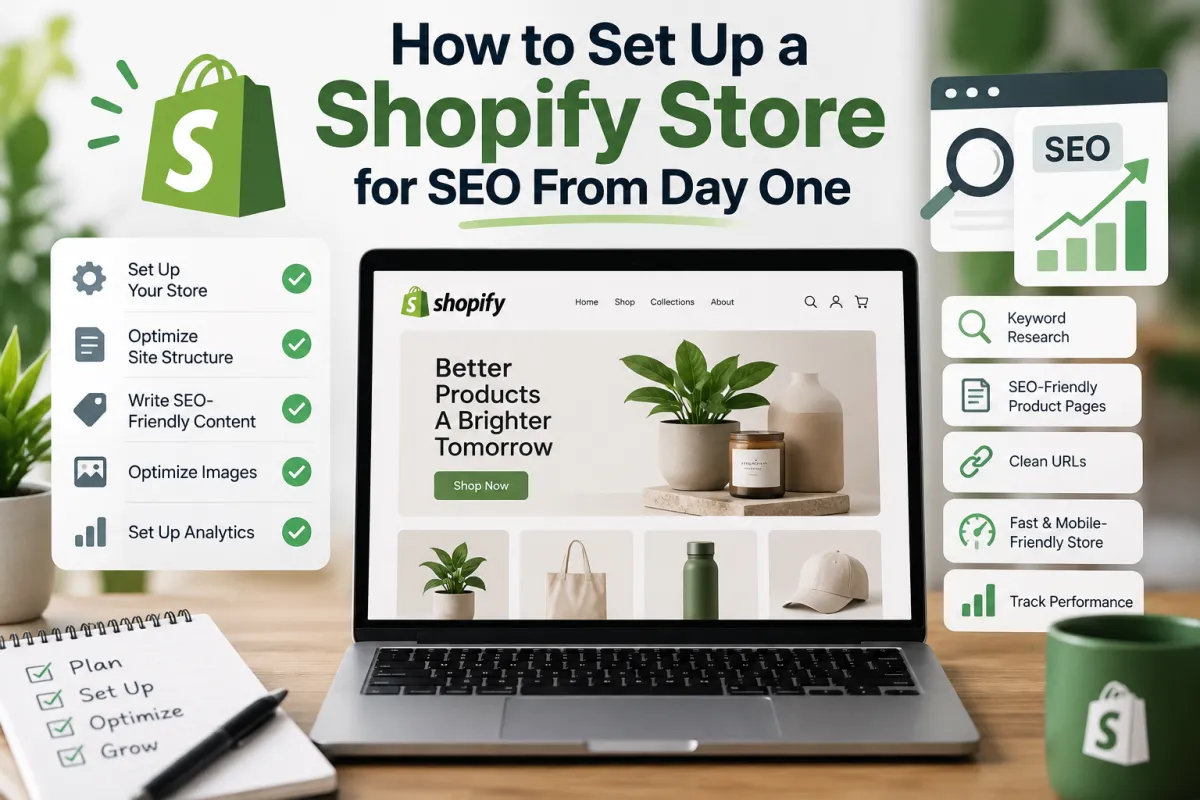
How to Set Up a Shopify Store for SEO From Day One
Launching a Shopify store is exciting. Fixing avoidable SEO problems six months later? Considerably less so.
The best time to think about Shopify SEO isn't after you've uploaded hundreds of products, installed a dozen apps and discovered that Google has indexed URLs you didn't even know existed. It's while you're building the store.
If you want the short version, get these foundations right before launch:
Connect Google Search Console and Google Analytics 4 (GA4) so you can measure what happens from day one.
Research your target keywords before deciding how collections, products and content should be organised.
Match one clear search intent to each important page instead of making several pages compete for the same primary keyword.
Build a shallow, logical site architecture with straightforward store navigation and useful internal links.
Give collections and products clean, descriptive URLs, unique title tags, H1s and meta descriptions.
Check that important pages are crawlable and indexable and that your XML sitemap is available to Google.
Understand Shopify's handling of canonical URLs and duplicate URLs before they become a larger technical SEO problem.
Start with a fast, mobile-friendly Shopify theme and be selective about apps and third-party scripts.
Optimise product and collection images before uploading them rather than trying to repair an enormous media library later.
Add appropriate structured data and product schema so search engines can properly interpret products, prices, availability and other ecommerce information.
Build SEO into your product, collection and content templates so optimisation becomes part of operating the store rather than an occasional clean-up exercise.
The principle is simple: good ecommerce SEO starts with architecture, data and templates. If those foundations are sound, every new product, collection and article has a better starting point.
This guide explains How to Set Up a Shopify Store for SEO From Day One, with an emphasis on decisions that are easiest to make before your catalogue grows.
Why Shopify SEO Should Start Before Your Store Goes Live
A new store has one enormous SEO advantage that established stores rarely enjoy:
There is very little to untangle.
You haven't yet accumulated years of discontinued products. There shouldn't be thousands of broken internal links, forgotten landing pages, redirect chains, duplicate metadata or old URLs sitting in Google's index. Your category hierarchy can still be changed without affecting hundreds of pages.
That makes pre-launch SEO less about "optimising Google rankings" and more about designing the store correctly.
Think of it as pouring the foundations before building the house.
Search engine optimisation performed later often involves correcting decisions that were baked into the website earlier: poor navigation, vague collection names, duplicated page targeting, oversized images, unnecessary Shopify apps, weak product descriptions and pages competing for the same search queries.
A good Shopify SEO setup avoids as many of those problems as possible.
And that matters because organic search compounds.
A collection page that is properly structured today can attract impressions, clicks and organic traffic for years. A useful article can build topical relevance and internal links. A well-optimised product template means the next 100 products don't have to start from scratch.
Conversely, scaling a bad template simply scales the problem.
Shopify Handles Some SEO Basics — But Not Your Strategy
Shopify gives store owners a useful technical starting point. You aren't building an ecommerce platform from nothing.
But there's an important distinction:
Shopify can provide SEO functionality. It cannot decide your SEO strategy for you.
It doesn't know which search intent a collection should satisfy. It can't decide which target keyword deserves its own landing page. It doesn't know whether two collections are so similar that they risk keyword cannibalisation. Nor can it decide whether your navigation reflects how customers actually search for your products.
Those decisions belong to you.
That's why a proper Shopify SEO checklist begins with strategy rather than a hunt for the perfect SEO app.
Step 1: Decide What Your Store Should Be Found For
Before touching title tags, schema markup or image alt text, answer a deceptively simple question:
What should people type into Google when you want your store to appear?
Not just your brand name.
Think about non-branded searches from people who have never encountered your business before.
Someone might search broadly for a product category. Someone else might search for a particular material, style, problem, use case, feature or recipient. Another shopper might already know exactly what they want and use a highly specific long-tail keyword.
Those searches shouldn't all lead to whichever page happened to contain the phrase most often.
They need destinations.
That is where keyword research becomes part of your store architecture.
Start With Search Intent, Not Search Volume
High search volume can look irresistible in a keyword tool, but volume alone doesn't tell you what page to build.
You need to understand search intent: what the person making the search actually wants to accomplish.
For an ecommerce store, queries commonly indicate:
Commercial/category intent — the shopper wants to browse a type of product.
Transactional intent — the shopper is getting close to making a purchase.
Informational intent — they need advice, inspiration or an answer before buying.
Navigational intent — they are looking for a particular brand, company or page.
This distinction determines whether a keyword belongs on a collection page, product page, homepage or blog article.
For example, a broad commercial phrase may deserve a collection. A highly specific model or product query may belong to an individual product page. A "how to choose..." search is generally better served by genuinely useful informational content than by forcing the phrase into a collection description.
Search intent determines the page. The keyword doesn't determine it on its own.
Step 2: Create a Keyword-to-Page Map Before Building Collections
One of the easiest ways to make Shopify store SEO unnecessarily messy is to create pages first and work out what they should rank for afterwards.
Reverse that process.
Create a basic keyword-to-page map before you finalise the site's collections and navigation.
It doesn't need to be complicated. For each important page, record:
Page | Page type | Primary keyword | Secondary topics | Search intent |
|---|---|---|---|---|
Homepage | Brand/store | Main brand/category theme | Core offering | Brand/commercial |
Main category | Collection | Primary category term | Relevant variations | Commercial |
Subcategory | Collection | More specific category | Attributes/use cases | Commercial |
Product | Product | Product-specific term | Features/material/model | Transactional |
Guide | Blog/content | Informational query | Related questions | Informational |
The point isn't to lock every page to a single exact-match phrase forever.
It's to establish ownership.
If you know Page A is the primary destination for one topic, you are less likely to accidentally create Pages B, C and D targeting essentially the same query six months later.
That helps prevent keyword cannibalisation, where several pages from your own store compete for similar search intent.
It also makes on-page SEO far easier later because your title tag, H1 tag, URL slug, collection description, internal anchor text and meta description can all reinforce a clearly defined topic.
Don't Turn Keyword Mapping Into Keyword Stuffing
Semantic SEO isn't about mentioning a primary keyword 37 times.
A page about a subject naturally contains related concepts, entities and language. A useful collection page might discuss product types, materials, features, use cases and buying considerations without mechanically repeating the same phrase.
Likewise, a detailed guide can answer related questions and naturally cover long-tail keywords while remaining pleasant to read.
Write for the topic.
Structure for the search engine.
Don't make your customer read sentences written for a spreadsheet.
Step 3: Build Your Shopify Site Architecture Around Customers
Once you've mapped your important topics, you can build the store's site architecture.
This is one of those SEO decisions that looks boring until it goes wrong.
Your architecture determines how customers and search engine crawlers move through the website. It influences internal linking, crawl depth, topical relationships and how easily someone can reach an important product.
A sensible starting hierarchy usually looks something like this:
Homepage
└── Main Collection ├── Subcollection │ ├── Product │ ├── Product │ └── Product └── Subcollection ├── Product └── Product
Simple wins.
You generally don't want commercially important pages buried behind five or six clicks, obscure filters and navigation that makes perfect sense internally but no sense to a first-time customer.
Think in Categories, Not Just Menus
Your menu is the visible part of your architecture. The underlying relationships between pages matter just as much.
Ask:
Which collections are genuinely distinct?
Which subcollections deserve standalone pages?
Which products naturally belong together?
What terminology do customers actually use?
Can a shopper understand the hierarchy without already knowing your catalogue?
Can important products be reached through crawlable links?
Are you creating useful categories or thin pages simply because you can?
Are important pages becoming orphan pages with few or no internal links?
A clean SEO-friendly site structure gives Google clearer signals about relationships between pages while helping shoppers move naturally from broad categories to specific products.
Internal linking becomes much easier too.
A buying guide can link to its relevant collection. A collection can point shoppers towards important subcollections. Supporting articles can connect to one another where the relationship is genuinely useful.
This is how internal links should work: as pathways, not decorations.
Step 4: Keep Shopify URLs Clean From the Beginning
URLs are much easier to get right before launch than after Google has indexed them and other websites have begun linking to them.
Shopify controls parts of its URL structure, including directories such as /products/, /collections/ and /blogs/. You therefore won't have the same URL freedom you might have with a completely custom ecommerce platform.
That's fine.
Your job is to keep the parts you can control clear and descriptive.
Instead of a URL handle such as:
/products/item-004729-newa descriptive handle based on the actual product is usually much more useful:
/products/descriptive-product-nameThe same principle applies to collections and articles.
A good SEO-friendly URL should usually be:
concise;
readable;
descriptive of the page;
stable enough that you aren't constantly changing it;
free from unnecessary numbers and meaningless characters;
aligned with the page's actual subject.
Don't force every secondary keyword into the slug.
And don't casually change established URLs every time your keyword research changes.
Changing a URL creates another job: preserving the old URL's destination with a 301 redirect. Repeated changes can eventually produce redirect chains, broken links and unnecessary crawling complications.
Get the structure right early and leave successful URLs alone.
Step 5: Configure Your Essential Measurement Tools
You can't improve what you can't see.
Before launch — not three months afterwards — establish the measurement layer you'll use to understand organic search performance.
Two tools belong near the top of any serious Shopify launch checklist:
Google Search Console
Google Search Console shows how Google sees and discovers your website.
Once your property is verified, it becomes one of your most useful SEO diagnostics. Among other things, Search Console can help you investigate:
which search queries generate impressions and clicks;
which pages receive organic search visibility;
whether important URLs are indexed;
indexing and crawling problems;
sitemap processing;
Core Web Vitals signals;
mobile-related issues;
rich-result and structured-data problems where applicable.
Early verification also gives you a baseline.
Instead of discovering an indexing problem weeks after launch, you can monitor Google's interaction with the new site from the beginning.
Google Analytics 4
Search Console tells you a great deal about what happens before a searcher arrives.
Google Analytics 4 (GA4) helps you understand what happens afterwards.
That means SEO shouldn't be measured purely through rankings.
Traffic that never contributes to a meaningful business outcome isn't automatically valuable because a graph went up.
Over time, your SEO KPIs might include:
organic users and sessions;
organic landing pages;
conversions;
organic revenue;
conversion rate;
impressions;
clicks;
click-through rate (CTR);
average search position.
That final distinction is important.
SEO is not a ranking competition. It is an acquisition channel.
A lower-volume query that consistently brings qualified customers can be considerably more valuable than a glamorous high-volume phrase that generates visitors who never buy.
If you're unsure whether your existing setup has gaps before investing further, an ecommerce SEO audit can help establish what needs attention rather than relying on assumptions.
Step 6: Prepare Your Store for Crawling and Indexing
A beautifully optimised page isn't much use in organic search if a search engine can't properly discover or index it.
Two concepts matter here:
Crawling is the process search engine crawlers use to discover and revisit URLs.
Indexing is the process through which eligible pages can be processed and stored for potential appearance in search results.
They are related, but they aren't the same thing.
A URL being crawled does not guarantee that it will be indexed. And being indexed doesn't guarantee search engine rankings.
Your goal at launch is to make the pages that should appear in organic search easy to discover, technically accessible and worth indexing.
Check Your XML Sitemap
Shopify automatically generates a sitemap.xml file containing links to eligible store content.
Once your store is publicly accessible and Search Console has been configured, submit your sitemap to Google through Search Console.
The sitemap isn't a magic "rank me" button.
Think of it as a structured discovery aid: it helps search engines identify URLs you want them to know about.
Don't Try to Get Every Possible URL Indexed
More indexed pages do not automatically mean better SEO.
An ecommerce store can generate URLs that have little independent search value, particularly as its catalogue, filters and navigation become more complicated.
The objective is not:
"How do I get as many URLs into Google as possible?"
A better question is:
"Which pages deserve to appear in Google's search results, and can Google clearly identify them?"
That mindset becomes especially important when we get into one of Shopify's more misunderstood technical SEO areas: duplicate URLs, canonical tags and product variants.
And that is where the setup starts getting interesting.
ndA product might use:
Product Name – Key Attribute | BrandThese are frameworks, not laws.
You can adjust them depending on brand positioning, search intent, SERP competition and how Google displays your pages.
What matters is that your titles don't become a sea of:
Product – My Shopify Storeor:
Collection – My Shopify StoreDon't Automatically Put Every Keyword in the Title
A title tag needs focus.
If your keyword research produced twelve relevant phrases, that doesn't mean all twelve belong in the title.
Choose the page's main topic.
Use secondary language naturally elsewhere.
A concise, specific page title is generally more useful than a title that tries to target every conceivable search query.
Your Meta Description Has a Different Job
The meta description helps communicate why someone should choose your result.
It isn't the place to dump keyword variations.
Write it like search-result copy.
Explain what someone will find on the page and, where appropriate, communicate a genuine reason to click.
That could include a useful product benefit, range characteristic, delivery proposition or another legitimate differentiator.
Keep in mind that search engines can generate their own snippets depending on the query. Your supplied description is therefore a strong suggestion, not an instruction that must always be displayed.
Even so, writing good unique descriptions for your key pages gives you much better starting material than leaving them blank.
Step 7: Understand Shopify Canonical URLs Before Duplicate Content Becomes a Problem
Shopify makes launching an online store relatively straightforward.
URLs can be slightly less straightforward.
Depending on how products are reached through collections and how your theme generates links, the same product content can potentially be accessible through more than one URL path.
That creates an important distinction between a URL that exists and the canonical URL that you want search engines to treat as the primary version.
This is where canonical tags come in.
A canonical tag essentially tells a search engine:
"Several URLs may lead to very similar content, but this is the version I consider the main one."
For ecommerce stores, that's useful.
Products can appear in multiple collections. Variants can create additional URL parameters. Filters and faceted navigation can generate further URL combinations.
Without sensible canonicalisation, an expanding catalogue can produce a surprising number of duplicate URLs.
Duplicate Content Isn't Just About Copying Text
When people hear "duplicate content", they often imagine copying a paragraph from one page and pasting it onto another.
In ecommerce, duplication can be much more structural.
You might have:
one product accessible through several collection paths;
parameter URLs created by filters or sorting;
product variants that generate slightly different URLs;
near-identical collection pages;
repeated manufacturer or product descriptions;
multiple pages with identical title tags and meta descriptions.
Not every duplicate URL represents an SEO disaster.
The goal is to give search engines clear signals about which URL should be treated as the preferred version.
Before launch, therefore, check the canonical tags generated by your Shopify theme and make sure important product pages point towards the intended canonical URL.
Be especially careful when modifying themes or installing SEO apps. Something designed to "improve SEO" can create problems if it begins overriding Shopify's existing canonical logic without a clear reason.
What About Product Variants?
Variants deserve special attention because every store handles them differently.
Suppose one product comes in five colours.
Do all five colours deserve independent pages in organic search?
Sometimes.
Often, they don't.
If customers search specifically for those variations and each version has meaningful differences, separate indexable experiences might make sense. If the only difference is a dropdown selection on an otherwise identical product, creating numerous near-identical indexable pages may add very little value.
There isn't a universal answer for product variants SEO.
The important thing is to make the decision intentionally.
Don't discover months after launch that hundreds of low-value parameter URLs have become part of your search footprint.
Step 8: Build Collection Pages for Humans and Search Engines
Collection pages are some of the most important organic landing pages on a Shopify store.
They're also frequently neglected.
A merchant might spend hours perfecting individual product pages while the collection that could attract significantly broader commercial search demand receives:
a vague heading;
no useful introduction;
default metadata;
little internal linking;
and a grid of products.
That's a missed opportunity.
Good collection page SEO begins with the search intent and keyword mapping work you completed earlier.
Each important collection should have a distinct purpose.
If two collections serve essentially the same customer, contain almost the same products and target almost identical keywords, ask whether both genuinely need to exist.
More pages aren't automatically better.
Give Every Important Collection a Clear Primary Topic
Your primary collection should have an obvious relationship with its primary keyword without being written like an SEO experiment.
That means aligning the major page elements:
URL handle
Page title
H1
Collection description
Product selection
Internal links
Image content and alt text where appropriate
Meta description
Notice that "repeat the keyword ten times" isn't on the list.
Google needs context.
Customers need clarity.
Both are better served by a page that comprehensively satisfies a commercial search than by one stuffed with variations of the same phrase.
Write Collection Descriptions That Actually Help
Collection descriptions have acquired a strange reputation in ecommerce SEO.
Some stores have none.
Others have 1,000 words of generic copy awkwardly inserted beneath the products because someone said "Google likes content".
Neither approach is automatically correct.
Your collection descriptions should earn their space.
Depending on the collection, useful copy might explain:
what the products are;
who they're intended for;
differences between product types;
important features;
materials or specifications;
how to choose between options;
frequently considered buying factors;
links to genuinely useful supporting guides.
You don't need to turn every collection into an essay.
The appropriate amount of content depends on the search intent and what customers need before choosing a product.
Content quality beats arbitrary word counts.
Step 9: Create a Product Page SEO Template Before Adding Hundreds of Products
This is one of the highest-leverage things you can do when setting up a new Shopify store.
Don't optimise 300 products individually and hope they're consistent.
Create a framework first.
A good product page SEO template gives every new product the same basic standard while leaving enough flexibility for individual products to remain unique.
Your template might specify requirements for:
product title;
H1;
title tag;
meta description;
URL handle;
product description;
product specifications;
images;
image alt text;
structured data;
related products;
internal links;
reviews;
delivery information;
returns information;
FAQs where genuinely useful.
Once you've established that framework, adding a product becomes a repeatable process.
That's considerably easier than carrying out an SEO audit six months later and discovering that 80% of the catalogue has missing metadata.
Product Descriptions Need to Be Unique for a Reason
If you're a single-brand store selling your own products, you have an advantage.
You know them.
Use that knowledge.
Strong product descriptions don't simply exist to make a page longer. They help someone understand what the product is, why it exists, what makes it different and whether it's right for them.
That can naturally create richer semantic relevance.
Instead of writing around a keyword, describe the product properly:
What is it?
Who is it designed for?
What problem does it solve?
What is it made from?
What are its dimensions or specifications?
How should it be used?
How is it different from alternatives?
What does someone need to know before buying?
Those details produce language that search engines can interpret and customers can use.
It's a much healthier approach to ecommerce SEO than attempting to force a target keyword into every other sentence.
Step 10: Write Better Title Tags and Meta Descriptions From the Start
Your title tag is one of the strongest page-level signals you control.
Treat it accordingly.
Every important indexable page should have a unique, descriptive title that reflects what the page actually contains.
For a collection, a basic structure could be:
Primary Collection Topic | BrandA product might use:
Product Name – Key Attribute | BrandThese are frameworks, not laws.
You can adjust them depending on brand positioning, search intent, SERP competition and how Google displays your pages.
What matters is that your titles don't become a sea of:
Product – My Shopify Storeor:
Collection – My Shopify StoreDon't Automatically Put Every Keyword in the Title
A title tag needs focus.
If your keyword research produced twelve relevant phrases, that doesn't mean all twelve belong in the title.
Choose the page's main topic.
Use secondary language naturally elsewhere.
A concise, specific page title is generally more useful than a title that tries to target every conceivable search query.
Your Meta Description Has a Different Job
The meta description helps communicate why someone should choose your result.
It isn't the place to dump keyword variations.
Write it like search-result copy.
Explain what someone will find on the page and, where appropriate, communicate a genuine reason to click.
That could include a useful product benefit, range characteristic, delivery proposition or another legitimate differentiator.
Keep in mind that search engines can generate their own snippets depending on the query. Your supplied description is therefore a strong suggestion, not an instruction that must always be displayed.
Even so, writing good unique descriptions for your key pages gives you much better starting material than leaving them blank.
Step 11: Get Your Heading Structure Right
Your page's visible headings create hierarchy for customers and search engines.
In most situations, the main page topic should be represented by a clear H1 tag, with H2 and H3 headings dividing the content underneath it into logical sections.
For example:
H1: Main Collection Topic H2: Shop by Product Type H2: How to Choose the Right Product H3: Feature One H3: Feature Two H2: Frequently Asked QuestionsYou don't need to obsess over headings.
You do need to avoid treating them purely as visual formatting.
A heading exists to describe the content beneath it.
That makes pages easier to scan for customers while giving search engines clearer structural context.
And no, every heading does not need a keyword.
If the heading sounds ridiculous when spoken aloud, rewrite it.
Step 12: Add Structured Data Before Launch
Search engines don't see a product page in quite the same way a customer does.
A shopper can look at a page and immediately recognise:
"That's the product name. That's the price. It's in stock. Those stars are reviews."
Search engines benefit from those relationships being explicitly defined.
That's where structured data comes in.
Structured data — commonly implemented using schema markup — provides machine-readable information about entities and their properties.
For an ecommerce store, that can include information relating to:
products;
offers;
prices;
availability;
ratings and reviews;
breadcrumbs;
your organisation.
Properly implemented product schema can help search engines understand your commercial pages and can make them eligible for enhanced presentation in search, where Google's requirements are satisfied.
Those enhanced displays are often referred to as rich results.
Don't Add Schema Just Because You Found a Schema Generator
More schema is not automatically better.
The markup needs to represent information that genuinely exists on the page and comply with the requirements of the search engine feature you're targeting.
Before adding anything manually, establish what your Shopify theme already outputs.
Then check whether apps are adding additional markup.
Multiple apps, themes and custom snippets can sometimes result in overlapping or conflicting structured data.
That means your process should be:
Inspect → validate → identify gaps → improve.
Not:
Install three schema apps and hope for the best.
Where appropriate, consider product schema, breadcrumb schema, organisation information and valid review markup.
Then test the implementation.
Step 13: Treat Product Reviews as More Than an SEO Feature
Product reviews can contribute useful information to product pages and, when implemented appropriately, may form part of eligible structured data.
But their real value goes beyond schema.
Reviews can answer questions your product copy doesn't.
Customers often describe:
real-world use cases;
sizing;
durability;
fit;
quality;
unexpected benefits;
concerns before purchasing.
That language can enrich a product page naturally.
More importantly, reviews can reduce uncertainty at the exact point someone is considering a purchase.
That's why reviews should primarily be treated as a customer trust and conversion feature, with their search benefits considered secondary.
If you're evaluating where SEO improvements sit alongside commercial performance, tools such as an ecommerce ROI calculator can help keep attention on the outcome that ultimately matters: what your marketing activity contributes to the business.
Step 14: Optimise Images Before Uploading Your Catalogue
Images can quietly become one of the heaviest parts of an ecommerce website.
A handful of oversized files might not seem significant.
Multiply them across hundreds of products, collection banners, thumbnails and lifestyle photography and things change quickly.
That's why image optimisation belongs in your launch process.
Not your "we'll fix it eventually" list.
Compress Images Sensibly
Aim for the smallest practical file size that maintains the visual quality your products require.
The goal isn't to make beautiful product photography look terrible for the sake of shaving off every possible kilobyte.
It's to stop serving unnecessarily enormous files when a significantly smaller version would look virtually identical to the customer.
Modern image formats such as WebP can help reduce file sizes in appropriate circumstances.
Also consider:
actual display dimensions;
responsive image handling;
lazy loading;
how your theme serves different image sizes;
whether apps are loading additional media.
Image SEO and performance SEO frequently overlap.
Use Descriptive Image Filenames
This:
IMG_7294.jpgtells you very little.
Something descriptive:
descriptive-product-name-front.jpgis easier to understand and manage.
Don't turn filenames into keyword-stuffed mini essays.
Simply describe the image.
Write Useful Image Alt Text
Image alt text primarily exists to describe meaningful images for people who cannot see them.
That should guide how you write it.
For a product image, describe what the image actually shows when that information is useful.
Avoid:
best product cheap product buy product online best product UKThat's not image optimisation.
That's a cry for help.
Good alt text can support accessibility while providing search engines with additional context about an image.
When the image is purely decorative, it may not require descriptive alt text at all.
Step 15: Choose Your Shopify Theme With Performance in Mind
Your Shopify theme affects far more than aesthetics.
It influences:
HTML structure;
navigation;
page templates;
mobile usability;
structured data;
JavaScript;
image loading;
layout behaviour;
site speed.
That makes your Shopify theme an SEO decision as well as a design decision.
A theme packed with animations, scripts and features may look spectacular in a demo.
Ask what happens after you've added your actual catalogue, review software, analytics, consent management, tracking scripts, marketing tools and Shopify apps.
The demo is the starting line.
Your real store is the race.
Start Lightweight
A lightweight Shopify theme gives you room to grow.
You can add functionality when the business case exists.
Removing deeply embedded performance problems later is considerably harder.
Before committing to a theme, test important templates on desktop and mobile.
Pay particular attention to:
homepage performance;
collection pages;
product pages;
menu behaviour;
filters;
images;
product galleries;
layout shifts;
interactive elements.
Pretty is good.
Pretty and fast is better.
Step 16: Be Ruthless With Shopify Apps
Apps solve problems.
They also create them.
Not every app causes performance issues, and functionality that genuinely improves revenue or customer experience can easily justify its cost.
The danger is app bloat.
A new store can accumulate apps remarkably quickly:
Reviews? Install an app.
Upsells? Install an app.
Pop-up? App.
Wishlist? App.
SEO? Three apps, apparently.
Before long, numerous third-party scripts are competing for browser resources on every page.
So before installing a Shopify app, ask:
What specific problem does this solve?
Does the theme already provide this functionality?
Does the app load code site-wide?
Will it affect page speed?
Is the commercial benefit worth the performance cost?
What happens to its code if the app is removed?
That last question is easily overlooked.
Removing an app doesn't always mean every historical modification disappears neatly with it.
Periodically audit what is installed and remove functionality that no longer earns its place.
Step 17: Measure Core Web Vitals on the Store Customers Actually Use
Page speed isn't a single number.
And chasing a perfect score can become a distraction.
A more useful approach is understanding how quickly and smoothly customers can use the store.
Core Web Vitals provide several important measurements of real-world page experience.
Three names are particularly worth knowing:
Largest Contentful Paint (LCP)
Largest Contentful Paint relates to loading performance and how quickly a major piece of visible page content appears.
On ecommerce pages, large hero or product imagery can play a significant role here.
Interaction to Next Paint (INP)
Interaction to Next Paint relates to responsiveness.
In practical terms: when someone interacts with your page, does the interface respond promptly?
Heavy JavaScript and excessive third-party scripts can contribute to poor responsiveness.
Cumulative Layout Shift (CLS)
Cumulative Layout Shift measures unexpected visual movement.
You've experienced it if you've ever tried to tap a button just as the page shifted and you accidentally tapped something else.
It's irritating.
On ecommerce stores, images without appropriately reserved dimensions, dynamically injected content and certain third-party widgets can contribute to layout shifts.
Mobile Performance Deserves Special Attention
Don't build the store on a large desktop monitor, admire it and assume the job is finished.
Test it on mobile.
Navigate collections.
Open the menu.
Use filters.
Change variants.
Add something to the basket.
Read product descriptions.
Interact with reviews.
Complete the journey a real customer would complete.
A technically mobile-friendly theme can still deliver a frustrating mobile shopping experience.
And SEO cannot rescue an experience customers dislike using.
Step 18: Don't Let Page-Speed Scores Distract You From Customers
Tools such as PageSpeed Insights and Lighthouse can be extremely useful for diagnosing performance issues.
But optimisation can go too far.
The objective isn't to sacrifice essential functionality for the satisfaction of turning a score from 94 to 100.
A feature that adds some loading cost but materially improves customer confidence or conversions may be worth keeping.
Likewise, a flashy feature nobody uses isn't justified simply because the founder likes it.
Treat performance as a balance between:
speed + usability + functionality + commercial value.
That's a healthier framework than treating every script as inherently bad.
And it leads naturally to the next part of setting up Shopify for SEO: connecting these technically sound product and collection pages through deliberate internal linking, useful content and a broader organic search strategy.
Step 19: Build Internal Linking Into the Store Instead of Adding It Later
Once your homepage, collections, products and supporting content exist, they need relationships.
That's where internal linking comes in.
Internal links help customers discover relevant pages and give search engine crawlers pathways through your store. They can also provide contextual signals about how pages relate to one another.
The mistake is treating internal linking as something you "do for SEO" after the website is finished.
Build it into the store.
Your navigation already creates some internal links. Collection pages link to products. Breadcrumbs can establish hierarchical relationships. Blog articles can point customers towards relevant collections.
But there are plenty of other opportunities.
A product guide might naturally link to the collection it discusses. A product description could reference a genuinely complementary product. A collection description might help shoppers navigate to a more specialised subcollection.
The question should always be:
Would following this link help someone continue their journey?
If yes, there's probably a good reason for it to exist.
Use Descriptive Anchor Text
The clickable words within a link are its anchor text.
Where practical, make those words descriptive.
"Learn more" isn't inherently bad, but it provides very little context by itself.
A phrase such as:
compare our product optionscommunicates considerably more than:
click hereDon't swing to the opposite extreme and make every internal link an exact-match target keyword.
Anchor text should primarily make sense to the reader.
Natural variation will follow.
Look Out for Orphan Pages
An orphan page is a page with no meaningful internal links pointing towards it.
If a page matters to your store, ask why nothing else on the website leads to it.
This is particularly important as the catalogue grows.
Old products disappear from collections. Blog articles get buried. New landing pages are created for campaigns and then forgotten.
A periodic crawl can identify pages receiving little or no internal linking so you can decide whether to:
link to them;
consolidate them;
redirect them;
leave them intentionally isolated;
or remove them.
Internal linking shouldn't be random.
It should reflect the structure of the business and the journeys customers actually make.
Step 20: Use Breadcrumbs to Reinforce Your Store Structure
Breadcrumbs are those small navigational trails often displayed near the top of a page.
For example:
Home > Collection > ProductThey're easy to overlook.
They're also useful.
Breadcrumbs help customers understand where they are within a website and provide another navigational route to broader categories.
For stores with deeper category structures, that can be particularly valuable.
Breadcrumb information can also be expressed through breadcrumb schema, helping search engines understand hierarchical relationships between pages.
The implementation will depend on your Shopify theme and architecture, but the principle is straightforward:
Make your hierarchy visible rather than forcing customers and crawlers to infer it.
Step 21: Build a Content Strategy Around Questions Customers Actually Ask
A blog isn't automatically an SEO strategy.
Publishing four articles a month isn't automatically an SEO strategy either.
A successful content strategy starts with the customer.
What do people need to understand before buying what you sell?
Think about the questions customers ask:
How do I choose between these products?
What size do I need?
Which material is appropriate?
How does this product work?
What's the difference between option A and option B?
How do I maintain it?
Can I use it for a particular purpose?
What should I consider before buying?
Which features actually matter?
Those questions can reveal informational search queries with genuine commercial relevance.
That's where blog content can support ecommerce SEO rather than existing as a separate publishing exercise.
Don't Chase Traffic That Has Nothing to Do With Your Products
Organic traffic is not inherently valuable.
Imagine you sell specialist kitchen equipment.
An article about celebrity kitchens might generate thousands of visitors.
An in-depth guide explaining how to choose between two types of specialist kitchen equipment might attract only a fraction of that traffic.
Which audience is closer to buying something?
Traffic figures alone don't answer that.
Your objective should be relevant organic traffic that supports brand discovery, product consideration and eventually organic conversions and revenue.
This is why keyword research needs commercial context.
Ask:
If we rank for this query, is the person behind it someone we genuinely want to reach?
If the answer is no, the keyword's search volume becomes considerably less interesting.
Step 22: Build Content Clusters Instead of Publishing Random Articles
As your content library grows, think in topics rather than isolated posts.
Suppose you have an important collection.
That collection targets commercial search intent.
Around it, you might create supporting informational resources addressing:
how to choose the product;
differences between product types;
sizing;
materials;
common problems;
maintenance;
comparisons;
use cases.
Those resources can link naturally to the commercial collection and to one another where appropriate.
This creates a content cluster.
Over time, a coherent body of useful content can strengthen the site's topical relevance around subjects closely connected to what you sell.
This is a far more sustainable approach than publishing disconnected articles simply because a keyword tool says they have search volume.
Topical Authority Isn't About Writing About Everything
You don't need to become the internet's definitive source on every remotely related subject.
Stay close to your expertise.
If you sell a particular type of product, you should be capable of producing genuinely useful information about:
choosing it;
using it;
maintaining it;
understanding it;
comparing it;
troubleshooting it.
That's where first-hand product knowledge becomes a competitive advantage.
A generic content producer can rewrite what's already on page one.
A brand that designs and sells its own products can explain things from experience.
Use that advantage.
Step 23: Connect Informational Content to Commercial Pages
A common ecommerce content mistake looks like this:
Publish article.
Rank article.
Generate traffic.
Give visitor nowhere useful to go.
Wonder why blog traffic doesn't generate revenue.
Informational content should remain genuinely useful, but that doesn't mean it needs to be commercially isolated.
If someone has just read a comprehensive guide explaining how to choose a product, a relevant collection may be the natural next destination.
Make that pathway obvious.
Likewise, commercial pages can sometimes link back to supporting guides when shoppers need additional information before deciding.
This creates a useful relationship:
Informational content ↓
Buying guide ↓
Collection ↓
Product ↓
Purchase
Not every journey will follow that exact route.
That's fine.
The purpose is to give customers sensible next steps rather than leaving every page as a dead end.
Step 24: Set Up Google Merchant Center Early
Traditional organic search isn't the only way Google can discover and display product information.
For ecommerce stores, Google Merchant Center deserves attention early in the process.
Merchant Center allows eligible merchants to provide Google with structured information about their products through a product feed.
That information can support eligible product appearances across Google, including free product listings and Google Shopping experiences, depending on Google's current requirements and the markets involved.
Your feed can contain information such as:
product title;
description;
price;
availability;
product URL;
image;
identifiers;
brand;
condition.
The important word here is consistency.
The information in your product feed should correspond with what's actually presented on your store.
If the feed says one thing, structured data says another and the product page says something else, you're creating unnecessary ambiguity.
Think of the product page, product schema and Merchant Center feed as different ways of describing the same underlying entity.
They should agree.
Step 25: Think About International SEO Before Expanding Internationally
Not every new Shopify store needs international SEO.
But if international expansion is part of the plan, consider it before creating a maze of duplicated stores, domains and translated pages.
Shopify Markets SEO can involve decisions around:
country targeting;
language;
domains and subdomains;
translated content;
currencies;
regional product availability;
international URLs;
canonicalisation;
hreflang.
Hreflang helps search engines understand language or regional variations of pages.
Implementation matters.
International SEO can become complicated quickly when different versions of pages are incorrectly canonicalised, translations are incomplete or regional URLs contradict one another.
If you're initially selling into one market, don't make the setup unnecessarily complicated.
But if expansion is imminent, plan the structure before duplicating thousands of URLs.
Step 26: Create a Redirect Policy Before You Need One
Products change.
Collections get reorganised.
URLs sometimes need to change.
Products are discontinued.
This is normal ecommerce housekeeping.
The problem isn't that URLs change.
The problem is changing them without deciding what should happen next.
A 301 redirect tells browsers and search engines that an old URL has permanently moved to another location.
If you replace a URL with a genuinely relevant equivalent, a redirect can preserve the journey for customers and search engines following the old address.
But redirects aren't a dumping ground.
Don't redirect every discontinued product to the homepage simply because you don't know what else to do.
Ask what the closest useful destination is.
That might be:
a replacement product;
a successor model;
the parent collection;
another genuinely equivalent page.
Sometimes allowing a URL to return a legitimate 404 error is appropriate because there simply isn't a replacement.
Avoid Redirect Chains
Suppose:
/old-productredirects to:
/new-productThen six months later /new-product redirects again.
You now have:
/old-product → /new-product → /newer-productThat's a redirect chain.
When practical, update the first redirect so it points directly to the final destination.
As your store grows, occasionally audit:
301 redirects;
redirect chains;
redirect loops;
broken internal links;
404 errors.
These are small pieces of technical housekeeping that become much more annoying when ignored for years.
Step 27: Decide What to Do With Discontinued and Out-of-Stock Products
Discontinued product SEO deserves more thought than automatically deleting a product.
If a discontinued product still attracts organic traffic, backlinks or branded searches, removing it immediately may not provide the best customer experience.
Depending on the circumstances, you could retain the page and clearly explain that the product has been discontinued while directing customers towards a suitable replacement.
If there's a direct successor, a redirect may make more sense.
If there's no replacement and no continuing value, removal may eventually be appropriate.
The right decision depends on the page.
Out of Stock Is Not the Same as Discontinued
Temporarily unavailable products shouldn't automatically disappear from the site.
For out-of-stock product SEO, consider:
whether the product is coming back;
how long it will be unavailable;
whether customers can request a notification;
whether alternatives are available;
whether the page continues to satisfy search intent.
Deleting and recreating the same product URL every time stock changes creates unnecessary instability.
If the product is returning, keeping the page live and clearly communicating availability will often provide a much more coherent experience.
Step 28: Don't Forget Off-Page SEO
Everything we've discussed so far happens primarily on or around your own store.
But off-page SEO matters too.
Search engines can use links and references from other websites as signals when evaluating pages and sites.
That's why backlinks remain an important part of SEO.
The temptation is to reduce link building to:
"How can I get as many websites as possible to link to my store?"
That's the wrong question.
A better question is:
Why would a reputable website genuinely want to reference this page?
Maybe you've produced original research.
Maybe your product solves an interesting problem.
Perhaps you've created the best practical resource on a niche subject.
You might have proprietary data, genuinely useful tools, strong visual assets, expert commentary or a compelling brand story.
Those things create reasons to link.
Don't Build Your Strategy Around Manipulating Domain Authority
Third-party SEO platforms often provide metrics designed to estimate the relative authority or strength of websites.
They can be useful for research.
They aren't Google.
Treat domain authority and similar third-party metrics as diagnostic indicators rather than the objective itself.
The goal of link building isn't to make a third-party number go up.
It's to earn relevant, credible references that strengthen discovery, reputation and the authority of useful pages.
Step 29: Carry Out a Pre-Launch Shopify SEO Audit
Before removing the password and announcing your store to the world, stop.
Test it.
A pre-launch SEO audit can catch small mistakes while they're still small.
This doesn't need to become a three-week forensic investigation.
You need to establish that the fundamental pieces are working.
Your Pre-Launch Shopify SEO Checklist
Work through the following before launch.
Measurement
Google Search Console is configured.
GA4 is installed and collecting data correctly.
Important ecommerce/conversion events are being tracked where appropriate.
Google Merchant Center and the product feed are configured if relevant.
Keyword targeting
Keyword research has been completed for important commercial topics.
Major pages have a defined primary search intent.
Keyword-to-page mapping avoids obvious cannibalisation.
Collections correspond with meaningful customer searches.
Site architecture
Main collections are accessible through logical navigation.
Important pages aren't unnecessarily buried.
Internal linking connects related content.
Important pages aren't orphaned.
Breadcrumbs work correctly where implemented.
On-page SEO
Important pages have unique title tags.
Important pages have useful meta descriptions.
Each major page has a clear H1.
Heading structure is logical.
URLs are descriptive and stable.
Product descriptions are useful and sufficiently distinct.
Collection descriptions add genuine value.
Technical SEO
The live site is crawlable.
Pages intended for organic search are indexable.
sitemap.xmlworks.robots.txtisn't unintentionally blocking important areas.Canonical tags point towards the intended URLs.
Duplicate URLs have been reviewed.
Broken internal links have been checked.
Unnecessary redirect chains are avoided.
HTTPS is functioning consistently.
Structured data
Product schema has been tested.
Price and availability information is accurate.
Review markup, where present, accurately represents visible content.
Breadcrumb schema works where implemented.
Structured data isn't unnecessarily duplicated by multiple apps.
Images
Product images are appropriately compressed.
Image dimensions are sensible.
Descriptive filenames are used where practical.
Meaningful images have useful alt text.
Images work correctly across mobile and desktop.
Performance
Core templates have been tested on mobile.
LCP has been reviewed.
INP has been reviewed.
CLS has been reviewed.
Unnecessary Shopify apps have been removed.
Third-party scripts have been reviewed.
Major customer journeys work smoothly on a real phone.
Don't obsess over perfection.
Look for problems that will multiply.
A metadata problem affecting one template might affect 500 pages later. An architecture mistake might become painful once hundreds of internal links depend on it.
Fix scalable problems before you scale them.
Step 30: Launch — Then Check That Google Can Actually See the Store
Going live isn't the end of your Shopify SEO setup.
It's the beginning of the evidence-gathering phase.
After launch, check Search Console and confirm Google can access the site.
Submit your XML sitemap if you haven't already.
Inspect a selection of your most important URLs, particularly:
homepage;
major collections;
important products;
cornerstone informational content.
Don't panic if every page isn't indexed immediately.
Google indexing isn't instantaneous, and submission doesn't guarantee inclusion.
Instead, watch for patterns.
If an important page isn't indexed, investigate why.
If hundreds of unexpected URLs appear, investigate those too.
Your objective is to understand how Google's view of the store compares with the structure you intended to create.
Step 31: Measure Organic Performance Against Business Outcomes
After launch, your reporting should evolve beyond:
"Where do we rank?"
Rankings matter, but they're one part of the picture.
Monitor:
organic impressions;
clicks;
CTR;
landing pages;
non-branded search queries;
organic users;
conversions;
conversion rate;
revenue.
A useful progression looks like this:
Crawling ↓
Indexing ↓
Impressions ↓
Clicks ↓
Engagement ↓
Conversions ↓
Revenue
When something isn't working, this framework helps identify where the problem begins.
No impressions?
You may have an indexation, targeting or visibility problem.
Impressions but very few clicks?
Look at rankings, search intent, title tags, meta descriptions and the SERP itself.
Traffic but no conversions?
The problem may have moved beyond SEO into product-market fit, pricing, trust, merchandising, user experience or conversion optimisation.
That's why effective ecommerce marketing can't operate in isolated channels.
If you need specialist support connecting SEO with the wider commercial picture, explore our ecommerce marketing services.
Step 32: Repeat a Smaller SEO Audit Regularly
Your launch audit isn't the last SEO audit you'll ever need.
Stores change constantly.
Products come and go.
Themes are updated.
New apps are installed.
Collections are reorganised.
Articles accumulate.
Redirects multiply.
Something that was perfectly configured on launch day may not remain that way twelve months later.
Schedule periodic checks of:
Search Console indexing reports;
sitemap health;
broken links;
404s;
redirects;
canonical tags;
duplicate metadata;
orphan pages;
structured data;
Core Web Vitals;
app and JavaScript bloat;
declining organic landing pages;
keyword cannibalisation.
You don't necessarily need to perform a complete technical audit every Monday morning.
The point is to detect deterioration before it becomes normal.
Step 33: Treat SEO as Part of How the Store Operates
This may be the most important step.
Don't create an "SEO project" that ends after launch.
Create SEO processes.
When someone adds a new product, there should be a process for the URL, product copy, images, metadata, internal links and structured information.
When a collection is created, someone should establish its search intent before it goes live.
When a URL changes, a redirect should be considered immediately.
When an app is installed, performance should be part of the decision.
When a product is discontinued, someone should decide what happens to the URL.
When an article is published, internal links should be part of publishing rather than something added during an audit two years later.
That's how SEO becomes scalable.
Not through endless optimisation.
Through good defaults.
How to Set Up a Shopify Store for SEO From Day One: Final Checklist
If you've made it this far, the entire process can be reduced to one principle:
Make good SEO decisions while they're still easy to make.
Before launch, establish your measurement.
Research what customers search for.
Map keywords and search intent to appropriate pages.
Build your collection hierarchy around those needs.
Keep URLs simple.
Create useful product and collection templates.
Write unique metadata.
Understand canonicalisation.
Optimise your images.
Validate structured data.
Protect site speed.
Use Shopify apps deliberately.
Connect your pages with meaningful internal links.
Then launch, measure and improve.
A strong SEO foundation won't guarantee that a new Shopify store immediately dominates the SERPs.
SEO doesn't work like that.
Competition, content quality, brand demand, backlinks, product-market fit, search intent and the strength of competing pages all matter.
But starting properly does something extremely valuable:
It removes avoidable obstacles.
Instead of spending the next year repairing a store that was never designed with organic search in mind, you can spend that time improving something structurally sound.
That's the real purpose of How to Set Up a Shopify Store for SEO From Day One.
Not hacks.
Not stuffing keywords into product descriptions.
Not installing every app containing the letters "SEO".
Build the store so customers can understand it.
Build the architecture so search engines can crawl it.
Create pages worth indexing.
Measure what happens.
Improve what matters.
And keep doing it.
Because the best Shopify SEO setup isn't one that looks impressive on launch day.
It's one that still works when 20 products become 200, ten articles become 100 and organic search becomes a meaningful source of customers and revenue.
Frequently Asked Questions About Setting Up a Shopify Store for SEO
1. How long does Shopify SEO take to start working?
There isn't a fixed timeline for Shopify SEO.
A brand-new store first needs to be discovered, crawled and indexed before its pages can begin competing meaningfully in organic search. After that, performance depends on factors including competition, search intent, content quality, backlinks, site authority and how useful your pages are compared with the alternatives already appearing in the search results.
You may begin seeing impressions in Google Search Console relatively early, while meaningful organic traffic and sales can take considerably longer to develop.
This is another reason to implement SEO before launch rather than waiting for the store to become established. You're giving search engines a cleaner website to discover from the beginning.
2. Do I need a Shopify SEO app when launching a new store?
Not necessarily.
Shopify already provides many of the foundations needed to create an SEO-friendly store, while your theme may handle additional functionality such as structured data.
An SEO app can be useful when it solves a specific problem, but installing one doesn't automatically improve search engine rankings.
Before adding an app, establish:
what SEO function you actually need;
whether Shopify already handles it;
whether your theme already provides it;
whether the app duplicates existing functionality;
what scripts or code it adds;
whether it affects site performance.
Avoid installing several SEO apps that attempt to modify the same elements. Overlapping functionality can create unnecessary complexity.
Use an app because you need its function, not because you feel every Shopify store needs an "SEO app".
3. Should I index every product and collection page on my Shopify store?
No. The objective isn't to get the largest possible number of pages into Google's index.
The objective is to have your valuable, unique and search-relevant pages available for indexing.
A strong product or collection page that satisfies a genuine search intent can be an excellent organic landing page. Thin, duplicated or low-value pages may contribute very little.
This becomes particularly important with large catalogues, filters, product variants, faceted navigation and other URL combinations.
Ask a simple question:
If someone landed on this page directly from Google, would it independently satisfy their search?
That is a much more useful starting point than assuming every URL your Shopify store can generate deserves to appear in organic search.
4. Should a new Shopify store use its brand name or keywords in the domain name?
Choose a domain that works for the brand and business first.
You don't need to stuff a commercial target keyword into your domain to make a Shopify store SEO-friendly.
For a single-brand ecommerce business, a clear, memorable branded domain can support recognition, direct searches, links, word-of-mouth and long-term brand building.
Your broader keyword targeting can happen through your:
collection pages;
product pages;
page titles;
headings;
URLs;
product descriptions;
supporting content.
A domain is a long-term business asset. Don't choose an awkward one simply because it contains a keyword you'd like to rank for.
5. Should I remove the Shopify store password before submitting the site to Google?
Your store needs to be publicly accessible when you want search engines and customers to access the finished website.
A password-protected development store is useful while you're building and testing, but you shouldn't expect Google to crawl your finished commercial pages normally while access remains restricted.
Before opening the store, complete your important pre-launch checks.
Then, once you're genuinely ready to launch:
Make the finished store publicly accessible.
Confirm important pages can be reached without restrictions.
Verify Google Search Console.
Check your XML sitemap.
Submit the sitemap.
Inspect several important URLs.
Monitor crawling and indexing after launch.
Don't remove protection prematurely simply because you want Google to "start SEO sooner". It's better to introduce search engines to a properly configured store than an unfinished one full of placeholder pages and incomplete content.
6. How many keywords should I target on each Shopify page?
There isn't an ideal numerical quota.
A better approach is to give each important page one clearly defined primary search intent, supported by closely related terms, entities, questions and secondary searches where they're genuinely relevant.
For example, a collection page shouldn't try to target five completely different product categories simply because all five keywords have search volume.
Nor does targeting a keyword mean repeating the exact phrase throughout the page.
Your primary topic can influence the title, H1, URL and main content, while related language develops naturally as you explain the subject properly.
Think in terms of:
one primary purpose + a natural semantic topic cluster
rather than:
one page = one exact keyword repeated everywhere.
This makes keyword mapping considerably more useful and reduces the risk of several pages competing for the same search intent.
7. Does changing my Shopify theme hurt SEO?
It can affect SEO, but a theme change doesn't automatically mean rankings will fall.
Your Shopify theme influences important elements of the website, including page structure, headings, internal links, navigation, structured data, JavaScript, mobile usability and performance.
That means changing themes should be treated as a website migration rather than purely a visual redesign.
Before switching, compare important SEO elements between the existing and replacement themes.
Pay particular attention to:
title and heading output;
navigation and internal links;
breadcrumbs;
product and collection templates;
structured data;
image handling;
canonical tags;
mobile behaviour;
Core Web Vitals;
third-party app compatibility.
After the change, crawl and test the website again.
The danger isn't the act of changing themes itself.
It's unintentionally removing or changing something important without noticing.
8. Can I use AI to write Shopify product descriptions and SEO content?
AI can assist with research, structure, drafting and repetitive content tasks, but publishing large quantities of generic content simply because it can be produced quickly isn't a strong SEO strategy.
Your advantage as the company selling the product is that you know things generic content generators don't.
Use that knowledge.
Strong product content can include genuine details about:
materials;
specifications;
design decisions;
compatibility;
dimensions;
use cases;
maintenance;
limitations;
customer questions;
differences between products.
If AI assists with the initial draft, treat that as a starting point rather than the finish line.
Review the output for factual accuracy, remove generic filler and add the first-hand product knowledge that makes your brand useful.
The goal isn't to produce the largest quantity of SEO content.
It's to publish content customers actually benefit from.
9. Should I launch my Shopify store with a blog already populated?
You don't need dozens of blog posts before you can launch.
Your commercial foundations are more important.
A store with properly configured collections, useful product pages, clean architecture, good performance and five genuinely valuable guides has a stronger foundation than a store that delays launch to publish 50 generic articles.
Prioritise content according to customer needs.
If there are important informational questions that naturally occur before someone purchases your products, creating several high-quality resources before or around launch can make sense.
Then expand the content library according to keyword research, customer questions and gaps in the buying journey.
Don't create content merely to make the blog look busy.
Every article should have a reason to exist.
10. What should I do if my Shopify store still isn't getting organic traffic after launch?
Don't immediately start changing everything.
Diagnose where the problem occurs.
Work through the organic search journey in order:
Can Google crawl the website? ↓
Are the important pages indexed? ↓
Are those pages generating impressions? ↓
Which search queries trigger them? ↓
What positions are they appearing in? ↓
Are people clicking? ↓
Are those visitors engaging? ↓
Are they converting?
Each stage points towards a different potential problem.
If pages aren't indexed, investigate technical SEO and indexability.
If they're indexed but receive almost no impressions, investigate keyword targeting, search demand, content quality, competition and search intent.
If impressions are growing but clicks aren't, examine rankings, title tags, meta descriptions and the search results you're competing against.
If organic traffic is arriving but nobody buys, don't automatically blame SEO. Investigate the product offer, pricing, merchandising, trust signals, delivery proposition, user experience and conversion journey.
Most importantly, give yourself enough data to make sensible decisions.
A new Shopify store won't necessarily develop meaningful organic visibility immediately.
The purpose of setting up Shopify SEO from day one is to create the strongest possible foundation so that, as your products, content, links and brand authority grow, avoidable technical and structural mistakes aren't holding them back.
