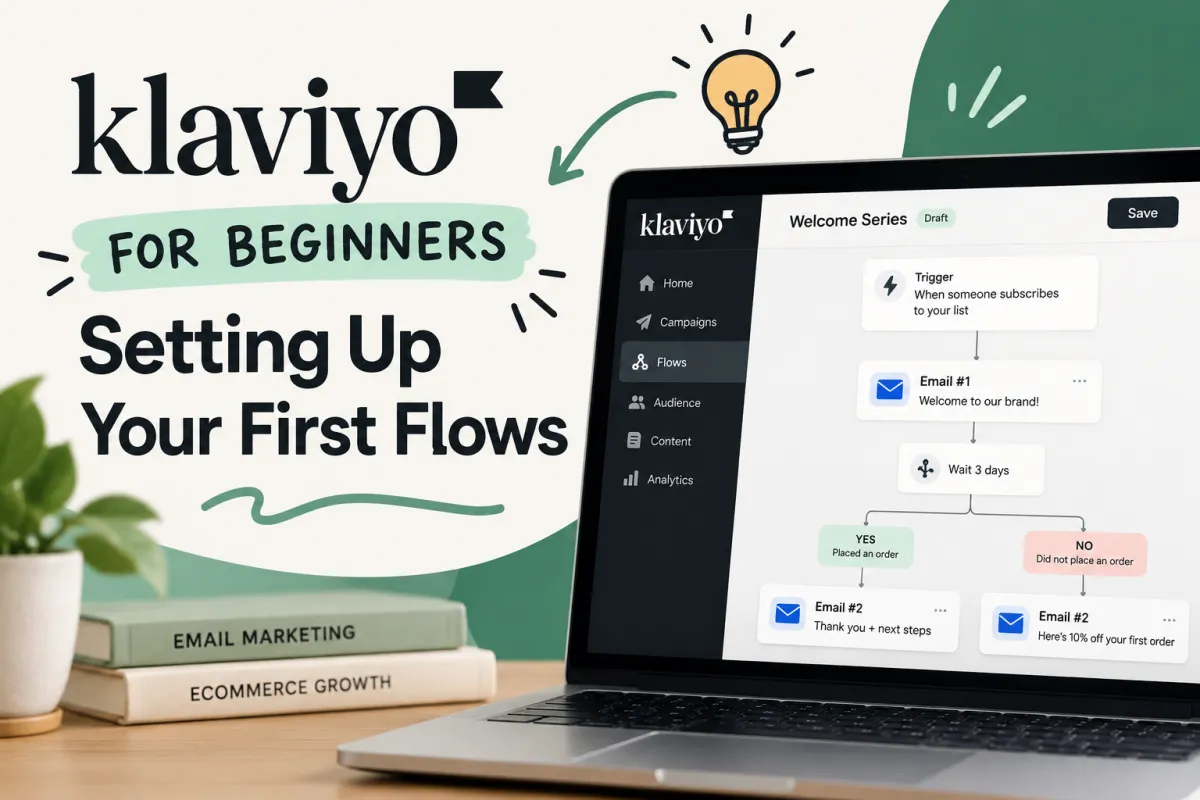
Klaviyo for Beginners: Setting Up Your First Flows
If you're new to Klaviyo, don't try to automate everything at once. Start with the flows that follow the natural customer journey: welcome series → abandoned cart → post-purchase → winback, with browse abandonment added once your tracking and audience are ready for it.
The basic idea is simple. A Klaviyo flow is an automated sequence triggered by something a customer does, or by something you know about them. Someone joins your subscriber list. Someone starts checkout but doesn't buy. Someone places their first order. Klaviyo detects the event and moves that person into the appropriate automation.
For your first Klaviyo flow setup, focus on five things:
Connect your ecommerce store and check your customer data.
Understand flow triggers before building messages.
Create a welcome series for new subscribers first.
Build an abandoned cart flow around genuine purchase intent.
Add post-purchase, browse abandonment and winback automation as your customer lifecycle develops.
You do not need dozens of emails, elaborate conditional logic or endless audience segments to begin. You need a small number of useful automated flows, sensible timing and messages that fit what the customer has actually done.
The rule to remember: a good Klaviyo automation sends the right message because of customer behaviour — not simply because you have an email address.
That distinction is what turns basic email marketing into an automated customer journey.
What Is a Klaviyo Flow?
A Klaviyo flow is an automated sequence of actions that begins when someone meets a particular trigger.
Imagine a customer called Alex.
Alex discovers your store, likes what you're selling and joins your newsletter through a popup form. That action can trigger a welcome flow.
A few days later, Alex views a product several times. That behaviour could eventually qualify Alex for a browse abandonment flow.
Alex adds the product to the basket and starts checkout but gets distracted. Now a Started Checkout event can trigger an abandoned cart flow.
Later, Alex returns and purchases. Klaviyo records the Placed Order event, removes Alex from automation that is no longer relevant and potentially introduces them to your post-purchase flow.
One person. Several actions. Different messages.
That's the foundation of email marketing automation.
Instead of manually deciding who should receive every email, you define the conditions in advance. Klaviyo then uses customer data and events to determine when someone should enter an automated sequence.
Campaigns and flows aren't the same thing
This is one of the first distinctions worth learning in Klaviyo.
A campaign is generally a message you deliberately send to a chosen audience at a particular time. Your Friday newsletter or Black Friday announcement would be obvious examples.
A flow is event-driven automation.
Campaign | Flow |
|---|---|
Usually scheduled for a particular date or time | Runs continuously |
Sent to an audience you select | Entered when someone meets a trigger |
Useful for announcements and promotions | Useful for lifecycle marketing |
Normally a one-off send | An automated sequence |
Same sending occasion for recipients | Timing depends on each customer's actions |
Your campaigns might stop while you're on holiday. Your automated flows don't have to.
A shopper can abandon checkout at 2:17 a.m. on Sunday and enter the relevant automation without anybody opening Klaviyo and pressing Send.
That is why Klaviyo flows can become such an important part of ecommerce email marketing.
How Klaviyo Automation Actually Works
The interface can make a sophisticated flow look complicated: boxes, branches, filters, delays and messages all connected on a canvas.
Underneath it, however, the logic is remarkably straightforward.
Trigger → qualification → delay/action → message → customer response
Let's break that down.
1. The flow trigger
Every automation needs a starting point.
A flow trigger tells Klaviyo what needs to happen for somebody to enter the flow. Depending on what you're building, this could be based on a list, segment, metric or date property.
Common examples include:
A person joins your subscriber list.
A customer enters a particular segment.
A shopper triggers Viewed Product.
A shopper triggers Started Checkout.
A customer triggers Placed Order.
A date stored in a profile property is reached.
The trigger is fundamental because it establishes the reason for the communication.
If somebody has just subscribed, "Welcome — here's what we're about" makes sense.
If somebody has just ordered, "You left something in your basket" doesn't.
Obvious? Yes. But this principle becomes increasingly important as your automation becomes more sophisticated.
2. Trigger filters and flow filters
A trigger determines who could enter. Filters help you control who should proceed.
Trigger filters, flow filters and profile-based conditions allow you to refine the audience so that people don't receive irrelevant automation.
For an abandoned cart flow, for example, you don't simply care that somebody started checkout. You also care whether they subsequently purchased.
Conceptually, the logic might look like this:
TRIGGER
Started Checkout ↓ FILTER
Has Placed Order zero times since starting this flow ↓ TIME DELAY
Wait for a defined period ↓ MESSAGE
Remind the shopper about their checkout
Without sensible filters and exit conditions, automated sequences can quickly become annoying.
The objective isn't to send as many messages as possible. It's to send messages while they remain relevant.
3. Time delays
A time delay controls how long Klaviyo waits before moving someone to the next stage.
Timing changes the meaning of a message.
Send a cart reminder too quickly and it may arrive while the shopper is still deciding whether to buy. Leave it too long and their interest may have disappeared.
Likewise, five welcome emails delivered in ten minutes aren't much of a welcome series. They're an ambush.
Time delays give the customer journey room to breathe.
4. Flow actions and messages
Next come your flow actions.
Depending on your setup, an automation can contain email and SMS messages alongside logic such as delays and splits. This is where a simple sequence can become personalized automation.
You might send an email, wait two days and then use a conditional split to create different paths based on customer behaviour.
For example:
WELCOME EMAIL | Wait 2 days |
Has the subscriber purchased? / \ YES NO / \
Customer Continue
path welcome series
This branching logic matters because customers don't all behave identically.
Someone who buys after your first welcome email should not necessarily receive exactly the same follow-up as someone who hasn't visited a product page.
Good automation reacts.
Before You Build Your First Flow: Get the Foundations Right
There's a temptation when opening Klaviyo for the first time to head directly into the flow builder, select a template and start writing emails.
Resist it for a moment.
A beautiful automation running on poor data is still poor automation.
Before you create a flow, make sure Klaviyo can accurately understand what customers are doing on your store.
Connect your ecommerce platform
Your ecommerce integration is the bridge between store behaviour and Klaviyo automation.
For merchants using platforms such as Shopify or WooCommerce, the integration can provide the events and customer data that make behavioural automation possible.
You want Klaviyo to reliably recognise important activity such as:
Viewed Product
Started Checkout
Placed Order
Customer and subscriber information
Purchase history
Relevant profile properties
Website tracking also matters for behaviour such as product views and browse abandonment.
Don't simply assume the integration works because the apps say they're connected. Test the important events yourself.
Visit your store. Browse products. Complete test actions where appropriate. Then inspect the corresponding customer profile in Klaviyo.
Can you see the activity you expected to see?
If not, fix tracking before creating automation that depends on it.
Lists, Segments and Customer Profiles: What's the Difference?
Three concepts can initially blur together for Klaviyo beginners: profiles, lists and segments.
They're related, but they're not interchangeable.
Customer profiles
Think of a profile as Klaviyo's record of an individual person.
Depending on the data available, a customer profile can contain contact details, profile properties, consent information and a history of tracked customer actions.
Those actions are what make behavioural targeting possible.
Klaviyo isn't simply seeing:
"This email address belongs to Alex."
It can potentially understand:
"Alex subscribed, viewed Product A, started checkout, hasn't placed an order and last interacted with an email three days ago."
That context is immensely more useful.
Lists
A list is a collection of profiles. Newsletter subscribers are a familiar example.
Lists can be particularly useful when membership itself should initiate automation. A list-triggered flow, for instance, could begin when somebody joins your main email subscriber list.
Segments
Segments are dynamic groups based on conditions.
Rather than manually deciding who belongs in the group, you define rules and Klaviyo evaluates profiles against them.
You might create customer segments for:
Engaged subscribers
First-time customers
Repeat purchasers
Customers who haven't purchased recently
People who have purchased a particular product
Subscribers who meet specific engagement criteria
As customer behaviour changes, segment membership can change too.
This distinction becomes powerful later because audience segmentation and dynamic segments allow your email automation to become considerably more precise.
But for your very first flows, don't build 47 segments because you can.
Complexity isn't the objective.
Relevance is.
The First Klaviyo Flows You Should Build
Now we get to the important question.
Which flows should a beginner actually set up?
There are many possibilities in the Klaviyo Flow Library, and pre-built flows and flow templates can save considerable setup time. But more automation doesn't automatically equal better marketing.
A sensible starting hierarchy is:
Welcome series
Abandoned cart flow
Post-purchase flow
Browse abandonment flow
Winback flow
Why this order?
Because these automated flows map naturally to different stages of the customer lifecycle.
Customer stage | Relevant Klaviyo flow | Main purpose |
|---|---|---|
New subscriber | Welcome series | Introduce, educate and encourage a first purchase |
Checkout started | Abandoned cart | Recover high-intent shoppers |
Customer purchased | Post-purchase | Support the customer and encourage retention |
Product viewed | Browse abandonment | Re-engage interested browsers |
Customer becomes inactive | Winback | Encourage a return purchase |
You don't necessarily need to launch all five on day one.
Start with the moments where the customer's intent is easiest to understand.
That usually means your welcome series and abandoned cart flow deserve attention early.
Your First Flow: Building a Welcome Series
For many stores, the welcome series is the best place to learn how Klaviyo flows work.
The trigger is understandable. The audience is clear. And unlike a one-off newsletter, the sequence can greet new subscribers whenever they arrive.
Choose the right trigger
A typical welcome email automation starts when someone joins your designated subscriber list.
That makes it a list-triggered flow.
In plain English:
When a new email subscriber joins this list, begin the welcome series.
Simple.
But before switching anything live, make sure the list you're using is actually the one connected to the relevant sign-up forms or popup form.
You should also pay attention to consent.
An email address appearing somewhere in your ecommerce data does not automatically mean you should treat that person as a newsletter subscriber. Your marketing needs to respect the consent and applicable communication rules associated with that profile.
The same principle becomes particularly important if you later introduce SMS flows, where SMS consent needs to be handled appropriately.
What should the first welcome email do?
Your first email has one job above all others:
Make the subscriber glad they signed up.
That doesn't mean it has to be complicated.
A strong opening welcome email might:
Deliver whatever was promised by the sign-up form.
Introduce the brand clearly.
Explain what makes your products or approach distinctive.
Give the reader an obvious next step.
Set expectations for future emails.
The mistake is trying to say everything at once.
Your origin story. Every bestseller. Six reviews. Four product recommendations. Your entire FAQ. A discount. Your Instagram feed. The founder's favourite breakfast.
No.
You have a sequence. Use it.
Email one can welcome. Email two can educate. Email three can overcome objections or introduce products.
That is the advantage of an automated sequence: each message can do one useful job and hand the relationship to the next.
And once that foundation is working, the next challenge is more commercially urgent: building an abandoned cart flow that can recognise purchase intent without pestering shoppers who have already bought.
Your Second Flow: Setting Up an Abandoned Cart Flow
An abandoned cart flow is where Klaviyo automation starts to feel genuinely clever.
A welcome series responds to a subscription. Cart abandonment responds to something much closer to a purchase.
The shopper has already shown intent.
They've browsed your store, found something they like and progressed towards checkout. Then, for whatever reason, they stopped.
Maybe delivery interrupted them. Maybe they wanted to compare prices. Maybe they couldn't find their bank card. Maybe they simply thought, "I'll finish this later," and promptly forgot.
Your cart recovery automation exists to bring that unfinished journey back to their attention.
Not to shout.
Not to immediately throw a discount at them.
Just to reopen the conversation.
Start with the right abandoned cart trigger
For many ecommerce stores, Started Checkout is the key metric behind an abandoned checkout automation.
The basic logic looks something like this:
Started Checkout ↓
Has not Placed Order ↓
Wait ↓
Cart reminder ↓
Wait ↓
Has the customer purchased? ↙ ↘ YES NO
Exit Continue flow
Notice what's arguably more important than the trigger itself:
Has not Placed Order.
Your automation needs to know when its job is finished.
Someone who starts checkout at lunchtime and completes their purchase that evening should not wake up the next morning to an email telling them they forgot to order.
They didn't.
This is where flow filters, profile filters and exit conditions protect the customer experience.
Your flow trigger gets someone into the automation. Your filters and conditional logic help determine whether they should remain there.
How Long Should You Wait Before Sending an Abandoned Cart Email?
There isn't a magical time delay that works identically for every ecommerce business.
A £15 impulse purchase and a £1,500 considered purchase involve very different decision-making.
That's why copying somebody else's exact flow timing without considering your own customers can be misleading.
What matters is the principle behind the timing.
Your first cart recovery email should generally arrive while the purchase is still fresh in the shopper's mind, but not so quickly that you're interrupting a checkout they were already going to complete.
Think about the customer's likely buying behaviour:
How long does a typical purchase decision take?
Is the product an impulse buy or a considered purchase?
Are shoppers likely to compare alternatives?
Do customers frequently return later to complete checkout?
How long does your normal conversion window appear to be?
Your time delay should reflect those answers.
Then test it.
Klaviyo flows aren't monuments carved into stone. They're systems you can improve as customer data accumulates.
What should the first abandoned cart email say?
Often, less than you think.
The customer already knows your brand. They already know the product. They were interested enough to begin checkout.
You don't necessarily need to sell them the entire company again.
A useful first message can simply remind them what they were considering and make it easy to return.
A basic structure might be:
Subject: Still thinking it over?
Opening: You left something behind.
Body: Show the relevant item, provide a concise reminder and offer an obvious route back to checkout.
CTA: Return to your basket.
Dynamic content and personalization become especially useful here because the email can reflect what the shopper was actually considering.
That's far more relevant than a generic:
"HEY! YOU FORGOT SOMETHING!!!"
Your customers are people, not abandoned-cart statistics.
Write accordingly.
Don't Lead With a Discount Automatically
One of the easiest habits to develop in ecommerce email automation is offering a discount whenever someone hesitates.
Customer abandons checkout?
10% off.
Still hasn't purchased?
15% off.
Wait another day?
Please, for the love of conversion rate, take 20% off.
There are obvious problems with that approach.
Regular customers can learn that abandoning a basket gets them a better price. Margins shrink. Your product's perceived value can weaken. And you're paying for purchases that might have happened anyway.
Before offering an incentive, try answering the reasons someone may not have completed checkout.
Perhaps they need:
More confidence in the product
Delivery information
Returns information
Customer reviews
Answers to common objections
A reminder of the product's main benefit
Reassurance about ordering
A later message in the flow might justify an incentive for particular customer segments. But make that a deliberate decision rather than an automatic reflex.
This is where conditional splits and branching logic can make an abandoned cart flow more sophisticated.
For example, a repeat customer might follow one path while a first-time customer follows another.
Started Checkout ↓
No Placed Order ↓ Cart Email ↓ Wait ↓
Previous customer? ↙ ↘ YES NO ↓ ↓
Path A Path B
You don't need this complexity on day one.
Get the basic flow working first.
Then optimise.
Smart Sending: Useful, but Understand What It's Doing
As your email flows and campaigns multiply, another issue appears: frequency.
Imagine a subscriber receives your promotional campaign in the morning.
Later, they browse a product.
Then they start checkout.
Meanwhile, they qualify for another automated message.
Each individual email might make sense in isolation, but together they can become excessive.
This is where Smart Sending and your broader approach to email frequency matter.
The objective is to avoid overwhelming customers who happen to qualify for several communications within a short period.
But don't treat Smart Sending as a button that automatically makes every messaging decision correct.
Different messages have different urgency.
A general promotional email and a high-intent transactional or behavioural message don't necessarily deserve identical treatment.
Think about:
Why is this person receiving the message?
How recently did you contact them?
What other flows can they enter?
Is this communication useful enough to justify another email?
Could one automation clash with another?
As your account grows, flow frequency becomes part of customer experience and email deliverability, not merely a technical setting.
Your Third Flow: Post-Purchase Automation
The sale isn't the end of the customer journey.
It's the beginning of a different stage.
This is why a post-purchase flow deserves a place among your first Klaviyo flows.
Too many ecommerce businesses put enormous effort into converting a first-time customer and remarkably little effort into what happens afterwards.
They spend money acquiring the customer.
They persuade them to order.
Payment arrives.
Then...
Silence.
A thoughtful post-purchase email automation can turn that dead space into something useful.
The Placed Order trigger
Where cart recovery commonly revolves around Started Checkout, post-purchase automation can be triggered by Placed Order.
Now the context has completely changed.
The person isn't a prospect anymore.
They're a customer.
Your communication should recognise that.
A post-purchase sequence can help you:
Reinforce the customer's buying decision.
Explain how to get the most from the product.
Answer likely post-purchase questions.
Introduce complementary products at an appropriate time.
Encourage reviews or feedback.
Support repeat purchases and customer retention.
The order matters.
If the first thing you say after someone buys is "BUY ANOTHER ONE", you've skipped a rather important stage of the relationship.
Help first.
Sell intelligently later.
Think beyond order confirmation emails
An order confirmation is functional.
A post-purchase flow can be relational.
There's a difference.
Transactional communication tells somebody their payment was received and their order is progressing.
Lifecycle marketing asks what information would make that customer happier with the decision they just made.
Suppose you sell a product that requires some setup.
A useful automated sequence might look like:
Placed Order ↓
Customer receives product ↓
Usage / setup advice ↓
Care or best-practice guidance ↓
Relevant follow-up ↓
Review request ↓
Complementary recommendation
The precise sequence will depend on what you sell.
Consumable products may eventually need replenishment reminders. Technical products may benefit from educational content. Fashion purchases might lend themselves to styling suggestions. Products with complementary accessories create opportunities for relevant cross-selling.
This is where product recommendations can become genuinely useful rather than arbitrary.
The question isn't:
"What else can we sell this person?"
It's:
"What would logically help this customer next?"
That small shift tends to produce better marketing.
If designing these customer journeys, segments and automated sequences is becoming more complex than expected, professional ecommerce marketing services can also help connect the individual pieces into a wider retention strategy rather than treating every flow as an isolated email sequence.
First-Time Customers and Repeat Customers Shouldn't Always Get the Same Journey
Here's where customer profiles and segmentation start earning their keep.
Imagine two customers.
Customer A has just made their first purchase.
Customer B has ordered seven times.
Both trigger Placed Order.
Should their follow-up experience be identical?
Probably not.
The first-time customer may need reassurance, education and an introduction to what happens next.
The repeat customer already knows you.
Using conditional logic, profile properties, purchase history and customer segments, you can begin creating different paths.
For example:
PLACED ORDER ↓
First purchase? ↙ ↘ YES NO ↓ ↓
New Repeat
customer customer
journey journey
This doesn't mean every flow needs dozens of branches.
In fact, beginner accounts often become harder to manage because they're made unnecessarily complicated.
Use a conditional split when the difference between two groups should meaningfully change what you say.
Don't use one just because the flow builder lets you.
Your Fourth Flow: Browse Abandonment
An abandoned cart flow deals with relatively strong purchase intent.
A browse abandonment flow catches an earlier signal.
Someone looked.
But they didn't necessarily add the product to their basket or start checkout.
That makes browse abandonment useful — and easier to get wrong.
Viewed Product versus Started Checkout
The difference between these events matters.
Viewed Product says:
"This person looked at something."
Started Checkout says:
"This person moved considerably closer to buying something."
Those are not equivalent behaviours.
Someone might view six products because they're curious. They may be researching. They might have clicked the wrong link. They may have no intention of purchasing today.
That's why browse abandonment usually calls for a lighter touch.
A useful browse abandonment message might remind the shopper of what they viewed, highlight an important benefit, answer a common question or show relevant alternatives.
It shouldn't behave as though the customer has abandoned a purchase they never started.
Avoid becoming the creepy shop assistant
There's a fine line between useful behavioural targeting and:
"We saw you looking at the blue one at 9:43 p.m."
Personalization works best when it feels helpful rather than invasive.
You can use website tracking and Viewed Product data without narrating every piece of customer behaviour back to the customer.
A browse abandonment email might say:
"Still considering this?"
It doesn't need to say:
"We have been monitoring your every click."
The technology can be sophisticated.
The copy should still feel human.
Who Should Enter a Browse Abandonment Flow?
This is where trigger filters, profile filters and customer behaviour become particularly important.
You don't necessarily want every known profile who views a product to receive an email.
Think about eligibility.
You may want to exclude people who:
Have already purchased the viewed product
Have recently placed an order
Have already started checkout and belong in a higher-intent flow
Don't have appropriate marketing consent
Have received too many messages recently
Don't meet your engagement requirements
The exact conditions depend on your store and data.
The underlying principle doesn't:
The weaker the buying signal, the more careful you should be about interpreting it.
Started Checkout gives you meaningful commercial intent.
Viewed Product gives you interest.
Treat them differently.
Your Fifth Essential Automation: The Winback Flow
Eventually, even good customers go quiet.
A shopper who once purchased regularly stops ordering. A customer buys once and never returns. Somebody who used to engage disappears from the normal buying cycle.
That's where the winback flow — sometimes called a win-back campaign or re-engagement flow — enters the picture.
Unlike abandoned cart automation, a winback sequence isn't responding to something the customer just did.
It's responding to what they haven't done.
The customer hasn't purchased for a period that matters to your business.
And that last part is crucial.
Define "inactive" based on your buying cycle
There is no universally correct delay for a winback flow.
If customers normally reorder every 30 days, waiting a year makes little sense.
If you sell products customers replace every three years, declaring somebody "lapsed" after 45 days is equally absurd.
Look at the natural purchase cycle.
Ask:
How long is the typical gap between first and second purchase?
How frequently do repeat customers normally order?
Does the product need replenishing?
Are purchases seasonal?
At what point does repeat-purchase probability begin to fall?
Your winback timing should follow customer behaviour rather than somebody else's flow template.
What should a winback email contain?
Start with relevance before discounts.
Remind customers why they bought from you. Introduce something genuinely new. Show a relevant product. Explain improvements. Provide useful information. Ask whether their needs have changed.
If an incentive makes commercial sense later, fine.
But once again:
discounting is a tactic, not a strategy.
A strong winback flow contributes to customer retention because it recognises that acquiring a customer once and keeping a customer are different marketing problems.
And that leads to a bigger point.
Your Five Flows Form a Customer Lifecycle
Look at what you've built so far:
Welcome → Browse → Checkout → Purchase → Retention → Winback
These aren't really five isolated automations.
They're pieces of a customer lifecycle.
Your welcome series handles the beginning of the relationship.
Browse abandonment reacts to early product interest.
Your abandoned cart flow responds to stronger purchase intent.
Post-purchase automation supports first-time customers and repeat purchases.
Your winback flow responds when that relationship begins to fade.
Put together, those pieces start to resemble an automated customer journey.
That's when Klaviyo becomes much more than a tool for sending newsletters.
But there's a catch.
As the number of flows increases, so does the possibility that they collide.
A customer can qualify for multiple automated sequences. Segments can overlap. Campaigns can arrive alongside flow messages. An old automation can quietly keep running long after somebody has forgotten why it was built.
So before adding even more automation, you need to test what you already have.
Test Every Flow Before You Trust It
Never assume a flow works because it looks correct on the canvas.
Test it.
Before changing a flow status from draft towards live sending, work through the journey as though you were a customer.
Check:
Is the correct flow trigger firing?
Are trigger filters working?
Are flow filters excluding the right people?
Are time delays sensible?
Do conditional splits send profiles down the correct branch?
Does personalization populate correctly?
Does dynamic content display as intended?
Do links work?
Does the email look right on mobile?
Can someone who has already purchased still receive an inappropriate cart reminder?
Are consent rules being respected?
Then test again.
One tiny logic mistake can affect thousands of future customers because automation repeats your decisions at scale.
That's both the beauty and danger of it.
Automation doesn't fix bad logic. It repeats bad logic more efficiently.
A free ecommerce marketing audit can also be useful when you want an outside view of where your current marketing setup may be leaking opportunities, particularly once multiple acquisition and retention activities are operating together.
Draft, Manual and Live: Don't Rush the Switch
When you're learning Klaviyo, pay attention to flow status.
You don't need to throw every newly created message straight into live sending.
Use the available testing and status controls to inspect how profiles would move through the sequence before trusting the automation with real customers.
A sensible beginner workflow is:
Build the automation.
Check the trigger and filters.
Preview flow messages and dynamic content.
Test links and customer paths.
Review delays and conditional logic.
Monitor how profiles behave.
Move live only when you're comfortable with the journey.
Pre-built flows from the Flow Library can accelerate this process, but a flow template is a starting point — not a substitute for understanding your own customer journey.
Your products are different.
Your buying cycle is different.
Your customers are different.
Your margins, average order value and purchase frequency are different.
So your Klaviyo automation should eventually be different too.
Once these foundations are live, the next stage isn't adding automation for automation's sake.
It's measuring whether any of it actually works.
That means understanding flow analytics, open rate, click rate, conversion rate, revenue attribution, A/B testing and flow performance — then using those numbers to decide what should be changed, simplified or scaled.
Measuring Klaviyo Flow Performance
A flow being live doesn't mean it's finished.
It means you finally have something worth measuring.
Once your welcome series, abandoned cart flow, post-purchase flow, browse abandonment flow and winback flow have collected enough meaningful data, you can start asking better questions.
Not:
"Did Klaviyo send the email?"
But:
"Did this flow improve the customer journey and contribute to profitable growth?"
That's where flow analytics become important.
Klaviyo gives you information about how people interact with flow messages and what happens afterwards. Rather than obsessing over a single number, look at the relationship between engagement, conversion and revenue.
Some of the metrics you'll encounter include:
Open rate
Click rate
Conversion rate
Placed Order activity
Revenue per recipient
Revenue attribution
Flow performance
Unsubscribe behaviour
Email deliverability
Each tells you something slightly different.
And none should be viewed entirely in isolation.
Open Rates Are Useful. They're Not the Finish Line.
An impressive open rate feels good.
It is also remarkably easy to become distracted by it.
Subject lines matter because an unopened email can't do much. But getting somebody to open an email isn't usually the commercial objective.
You want the message to move the customer appropriately towards the next action.
Suppose Welcome Email A has a higher open rate than Welcome Email B.
Great.
But what if Email B produces substantially more clicks and more first purchases?
Which one is actually doing the better job?
Probably B.
The same applies to an abandoned cart flow. A clever subject line might generate curiosity and opens, but if hardly anyone returns to checkout, the message isn't accomplishing its primary purpose.
Think of your metrics as a sequence:
DELIVERED ↓
OPENED ↓
CLICKED ↓
ACTION TAKEN ↓
CONVERSION ↓
REVENUE
Each stage can reveal a different weakness.
Low opens? Investigate subject lines, sender recognition, timing and deliverability.
Healthy opens but poor clicks? Look at the content, offer, relevance and calls to action.
Strong clicks but weak conversion? The problem may exist beyond the email — perhaps on the product page, checkout or wider store experience.
That's an important lesson for Klaviyo beginners:
Not every email marketing problem is an email problem.
Your automation can deliver an interested shopper perfectly. It cannot compensate indefinitely for an unclear proposition, poor website experience or unsuitable product.
Revenue Attribution: Give the Numbers Context
Revenue is naturally one of the most interesting parts of Klaviyo email marketing.
You want to know whether your automated flows are contributing to sales.
But revenue attribution deserves context.
If Klaviyo attributes revenue to a particular flow, don't automatically assume that every penny would have disappeared without that email.
Some customers were already highly motivated.
Consider abandoned checkout.
A shopper places £200 worth of products into checkout, leaves briefly, receives an automated reminder and completes the purchase.
The flow may receive attribution.
Did the email help?
Quite possibly.
Would the shopper definitely have abandoned the £200 purchase forever without it?
You can't know that from attribution alone.
That's why good analysis asks more than:
"How much attributed revenue did this flow generate?"
It asks:
"What incremental value is this automation likely creating?"
That mindset becomes particularly important when you're evaluating incentives.
If a flow generates £10,000 in attributed revenue but gives discounts to customers who were already going to purchase, the headline figure doesn't tell the whole story.
Revenue matters.
So do margins.
So does customer behaviour.
And so does what would probably have happened without the intervention.
If you want to put marketing performance into a broader commercial context, an ecommerce ROI calculator can help you think beyond surface-level revenue and consider what your marketing activity is actually returning.
A/B Testing Your Klaviyo Flows
Once a flow has enough traffic to produce meaningful results, A/B testing can help you improve it.
The important phrase there is:
meaningful results.
Changing five things after 17 people receive an email isn't optimization.
It's guessing with a spreadsheet nearby.
A good A/B test starts with a question.
For example:
Does a benefit-led subject line outperform a curiosity-led one?
Does the first abandoned cart message work better after a shorter or longer time delay?
Does showing customer reviews improve click or conversion rate?
Does a product-focused welcome email outperform a brand-story email?
Does an incentive improve incremental conversion enough to justify its cost?
Does one CTA outperform another?
Test something because you want to learn something.
Change one meaningful variable at a time
Suppose Version A has:
A different subject line
A different hero image
A 10% discount
Three product recommendations
A red button
Different body copy
And Version B changes all of those things.
Version B wins.
Wonderful.
Why?
You have no idea.
A cleaner experiment isolates the variable you're trying to understand.
Version A: "Still thinking it over?"
Version B: "Your basket is waiting"
Everything else remains reasonably consistent.
Now the result tells you something about the subject line.
Over time, these small lessons compound.
That's flow optimization.
Not constantly rebuilding everything.
Learning.
Optimise the Biggest Leaks First
When you first discover flow analytics, it's tempting to tweak everything.
Don't.
Prioritise.
If your welcome series has strong engagement but your abandoned cart flow barely converts, the cart sequence probably deserves more attention.
If emails are getting clicked but shoppers consistently disappear after reaching a particular landing page, changing your subject line isn't the obvious priority.
If your post-purchase automation performs well but customers rarely make a second purchase, examine the timing, product lifecycle and retention proposition.
Use the data to find friction.
A practical optimization hierarchy is:
Make sure the automation works technically.
Make sure the right people enter it.
Make sure the wrong people are excluded.
Check whether timing matches customer behaviour.
Check whether messages are relevant to that stage of the journey.
Identify the largest performance drop-off.
Test a meaningful change.
Measure the result before making another conclusion.
This is less exciting than redesigning six emails every Tuesday.
It's also considerably more useful.
Don't Ignore Email Deliverability
You can build the most sophisticated automated sequence imaginable, but it doesn't matter much if your emails aren't reaching people effectively.
Email deliverability should therefore sit alongside conversion and revenue in your thinking.
Healthy email marketing isn't about sending everything to everybody.
It's about sending relevant messages to people who reasonably expect and want them.
That brings us back to several concepts we've already discussed:
consent, engagement, email frequency, Smart Sending, segmentation and relevance.
They aren't isolated technical features.
They influence the health of the entire program.
More email isn't automatically more revenue
Imagine an engaged subscriber enters your welcome flow.
At the same time, they're eligible for a promotional campaign.
Then they browse a product.
Then they start checkout.
Potentially, you now have several systems trying to speak to the same person.
Welcome email.
Campaign.
Browse abandonment.
Abandoned checkout.
Follow-up.
Another campaign.
Your individual automations may all be functioning exactly as designed while the combined customer experience is terrible.
This is why experienced email marketing automation becomes partly about suppression.
You don't only decide who should receive something.
You decide who shouldn't.
Good automation knows when to speak.
Great automation also knows when to shut up.
Common Klaviyo Mistakes Beginners Should Avoid
By this point, you know how to create a flow, choose flow triggers, introduce time delays, apply filters and build conditional logic.
Knowing what not to do is just as valuable.
1. Launching too many flows at once
Five half-built automations aren't necessarily better than two excellent ones.
Start with high-value customer journeys. Understand how they work. Test them properly.
Then expand.
2. Copying flow templates without adapting them
The Flow Library is enormously useful.
Treat it as a starting point.
A pre-built flow doesn't know your average buying cycle, product complexity, margins, customer objections or brand voice.
You do.
Adapt accordingly.
3. Forgetting exit conditions
Automation must respond when circumstances change.
If somebody buys, stop asking them to complete a purchase they've already completed.
If they move into a more relevant customer journey, consider whether the previous one should continue.
Always ask:
"What would make this message no longer appropriate?"
Then make sure your flow logic accounts for it.
4. Discounting too early
You don't need to bribe every customer into buying.
Try reminders, reassurance, education, social proof, product benefits and objection handling first.
Use incentives deliberately.
5. Treating every customer identically
New subscribers, first-time customers, repeat customers, engaged subscribers and lapsed buyers have different relationships with your business.
Your lists and segments, customer profiles, profile properties and conditional splits can help you recognise those differences.
6. Overcomplicating branching logic
The opposite mistake also happens.
A beginner discovers conditional splits and suddenly the flow resembles an underground railway map.
Every branch creates something else to maintain, test and understand.
Complexity should earn its place.
If two customer groups genuinely need different communication, split them.
If they don't, don't.
7. Ignoring mobile
A flow message can look beautiful on a desktop monitor and dreadful on the device your customer actually uses.
Preview flow emails properly.
Check:
Headlines
Image sizing
Buttons
Product blocks
Dynamic content
Text length
Links
Spacing
Then test the real message.
8. Setting flows live and forgetting them
Automated doesn't mean self-improving.
Customer behaviour changes.
Products change.
Offers expire.
Brand messaging evolves.
Links break.
Segments become outdated.
Review your automated flows periodically instead of assuming "live" means "finished".
A Simple Klaviyo Flow Checklist for Beginners
Before you publish a new automation, work through this checklist.
Trigger
Is the trigger type appropriate?
Should this be a list-triggered flow, segment-triggered flow, metric-triggered flow or date property trigger?
Is the triggering event being tracked correctly?
Eligibility
Do you need trigger filters?
Are the correct profile filters or flow filters present?
Is consent handled appropriately?
Who should explicitly not receive these messages?
What event should cause someone to leave the sequence?
Timing
Does each time delay make sense?
Are you allowing enough time for the customer to act naturally?
Could this flow overlap badly with other automation?
Messages
Does every email have a clear purpose?
Is personalization being used naturally?
Is dynamic content displaying correctly?
Are product recommendations genuinely relevant?
Is there a clear next step?
Does the message still make sense on mobile?
Testing
Have you used preview and testing tools?
Have you tested every link?
Have you checked each conditional split?
Have you tested the customer journey rather than just individual emails?
Are draft, manual and live statuses being used appropriately?
Measurement
What is the main objective?
Which metric best represents that objective?
Are you monitoring click rate and conversion rate rather than obsessing only over opens?
Is revenue attribution being interpreted sensibly?
Do you have enough data before making changes?
If you can't confidently answer those questions, don't rush.
Fix the uncertainty first.
What Your First Klaviyo Setup Could Look Like
For a beginner, your initial email automation ecosystem doesn't need to be enormous.
It could be remarkably compact:
NEW SUBSCRIBER ↓
WELCOME SERIES ↓
Product interest ↓
BROWSE ABANDONMENT ↓
Started Checkout ↓
ABANDONED CART ↓
Placed Order ↓
POST-PURCHASE ↓
Customer relationship develops ↓
No purchase for expected period ↓
WINBACK
That's already a meaningful customer lifecycle.
From there, you can introduce greater personalization.
A first-time customer can follow a different post-purchase path from a repeat customer.
A highly engaged subscriber can receive different treatment from someone becoming inactive.
Customers interested in one category can receive more relevant product recommendations.
High-value buyers can enter appropriate customer segments.
Email and SMS can work together where consent and strategy support it.
But build that sophistication on top of a reliable foundation.
Not instead of one.
When Should You Add SMS Flows?
Klaviyo isn't limited to email flows.
Depending on your setup, audience and permissions, SMS flows can become another part of your automation strategy.
But don't treat SMS as simply email with fewer characters.
It is a more immediate channel.
That immediacy deserves restraint.
If somebody's phone vibrates because your business sent them a message, the communication should justify the interruption.
SMS can potentially support areas such as:
High-intent cart recovery
Important customer updates
Selected promotions
Relevant lifecycle communication
Time-sensitive messages
But the same principle we've used throughout this guide applies:
Context first. Volume second.
You also need appropriate SMS consent and a clear understanding of the rules that apply to your business and customers.
Don't add SMS because there's an empty SMS box in the flow builder.
Add it when the channel improves the customer journey.
What Comes After Your First Five Flows?
Once your foundations are working, your next automation shouldn't simply be whichever template looks interesting.
Look for gaps in the customer journey.
Maybe customers frequently buy a consumable product but aren't reminded when they're likely to need another.
That suggests replenishment automation.
Perhaps certain products require education before customers experience their full value.
That suggests a more sophisticated post-purchase sequence.
Maybe customers purchase Product A and frequently need Product B several weeks later.
That creates an opportunity for intelligent cross-selling.
Perhaps VIP customers deserve different treatment.
Build a relevant segment and customer journey.
The possibilities include:
Replenishment flows
Product-specific post-purchase flows
Review requests
Cross-sell automation
Upsell automation
Anniversary or date property flows
VIP customer sequences
Back-in-stock communication
Re-engagement sequences
Category-specific welcome paths
Notice the pattern.
These aren't random automations.
Each responds to a recognisable customer need, action or lifecycle stage.
That's the standard you should apply before building anything new.
Klaviyo Flow Troubleshooting: Start With the Logic
Sooner or later, something won't behave as expected.
A profile doesn't enter.
An email doesn't send.
Someone follows the wrong branch.
Dynamic content looks strange.
Welcome to flow troubleshooting.
When that happens, resist the urge to randomly change settings.
Follow the logic from beginning to end.
If somebody didn't enter a flow:
Check the trigger.
Did the relevant event actually occur?
Was the profile eligible at that moment?
Did a trigger filter exclude them?
Was the integration sending the expected data?
If somebody entered but didn't receive a message:
Check the person's journey through the flow.
Was there a time delay?
Did they fail a filter?
Did a conditional split send them elsewhere?
Did their behaviour change after entering?
Was Smart Sending relevant?
What was the message status?
If personalization failed:
Check the underlying customer data.
Does the profile actually contain the property you're trying to display?
Is the event data available?
Do you have fallback content for missing information?
If performance is poor:
Don't immediately assume the flow itself is broken.
Check the entire path.
Trigger → audience → timing → message → click → landing experience → checkout → conversion
Find where behaviour changes.
Then investigate there.
Klaviyo for Beginners: Keep It Simple, Then Get Smarter
If there's one idea to take away from Klaviyo for Beginners: Setting Up Your First Flows, it's this:
You do not need complicated automation to start doing useful automation.
You need the right foundations.
Connect your ecommerce integration properly.
Make sure website tracking and customer data are reliable.
Understand the difference between customer profiles, lists and segments.
Learn what a flow trigger actually does.
Use trigger filters and flow filters to protect relevance.
Then build the customer journeys that make the most sense.
Welcome series for new subscribers.
Abandoned cart flow for people who start checkout but don't purchase.
Post-purchase flow for customers who have just bought.
Browse abandonment flow for appropriate shoppers demonstrating product interest.
Winback flow for customers whose relationship with your store is beginning to fade.
Once they're running, measure them.
Look beyond open rate.
Pay attention to clicks, conversion rate, flow performance and revenue attribution. Use A/B testing when you have enough data to learn something meaningful. Monitor email frequency and deliverability. Improve weak points rather than endlessly adding new automation.
Most importantly, remember what all those triggers, filters, segments, splits and metrics represent.
People.
A flow diagram can make customers look like dots moving through boxes.
They aren't.
One person has just discovered your business.
Another is deciding whether your product is worth buying.
Another trusted you enough to place their first order.
Another has purchased six times.
Another hasn't returned for months.
Good ecommerce email automation recognises those differences.
That's ultimately what Klaviyo is giving you the tools to do: respond to customer behaviour at scale without making the communication feel as though it was created by a machine.
Start simple.
Build your first flow.
Test it.
Watch what customers do.
Learn.
Then make the next flow better than the last.
That's how a handful of automated emails gradually becomes a genuine lifecycle marketing system — one that works in the background, responds to customer actions and keeps improving as you understand your customers better.
Frequently Asked Questions About Klaviyo Flows
1. How many emails should a Klaviyo flow have?
There isn't a fixed number of emails that every Klaviyo flow should contain. The right length depends on the purpose of the automation and the customer's stage in the journey.
A welcome series might need several messages to introduce the brand, educate new subscribers and encourage a first purchase. An abandoned cart flow can often be much shorter because the customer has already demonstrated strong buying intent.
Instead of aiming for a particular number, ask whether each flow message has a distinct purpose. If two emails essentially say the same thing, you may not need both.
2. Can someone enter the same Klaviyo flow more than once?
It depends on the trigger type and configuration of the flow.
Some metric-triggered flows can allow a person to enter again when they perform the triggering action again. That's useful for repeatable customer behaviour such as placing another order. Other types of flows behave differently, so you should check how re-entry works when configuring your automation.
This matters because some customer journeys should repeat, while others shouldn't. Always consider whether receiving the automated sequence again would make sense from the customer's perspective.
3. Can I edit a Klaviyo flow after it has gone live?
Yes. A live Klaviyo flow doesn't have to remain unchanged forever.
In fact, reviewing and improving flow performance should be part of your ongoing email marketing strategy. You may eventually change copy, timing, conditional logic, filters or individual flow messages as you learn more about customer behaviour.
Just be careful when making significant changes to an active automation. Understand where existing profiles are within the flow and consider how your changes could affect people already moving through the sequence.
4. Can I use Klaviyo flows without offering a discount?
Absolutely.
Discounts are not a requirement for successful Klaviyo automation.
Your automated emails can create value through education, reminders, product benefits, social proof, useful advice, objection handling, product recommendations and timely communication.
For some brands, relying less heavily on discounts can help protect margins and avoid teaching customers to wait for a coupon before purchasing.
The question shouldn't be, "What discount should this flow offer?"
It should be, "What does this customer need from us at this point in their journey?"
5. Do I need separate Klaviyo flows for different products?
Not necessarily.
A store with a small and closely related product range may be able to use dynamic content, profile properties, event data and conditional splits within broader automated flows.
However, product-specific flows can make sense when different products have substantially different buying cycles, usage instructions, replenishment periods or post-purchase needs.
Don't create separate automation merely for the sake of organization. Do it when the customer's experience genuinely benefits from different communication.
6. What happens to people already inside a Klaviyo flow when I change it?
This depends on what you change and where each profile currently sits in the automated sequence.
Someone already progressing through a flow may be affected differently from somebody who enters after your changes. That's one reason significant edits to live automation should be made carefully.
Before restructuring an active flow, inspect the existing customer journey and consider people waiting at time delays, approaching conditional splits or queued for later messages.
For substantial changes, think about both future entrants and profiles already inside the flow rather than treating the automation as an empty canvas.
7. Should Klaviyo flows use plain-text emails or designed emails?
Either can work.
Highly designed emails can showcase products, imagery, reviews and dynamic content effectively. Simpler emails can feel more personal and direct.
The right choice depends on the purpose of the message.
A visually rich product recommendation email might benefit from strong imagery, while a personal-looking message later in a welcome or winback sequence could work better with a simpler layout.
Don't confuse design complexity with effectiveness. The best format is the one that communicates the message clearly and encourages the appropriate next action.
8. Can Klaviyo flows work for stores with a small email list?
Yes.
You don't need tens of thousands of email subscribers before email automation becomes useful.
In fact, setting up the foundations early can be an advantage because new subscribers and customers begin entering appropriate automated journeys as your audience grows.
A smaller list does mean you'll collect performance data more slowly. That matters particularly for A/B testing, where tiny samples can produce misleading conclusions.
With limited traffic, prioritise getting your triggers, flow filters, timing and messages right rather than constantly changing them in response to small fluctuations in the numbers.
9. Should I delete old Klaviyo flows when I replace them?
Usually, don't rush to permanently remove an old flow simply because you've built a replacement.
First make sure the replacement works correctly and consider whether profiles are still progressing through the previous automation. Keeping a clear record of previous approaches can also be useful when reviewing historical performance.
What you should avoid is leaving forgotten automation running accidentally.
As your Klaviyo account grows, periodically audit your flows and identify which are live, draft, inactive, outdated or duplicated. A tidy account is considerably easier to troubleshoot and optimize.
10. How often should I review my Klaviyo flows?
There is no universal schedule, but Klaviyo flows shouldn't be treated as "set and forget" automation.
Review important flows regularly and conduct a deeper audit when your products, offers, website, customer behaviour or marketing strategy changes.
During a review, check more than revenue. Look at:
Whether triggers and integrations still work correctly
Broken or outdated links
Product information and offers
Flow filters and conditional logic
Email and SMS consent requirements
Engagement and conversion performance
Unsubscribe behaviour and email deliverability
Overlap between campaigns and other automated flows
Opportunities for meaningful A/B testing
Whether the flow still matches the current customer lifecycle
A mature Klaviyo flow setup isn't one that never changes. It's one that continues to evolve as you collect better customer data and learn what your audience actually responds to.
